
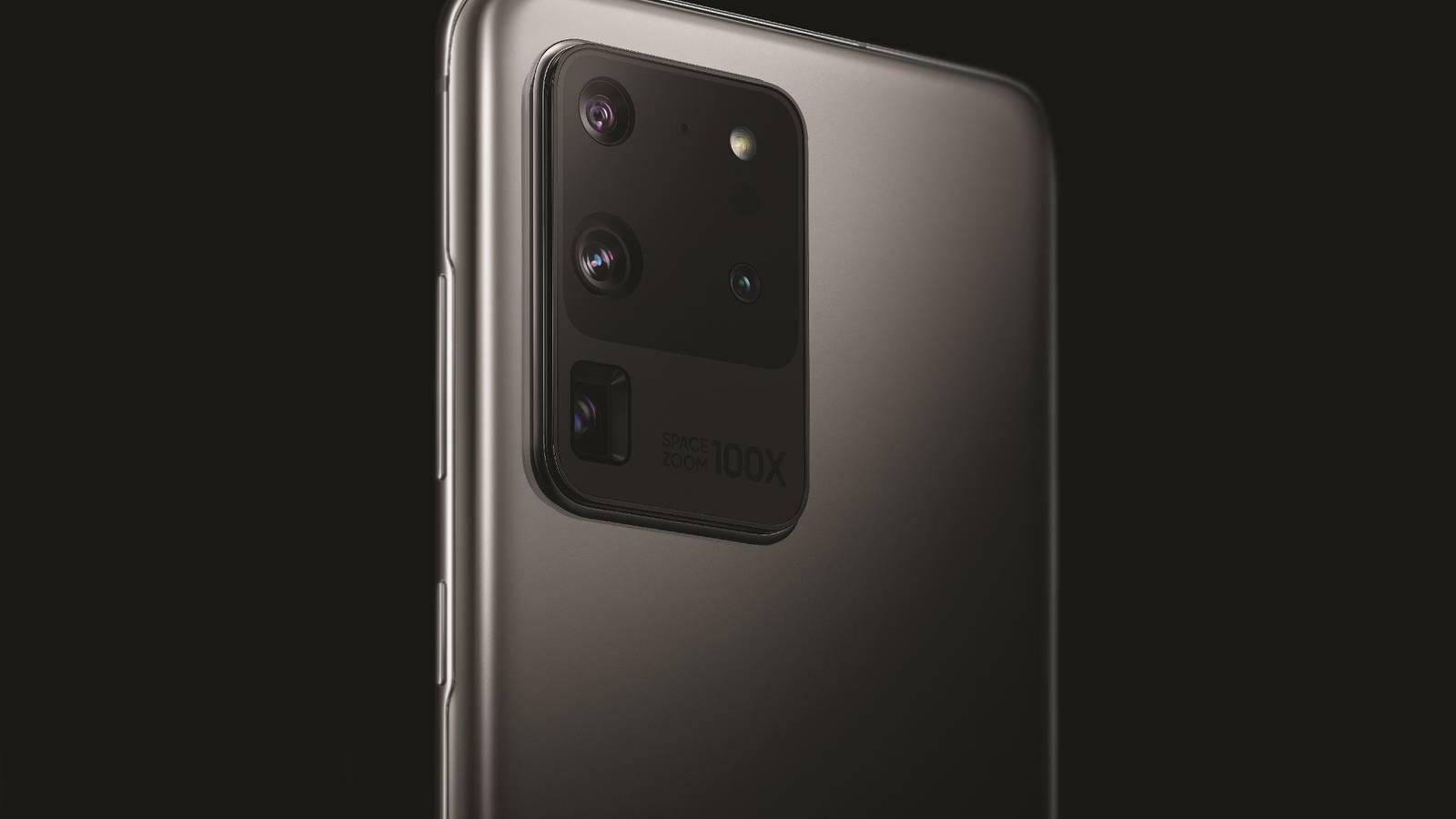
Published Sep 26, 2026, 9:00 AM EDT Joe Fedewa has been writing about technology for over a decade. Android and the rest of the Google ecosystem have been a focus for years, as well as reviewing devices, hosting podcasts, filming videos, and writing tutorials. Joe loves all things technology and is also an avid DIYer and food blogger. He has written thousands of articles, hundreds of tutorials, and dozens of reviews. Before joining How-To Geek, Joe worked at XDA-Developers as Managing Editor and covered news from the Google ecosystem. He got his start in the industry covering Windows Phone on a small blog, and later moved to Phandroid where he covered Android news, reviewed devices, wrote tutorials, created YouTube videos, and hosted a podcast. From smartphones to Bluetooth earbuds to Z-Wave switches, Joe is interested in all kinds of technology. After several years of jailbreaking and heavily modifying an iPod Touch, he moved on to his first smartphone, the HTC DROID Eris. He's been hooked ever since. Smartphones obviously have tons of sensors underneath the shiny surface. Most of them are extremely common, but one particular sensor is very rare. It's super useful for people who do 3D printing, but it can't be found in modern Android phones anymore. This rare sensor is for a method of measurement called "light detection and ranging" — more commonly known as "LiDAR." The last mainstream Android device to include a LiDAR sensor was the Galaxy S20 Ultra in 2020. Meanwhile, Samsung's biggest competitor has been pumping out phones with LiDAR ever since. What is LiDAR in a phone used for? More useful than you might think Credit: Lucas Gouveia/How-To Geek | VLADIMIR VK/Shutterstock As I said, LiDAR is a method of measurement. A LiDAR sensor shoots out lasers and measures the time it takes for the reflected light to return. This creates a detailed, three-dimensional map of whatever the sensor is looking at. In a phone, these sensors typically point in one fixed direction, but in other devices, such as robot vacuums and self-driving cars, they spin at a rapid speed to map a 360-degree environment. LiDAR sensors in phones are used for various things, but the main purposes are usually augmented reality and photography. The detailed map of a LiDAR sensor allows for placing virtual objects realistically in a physical environment. Cameras can use the information to more accurately blur the background behind a subject. LiDAR can also assist in autofocus. What does it have to do with 3D printing? Let's get to the good stuff. When it comes to modeling objects for the real world, accurate measurements are key. I say this as I sit within reach of my digital calipers. However, some things are simply too complex to measure. That's where LiDAR comes in. The 3D mapping abilities of a LiDAR sensor allow for bringing a physical object into the digital world. Imagine a complex knob or a handle breaks, and you can't find a replacement. You could scan the broken part, clean it up with modeling software, and print an exact copy. It's also useful when trying to design an object to fit against a curved or irregular surface — like the contour of a car dashboard. In the past, you would have needed an expensive, standalone scanner to do this, but now it can be accomplished with an app on a phone. All you have to do is capture a few angles of the object and let the app do it's thing. From there, you can move the scanned object into your modeling software. Current phones with LiDAR sensors Hope you like fruit Credit: Justin Duino / How-To Geek Sadly, it's been over six years since the last mainstream Android phone with a LiDAR sensor: the Galaxy S20 Ultra in 2020. Technically, it was a "Time-of-Flight" (TOF) sensor, which is a similar, but more affordable alternative to LiDAR. Samsung only included these sensors for a couple of generations. Ironically, Apple's first iPhone with a LiDAR sensor was released in the same year as Samsung's last — and it's stuck with it. Every Pro model iPhone since the iPhone 12 Pro has included a LiDAR sensor. It's used for augmented reality, measuring, and camera enhancements. iPhone apps are able to use the LiDAR sensor, which is great for 3D modelers. Scaniverse, Kiri, and Polycam are a few popular apps for scanning and creating 3D models of real-world objects. If the LiDAR scanning doesn't cut it, iPhones also have the "Object capture API," which apps can use to create 3D models from photographs. One thing to keep in mind is that the LiDAR sensors in an iPhone are not the same as the ones found in full-size scanners. You'll need to make sure the scanning environment is as close to perfect as it can be. That means the phone is stable while taking scans, and the object is clearly distinguishable from its surroundings. The ideal setup would be a small-ish object on a turntable in a light box. It's unfortunate that Android phone makers haven't seen the value in LiDAR sensors. The truth is, it's a niche purpose. Not many people are buying phones specifically because they have LiDAR. Still, as a 3D modeling nerd, I'd love to have the option. iPhone 18 Pro The latest iPhone 18 Pro has huge developments in terms of its cameras, offering variable aperture options and more. iPhone 18 Pro Max The iPhone 18 Pro Max has all the tech of the iPhone 18 Pro, just with a bigger screen.
The last great Android phone for 3D printers launched 5 years ago, now there's only one good alternative worth buying
Full Article
Original Source
Read the full article at Howtogeek →KhanList aggregates and links to publicly available news content. We do not host full articles from third-party sources. Always verify important information with original sources.