
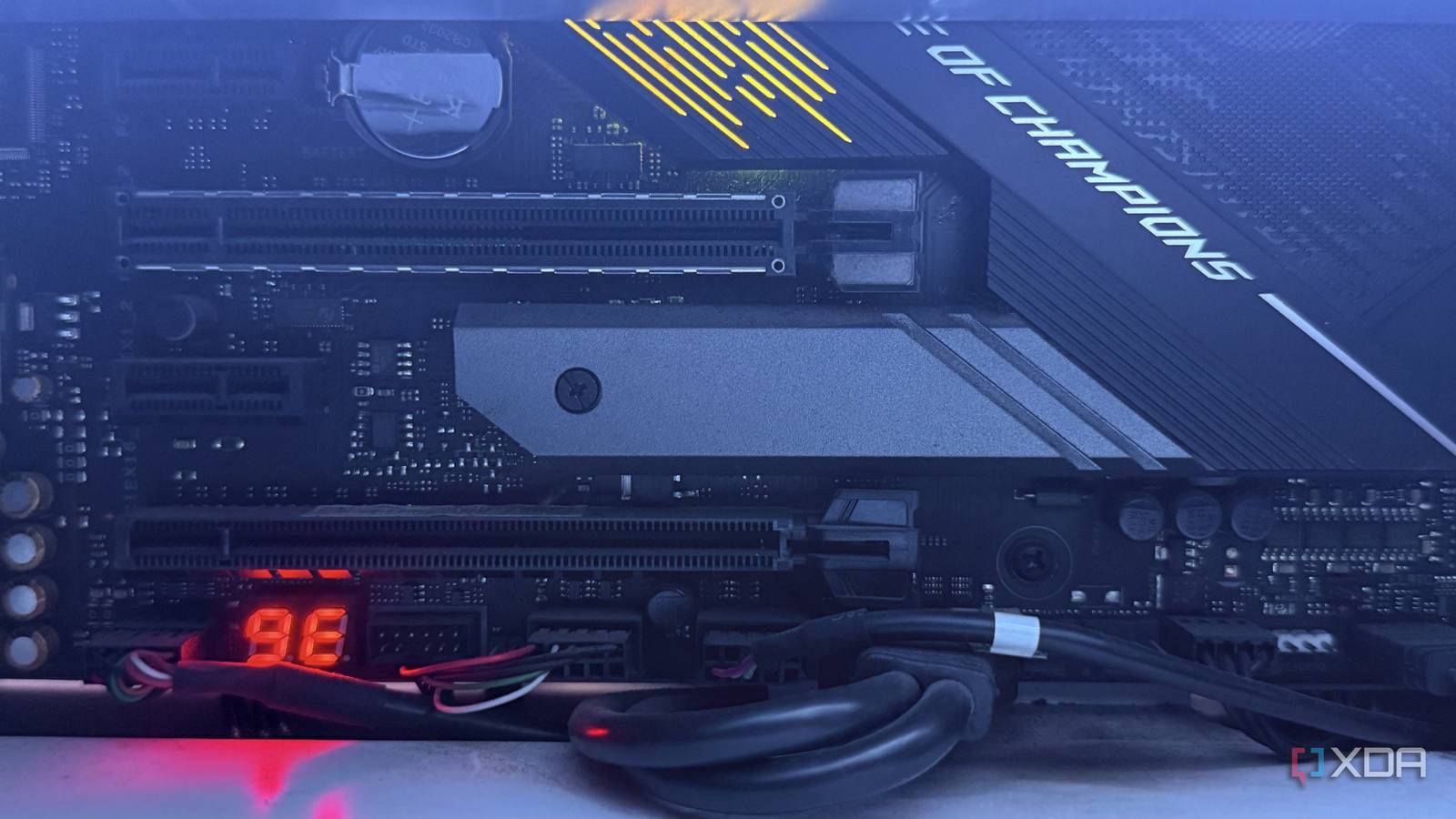
Published Sep 13, 2026, 6:15 AM EDT Hamlin has been in the tech field for over nine years. Since 2017, his work has appeared on MakeUseOf, Android Police, OSXDaily, Beebom, and more. He served as the Senior Editor at Valnet's MakeUseOf for over two years before joining XDA. He uses a high-end gaming rig for desktop use and a MacBook for traveling, but dislikes some of the quirks of macOS. You're more likely to catch him at the gym or on a flight than anywhere else. When you see a motherboard with three or four M.2 slots, it's easy to assume that you can fill all of them if you ever need more storage down the line. After all, the manufacturer confidently advertises all those slots on the product page, so there's no reason to think otherwise. And when they all look the same under the motherboard's heatsink, there's a good chance you don't even think about which one you install your second SSD in. But you need to consider how M.2 slots are actually connected. They rely on PCIe lanes to communicate with your CPU or chipset, and there are only so many lanes available for motherboard manufacturers to work with. While the primary M.2 slot is usually straightforward, populating one of those extra slots can come at the expense of something else, which is something I've learned the hard way. It can steal lanes from your GPU Install an SSD in the wrong slot, and your GPU can drop from x16 to x8 The first thing I'd check before installing an SSD into one of your secondary M.2 slots is whether it shares PCIe lanes with your graphics card. That's because your GPU normally gets 16 PCIe lanes directly from the CPU, and you don't want an SSD taking some of those lanes away. Many motherboards these days, whether they're AM5 or LGA1851, split those lanes when you populate a particular secondary M.2 slot. The result is your GPU dropping from x16 to x8, while the SSD gets four lanes of its own. This is exactly what I dealt with when I populated the M2_2 slot on my MSI MPG X870E Carbon Wi-Fi motherboard. Installing a second NVMe drive in that slot forced my RTX 4090 to run at x8, which meant it only got half the PCIe bandwidth. So, how do you make sure your motherboard doesn't do the same thing? You'll need to go through the spec sheet carefully and look for footnotes next to the M.2 and PCIe slot specifications. That's usually where manufacturers mention which slots share bandwidth and what happens when you populate them. And it's not just the GPU you need to worry about You could lose USB4 bandwidth, SATA ports, or even another PCIe slot Avoiding the M.2 slot that shares lanes with your GPU doesn't mean you can populate any other slot without compromises, either. Depending on the motherboard you have, another M.2 slot could share bandwidth with USB4 or one of the other PCIe slots, or even disable some of your SATA ports instead. And this is where things get more confusing because the compromise isn't always the same. In fact, some AM5 motherboards don't force you to give up your GPU's bandwidth when you populate the second M.2 slot, and the MSI MAG X870E Tomahawk is a good example of that. This motherboard's M2_2 slot shares bandwidth with the two USB4 ports on the rear I/O, so populating it means your SSD will run at x2 instead of x4, essentially preventing it from hitting its advertised speeds unless you prioritize the M.2 slot in the BIOS. The tradeoff can be something else on a different board. For instance, I've seen boards where populating one of the secondary M.2 slots disables a couple of SATA ports, while others disable the second or third PCIe slot instead, preventing you from installing an expansion card there. But are these compromises dealbreakers? I'd say no, but you're still better off avoiding them if you can Your GPU running at x8 instead of x16 might sound like a dealbreaker at first glance, but the actual performance hit is nowhere near as bad as you'd think. As Steve from Gamers Nexus pointed out, the difference between PCIe 5.0 x16 and PCIe 3.0 x16 is about 1-4%, which is barely even noticeable. So, if an RTX 5090 runs at x8 on a motherboard that supports PCIe 5.0, it's still getting the same bandwidth as PCIe 4.0 x16. Also, losing a couple of SATA ports or another PCIe slot isn't really a trade-off if you weren't planning to use them anyway, right? Sure, you could argue your SSD's bandwidth could be limited if its slot shares bandwidth with USB4 ports, but that also isn't necessarily a dealbreaker when even Gen 3 NVMe drives are good enough for gaming. That said, I still don't see any reason to accept these compromises if I can avoid them by installing the SSD in a slot that wouldn't share its bandwidth with anything else. If I had known this when I bought my motherboard, I'd have opted for one that doesn't share lanes between M2_2 and the GPU. You're always better off digging through the spec sheet before buying instead of learning about these limitations later. Know what you're giving up before populating all your slots There's nothing inherently wrong with populating all the M.2 slots on your motherboard if storage is your top priority. Chances are, you probably don't even care about losing SATA ports or having your GPU run at x8, especially now that you know it barely makes a difference. But the important thing is knowing about those compromises before you spend money on an NVMe so you don't run into any surprises later. And if it's a tradeoff you'd rather not make, you could always buy a larger primary SSD instead of filling another M.2 slot.
That empty M.2 slot on your motherboard might not actually be free to use
Full Article
Original Source
Read the full article at Xda-developers →KhanList aggregates and links to publicly available news content. We do not host full articles from third-party sources. Always verify important information with original sources.