
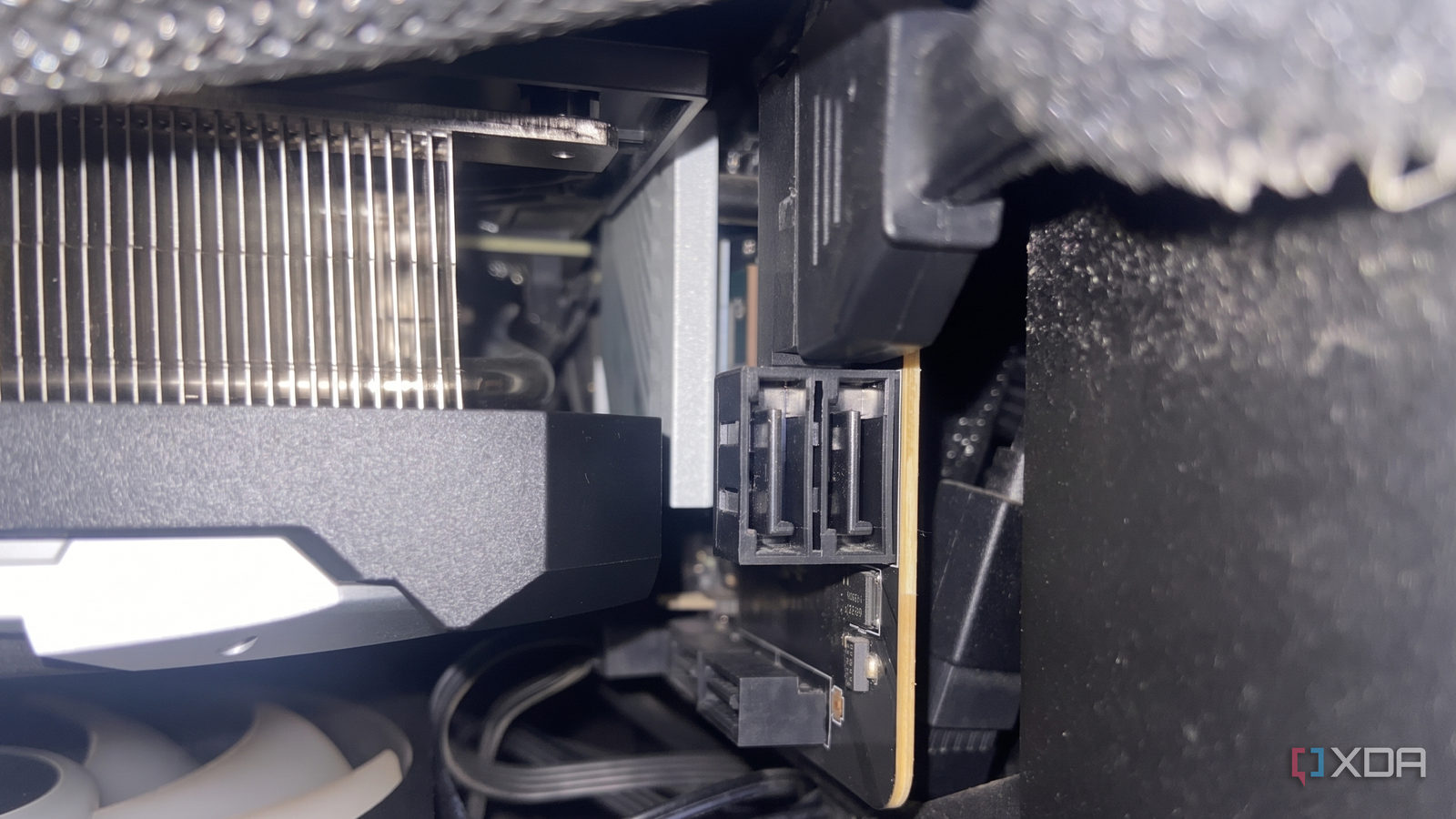
Published Sep 13, 2026, 7:00 AM EDT Abhinav pivoted from a career in banking to pursue his first love in writing. Even while working full-time, he continued contributing as an editor-at-large, a role he has held for more than 7 years. A lifelong tech enthusiast who has built three gaming and productivity powerhouse PCs since 2018, his passion for technology keeps him closely following the semiconductor industry, from NVIDIA and AMD to ARM. His MSc dissertation explored how artificial intelligence will reshape the future of work, reflecting his curiosity about the wider social impact of emerging technologies. The storage economy is playing a cruel joke on consumers right now. If you've scrolled through Amazon, BestBuy or Newegg listings recently, you'll know that somehow, M.2 NVMe SSD prices have gone up faster than the NVDA ticker on NASDAQ. A PCIe 4.0 Samsung 990 Pro 1TB will set you back $240, up from a retail price of $89 in 2024. Meanwhile, NAND contract prices rose by 55% over the previous quarter in Q2 2026 alone. All of that sounds like a huge problem to someone like myself on a 1TB Gen 4 SSD that's fast approaching its storage limit. And sure enough, it would've been, if only I hadn't taken a second look at my motherboard and noticed a pathway to a cheap storage upgrade. I am, of course, talking about the SATA ports, which my B650M motherboard happens to have an abundance of. My motherboard's SATA ports were a life-saver for my storage Two 500GB SATA SSDs could double my storage capacity When I came close to filling up my main PCIe Gen 4 NVMe, the first thing I looked for was a similar PCIe 4.0 NVMe SSD that would slot in to my second M.2 slot, and offer the same 1 terabyte capacity at a reasonable price. I was able to find several M.2 drives that checked all the boxes, except, of course, the "reasonable price" part of the requirement. Across all major online and brick-and-mortar retail outlets, M.2 prices are similarly horrifying. This naturally had me exploring other options, which is why I decided to take a second look at my motherboard. My motherboard is an MSI B650M SKU, which comes with four SATA ports. Until this year, I was using exactly one of them, for a 250GB Crucial BX500 that had spent much of its life in a drawer before I got around to installing it. The other three, however, never had anything plugged in, which I've since come to realize is a total waste of potentially more storage. Populating these slots would be a lot cheaper, and not to mention, mean significantly less strain on my main boot drive. A few 2.5-inch SATA SSDs seem like the most economical option to expand my storage I get more gigabytes-per-dollar, and my wallet stays happy thanks to this port Having an abundance of SATA ports on my motherboard effectively subsidized every storage upgrade that I will ever need, and it's a fact that I would have totally missed if NVMe SSD prices were anywhere close to being normal. It's likely because the gap, now of all times, is so deeply evident. Around the same brand tier and same capacity, a SATA drive costs roughly half of either M.2 option. This difference can effectively buy me a second 1TB SSD with some change left over for a cappuccino. That's a better deal in more ways than one, considering I would've spent money on a single fast drive that I would spend most of my time not saturating. Most of the bulk of my storage can be comfortably migrated over to a SATA SSD, including the games I've installed but hardly ever get to play, my photo and video gallery, and an entire folder full of my DVD rips that I promised myself I'd get to watching some day. This prevents my main drive from ballooning up to the limits of its capacity, and prevents write amplification from reducing its life. Storage Interface Capacity Price Samsung 9100 Pro PCIe Gen 5 1TB $249 Samsung 990 Pro PCIe Gen 4 1TB $239 TeamGroup T-Force Vulcan Z SATA III (2.5-inch) 1TB $129 Prices in the table above are indicative as of September 2026. Component prices are subject to change based on market supply and demand. Having an abundance of SATA ports on my motherboard effectively subsidized every storage upgrade that I will ever need. SATA SSDs are not the compromise everyone thinks they are NVMe SSDs win against SATA III on one criterion, and it hardly matters to most users SATA SSDs have, for long, been seen as the inferior counterparts to their M.2 siblings. However, the single biggest advantage NVMe has over SATA is sequential throughput. While SATA tops at around 550MB/s, a good PCIe 4.0 drive can push up to 7,000MB/s and PCIe 5.0 drives approach up to 14,000MB/s. The one detail most users will often overlook is that these huge numbers only become relevant in one kind of workload, and that's when you're moving around large files. For context, the last time I put my NVMe SSD through this workload was about four or five weeks ago when I was migrating a Steam game from the C: drive to the D: drive. Every other day, I don't leverage the large sequential speed my Gen 4 NVMe offers. The aspect that will matter to users, though, relates to random IOPS. Booting into your OS, launching an app, or game load times rely on this, and it's one category where you'd genuinely struggle to see the difference between a SATA or an NVMe drive. Using your available SATA ports seems like a life-hack right now If you're eyeing potential storage upgrade options, just knowing that there's an option besides the unpopulated M.2 slots can save you hundreds of dollars and help you expand your PC's storage whilst avoiding the worst of the NAND tax. It's worth taking a second or third look and even going through your motherboard manual so you don't get confused about the number of available ports you may have. It's cheap, effective, and while long file transfers might take a little longer, your experience won't change much if you already have an NVMe as your boot drive.
I almost spent $200 on an NVMe SSD, but this one motherboard port let me upgrade my storage for half the price
Full Article
Original Source
Read the full article at Xda-developers →KhanList aggregates and links to publicly available news content. We do not host full articles from third-party sources. Always verify important information with original sources.