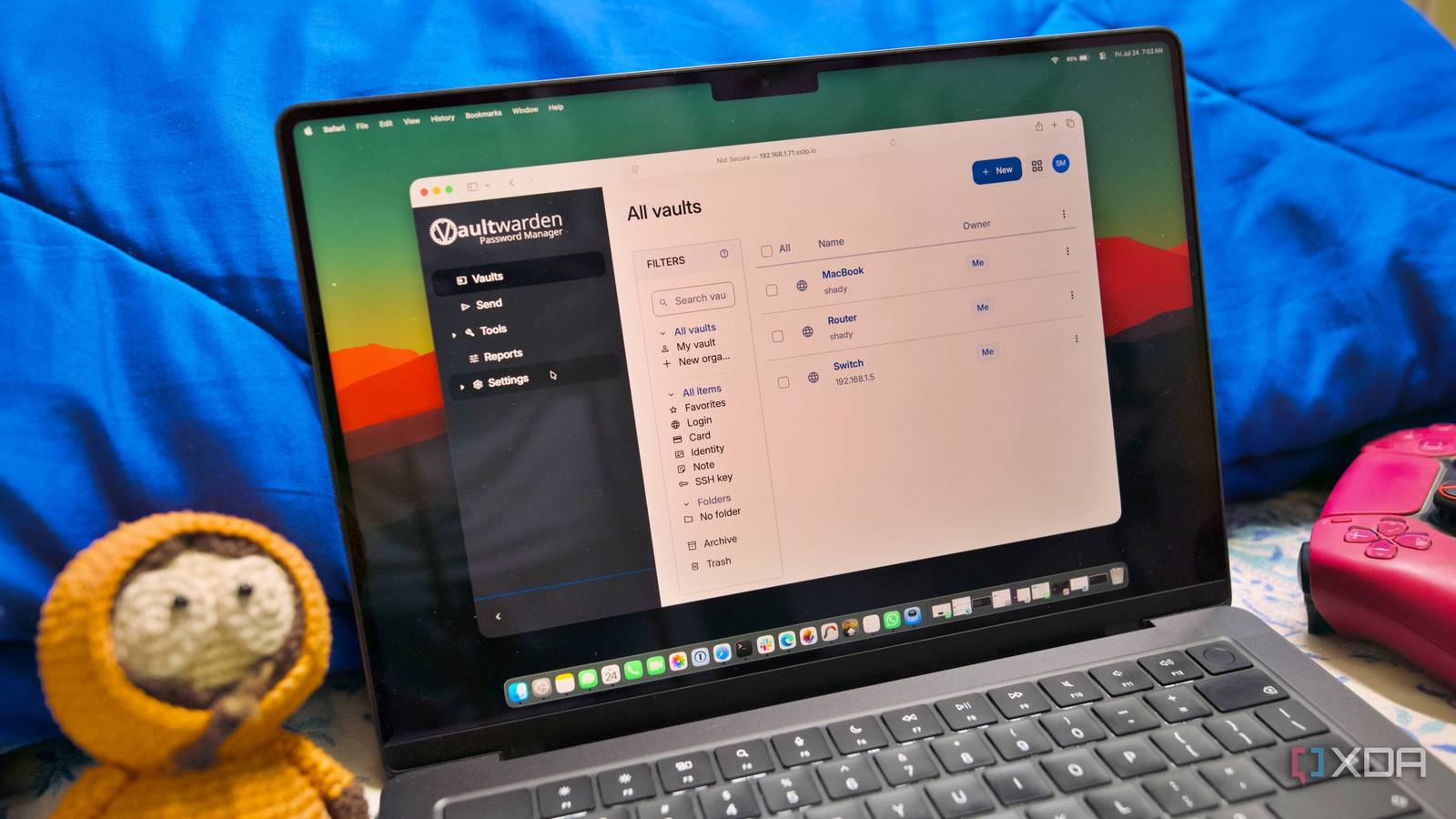
Published Jul 26, 2026, 5:00 PM EDT Samir Makwana is a technology journalist and editor from India since past 18 years and his work appears on MakeUseOf, HowToGeek, GSMArena, BGR, GuidingTech, The Inquisitr, TechInAsia, TechWiser, and others. He has written news, features, and gadget reviews for national technology media publications. His passion is to help people with their technology problems and gadget purchases. For that, he has worked for some of the biggest international technology publications, covering news, explainers, how-to guides, listicles, and product-buying guides. He has worked as an editor and managed teams since 2015. His expertise broadly covers computers, smartphones, game consoles, headphones, smart home products, browsers, and apps. Self-hosting is a hot trend of 2026, albeit with a reputation problem. Mention it to a friend, and they picture a rack of servers humming in a basement. Sounds cliché, but it’s true to an extent. Eventually, most folks end up there, but that isn’t necessary to get started. All you need is a computer, which could be a laptop, old desktop, a mini PC, or a single-board computer like a Raspberry Pi. Even without much Linux experience, a spare weekend and a bit of searching are all it takes. There are several projects that fall under the “install it, and forget about it” category. Here are eight low-maintenance self-hosted services worth setting up on a weekend. AdGuard Home First taste of self-hosting Never self-hosted anything? Start here. AdGuard Home blocks trackers and ads for every device on your network at the DNS level. You don’t need to install extensions for that in your browser. Just deploy AdGuard Home natively or as a Docker container. It offers a cleaner UI and a simpler setup than Pi-hole, which requires you to configure port 53 manually before you can get started. The setup takes about 15 minutes, and you can start using it immediately without spending much time on configuration, unless you want to. Next, point your router’s DNS settings to your new AdGuard Home instance’s IP address, and the payoff is immediate. You’ll see fewer ads on your phones, tablets, smart TVs, streaming sticks, and other devices connected to Wi-Fi. If it blocks your favorite sites, you can simply whitelist them and continue using it without risking anything important. AdGuard A non-root ad blocker to get rid of nasty ads in apps and browsers Stirling PDF Swiss Army knife for your PDFs Instead of installing a dedicated PDF program on your devices, set up Stirling PDF as an all-in-one toolkit. It can merge, split, compress, convert, and even run OCR on PDFs through a clean interface. Better yet, there’s no need to create an account or upload sensitive documents to someone’s server. All your PDF documents stay within your network. For home use, the free tier is pretty good. Its paid tiers are gated behind local AI models, SSO, and enterprise controls rather than core PDF operations. You don’t pay to split a PDF or run OCR. It’s one of those low-maintenance picks on the list. While it is available as a desktop app, you can self-host it as a Docker container on your server. Stirling PDF Stirling PDF is an open-source solution to edit, merge, split, sign, convert, OCR, and manage PDFs on any device. Immich Ditching the cloud photo subscription If you want to replace Google Photos or iCloud with something that works locally, Immich is a safe bet. First, you’ll need to install the Immich server, and running a Docker container is the best option. Then, use its polished mobile app to point it to your server’s address. After that, the Immich app quietly backs up every photo and video in the background. Immich automatically tags them, making everything searchable by face, object, or metadata. The project is RAM-intensive because of the machine-learning features and demands disk space to store all the media. So it won’t run comfortably on a low-powered device that you might be using for AdGuard Home. Immich Key highlights Self-hosted iOS compatible Yes Android compatible Yes Immich is a self-hosted photo and video backup solution. Syncthing File sync across devices with no middleman Want your documents and photos synced across every device you own? Syncthing can help. No cloud storage, no size limits to worry about. All you need to do is pair two devices, pick the folders to share, and that’s it. Syncthing handles syncing files and folders between those devices quietly in the background. Every exchange is end-to-end encrypted. The biggest advantage is that there’s no central server to maintain, which keeps the whole thing low-effort. By default, it’s designed to operate as peer-to-peer to sync your files. You don’t have to let your files sit on someone else’s hardware and renew your subscription to keep them accessible. Syncthing Syncthing is a free, open-source program for file synchronizations. Karakeep Personal manager for files, notes, links, and images Browser bookmarks can pile up fast and are a pain to search through months later. Karakeep fixes that. It started out as a bookmarking tool, but now lets you save links, notes, images, and even PDFs. It also tags those items and indexes all files to make everything searchable with full-text. It’s straightforward to deploy it with its install script or spin it up with Docker Compose. Once set up, you’ll get a searchable database for you to save links and PDFs instead of bloating up your browser. Optionally, Karakeep can use a local LLM to generate tags and summaries entirely offline without anything leaving your network. Karakeep Karakeep is an open-source, self-hosted bookmarks manager that allows you to add bookmarks from any platform and categorizes them based on tags. RustDesk Remote access without paying anyone RustDesk is a great free alternative to paid remote-desktop tools. Instead of relying on someone else’s relay servers, you can self-host it and use it. Also, you don’t need to worry about a subscription that might cut your sessions short. Since you’ll be self-hosting the relay server for your RustDesk clients, there are no annoying “trial expired” pop-ups. There are two ways to install a RustDesk server: Docker and a Linux script. The Docker Compose setup runs two small services for discovery (hbbs) and relaying traffic (hbbr). If you plan to access it outside your home, add your server’s public IP or domain to the hbbs command line before spinning up the container. Once running, note down the IP/DNS and key shown in the logs to add to your RustDesk client. RustDesk An open-source remote desktop solution that's also self-hostable. Jellyfin Your personal streaming service Setting up a media server barely takes 20 minutes. Jellyfin is a free, open-source alternative to Plex that handles your movies and TV shows without a subscription. You can run it as a Docker container or a systemd service. Once you install Jellyfin, you need to create libraries and point them at your media folders. Then it syncs those media files and fetches relevant metadata to present them just like any other streaming service. If you stick to Direct Play for compatible files and clients, even an SBC can serve 4K without breaking a sweat. Alternatively, you can host it on an old laptop or a used mini PC so it can handle the file formats natively. Jellyfin iOS compatible Yes Android compatible Yes Desktop compatible Yes Jellyfin is one of the best Plex alternatives you can get, and that's thanks to its open-source nature and powerful set of features. There are apps for basically every platform and it's completely free to run your very own server. Vaultwarden Password manager without a monthly fee After installing all other self-hosted apps and services, it’s a good idea to include a password manager too. Vaultwarden is a lightweight, Bitwarden-compatible server. It also works with the official Bitwarden apps and browser extensions. If you’re familiar with Bitwarden, then you don’t have to learn anything new. Vaultwarden Key highlights Self-hosted Bitwarden alternative Vaultwarden is a self-hosted solution for storing passwords and credentials managed with Bitwarden. It’s recommended that you run it with HTTPS support using Caddy or Nginx Proxy Manager so that your passwords are encrypted even within your own network. It’s like setting up one of the guardrails for your self-hosted projects. Spending a weekend is just a start Self-hosting a few projects is by no means an endgame. You’ll always want to tweak something. The ongoing tinkering only makes your setup better over time. You probably only need Docker to get started. No need for any expensive rack of servers or a computer science degree. The stack of tools you pick can quietly replace the subscriptions you pay for and give you control of your data. Naturally, it’s recommended to run your self-hosted projects behind a reverse proxy if you plan to access them from outside your home as well. Make sure you’ve got a backup routine in place for your installations and data. But that’s a project for another weekend.
8 self-hosted services a total beginner can set up in a single weekend
Full Article
Original Source
Read the full article at Xda-developers →KhanList aggregates and links to publicly available news content. We do not host full articles from third-party sources. Always verify important information with original sources.