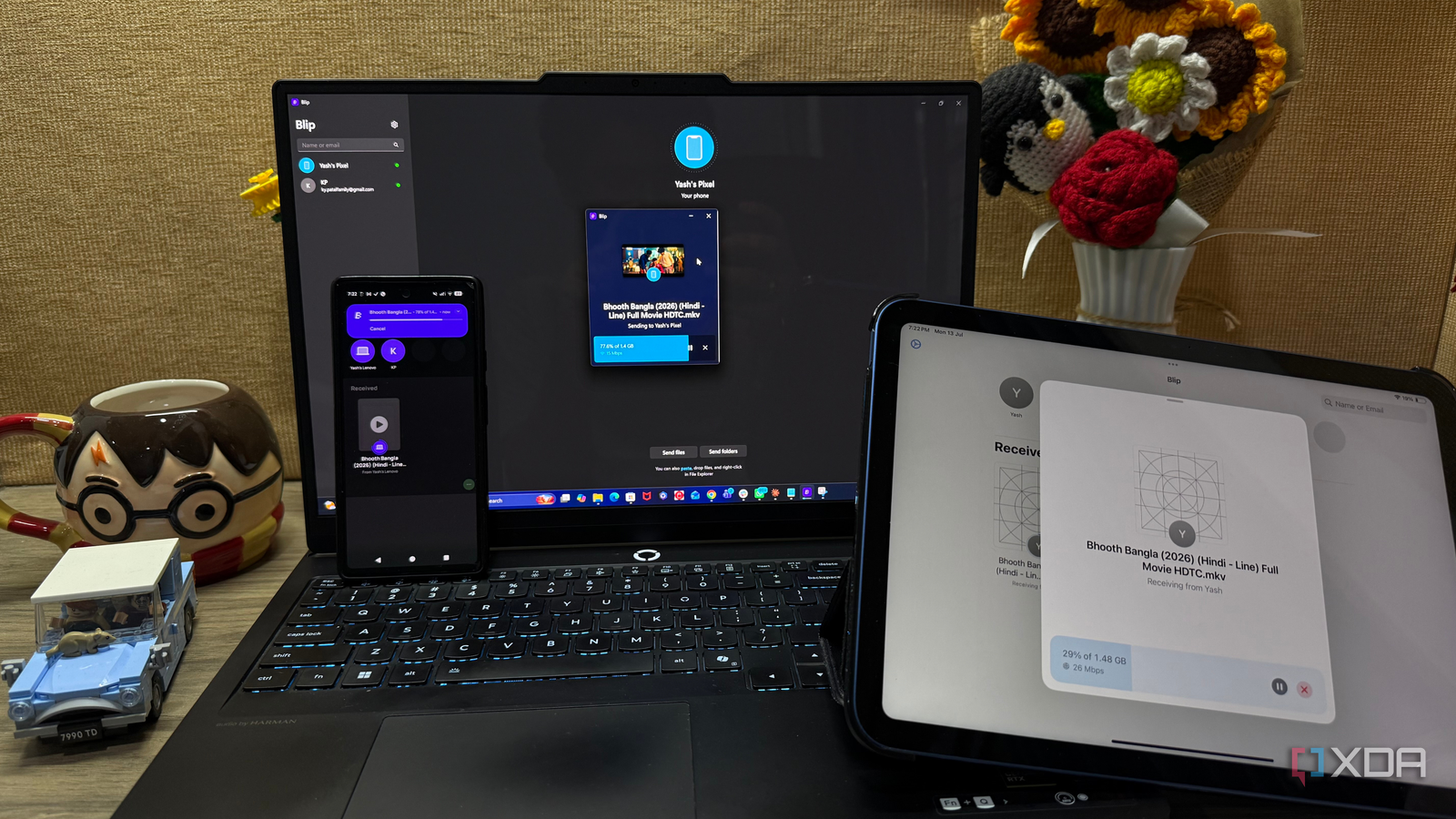
Published Jul 26, 2026, 6:00 PM EDT Beginning his professional journey in the tech industry in 2018, Yash spent over three years as a Software Engineer. After that, he shifted his focus to empowering readers through informative and engaging content on his tech blog – DiGiTAL BiRYANi. He has also published tech articles for MakeTechEasier. He loves to explore new tech gadgets and platforms. When he is not writing, you’ll find him exploring food. He is known as Digital Chef Yash among his readers because of his love for Technology and Food. Quick Share has always been a convenient way to move files between my devices, but I wanted to see if something better was out there. Instead of relying on feature lists or online recommendations, I decided to test three popular alternatives myself: PairDrop, LocalSend, and Blip. After using each one for everyday file transfers, I quickly realized they all took very different approaches, and one clearly suited my workflow the best. PairDrop was the fastest to start I didn't have to install anything before sending my first file The first app I tried was PairDrop, and what immediately stood out was how little setup it required. Unlike most file-sharing apps, there was nothing to download or install. I simply opened the PairDrop website on both devices, and they detected each other almost instantly since they were connected to the same Wi-Fi network. That made PairDrop incredibly convenient for quick, one-off transfers. I use it to send screenshots from my phone to my Windows PC, share a PDF to my laptop, and even move a few images to another device to create an account or sign in anywhere. Everything happened directly in the browser, so I could get started in seconds. I also liked that it worked across different platforms. Whether I was using Android, Windows, Linux, or another device with a modern browser, the experience stayed largely the same. That flexibility makes PairDrop especially useful if you're using a computer where you don't want to install extra software. That said, I never felt like it could completely replace a dedicated app. Opening a browser tab every time added an extra step, and it didn't feel as integrated into my workflow as a native application. For occasional transfers, PairDrop was excellent. But for something I planned to use every day, I wanted a solution that felt more seamless. Pairdrop Pairdorp is a local file sharing tool that runs on any web browser, and it can be self-hosted, too. LocalSend felt like the closest thing to a universal AirDrop It blended into my workflow after just a few transfers After using PairDrop, I switched to LocalSend, and the experience immediately felt more like using a proper desktop and mobile app instead of a browser-based tool. Once I installed it on my devices, I rarely had to think about it again. Whenever I wanted to send something, I opened the app, selected the target device, and the transfer started within seconds. It handled different types of files smoothly. I transferred folders containing blog assets, ZIP archives, Markdown files, and even larger videos without running into any issues. Everything stayed on my local network, so transfers were quick, and I didn't have to upload files to a cloud service first. My overall experience with LocalSend was pretty polished. The interface was clean, device discovery was reliable during my testing, and the transfer process remained consistent whether I was moving files between Android and Windows or between two computers. If I had stopped my comparison here, LocalSend probably would have become my default replacement for Quick Share. It removed almost all of the friction from local file transfers and worked so consistently that I barely noticed it. At that point, I wasn't sure another app could offer a noticeably better experience. LocalSend LocalSend is a free and open source mobile app to send files between devices securely so long as they are on the same Wi-Fi network. Blip went one step ahead It saved me from having to pick a device every single time By the time I installed Blip, I expected another file-sharing app with a slightly different interface. Instead, it introduced a feature I didn't realize I wanted. Once I paired my devices, Blip remembered them and automatically knew where I usually wanted to send files. That small change made everyday transfers feel much more effortless. Most of the files I move are between the same two devices: my Android phone and Windows PC. With Blip, I simply selected the file, tapped Share, chose Blip, and it was already headed to the right device. There was no need to wait for device discovery or manually select the destination each time. It felt less like using a separate app and more like a built-in sharing feature. It also supports multiple devices, like iOS, Mac, Linux, Windows, and Android. What really set Blip apart, though, was that it wasn't limited to nearby devices. If my paired PC wasn't on the same Wi-Fi network, I could still send files over the internet as long as both devices were online. That meant I could leave a file on my desktop before getting home or send something from my PC to my phone while I was away. None of the other apps I tested offered that level of flexibility. After using it for a few days, I found myself reaching for Blip without thinking. It quietly fit into my workflow and made file sharing feel easier, whether my devices were sitting side by side or miles apart. Blip Blip is a cross-platform file transfer app that lets you securely send files and folders directly between devices without cloud storage. LocalSend is more polished, but Blip became my go-to If I were recommending a file-sharing app to most people, I'd probably suggest LocalSend. It's polished, reliable, open-source, and delivers an excellent experience across platforms. But after using all three apps in my daily workflow, I kept coming back to Blip. Remembering my paired devices and letting me send files even when they weren't on the same network saved me time every day. Those small conveniences added up quickly. PairDrop remains a great option for quick, temporary transfers, but for the way I work, Blip ended up replacing Quick Share for good.
I tried replacing Quick Share with LocalSend, PairDrop, and Blip — only one became my go-to
Full Article
Original Source
Read the full article at Xda-developers →KhanList aggregates and links to publicly available news content. We do not host full articles from third-party sources. Always verify important information with original sources.