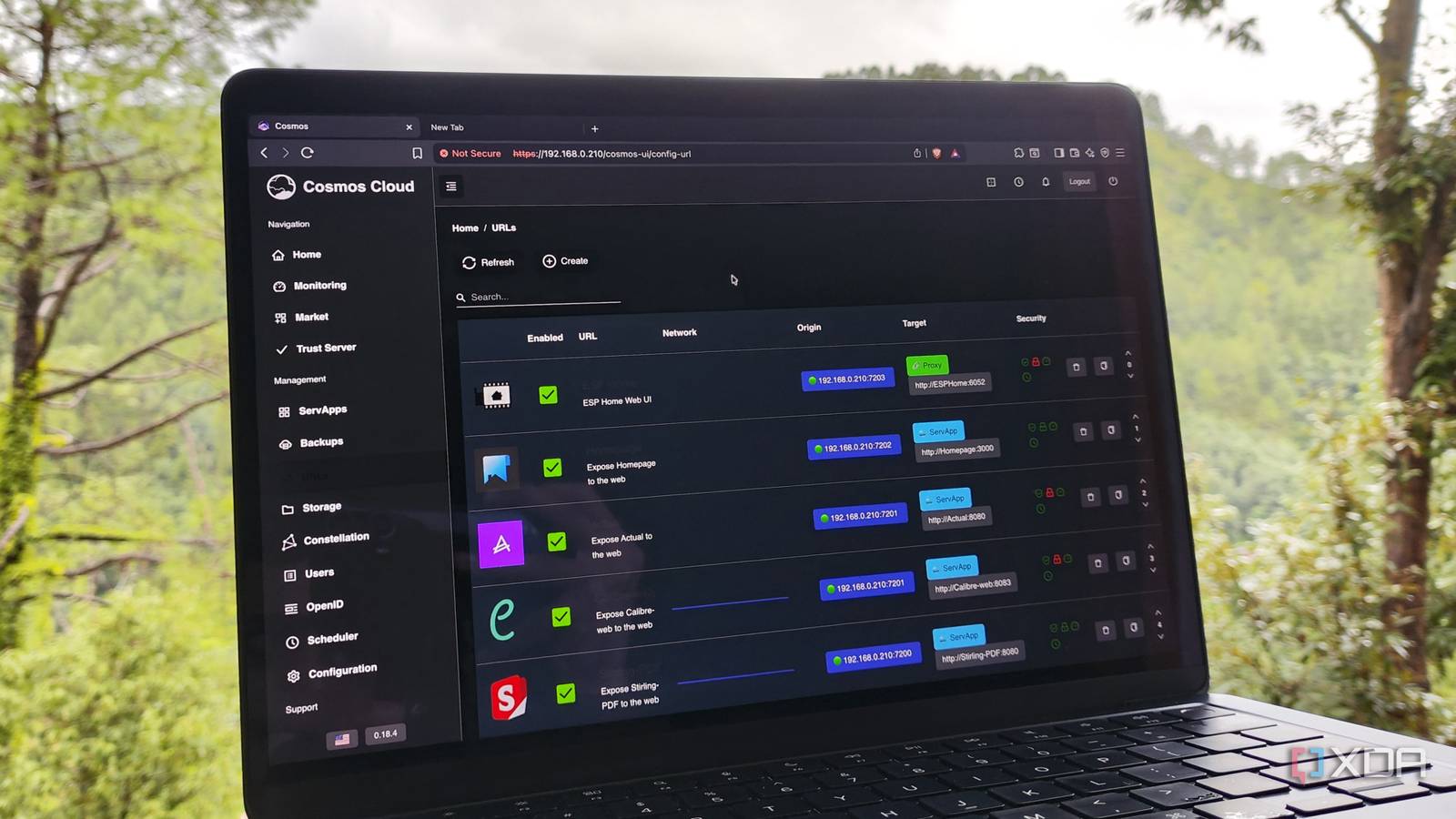
Published Jul 25, 2026, 1:00 PM EDT Beginning his professional journey in the tech industry in 2018, Yash spent over three years as a Software Engineer. After that, he shifted his focus to empowering readers through informative and engaging content on his tech blog – DiGiTAL BiRYANi. He has also published tech articles for MakeTechEasier. He loves to explore new tech gadgets and platforms. When he is not writing, you’ll find him exploring food. He is known as Digital Chef Yash among his readers because of his love for Technology and Food. Most people have an old desktop or laptop sitting unused after buying a newer computer. Mine was no different. It still worked, but I rarely turned it on because my newer PC handled everything I needed. Instead of letting it gather more dust, I decided to see if it could serve a completely different purpose. That's when I discovered Cosmos Server. What started as a weekend experiment quickly changed how I think about old hardware. Today, that forgotten computer has become one of the most valuable devices in my home, and I rely on it far more than I ever expected. Cosmos Server removed most of the complexity that kept me from self-hosting I spent less time configuring infrastructure and more time using my server When I first looked into self-hosting, the software itself wasn't what intimidated me. It was everything around it. Most guides expected me to learn Docker, set up a reverse proxy, configure HTTPS certificates, manage authentication, and deal with networking before I could even install the apps I wanted. It felt like I had to build the foundation before I could enjoy any of the benefits. Cosmos Server changed that experience completely. Instead of piecing together several different tools, I installed a single platform that handled many of those jobs for me. It gave me a clean web dashboard where I could manage containers, access my apps, monitor my server, and configure settings without constantly opening a terminal. One feature I appreciated right away was that Cosmos Server includes a built-in reverse proxy and automatic HTTPS support. That meant I didn't have to spend hours following separate tutorials just to access my services securely. It also has built-in authentication, so managing access to my apps was much simpler than I expected. I still learned plenty about Docker as I used it, but Cosmos Server lowered the barrier enough that I could actually start self-hosting instead of getting stuck in the setup process. Features I didn't expect to appreciate so much Small conveniences made running my server almost effortless Once I had Cosmos Server up and running, I expected to spend a fair amount of time maintaining it. Instead, I found myself checking on it less and simply trusting it to keep everything running. One feature I ended up using more than I expected was the built-in app marketplace. It made discovering new self-hosted software incredibly easy. Instead of searching GitHub for installation guides every time I wanted to try something new, I could browse available apps and deploy many of them in just a few clicks. I also liked how easy it was to keep an eye on my server. Basic information like CPU usage, memory consumption, storage, and running services was always visible, so I could quickly tell if something wasn't working as expected. Another pleasant surprise was how simple it was to organize everything. As I added more services over time, Cosmos Server never felt cluttered or difficult to navigate. Whether I wanted to launch an app, check its status, or make small changes, everything was where I expected it to be. Those small quality-of-life improvements made managing a home server feel much less like a hobby project and more like using a polished operating system. My home server quietly handles tasks my main PC no longer has to Cosmos Server gave my old PC a second career The biggest change wasn't that I had a home server; it was how often I started relying on it without thinking. Instead of running everything from my main desktop, I moved several everyday services to the old PC, where they stay available around the clock. It now stores my photo library through Immich, keeps my documents organized in Paperless-ngx, saves articles to Readeck, and runs Open WebUI so I can access my local AI models from any device on my network. I can also stream media through Jellyfin without leaving my primary computer switched on all day. That separation has made my workflow much cleaner. My main PC is reserved for writing, research, and other demanding tasks, while the home server quietly takes care of everything running in the background. I don't have to think about starting services every morning or shutting them down when I'm done. What I like most is that the server has become a dependable part of my daily routine. Whether I'm on my desktop, laptop, or phone, the tools I use most are always available. My old PC isn't just sitting idle anymore; it's doing useful work every single day. I only wanted to reuse an old PC, but I ended up building something much better Installing Cosmos Server started as a simple experiment to make use of an aging computer I already owned. I didn't expect it to become an essential part of my daily setup. It has made self-hosting feel approachable, encouraged me to explore new services, and given me a reliable place to run them without constantly tinkering. Best of all, it proved that you don't need expensive hardware to build a useful home server. Cosmos Server Cosmos Server is a self-hosted platform that simplifies Docker container management with an intuitive web interface, built-in reverse proxy, HTTPS, authentication, monitoring, and secure remote access for home servers.
This one self-hosted app turned my old PC into a home server I rely on
Full Article
Original Source
Read the full article at Xda-developers →KhanList aggregates and links to publicly available news content. We do not host full articles from third-party sources. Always verify important information with original sources.