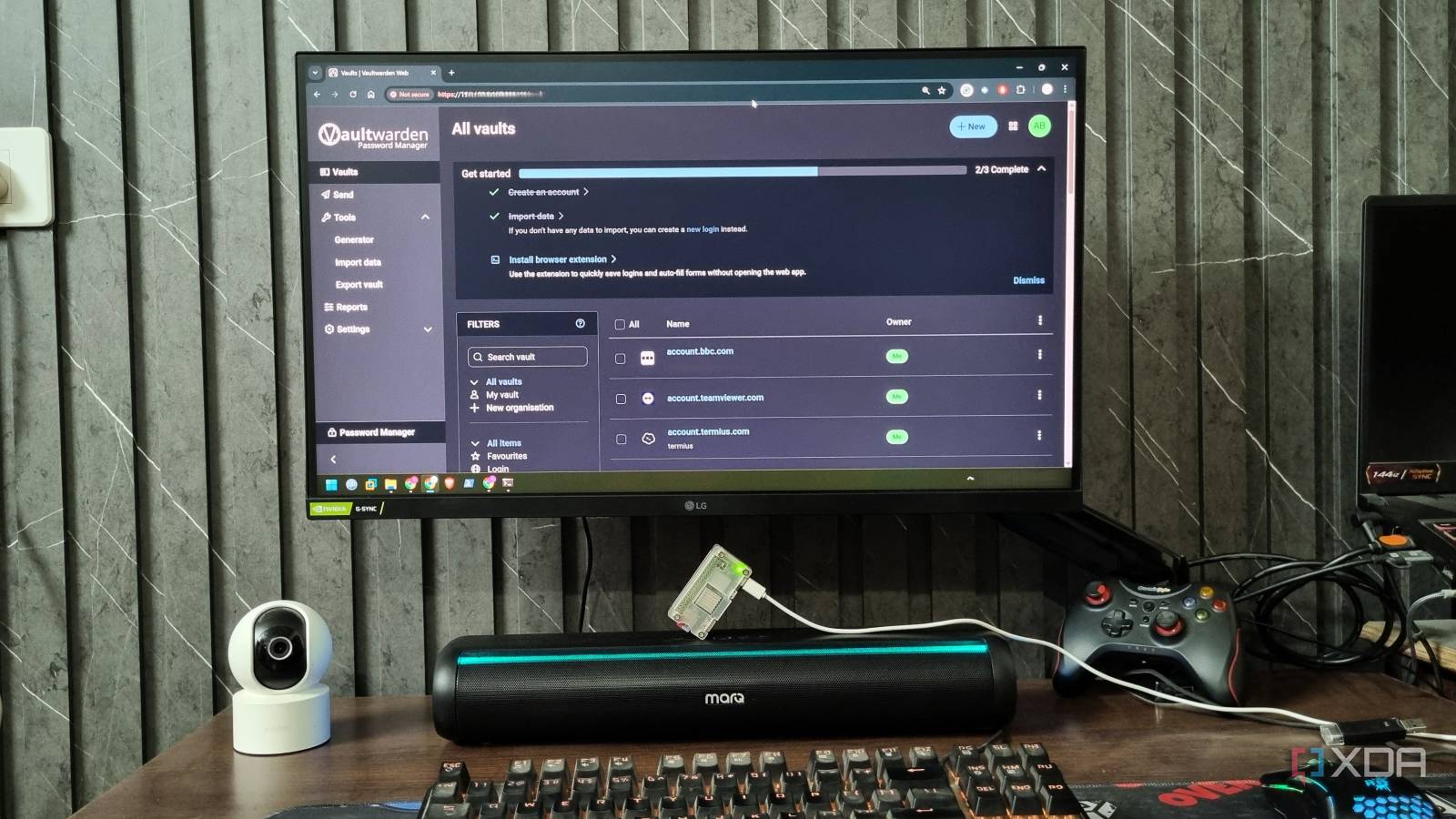
Published Jul 25, 2026, 2:00 PM EDT Abhishek is an author at XDA who covers computing. He has loved computers since he got the Lenovo G570 in 2012. Abhishek holds a master's degree in computer applications and began his writing career in 2018. He loves writing how-to articles, listicles, and informational posts on popular operating systems and web services. He closely follows the Windows Insider program and tests new Insider builds to discover upcoming experimental features and upgrades. His past work includes long-term collaborations with reputed publications like Tom's Hardware, and Windows Latest. When not writing anything, he is busy watching new episodes of One Piece or searching for something binge-worthy. A single-board computer (SBC) used to be a cost-effective device for learning and building mini servers. Raspberry Pi is inarguably the premium brand of SBCs due to its unmatched software support and popularity. But the recent demand for memory in AI development is affecting Raspberry Pi prices as well. The price of LPDDR4 and LPDDR4X memory has shot up, and Raspberry Pi has already announced a few price hikes, making it more expensive than ever. When you think of self-hosted tools, you try to shape your decision with a Pi model that can run almost everything, like the Raspberry Pi 4B or 5. But unless you're after a very demanding tool like NextCloud, even an inexpensive Pi can work in your favor. I use my Raspberry Pi Zero 2W for hosting a few services, and they make no sense on a powerful Raspberry Pi variant. Let's discuss the projects I run on a cheap yet reliable Pi. Focusing on the important ones When you try to build a home server out of a Pi Zero 2W, it's understandable that it cannot run multiple demanding tools. On my home server, I use an old laptop to deploy and run resource-intensive tools like NextCloud and Immich, whose combined memory usage can exceed 2GB. Moreover, both these tools need a slightly better CPU than the one available on the Pi Zero 2W, and my laptop, despite its decade-old Intel Core i3 processor, can handle that. For my Pi Zero 2W, I would focus on essential self-hosted tools with minimal resource consumption. I need to be cautious here because there is no memory upgrade room on the Pi Zero 2W, so services that stay in the 50–80 MB memory range with negligible CPU usage favor this idea. I can also pick client-side processing tools that provide a web portal and use the client-side computing resources instead of the server. OmniTools is a great example of a client-side processing tool that doesn't stress the Raspberry Pi Zero 2W’s resources. I can use the tool to batch process media files and do image and document conversions, all while utilizing my PC or laptop’s computing power. The Pi only hosts OmniTools’ core system files and the backend. Similarly, BentoPDF is another lightweight yet immensely useful tool that you might need every day. It uses about 30 MB of memory, and that is a boon for anyone looking for tools that can run comfortably on a puny SBC. Additional tools I can use include lightweight downloaders that let the Pi act as a remote downloading device. You can also use something like File Browser to make the downloaded files accessible on your local and external network. It also supports file sharing and downloads, which makes it possible to distribute them or bulk download if you are traveling. DietPi, Docker, and Tailscale make it possible Isolating tools and maintaining remote access When you're working with a low-end SBC, it's good to pick the most optimized, lightweight OS that doesn't get in the way of other apps and tools. DietPi is the obvious choice for such use cases, as it's one of the few CLI OS that can work with 60–80 MB of memory. Raspberry Pi OS without the desktop can work with about 100 MB, but I never pick it over DietPi. The main reason is that I get an extremely resource-frugal OS with DietPi, along with a ton of additional tools that make my life easier as a CLI OS user. You can easily mount external drives, manage users, assign permissions, maintain backups (important for tools like Vaultwarden), and get a huge set of compatible self-hosted tools from the DietPi-Software repository. The OS makes it super convenient to download and set up tools like Docker, which can sometimes require additional effort. In DietPi, I can install Docker within a few clicks, and the OS will configure the tool for me. Docker is necessary because when you run multiple tools on a server, isolation becomes extremely important. You can avoid dependency conflicts with Docker while managing an extremely lean, customizable, and portable server. All the essential files stay on volumes or bind mounts, and you can create new containers, modify existing ones, and even recreate problematic ones with ease. Even if one tool goes down, the rest keep working in complete harmony, and troubleshooting becomes simpler. Tailscale is the last piece of the puzzle that can help you expose your server to the outside network with robust security. It solves the problem of remote access, as you can access the tools and even SSH into the server while you are traveling or outside your home network. It’s free and takes barely a few minutes to set up. You also don’t need to worry about Tailscale’s resource usage, as it barely has any impact on the host. Docker needs 50–70 MB to work, but that still leaves around 250MB of memory on a Pi Zero 2W to run all the above-mentioned tools and a few more. Cost-effective and power-efficient Pi Zero 2W is apt for this role A brand-new Pi Zero 2W has retailed for $15 for a long time and isn’t showing a price surge like Pi 4B and 5. You can buy it for around $15–25 and use an old phone adapter or a power bank by connecting it with a micro-USB cable. SD cards have become expensive, like other storage options (SSD and HDD), but you can still buy one for $10 or more. This becomes your $30 setup to run and host several lightweight tools. In contrast, a top-tier Pi like the 4B or 5 with its custom power supply and other elements can cost more than $100. So, you save a good amount of money with an inexpensive Pi while using tools that an expensive Pi would be overkill for. The Pi Zero 2W barely uses a couple of watts to operate, and even if you use it off a power bank, you can keep it running for a long time. Cheap but effective A Raspberry Pi Zero 2W might be the cheapest Pi, but I don’t consider it a useless SBC. I’ve used Vaultwarden and a few other tools on it for a year and never noticed any huge hiccups. I can access the server remotely, so I don’t need to worry about resource consumption, and I even have room to deploy a lightweight dashboard like Glance on it. Raspberry Pi Zero 2 W The Raspberry Pi Zero 2 W is a small SBC with Wi-Fi and Bluetooth connectivity.
I ditched expensive Raspberry Pi models for a $15 Zero 2W, and it still handles most of my self-hosted projects
Full Article
Original Source
Read the full article at Xda-developers →KhanList aggregates and links to publicly available news content. We do not host full articles from third-party sources. Always verify important information with original sources.