
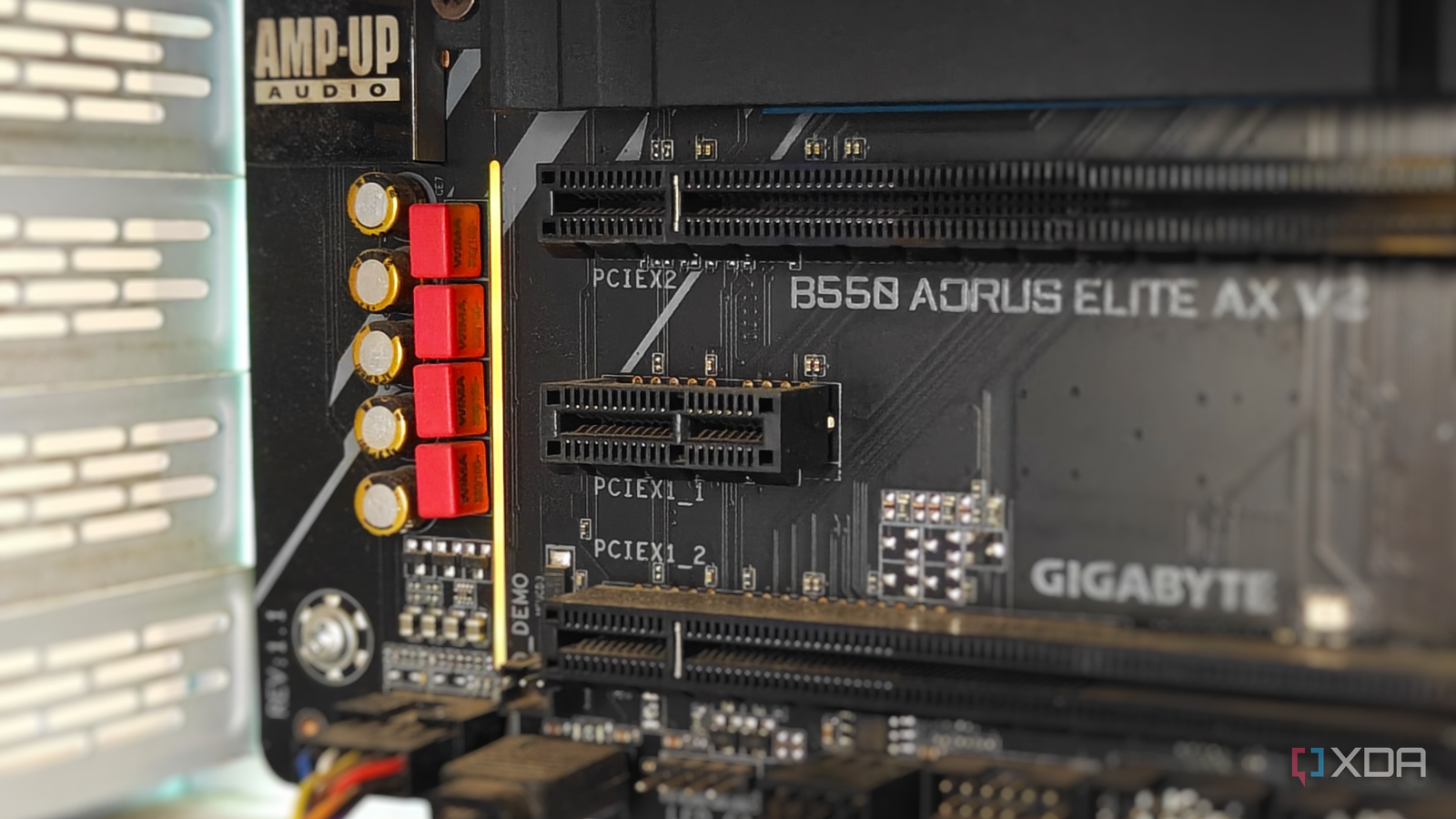
Published Oct 25, 2026, 4:30 PM EDT After a 7-year corporate stint, Tanveer found his love for writing and tech too much to resist. An MBA in Marketing and the owner of a PC building business, he writes on PC hardware, technology, and Windows. When not scouring the web for ideas, he can be found building PCs, watching anime, or playing Smash Karts on his RTX 3080 (sigh). In a market that is possibly the least affordable it has ever been (thanks to enterprise demand), it's virtually impossible to invest in traditional upgrades. Switching to a new GPU or CPU platform has been prohibitively expensive for almost a year now. People have to think twice even before expanding their NVMe storage. This makes PCIe expansion cards possibly the cheapest PC upgrades in 2026. Your motherboard's PCIe x1 slot has most likely been gathering dust all these years, but it can deliver disproportionate returns. For less than $50, you can upgrade your old PC's networking, audio, or I/O hardware with a compact yet effective expansion card. The time is right to consider upgrades you rarely think about A new GPU or a platform upgrade can wait If you were in the market for a graphics card or a DDR5 upgrade back in September 2025, you probably remember that things were a lot different than they are right now. Ever since the enterprise demand for AI chips skyrocketed, RAM prices went through the roof and slowly pushed GPU and SSD prices to new highs. Upgrade plans were shelved across the globe as people buckled in for half a decade of insane hardware prices. If you already have an RTX 30 series GPU or anything newer, you can easily ride this crisis out. Most games, even AAA titles, don't need the latest GPUs to push playable framerates. Upscaling, unofficial frame generation, and optimized settings make 6-year-old GPUs pretty powerful. And upgrading to a Ryzen 7000, Ryzen 9000, or Intel Arrow Lake CPU won't feel drastically different than your 5-year-old CPU, at least for gaming. Even SSD prices are crazy right now, with a 2TB Gen4 NVMe drive going for at least $250. Compared to September 2025, that's more than double the price. So, it's safe to say that the non-conventional parts of your old PC deserve some attention at this time. Your unused PCIe x1 slot promises some practical and highly affordable upgrades that can make your system feel modern without blowing a hole in your wallet. Your smallest PCIe slot can save you a motherboard upgrade You can add new features for cheap Source: Andrey Matveev via Unsplash The tiny PCIe x1 slot near the bottom of your motherboard might not be on your list of upgrades, but it can be surprisingly useful. It can't compete in bandwidth with the full-sized PCIe x16 or even PCIe x8 slots, but it doesn't need to. Depending on the age of your PC, you may have a PCIe 3.0 x1 or PCIe 4.0 x1 slot, which means at least 8 Gbps of bandwidth. This is more than enough for most expansion cards you can buy. For instance, your old PC probably has a dated Ethernet port capped at 1 GbE or 2.5 GbE. If you need more throughput for your internal transfers, this probably doesn't cut it. Fortunately, a 5 GbE Ethernet card only needs a PCIe 3.0 x1 slot to supercharge your PC's wired networking chops, and it costs just $30. If you have a PCIe 4.0 x1 slot, you can even install a 10 GbE PCIe card for around $50. If your motherboard doesn't have onboard Wi-Fi, you can add a PCIe Wi-Fi card for about $25–$35. They feature dedicated, high-gain antennas for a reliable wireless connection when a wired network isn't possible. Many users run out of SATA ports on their motherboard once they've plugged in enough hard drives and SATA SSDs. With a PCIe SATA card, you can introduce additional SATA ports for $20–$35, depending on the number of ports. Similarly, PCIe USB cards can give you extra USB-A and USB-C ports for just $15–$30. 1080p capture cards and PCIe sound cards are also available for less than $25, and can be useful in the right scenario. PCIe cards are superior to M.2 cards It's not even close As you might know, PCIe cards aren't the only way to add new features to your motherboard. You can use a spare M.2 slot as well to add a Wi-Fi, SATA, NVMe, or USB card. However, having an unused M.2 slot is far less likely than having a PCIe one. On top of that, PCIe slots have certain advantages over M.2 slots when it comes to adding larger, high-bandwidth expansion cards. Your PCIe x1 slot is limited in bandwidth, but larger PCIe x4 and x8 slots have up to 128 Gbps of bandwidth on the PCIe 4.0 bus. In contrast, an M.2 slot with a PCIe 4.0 x3 configuration has about 64 Gbps of bandwidth. For a second GPU, an HBA card, or a multi-SSD NVMe adapter, the PCIe slot clearly beats an M.2 one. Second, your PCIe x8 and x16 slots can deliver up to 75W of power compared to 5–10W from an M.2 slot. This makes your PCIe slots more versatile than M.2 slots. Even the PCI x1 slot is capable of a maximum of 25W, although most x1 cards don't need that much power. Lastly, since PCIe expansion cards have a larger footprint than M.2 cards, passive cooling is more efficient when you're installing a PCIe card. An M.2 card cramped below your large GPU can sometimes thermal throttle and hurt performance. Most people ignore their unused PCIe slots Since most PCs only ever use the primary x16 slot for the graphics card, the remaining PCIe slots are forgotten. The smallest PCIe x1 slot is the unluckiest of the bunch, since it's often assumed to be too slow for upgrades. However, most expansion cards that you need fit perfectly within the bandwidth limits of the PCIe x1 slot. It provides you with one of the cheapest ways to augment your PC's capabilities. TP-Link 10GB PCIe Network Card (TX401)
The unused PCIe x1 slot on your motherboard is the cheapest way to upgrade your PC
Full Article
Original Source
Read the full article at Xda-developers →KhanList aggregates and links to publicly available news content. We do not host full articles from third-party sources. Always verify important information with original sources.