
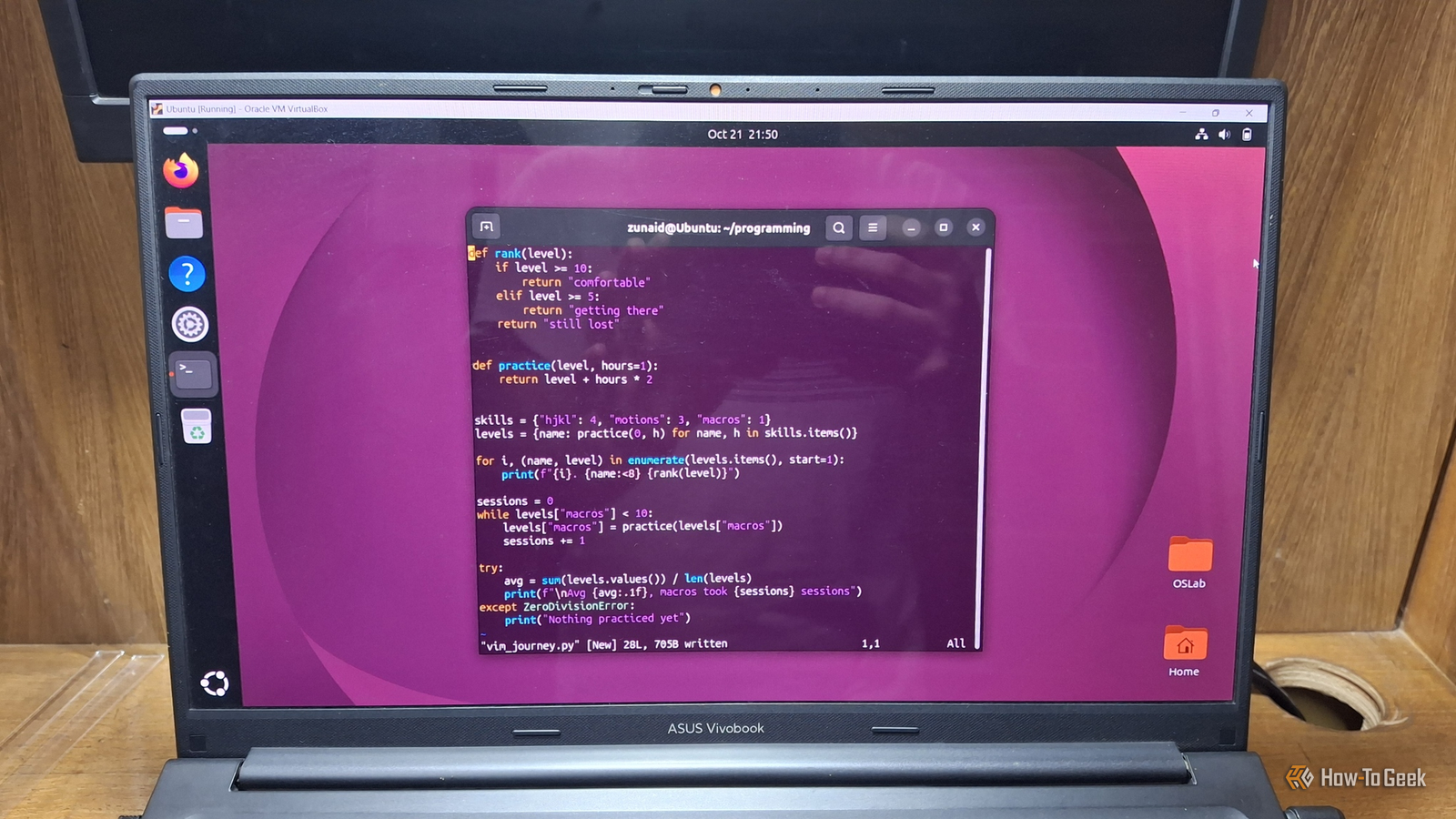
Published Oct 25, 2026, 5:00 PM EDT Zunaid Ali first became interested in technology after using a computer for the first time in 2006. He's been producing how-to content since 2018, reaching thousands of people in the process. As a kid, Zunaid used to read tech tutorials and troubleshooting guides on popular blogs. That made him want to start his own writing career. After the coronavirus pandemic, he finally decided to jump into the tech writing world. Before joining How-To Geek, he had written for HecticGeek, Distroid, and UbuntuPIT, among others. Zunaid first tried Linux when he wanted to learn Web Development in 2021. Due to his inexperience, he messed up his laptop trying to dual-boot Ubuntu with Windows. Frustrated, he went all-in with Linux and removed Windows completely. And that's when he fell in love with it. He's been actively experimenting with Linux since then. After finding his first writing gig on Linux in April 2022, he decided to specialize in it so he could share his knowledge and insights with fellow open-source enthusiasts. He joined How-To Geek in September 2023 and has been writing as a freelance contributor since then. Zunaid is currently pursuing his Bachelor's degree in Information & Communication Technology. When he's not writing, he's reading tech blogs, coding fun projects, or learning about new technologies. Other than Linux, he also has an interest in Android Development and Cybersecurity. He has experience in C/C++, Java, HTML/CSS/JavaScript, and Python. You can find some of his hobby projects on his GitHub. Many Linux veterans still vouch for Vim for editing documents and writing code. As a Linux user myself, I can see why. When many companies are going AI-first with their code editors, Vim stays true to what it was meant for: a simple terminal text editor that makes you efficient while programming. That's what made Vim stick out to me among all the noise. So much so that I was ready to ditch even VS Code, my go-to editor for coding and text editing. I am not alone. According to Stack Overflow's 2026 Developer Survey, 27% of developers use Vim, a text editor from 1991, which is notorious for confusing you about how to exit. I wanted to be free from the arrow keys Vim made navigating the source code quick This isn't just about VS Code. In most modern code editors, you use the arrow keys to navigate the file. Whether I wanted to jump words or lines, I had to reach for the arrow keys or the navigation keys. Now, when I'm in the middle of an intense coding session and need to navigate the codebase, that's tedious for me. That's when I decided to try out Vim's navigation keys: h, j, k, and l. What's more amusing is that there's an interesting story behind this. Bill Joy wrote the original vi editor, the one that inspired Vim, using a Lear Siegler ADM-3A terminal. That keyboard had no separate cursor keys. Instead, the arrows were printed right on h, j, k, and l. Joy's own vi manual even says experienced users "prefer these keys to arrow keys." Arrow keys work on Vim too. But the real win comes from using the four alphabetical keys. I can type 5j to jump down five lines instead of mashing the down arrow key. Now, arrow keys aren't even the biggest problem. Say I want to jump words or sentences. I have to use Ctrl in addition to the arrow and navigation keys. In Vim, almost all navigation shortcuts are within your reach without lifting your hand. Tricks like this are what save you hours of editing time in Vim. Vim is the fastest way I can put together a program Quick scripts, calculations, prototypes Learning Python means I have to write lots of tiny throwaway scripts. Maybe I want to see how a list comprehension behaves, or what a particular Python library does. For a five-minute experiment like that, launching a full editor feels like overkill. I open a terminal and type vim test.py. I write a few lines of code, save with :w, and then run :!python3 %. I don't even have to leave Vim. The :! part runs a shell command, and % stands for the current file's name. The output shows up right there. After that, one press of Enter takes me back to my code. This is not to say that VS Code is heavy or anything. Microsoft's requirements page calls it lightweight, with a download under 200MB. Still, on my low-resource Ubuntu VM, Vim is ready without me thinking about what code to write. VS Code is busy turning into an AI editor I don't like nudges from an AI tool when I want to concentrate on learning Here comes my small hot take. In May 2025, Microsoft said its next step was making VS Code an open-source AI editor. It planned to open-source the GitHub Copilot Chat extension and fold its parts into the editor itself. Two months later, we saw that 8 of the 9 headline features in VS Code 1.102 were Copilot-related. A few months later, that plan had clearly moved forward, with inline suggestions becoming open source by November 2025. Now agents are the main event. The latest stable release as of writing this, VS Code 1.143, makes the Copilot harness the default for new agent sessions. Those sessions can keep running in the background. You can see where I'm going with this. For a professional developer, that direction makes plenty of sense. I consider myself a learner, though. If I'm stuck with a coding problem, I want to fight through it myself instead of glancing at a chat sidebar. Vim doesn't offer that shortcut out of the box. Right now, that's exactly what I need. A slow start, compensated in the long run I won't say using Vim was an easy start, nor am I an expert in it. Moreover, VS Code is a great editor that I still use. In many cases, though, niche or broad, Vim makes more sense than VS Code. If you like Vim but are looking for a modern alternative, Neovim is another excellent choice.
Why I'm learning to program in Vim instead of VS Code
Full Article
Original Source
Read the full article at Howtogeek →KhanList aggregates and links to publicly available news content. We do not host full articles from third-party sources. Always verify important information with original sources.