
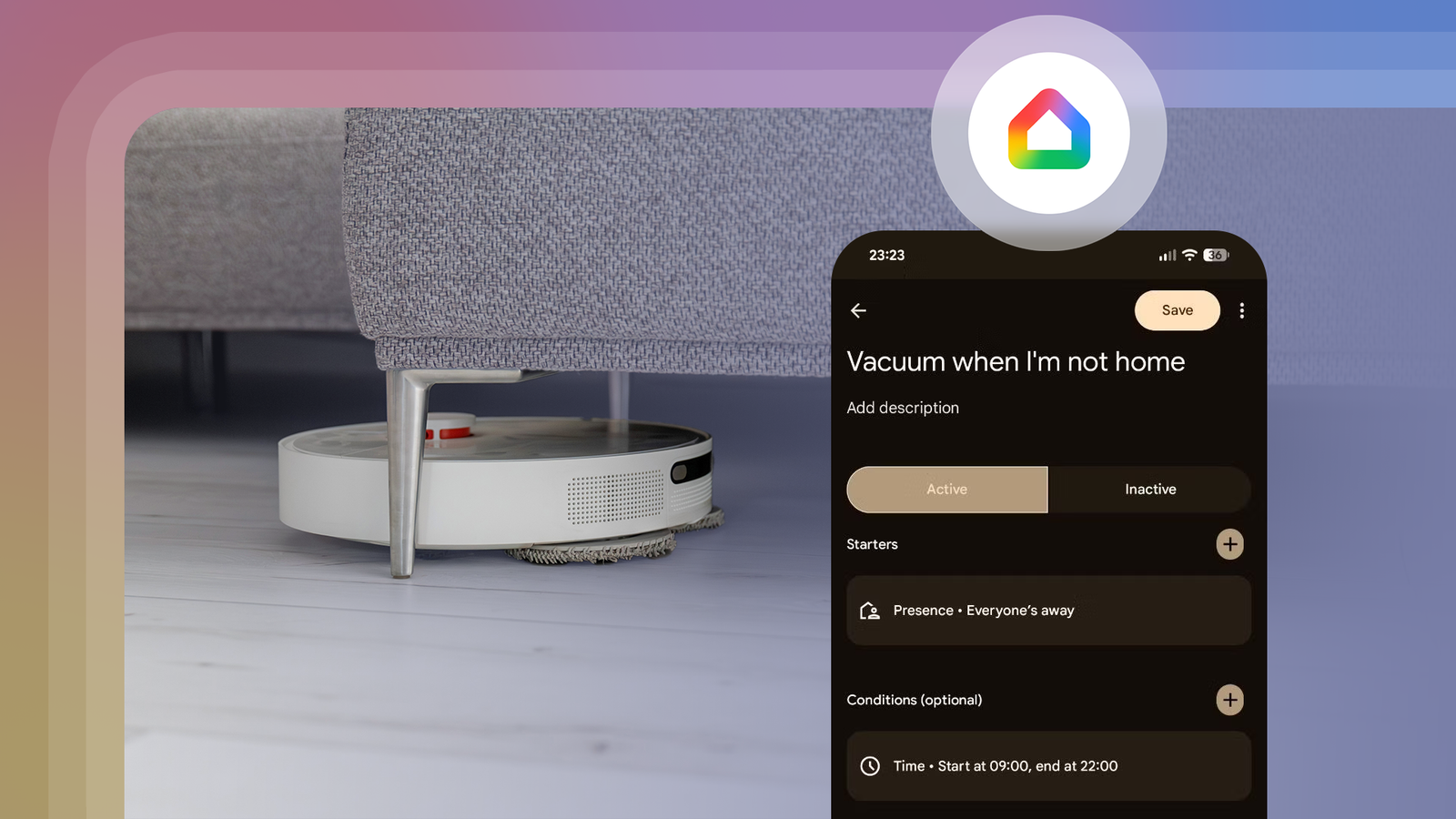
Published Nov 1, 2026, 7:00 AM EST Calvin has been writing about consumer electronics and emerging technologies for over a decade. With a background in computer engineering, his reporting specializes in breaking down the technical nuances of new products beyond the spec sheet. Much of his work has involved validating manufacturer claims against real-world testing. His reporting career has spanned AI, semiconductors, display and wireless technologies, and privacy. For years, I lamented the lack of customization and automation features in the Google Home app. Over the past couple of years, however, Google has silently but steadily improved the app. So I finally decided to give Google Home automations another chance — and I'm glad I did. Google Home still isn't as flexible as a full-fledged smart home platform like Home Assistant, but it has reached the point where I can build useful routines without reaching for a complicated alternative. I created surprisingly powerful automations in minutes, using devices I added to Google Home years ago. Here are a few of the highlights. Presence sensing automations are a game-changer No third-party hardware required My favorite addition to Google Home has to be the expanded presence sensing options that can detect whether you're home or not. While the feature has technically existed for half a decade, it used to require you to own a Nest-branded security system or thermostat. Needless to say, most of us don't have either in our homes. But these days, Google Home can tell if I'm home or away using my phone's location and connected Wi-Fi networks. Third-party smart home platforms like Home Assistant have long had this feature, so I'm glad Google has finally caught up here. With presence sensing, I can use my location state as an easy trigger for certain tasks like running the robot vacuum where I don't need to be present. The screenshot above shows my automation that starts the vacuum when my presence is detected as "Away." I also added a time condition so that the automation doesn't trigger if I leave home in the middle of the night. It's not perfect — I would prefer it if the automation only ran once a day, for instance. But Google Home's automation editor doesn't currently let you configure that. One workaround is to shorten the time window when the automation runs, so an empty house in the evening won't re-trigger it. To set up presence sensing for all members of your household, tap your profile picture in the Google Home app, then navigate to Home Settings > Presence Sensing. Greet me when I'm home Let there be light Presence sensing can work in reverse too, and I've set up an automation that welcomes me or anyone in my household as we return home. I set it up so that the porch light turns on when someone arrives home, but only after sunset. It also turns off the light after ten minutes, so I don't have to turn it off. I also experimented with having the robot vacuum dock itself if someone arrives home in the middle of a cleaning cycle. I learned that I prefer having manual control over that aspect, but it being possible is a big step forward. My morning routine An automation to keep me from oversleeping My favorite automation kicks in as soon as I wake up — and setting it up is deviously simple. The Google Clock app allows you to set a routine that activates as soon as you dismiss your alarm. This feature hasn't changed in years, but it's easy to miss if you use a third-party app for your alarms. My morning routine starts off by announcing the day's weather forecast, calendar events, and pending tasks. Next, it turns on my bedside lamp to brighten up the room and gently nudge me awake. Finally, my phone starts playing the morning news from a local station. The routine editor in the Clock app is surprisingly versatile, as you can see in the screenshot above. It supports timed delays too, so you could gradually increase a lamp's brightness over time. In the near future, I'm looking to add smart blinds to this routine to bring in natural daylight as soon as I'm ready to start my day. I've also considered adding a step that turns on my coffee machine through a smart plug, a few minutes after the alarm goes off. Since my alarm acts as the trigger, I don't have to edit the routine according to my sleep schedule. I could also create a routine for weekdays and another for holidays. If you don't own a Google Pixel phone, download the Google Clock app from the Play Store. My devices now command other devices Cross-device automations finally exist in Google Home I recently discovered that you can use the playback state of a Google TV device as an automation trigger in Google Home. I find this especially handy for my projector, as it needs a dark room to look its best. I created an automation that turns off the room lights when the projector begins playback. I also added a thirty-second delay so that the room isn't immediately plunged into darkness. A second automation then turns on one solitary light when playback is paused. When I used a TV, I created an automation that turned on a bias lighting strip when playback started at night and changed its color to a soft orange glow. When I paused it, another automation would change the color to a bright, natural white. You don't have to stop at Google TV devices. If you own a connected washing machine, for instance, you could have a light change its color from red to green as soon as a load is completed. Google Home automations are more powerful than you'd expect Google Home automations have come a long way, but I still wish it supported more complex automations with variables or memory. Automations currently cannot remember things like a light's original brightness or color, so I cannot set up complex automations like restoring a room's light level after I turn off the projector. Other smart home platforms allow automations to pause until a device state changes, which can be handy for reverting changes. I hope this feature will be added at some point. Still, I'm impressed by how much I accomplished in just a few minutes using devices I owned. Best of all, I don't need an expensive subscription or dedicated smart home hub for these automations to work reliably. If you haven't looked at Google Home's automation editor in a while, I recommend giving it a second look.
Spending 10 minutes on these Google Home automations made my daily routine seamless
Full Article
Original Source
Read the full article at Androidpolice →KhanList aggregates and links to publicly available news content. We do not host full articles from third-party sources. Always verify important information with original sources.