
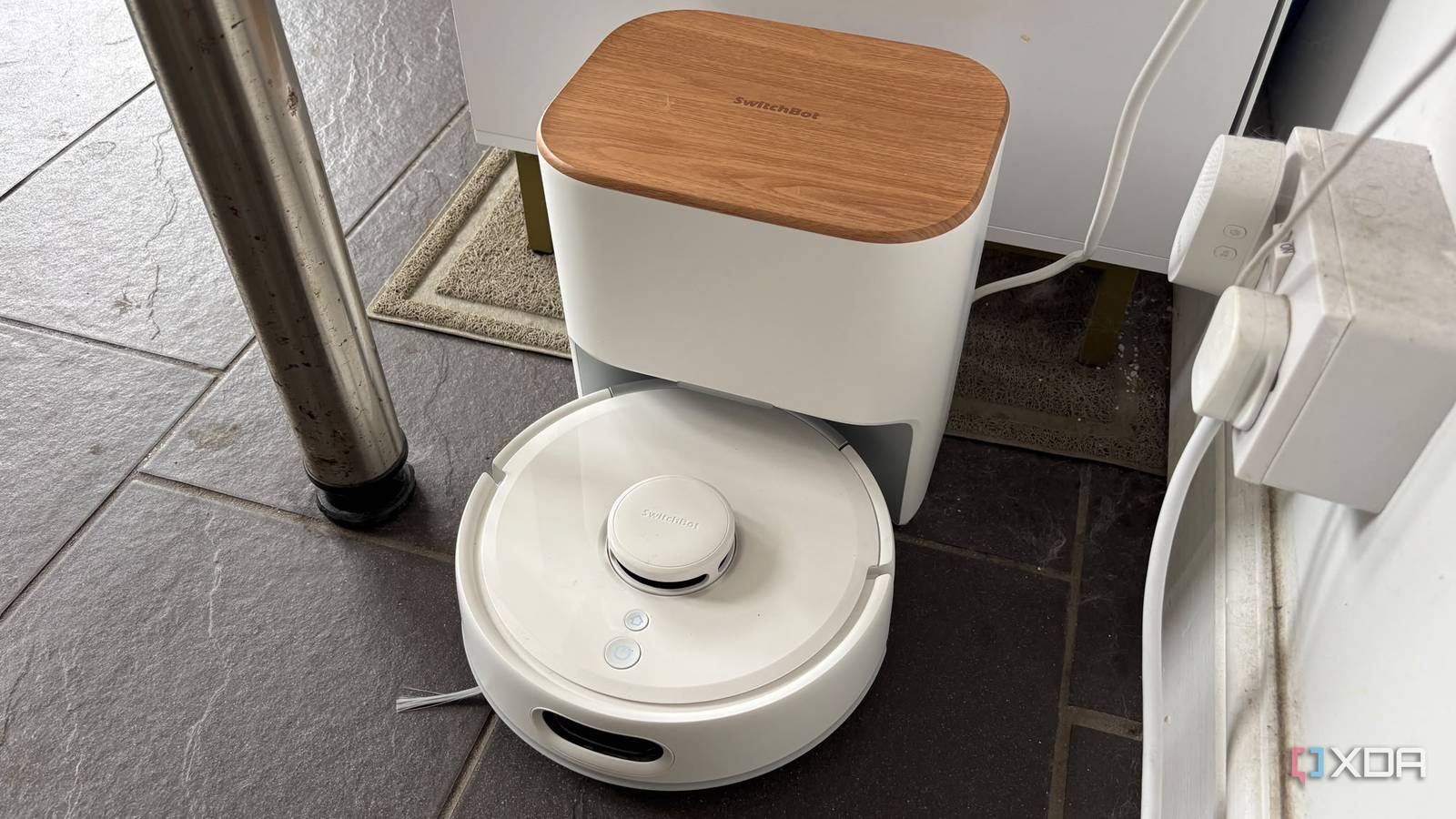
Published Oct 31, 2026, 8:00 AM EDT Jasmine is Software and PC Hardware Author at XDA with years of tech reporting experience ranging from AI chatbots right down to gaming hardware, she's covered just about everything. Whether it's breaking news about the latest AMD NPUs or creating video tutorials on social media platforms, Jasmine has contributed to the world of AI and tech in a variety of ways including interviewing the CEO of Razer, AMD's Director of Product Marketing and the VP of Lenovo. Passionate about gaming and PC technology, she has built countless computers, keyboards and other peripherals - knowing them inside and out. When a modern robot vacuum maps a home using onboard LiDAR or optical sensors, it builds a precise metric layout of your interior space, complete with exact wall boundaries, permanent furniture footprints, and room divisions. For a lot of consumer robot vacuums, this is locked inside proprietary apps, and it can limit the utility to basic cleaning schedules or viewing cleaning paths. However, if you export that raw mapping data into a local orchestration platform like Home Assistant, it transforms a compact cleaning appliance into a comprehensive spatial awareness engine for your entire smart home. A robot vacuum's navigation map provides the most dimensionally accurate floor plan an average homeowner can easily obtain, unlocking advanced room-aware automations, presence estimation, and digital twin dashboards that stretch far beyond routine floor care. Your map data is being wasted Take full advantage of your robot vacuum Modern lidar-equipped robot vacuums, like the Switchbot K11 Plus in my case, work by scanning surrounding geometry in real time. By doing this, they can calculate precise room layouts through SLAM algorithms, meaning simultaneous localization and mapping. This lets them navigate confined spaces, identify tight spots, and track your permanent furniture fixtures. In turn, by doing this, they create a very precise and useful floor plan of your home. But for most robot vacuums, the vendor apps you use pull these rendered map images from remote cloud servers. However, if you extract this information and pair it with local integrations (such as Home Assistant's native SwitchBot and vacuum integrations), then you can extract underlying coordinate data, room segment arrays, and device states directly. Home Assistant processes these raw segment boundaries and coordinates into a live vector or image entity, turning a static blueprint into a dynamic spatial map that reflects the actual physical layout of the home. Home automations can take advantage of your floor plan From security to room-level automations You can trigger many room-level automationsonce you have spatial awareness and a floor plan of your home. Take advantage of contextual room triggers. Instead of triggering broad housewide routines, Home Assistant can use the vacuum's precise room segment IDs to establish granular zone-specific automations. Instead of applying house-wide heating or cooling, Home Assistant uses the floor plan room segment coordinates to establish precise spatial triggers. If presence is detected in the living room zone, ramp up localized climate control while keeping unused guest zones idle. Map coordinates also let lighting automations transition dynamically as movement is detected across specific geometric sectors, matching illumination levels to the room's exact architectural boundaries rather than relying on blunt whole-house triggers. And you get the benefit of security and perimeter logic when you have a floor plan to hand, too. Integration with the floor plan layer enables advanced security rules, such as tracking zone intrusion states based on coordinate triggers from door sensors, window contacts, and mmWave presence detectors mapped relative to the vacuum's room grid. And while this one is related specifically to the vacuum, it's still great. You can also have dynamic room queuing, where automations build intelligent cleaning queues based on real-world household states (such as dispatching your vacuum to sweep high-traffic entryways only when everyone in your home is away, so you don't have to worry about tripping over the vacuum cleaner). Don't forget the dashboard implementation Which makes for another great use You get advanced dashboards and multi-system integration with Home Assistant, such as interactive Lovelace floor plans. Integrating vacuum map cards into Home Assistant dashboards allows users to view live spatial states, tap specific rooms on a visual layout to dispatch your vacuum, or inspect environmental sensor states overlaid directly onto the home's architectural grid. While it may sound like a gimmick, it makes a real difference in how you interact with your smart home. You also get coordinate mapping for fixed sensors. The vacuum's grid coordinates serve as a baseline reference for positioning other stationary smart devices, such as Bluetooth tracking proxies, temperature sensors, and mmWave radar units, within the same digital layout. And lastly, by handling map rendering and coordinate calculations locally instead of keeping them stuck behind a proprietary application, you're ensuring instant dashboard responsiveness. You can ensure the home layout and sensor telemetry data never stream unnecessarily to third-party vendor servers, adding another layer of privacy. Use your vacuum for more than just cleaning Home Assistant can give it a new lease of life A robot vacuum is fundamentally a mobile LiDAR mapping robot that happens to clean floors as well. Treating it strictly as an isolated appliance can ignore the rich structural telemetry that it generates during every cleaning run. While you might not have thought to use your home's floor plan to manage other elements of your smart home, it might be time for you to extract your robot vacuum's map data and integrate it into Home Assistant. This way, your home's actual physical geometry can drive your environment, lighting, and automation logic. Switchbot K11+ Robot Vacuum The Switchbot K11+ robot vacuum has a mop built in and is compatible with Matter. You get 6,000 Pa suction.
My robot vacuum made the most accurate floor plan of my house, and Home Assistant put it to work
Full Article
Original Source
Read the full article at Xda-developers →KhanList aggregates and links to publicly available news content. We do not host full articles from third-party sources. Always verify important information with original sources.