
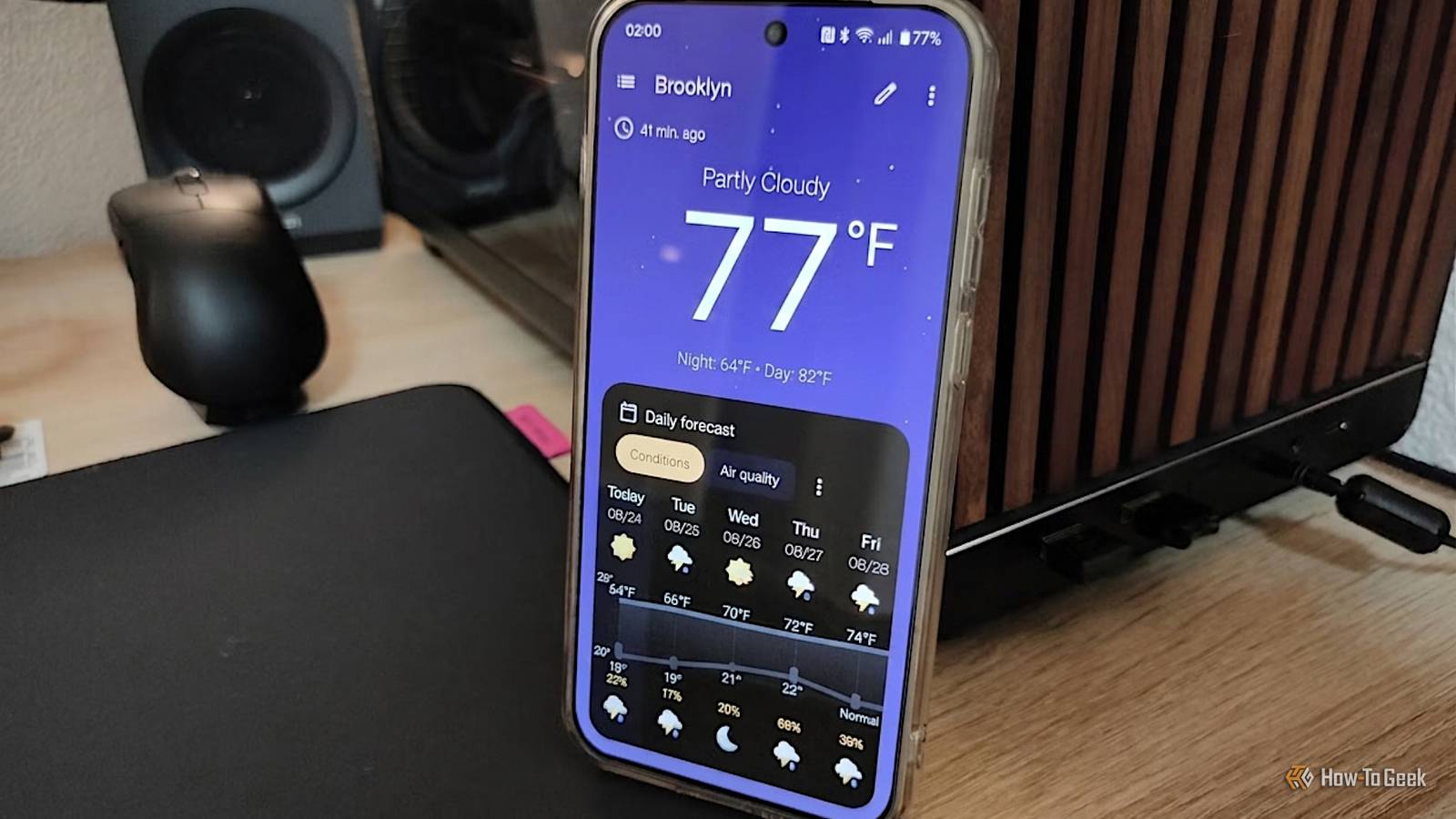
Published Aug 25, 2026, 10:45 AM EDT Ismar is a Senior Author at How-To Geek. He previously worked as a writer, editor, and general manager at a content agency before joining the team in 2023. He began his writing career in 2021 after completing a BA in English Language and Literature. Beyond How-To Geek, Ismar has contributed to Red Stag Fulfillment and Authority Hacker. He has also worked on various SEO projects to help clients improve their search visibility. Ismar has been around Windows PCs since the age of three, so friends and family naturally chose him as the resident tech support. His projects often involve tinkering, such as disassembling mechanical keyboards and gaming mice to mod his beloved gear. He also enjoys pushing hardware to the max through overclocking while staying on a reasonable budget. An avid gamer, Ismar has logged thousands of hours across various genres, including first-person shooters, RPGs, racing games, and roguelites. When he is not at his desk, he is probably exploring other people’s phones to discover their quirks and features or experimenting with the latest AI tools. In his free time, Ismar enjoys spending time with his wife, working out at the gym, playing guitar and bass, cooking gourmet meals, and traveling. Above all else, he’s a proud cat owner. I've been searching for the perfect weather app for years. I've tried just about every popular option on the Play Store, and while some free weather apps are better than others, none of them quite get it right. The Google Weather app is the closest, but I don't use a Pixel phone. As it turns out, I don't need one. Just weather with no nonsense When it comes to checking the weather on an Android phone, there's no shortage of convenient options. You can ask Gemini, Google it, use the default weather app on your phone, or download a third-party app of your choice. The default weather app is a take-it-or-leave-it situation where you either love it or find that it doesn't provide accurate weather reporting. For me, the latter has always been the case, which is why I've been searching for the perfect third-party weather app for years. And I've finally found it. Allow me to introduce you to Breezy Weather, a 100% free and open-source weather app built using Google's Material 3 Expressive design language. If you've used Pixel Weather, it'll look surprisingly familiar. Normally, FOSS (Free and Open-Source Software) apps have utilitarian designs, with aesthetics rarely being a priority. That's not the case here. The app uses modern shapes and intuitive controls, and it even adapts to your phone's color scheme and looks surprisingly modern. It's essentially an open-source clone of Google's official weather app on Pixel phones, but for everyone. The best part is that the app doesn't have any ads, a subscription, or even a donate button to speak of. As far as I know, the developer doesn't even accept donations for the project, instead telling supporters to direct their donations to Open-Meteo, a FOSS weather API. In case you've never heard of the term open source, it essentially means that the app's source code is publicly available. Other developers can inspect, modify, and suggest improvements. This is especially important for a weather app, which you typically have to give full location access to, and some apps use trackers that collect information about you. If you'd like to give Breezy Weather a try, head over to its GitHub page and download it from there. It's also available on the F-Droid store, but you'll get a more limited choice of weather providers due to F-Droid's strict rules, which require apps to be exclusively open source, while some of the proprietary weather APIs used by providers are not. The app lets me pick whichever weather provider I want Pick your provider One of Breezy Weather's best features is the ability to choose your own weather provider. Weather can be notoriously hard to predict, especially precipitation, and some providers simply perform better than others in certain areas. I've run into this problem constantly, especially when traveling. On a vacation to the coast this summer, both AccuWeather and Google gave me wildly inaccurate predictions: Google predicted temperatures below 80°F most days, while AccuWeather reported around 85°F. In reality, it was over 90°F on most days and even approached 100°F during the hottest times of the day. With Breezy Weather, I just don't have to worry about location-specific inaccuracies anymore. With over 50 available providers, I can pick the one that most closely matches the regional reporting. In fact, you can pick national weather sources to get the best results. Breezy Weather (Left) vs Google Weather (Right) It's worth noting that only some weather providers are immediately available, while others require you to provide your own API key. Breezy Weather comes with its own API keys pre-registered for some providers, like AccuWeather and OpenWeather. Picking your provider doesn't stop with the weather, either. Breezy Weather lets you mix and match providers for the forecast, current weather, air quality, pollen, precipitation, alerts, and temperature normals for every location you want. Very few apps let you pick your own provider for free, but this level of granular control is exceptional for a free app. If you find one provider to be more accurate for current conditions, another for the forecast, a third for precipitation, and a fourth for things like pollen and air quality, Breezy Weather can give you all that information at a glance in a single app. It packs features that many other weather apps charge for A premium experience for free Credit: Ismar Hrnjicevic / How-To Geek Many weather apps on the Play Store are designed to offer basic weather reporting for free, but the moment you want to customize something in the app, you're hit with a paywall. With Breezy Weather, you'll feel like you're using a premium app completely for free. For starters, you can add as many locations as you wish, and there's no limit to how you mix and match your providers. Now, compare that to Overdrop, which requires a one-time purchase or recurring Pro subscription just to change weather providers. Apart from that, you can customize the layout, just like in the Pixel Weather app. If you're an allergy sufferer like me, you can drag the pollen and air quality elements to the top so you can easily check the air you'll breathe before heading out. Still, I can't talk about premium features without mentioning that there are simply no ads, news, or any other form of unwanted bloat in the app. Many people pay for their favorite weather app just to get rid of these, but here, it's just weather data and nothing else. There's a widget for everyone Credit: Ismar Hrnjicevic / How-To Geek I check the weather many times a day, but I don't always open the app for detailed information. Sometimes, I just need to quickly check if the evening is warm enough for shorts or if I should pick some light trousers before I head out to the gym. In those situations, I rely on the widget, and Breezy Weather's widget selection couldn't be any better. Thankfully, Breezy Weather has a widget that shows the hourly forecast in a beautiful format. In fact, there are a total of 13 widgets in the Breezy Weather app, each better and more detailed than the last. Whether you need the current weather, an hourly or weekly forecast, a clock to go with your weather, or anything in between, Breezy Weather has you covered. It goes without saying that Breezy Weather's widgets are highly customizable and can be easily resized, and thanks to the Material 3 Expressive design language, they fit right in on any Android phone. Free and open-source doesn't always mean you have to compromise People often associate the terms “free and open source” with useful, privacy-oriented apps that are sometimes a bit ugly and buggy. However, that just isn't the case with Breezy Weather. It looks and feels as good as any premium weather app, and in many ways, it's better. If you want a no-fuss weather app that lets you pick your providers and offers solid customization without cutesy gimmicks or any other form of bloat, this is the app for you.
I replaced Google Weather with an open-source clone, and I'm never going back
Full Article
Original Source
Read the full article at Howtogeek →KhanList aggregates and links to publicly available news content. We do not host full articles from third-party sources. Always verify important information with original sources.