
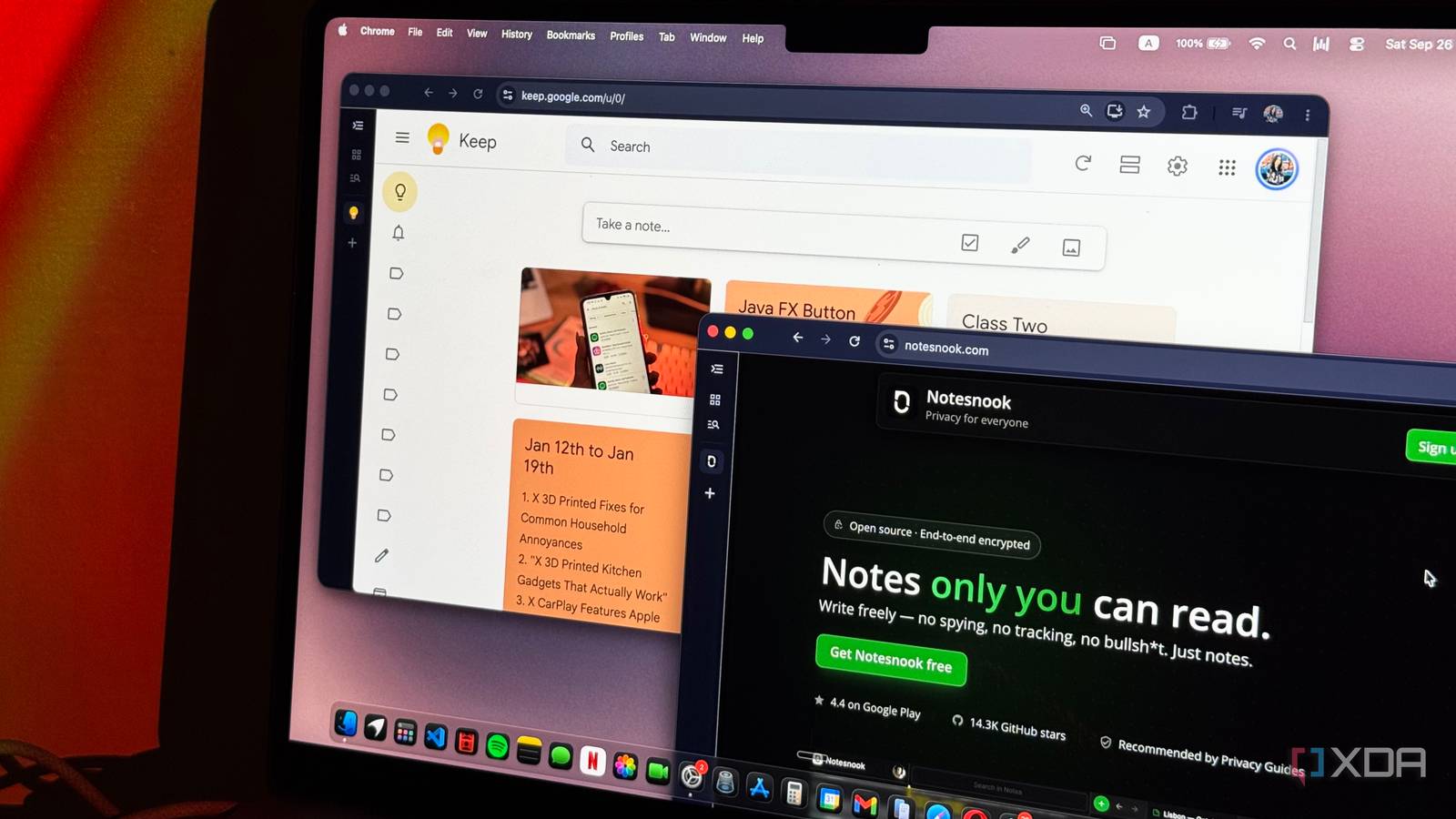
Published Sep 27, 2026, 3:30 PM EDT Mahnoor Faisal is a tech journalist covering AI and productivity tools with bylines at XDA, SlashGear, MakeUseOf, Laptop Mag, and Android Police. She's been writing professionally since she was sixteen, and has since penned hundreds of articles. This includes in-depth coverage of AI tools like NotebookLM to breaking news across the AI space. Her passion for technology started when she received her first iPod Touch (4th generation) on her 8th birthday, and she's been deep in the tech world ever since. Currently pursuing a degree in computer science, Mahnoor brings both a journalist's eye and a technical foundation to her coverage of how AI is reshaping the way we work and learn. Google Keep has gone from a tool I barely touched to one I can't imagine starting my day without. I'm deep into the Google ecosystem, so it slots into my workflow almost perfectly. It's minimalist, quick to use, and always right there when I need to dump a thought somewhere before I forget it. Something I've been doing a lot lately is exploring open-source alternatives for the apps and services I use every day. Partly out of curiosity, partly because I've become a lot more conscious of how much of my digital life depends on a handful of companies. So, naturally, Google Keep eventually ended up on that list too. I found an open-source notes app that managed to keep almost everything I love about Keep. Notesnook is an open-source alternative that doesn't feel like one Open source without the rough edges Sometimes, you can almost immediately tell you're using an open-source app. The interface feels a tad bit outdated, basic features sometimes need extra setup, and you often end up trading polish for more control. Some of the best open-source apps are also limited to certain platforms and don't work across all your devices. Notesnook is an exception. It's an open-source note-taking app that feels just as polished as some of the biggest names in the space. It has apps for Android, iOS, Windows, macOS, and Linux, alongside a web version, so I could use it across pretty much every device I already use without changing my workflow. That polished experience doesn't come at the expense of what made me interested in open-source alternatives in the first place, either. Notesnook's source code is publicly available on GitHub, with its apps licensed under GPLv3 and its sync server under AGPLv3. Since Notesnook's sync server is open source too, you can even self-host it if you want complete control over where your notes are stored, although the feature is still considered experimental. Notesnook is built around privacy My notes aren't anyone else's business The open-source side of Notesnook is nice, but privacy is where the difference from Google Keep becomes a lot more meaningful. Notes can end up containing a ridiculous amount of personal information without you even realizing it, whether that's work stuff, travel plans, random account details, or just thoughts you wouldn't necessarily want sitting somewhere anyone else could access. Notesnook uses end-to-end encryption by default, including for users on the free plan. Your notes are encrypted on your device before they're synced, so Notesnook itself doesn't have access to their contents. That alone makes me much more comfortable throwing sensitive information into it than I ever was with Keep. You can also lock individual notes if there's something you want to protect separately. On mobile, locked notes can be unlocked using biometrics once you've set them up with a password, which is particularly useful for anything I'd rather not have immediately visible if someone happened to get access to my phone. The editor is far more capable than Keep's Keep runs out of room fast I've been using Google Keep a lot for note-taking lately, and this is another place where Notesnook really impressed me. Keep gives you the basics, but Notesnook goes much further with headings, richer text formatting, checklists, tables, images, attachments, code blocks, quotes, and more. You can also use Markdown shortcuts if that's your thing, which makes it feel a lot less limiting once a quick note starts turning into something more substantial. Given that I'm a college student who takes a few math courses every semester, the fact that Notesnook renders LaTeX math is also an extremely useful bonus for me. In Keep, if I want to save a properly formatted equation, I usually end up adding it as a screenshot or awkwardly typing it out in plain text. Notesnook lets me write the LaTeX directly into the note and renders it as an actual equation instead! Google Keep, on the other hand, has a much more basic editor. You get headings, bold, italics, underlining, bullet and numbered lists, checklists, and images, which is perfectly fine when all I need is somewhere to dump a quick thought or make a list. But whenever I wanted to turn those quick notes into something more structured, I'd usually end up moving them into Notion instead. Notesnook removes that extra step for me. I can still use it like Keep for quick capture, but if a note starts growing into something more substantial, the editor is capable enough that I can just keep working in the same place. I miss Keep's colorful interface more than I expected I miss my wall of sticky notes If there's one thing I genuinely miss about Google Keep, it's how it looks. I've always been a sucker for apps that are visually appealing, and Keep's colorful sticky-note layout was honestly a huge part of what made me enjoy using it. Even when my notes were a complete mess, at least they were a pretty mess. Notesnook takes a much more traditional approach. You get a sidebar, a list of notes, and the editor itself, so it doesn't have that same playful feel. It took me a little while to get used to that. Thankfully, it isn't completely devoid of customization. Notesnook has a full theming system, with separate themes for light and dark mode and a built-in theme store. You can even load custom themes or build your own if you really want to go all out. Themes can change the colors across different parts of the interface, including the sidebar, editor, note list, and menus, so there's quite a bit of room to make it feel more like your own. You can also assign custom colors to notes for organization, which helps bring back at least some of that visual element I liked so much about Keep. It's still not the same as having a wall of colorful sticky notes staring back at me, but I've gotten used to the tradeoff pretty quickly. It goes far beyond Keep's labels One of the biggest problems I eventually ran into with Google Keep was organization. Keep gives you labels, pins, colors, and search, and that works perfectly fine when you only have a handful of notes. Once that number starts creeping up, though, it can quickly turn into one enormous wall of cards. Notesnook gives you a lot more structure without making things feel overly complicated. You can organize notes into Notebooks, use tags to group related notes across different notebooks, pin important notes, add them to Favorites, and create shortcuts to the notebooks or tags you use most often. I particularly like the distinction between Notebooks and tags. I can use a Notebook for something broad, like college or work, and then use tags for more specific things within it. That gives me a much cleaner system than relying on labels alone, especially when one note could logically belong to more than one category. Ultimately, Notesnook is a simply incredible Google Keep alternative. It keeps the quick, low-friction experience that made me love Keep in the first place, but gives me much more room to grow once a note becomes more than just a passing thought!
I replaced Google Keep with an open-source notes app, and I wish I'd done it sooner
Full Article
Original Source
Read the full article at Xda-developers →KhanList aggregates and links to publicly available news content. We do not host full articles from third-party sources. Always verify important information with original sources.