
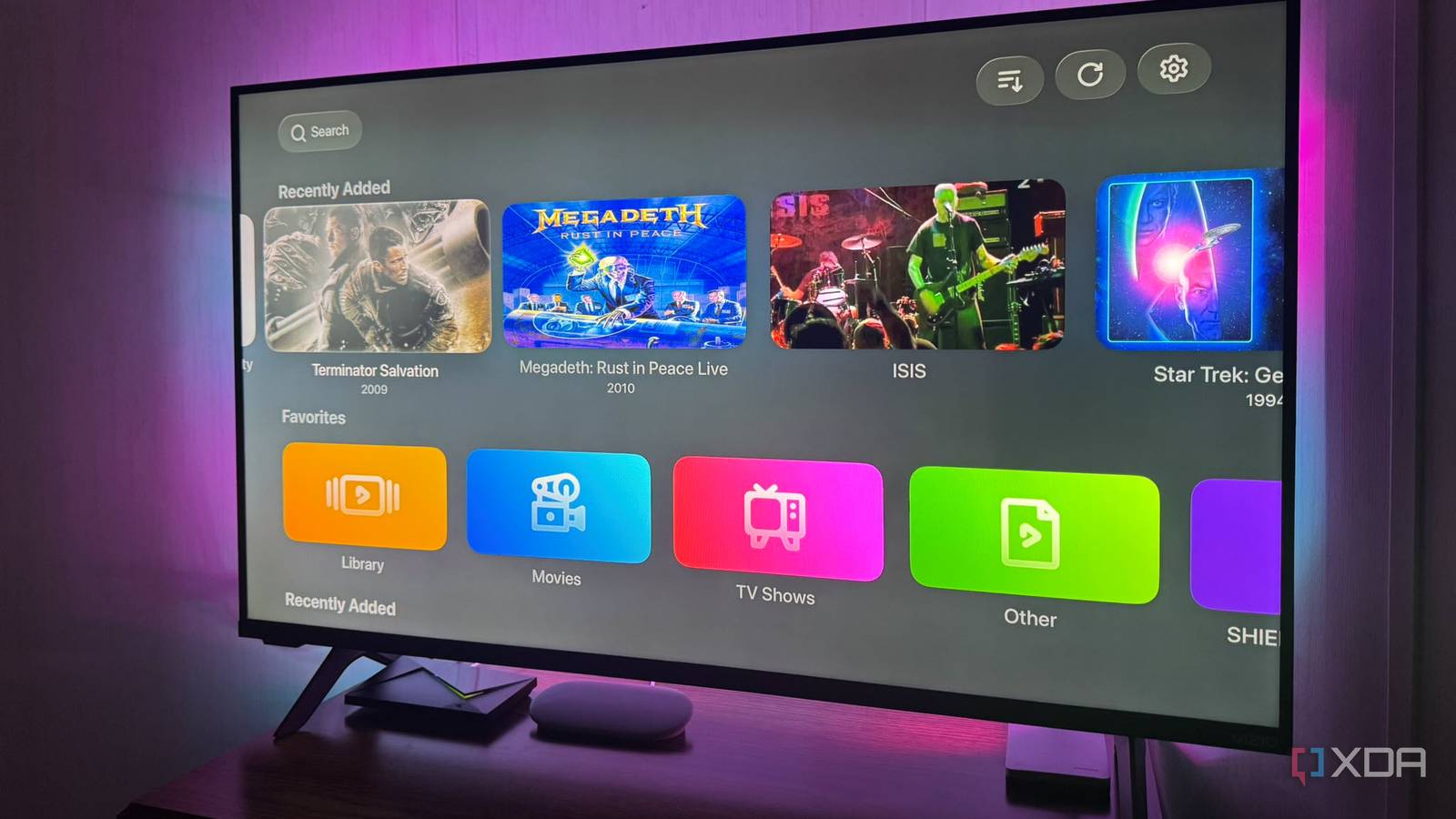
Published Sep 15, 2026, 8:30 AM EDT Based in rural Minnesota, Brian Burgess worked in IT for 10 years before finding his passion for writing about consumer technology. Brian earned his degree in computer and network technology in 2000. He held various IT positions, including help desk support, router installations for IBM, database administration, and other associate network administration roles. He's been a personal technology journalist for 18 years and has written thousands of articles about Microsoft products and services, Android, iOS, streaming, and more. He has written for notable tech sites including XDA, InformationWeek, How-To Geek, Byte, groovyPost, and others. When he is away from the keyboard, you will hear him playing guitar, working outdoors, and watching Star Trek. I run several self-hosted media platforms, and tracking each one can be a pain. They all have different media, and finding the right client app to view content on is equally troublesome. I wanted a way to consolidate everything into one client, and since I have Apple devices, I wanted to see what that consolidation would look like, so I put Infuse to the test. Infuse is an app that is specific to Apple's ecosystem. It's straightforward to use and automatically retrieves metadata for the files on my Jellyfin, Emby, and Plex servers. It can also handle unorthodox file types without transcoding, so I use it to watch my self-hosted media on the big screen through my Apple TV 4K. A stunning interface Infuse is more than elegance One of the best things about Infuse is that it creates a more elegant media experience than an official client usually does. It has vivid colors, fresh artwork, and a new way to view my media library. It replaces the stale, dull Plex interface with something more visually appealing. It makes my media libraries look better on other Apple devices. Jellyfin and Emby libraries also look better than most other clients I've tried on Apple TV 4K, although Moonfin is close. The Moonfin app has impressive theming options. However, it offers more than a pretty interface for Apple TV. Infuse is also available for Mac and iPhone, so that I can view my media from virtually anywhere. It can also handle a broad range of media file types with common codec combinations like AV1, MKV, and H.265/HEVC. With support for common file types, including ISOs, it reduces the load on my server by cutting server-side transcoding when my Apple device and media support direct playback. My video playback also syncs with Emby, Jellyfin, and Plex, so I can continue where I left off. Infuse Adding Plex, Emby, and Jellyfin to Infuse Adding my servers was surprisingly simple. I just selected Settings > Library > Shares and added my servers. If Infuse doesn't see them, you can add them manually by typing in the IP and port combination. I had to enter my Emby server manually. Once I added them, I could see the media in each of my self-hosted media libraries. When I use Infuse as a client like this, it shows different artwork than what's on my server. I found this interesting and a cool feature of the app. It pulls in metadata and artwork from TMDB, which isn't always an option on my self-hosted servers. It can also provide trailers for movie flicks I have backed up to my media drives. So I don't usually have to deal with blank thumbnails or incorrect art. Problems with Infuse Areas where Infuse falls short The biggest drawback with Infuse is that it is for Apple products only. Also, while it handles library browsing, metadata, and artwork well, some server-specific tasks require using the server or the official client app that supports them. That is because not all server features appear in the Infuse app. When that happens, I'm irked because the point is not to have to rely on other client-side apps for my self-hosted media consolidation plans. Additionally, media playback isn't automatic. Infuse has codec support to reduce server load, but it cannot override limitations in the server's hardware or network connectivity. It's why we always recommend hardwiring devices for best results. Also, as with most things designed specifically for Apple, there is a cost involved. To get the full feature set and watch a movie, you need an Infuse Pro account. It costs $2/month, $30/year, or $100 for a lifetime license. The basic app is free, but the Pro version gives you access to better codec support, remote streaming, and other premium features. Of course, for the best experience, Apple users tend to pay for Pro. I do, since I never know when you might need the extra functionality. No more client sprawl issues with Infuse My media files live on one server, but playback varies across Jellyfin, Emby, and Plex. I sometimes need to hunt for the right client to watch media on specific devices. Also, each platform has different content because I'm always changing things. Infuse for my Apple devices fixes that problem by letting me consolidate all three server platforms into a single app. I still need to manage my server because it does the heavy lifting of organizing files, scanning folders, and hosting the media library. However, Infuse gives me a centralized place to watch my movies and shows on my Apple TV and other devices. It pulls files and art from my self-hosted server platforms, but can also pull its own to fill in any missing gaps. Consolidating Self-hosted media server platforms Infuse isn't a perfect solution, but it's nice to see media from all my server platforms under one umbrella. Displaying my media more elegantly and pulling in missing artwork is a bonus. I am fortunate to have an Apple TV 4K and other devices to view my media on, and Infuse makes it simple. Infuse stops the chaotic client dance I've been doing.
I moved my self-hosted media servers to one streaming box, and never looked back
Full Article
Original Source
Read the full article at Xda-developers →KhanList aggregates and links to publicly available news content. We do not host full articles from third-party sources. Always verify important information with original sources.