
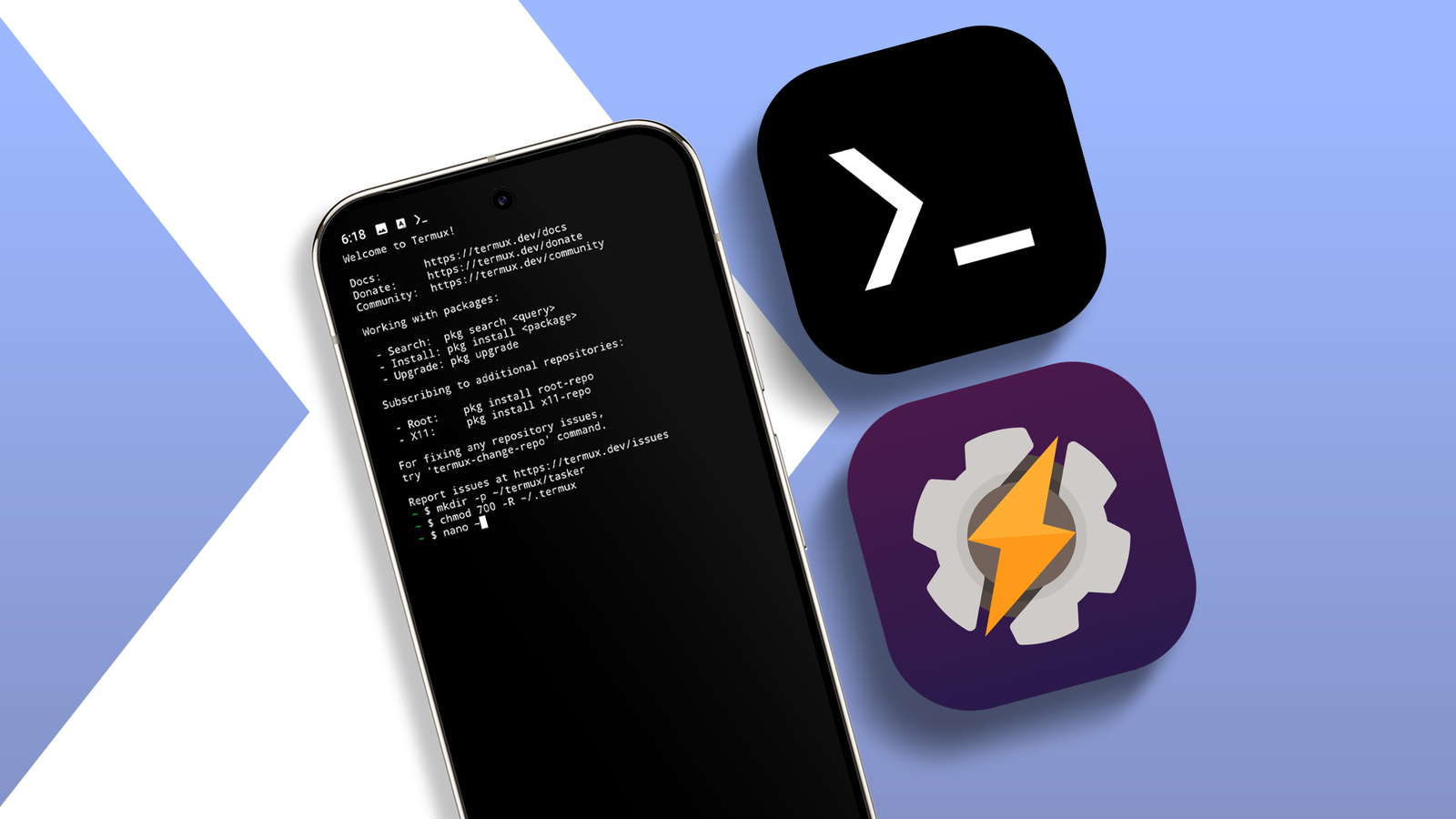
Published Sep 12, 2026, 8:00 AM EDT Oluwaniyi Raji is a tech content specialist who covers consumer technology, software, and digital tools. He has published over 300 articles for outlets including BGR (Boy Genius Report), MakeUseOf, TestGorilla, and Vervoe, focusing on helping readers make informed decisions about the technology they use. His work combines technical accuracy with practical buying advice. When he’s not writing, Oluwaniyi enjoys exploring new productivity tools and watching football. Overnight, my phone compressed my work folder, pushed the archive to the Raspberry Pi in my living room, and removed the GPS coordinates from the photos I took that day. I did not open an app for any of it. Both run through Termux, which gives my phone a Linux shell, and Tasker, which decides when that shell should do something. A third app called Termux:Tasker handles the communication between the two. I had explored the simpler things you can do with a terminal emulator on Android, so automation was the obvious next step. The entire process didn't require root access, and that surprised me more than anything else. Why neither app can do this alone Tasker owns the triggers, and Termux owns the tools Termux is a free, open source terminal emulator that runs a Linux environment on Android without root access. Tasker is an automation app that watches for Android triggers, then runs whatever I told it to run when that trigger fires. It knows when I join my home Wi-Fi, when I plug in the charger, and when my camera writes a new file to storage. However, Tasker can't run a Linux binary. Its actions operate at the Android level, so it doesn't have key-based SSH transfer or a metadata editor. Termux has both, plus a package manager that pulls from a full repository. However, it lacks a reliable way to know that any of those Android events happened. It is one of the few open source apps I would pay for, and this is why. All the jobs I need to do require a Linux tool with no Android equivalent, triggered by an Android event that Linux cannot observe. Compressing my work folder and sending it to a home server It justified an entire evening of setup time Credit: raspberrypi.com Plugging the phone in at night triggers a Tasker profile on the charging state. It then runs a Termux script that compresses my work files folder, timestamps the archive, and sends it to my Raspberry Pi over SSH. An alternative trigger I used was a Wi-Fi Connected context set to my home SSID. Tasker can't run a key-based SSH transfer, and this is the strongest argument I have for connecting these two apps. Authentication has to be key-based, since there's no interactive session to type a passphrase. I generated the key inside Termux and put the public half on the server. I also raised the plugin action timeout above its 10-second default. A transfer that runs longer than that returns a timeout error even when the script is completed correctly. Stripping location data out of photos I leave this script running all the time Credit: Irene Okpanachi / Android Police Every photo my camera writes contains GPS coordinates in its EXIF data. So, I use a Tasker file event on the camera folder to start a Termux script that runs exiftool and removes them. Android has no batch equivalent. The gallery apps offering it only work one file at a time, usually when you want to share it. Termux needs storage permission through termux-setup-storage before it can reach the camera directory. Without that, the script fails on every file. The file event also fires as soon as a file appears, which can be before the camera has finished writing it. Using a short sleep at the top of the script stopped it from failing. Getting information back out of Termux Scripts can return values instead of just running The Termux:Tasker plugin is not a one-way communication tool. It returns stdout, stderr, and an exit code to Tasker when the Execute in a terminal session toggle is off and Wait for result is on. So a script can work something out and send the answers back. Mine curls my Pi-hole and Nextcloud status over Tailscale, then passes the response into a Tasker notification. The timeout has to be greater than zero for any of those variables to come back. If you set it to zero, the action looks like it succeeded while returning nothing. Installation and the permissions that make this work Where you download the apps matters Termux and its plugins are no longer updated on the Play Store, and its maintainers recommend against installing from there. I downloaded Termux and Termux:Tasker from F-Droid. Termux plugins must be signed with the same key as the main app, so a Play Store Termux and an F-Droid bridge will not talk to each other. Tasker then needs the RUN_COMMAND permission, granted under Settings > Apps > Tasker > Permissions > Additional permissions > Run commands in Termux environment. Without it, every plugin action fails with a permission error. Scripts are stored in ~/.termux/tasker/, which does not exist until you create it and set the .termux directory to 700. Files there get execute permission automatically, so you don't need to authorize each script. Each script also needs a Termux shebang, so the first line reads #!/data/data/com.termux/files/usr/bin/bash instead of the /usr/bin/bash a Linux desktop uses. Then there's battery optimization, which every guide mentions, and I forgot. All three apps need the exemption, or Android kills one process, and the chain breaks somewhere you can't see, which is my complaint about most Android automation features on your phone. My phone can do more than I asked of it What I have now is a phone that runs Linux binaries in response to Android events. I could never assemble this combination using Gemini Scheduled Actions or the routines built into Pixel. I spent most of that first evening working through permissions rather than writing scripts, mostly because each app's documentation assumes you already understand the other one. The scripts take minutes to write after you set up the plumbing, and I have a huge list of automations to run. My phone's battery is giving me dirty looks, but this is what I like about Android. I paid for the whole phone, so I'm going to use the whole phone.
I connected Termux to Tasker; now my phone runs Linux commands while I sleep
Full Article
Original Source
Read the full article at Androidpolice →KhanList aggregates and links to publicly available news content. We do not host full articles from third-party sources. Always verify important information with original sources.