
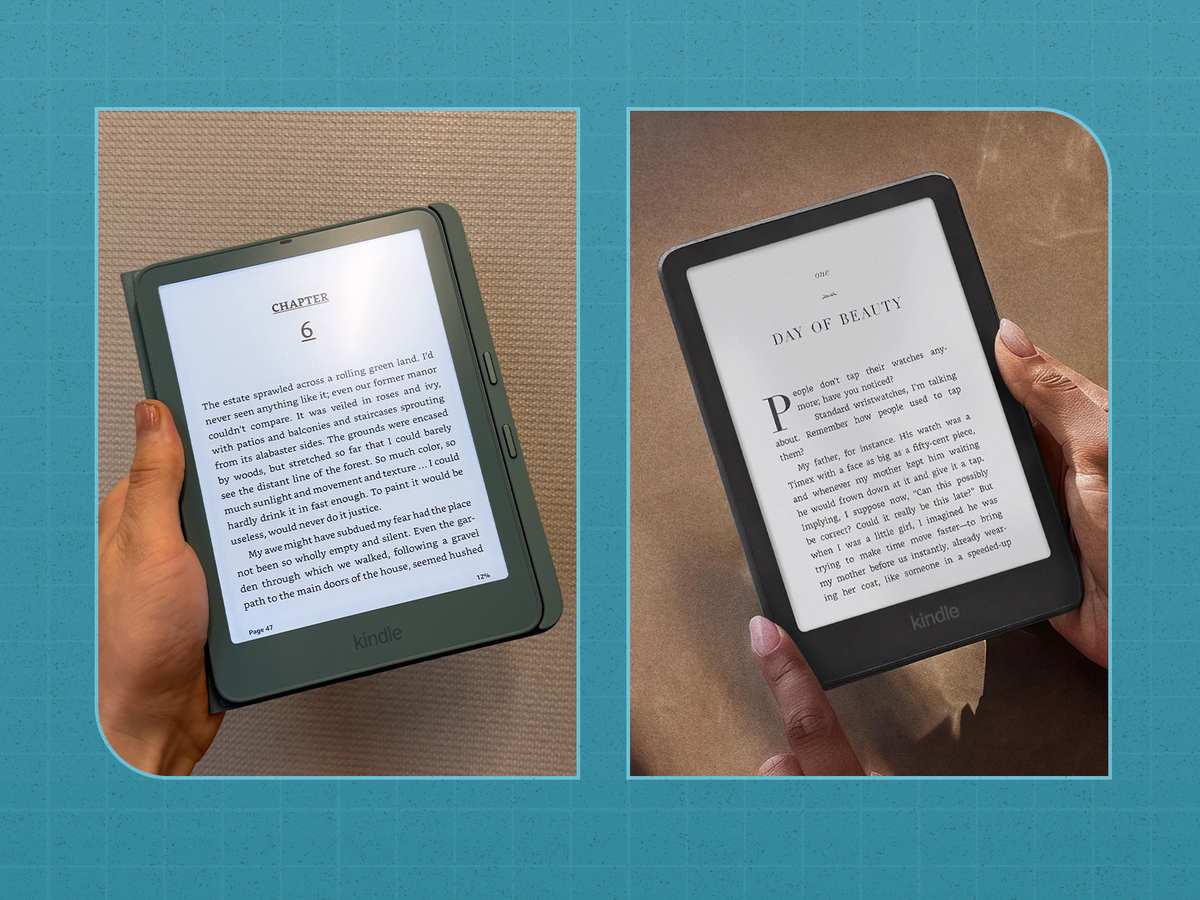
3 min readAmazon has refreshed its Kindle lineup for 2026, introducing new versions of the popular Kindle Paperwhite and Kindle Paperwhite Signature Edition. Both e-readers have notable design updates, but if you already own a previous model, you might wonder whether it's worth upgrading.The short answer? It depends on which Kindle you're using. Compared to the 2024 models, the latest Paperwhites offer a sleeker design, updated display technology, and some welcome improvements to everyday usability. The Signature Edition, in particular, gets a few extras that make it feel more like a premium device. Here's what's changed and what's stayed the same.What's New With the 2026 Kindle Paperwhite?The most noticeable upgrade is the design and appearance. Amazon has made the standard Paperwhite thinner and slightly lighter, reducing its thickness from 7.8 millimeters to 6.8 millimeters. It also weighs approximately 204 grams, compared to the previous model's 211 grams. That might not sound like much, but a slimmer e-reader is always welcome when you're holding it for hours or slipping it into a bag.The redesigned display construction also creates a more seamless, edge-to-edge look. Amazon uses a new display stack with an oxide thin-film transistor backplane, designed to deliver excellent contrast, deeper blacks, and crisp text. The screen is still 7 inches with a 300-ppi resolution, so don't expect a dramatic jump in sharpness over the 2024 model.Josiah SotoAnother small but genuinely useful change is the power button's placement. Instead of sitting along the bottom edge, where it was easy to press accidentally, it's now positioned on the upper-right side.And if battery life is your biggest concern, there's good news: Amazon still promises up to 12 weeks on a single charge, just like the previous generation. The new model also maintains its IPX8 waterproof rating and adjustable warm lighting.What's Different About the New Kindle Paperwhite Signature Edition?The Signature Edition receives the same thinner design and updated screen construction, but Amazon has made a few additional changes to distinguish it from the standard Paperwhite.For starters, it now has an aluminum back instead of the previous model's plastic construction, giving it a more premium look and feel. That upgrade comes with a trade-off, though: At approximately 229 grams, the new Signature Edition is actually a little heavier than its 214-gram predecessor.Josiah SotoThe new model also introduces pogo-pin connectors for charging and accessories. These let the Kindle connect to Amazon's new charging stand and a magnetic Page-Turn Cover with physical buttons, which could appeal to readers who miss the page-turn buttons on older e-readers.One important difference is that the 2024 Signature Edition supported conventional Qi wireless charging, while the 2026 model switches to the new contact-based pogo-pin system.Amazon also highlights a double-tap feature that lets you advance pages by tapping the side or back of the device, making one-handed reading a little easier.Otherwise, you'll still get 32GB of storage, an auto-adjusting front light, and up to 12 weeks of battery life. Both generations are waterproof, too.What's the Difference Between the 2026 Paperwhite and Signature Edition?If you're shopping for a new Kindle rather than replacing an older one, the decision mostly comes down to whether the Signature Edition's premium features are worth an additional $50.The standard Paperwhite starts at $199.99 and includes 16GB of storage, adjustable warm lighting, and a 7-inch glare-free display.Trevor RaabFor $249.99, the Signature Edition doubles the storage to 32GB, adds an aluminum back and automatic brightness adjustment, and supports the new pogo-pin charging accessories. It's also available in Seaglass Green, whereas the regular Paperwhite comes in Graphite.Both deliver essentially the same core reading experience, so casual readers probably won't miss much by sticking with the less expensive version.Should You Upgrade From the 2024 Kindle Paperwhite?If you already own a 2024 Kindle Paperwhite or Signature Edition and it's working perfectly fine, you probably don't need to replace it. You're still getting the same screen size and resolution, excellent battery life, waterproofing, and access to Amazon's massive Kindle library.However, if you're upgrading from an older 2021 Paperwhite—or you're shopping for your first e-reader—the 2026 models are worth considering. The thinner design, improved screen construction, and updated controls make the latest lineup more appealing.For most readers, the regular Paperwhite will be more than enough. But if you read every day, want the premium aluminum design, or like the idea of a case with physical page-turn buttons, the Signature Edition is a worthwhile step up.Shop the New Kindle PaperwhiteShop the New Kindle Paperwhite Signature EditionJosiah Soto is a commerce editor and writer at Hearst Magazines, where he covers skincare, grooming, beauty, and style for Men’s Health, Prevention, and BestProducts.com. With a particular passion for skincare and the ingredients behind his favorite products, he keeps readers up to date on the latest beauty launches, grooming essentials, and fashion trends worth knowing about. He also contributes to Runner’s World and Popular Mechanics, covering everything from emerging style trends to running gear and lifestyle products. In another life, Josiah was an editor at ThePioneerWoman.com.
Amazon’s New Kindle Paperwhite Is Here. Here’s What’s Different From the Last Version.
Full Article
Original Source
Read the full article at Popularmechanics →KhanList aggregates and links to publicly available news content. We do not host full articles from third-party sources. Always verify important information with original sources.