
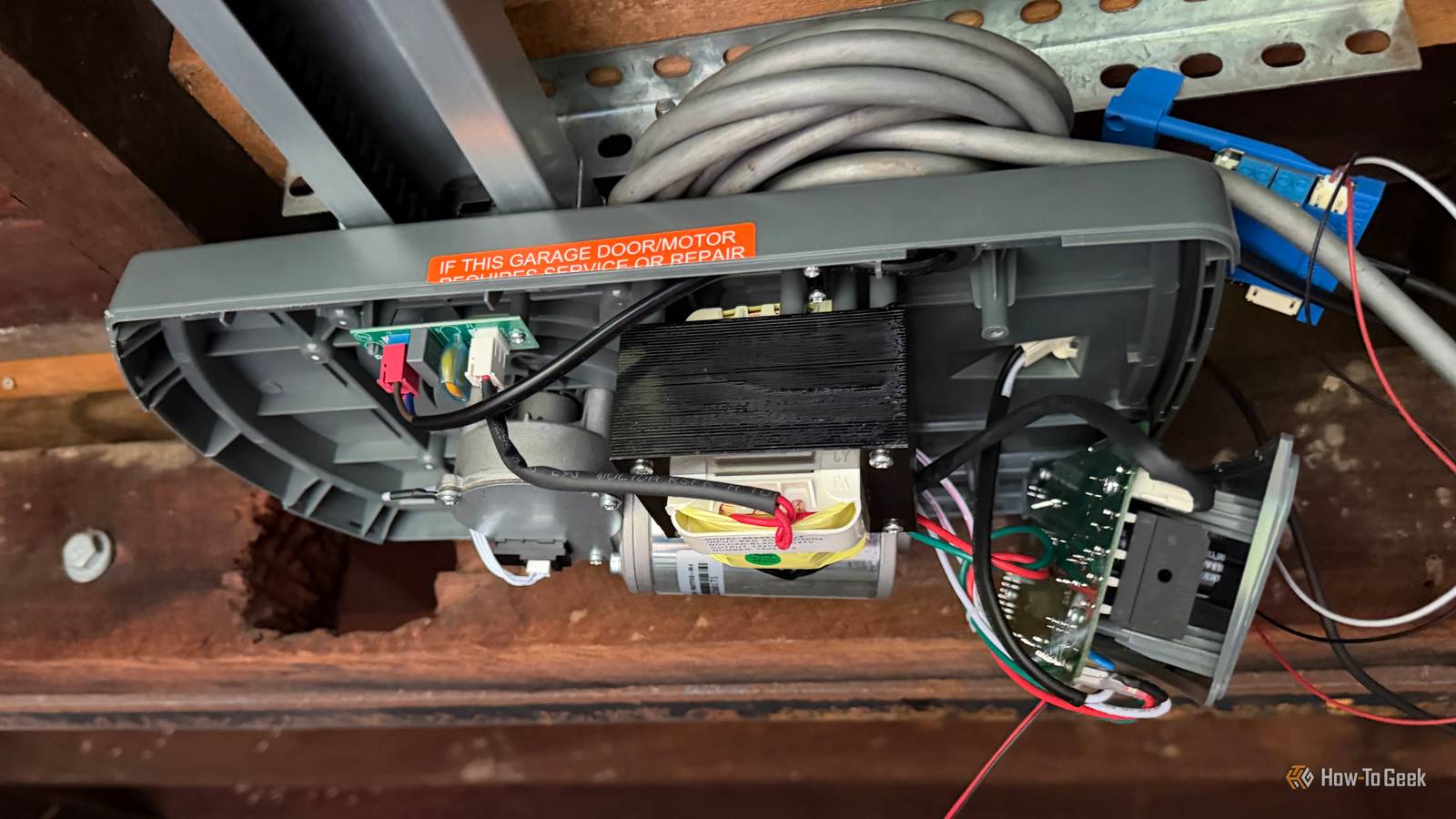
Published Oct 31, 2026, 6:01 AM EDT Tim has been covering technology for almost 20 years, in that time spanning a broad range of topics from security to product reviews. He is especially focused on the Apple ecosystem, productivity, and consumer advice. Over the years Tim has written thousands of articles, reviews, and round-ups in addition to producing video content and original photography. A graduate of journalism, he found his footing as a freelancer with a laptop and loves how he is able to work from practically anywhere. Now a Senior Editor for iPhone, Mac, and Smart Home at How-To Geek, Tim still loves to write. He can also be found crafting round-ups and productivity posts for the Zapier blog. Earlier in his career Tim spent nearly a decade as a writer and eventually Apple section editor for MakeUseOf. Tim currently lives in Brisbane, Australia. Outside of work he loves to hike and work out, play video games, and spend quality time with his wonderful partner and two cats Inka and Roger. I never move or deploy extra motion, presence, or contact sensors. Until recently, I never found a need to do the same for water leak sensors either. But I’ve a newfound appreciation for having a few spares around the house. Water, water, everywhere You can never have enough water leak sensors Credit: IKEA Few smart home gadgets are anywhere near as good as a water leak sensor when it comes to potential return on investment. They’re primarily designed for catching leaky pipes, so it’s a good idea to stash some under sinks or at the back of your washing machine or dishwasher. You don’t even need a smart home to make good use of them, provided you opt for a sensor that includes a speaker on it. These will sound an audible alert so that you can deal with the source of the leak before things get out of hand. When paired with a smart home system like Home Assistant, you can use these sensors to trigger alerts or even turn off the water automatically with a smart valve. Recently, the weather has taken a turn for the worse where I live. It’s rained for nearly two weeks straight, and as I type this, the heavens have opened again for another soaking. I’ve come to enjoy these subtropical downpours, but with such a volume of rain falling from the sky, there’s a real chance that gutters will become overloaded or that the wind will blow water into places it shouldn’t be. This happened two days ago, in the middle of the night, during a particularly intense storm. There’s one problem area at the front of the house where we’ve had water ingress before, but believing it was fixed, I turned over and went back to sleep. That proved to be a mistake, as I woke up to find that water had once again made its way in, soaked through the floorboards, and into the garage under the house. I’m not precious about the garage, but the last time this happened we fried a garage door opener, which is $500 I’d rather not spend again. On checking the damage, the garage door opener was soaked, but somehow the electronics survived unscathed. I’ve complained about Chamberlain’s atrocious approach to smart home integration before, but I can’t complain about the product’s overall resilience. Set them up and tweak your alerts ahead of time No point having sensors without automations What I should have done, having received countless storm warnings on my phone the night before and being well aware of the expected weather, is set up a water leak sensor right in the problem zone to catch the ingress. This goes for anywhere that you anticipate water might come in: window sills, attics, basements, places where you don’t have pipes that still might take a soaking. Even the car you keep in the driveway qualifies. Unfortunately, I never bought any spares—just enough for the riskiest places in my home. I’ve since reassigned the water leak sensor from the water heater, but the reality is that I need more of these sensors for peace of mind (and you probably do too). Not only that, but I need to make sure that the alerts I’ve configured in Home Assistant match the sensor. There’s no point receiving a generic “water leak detected” alert for one of the five or so sensors you own and then having to hunt around the house for signs of a leak. Similarly, you don’t want to cut off your water supply if it’s the roof that’s leaking and not the pipes. So lesson learned: assemble a small collection of sensors for storm sensor and use zone-specific alerts going forward. When they don’t work You need a pool of water to form To this day, I’ve still not had an alert from a water leak sensor that wasn’t caused by me testing the sensor or replacing the battery. That’s undoubtedly a good thing, but there was one instance last year where I was surprised that the water leak sensor didn’t work when a large container of cleaning vinegar leaked under the sink. Despite a large volume of acrid liquid escaping, the water leak sensor was placed on top of a semi-absorbent surface. This prevented enough water from pooling to bridge the gap between the contacts on the bottom of the sensor, and no alert was delivered. Had this been a “proper” leak caused by a failing pipe, this probably wouldn’t have been the case. Either way, just be aware that for these devices to work, you’ll need enough water to form. In my case, the roof leak did indeed cause water to pool, but smaller trickles might not set off the alert. You should definitely put a water leak sensor in your basement, alongside these other sensors.
Your smart home needs spares of this sensor, I found out the hard way
Full Article
Original Source
Read the full article at Howtogeek →KhanList aggregates and links to publicly available news content. We do not host full articles from third-party sources. Always verify important information with original sources.