
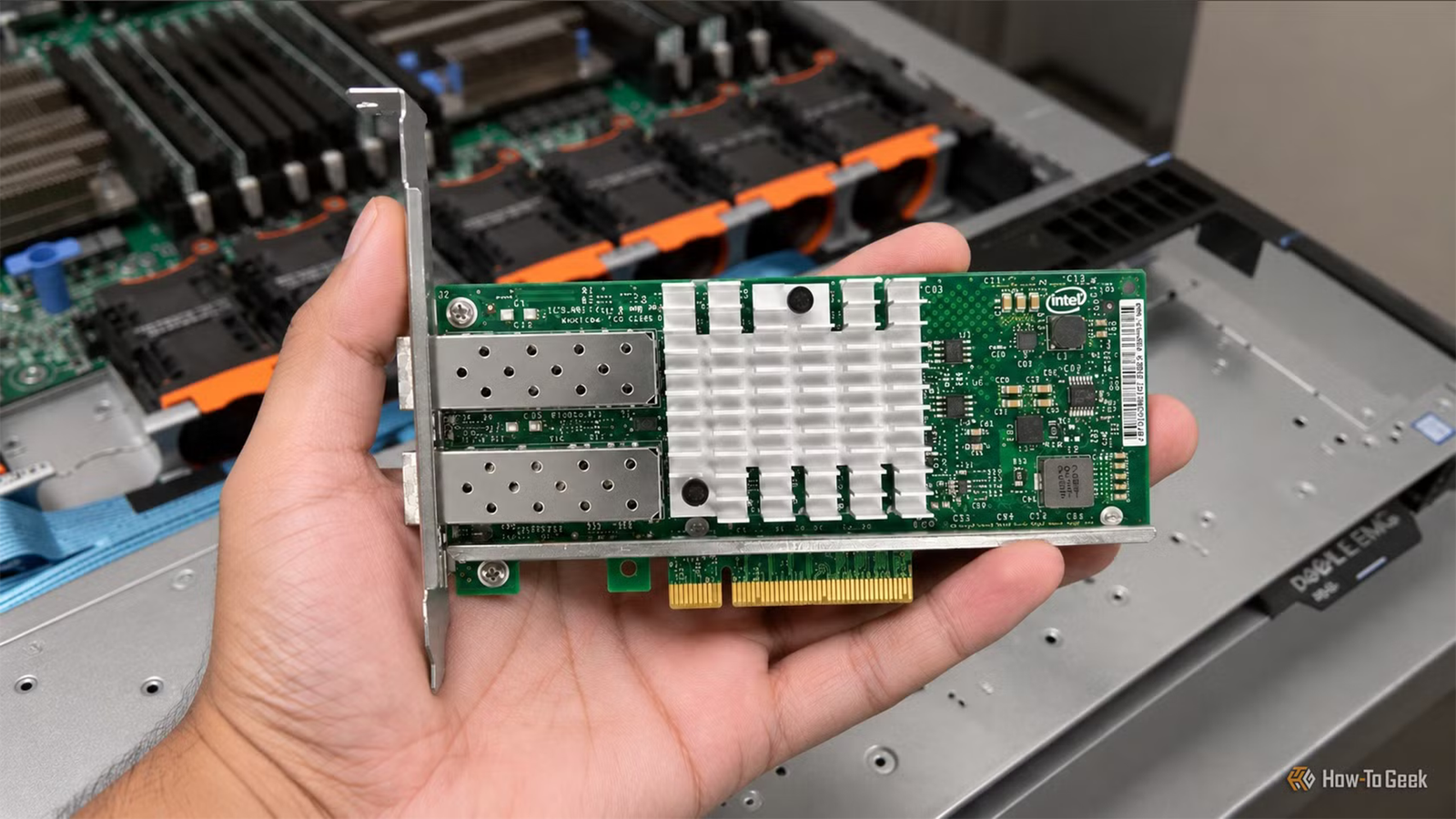
Published Nov 14, 2026, 7:30 AM EST Ever since he got his first smartphone, the legendary Nokia 6600, back in 2005, Goran became obsessed with technology. This obsession had only gotten worse after he received his first gaming PC a couple of months later. He fell in love with video games in the early '90s, shortly after embarking on his gaming journey with the Sega Master System II and SNES. Since then, he has built dozens of PCs, played thousands of games, and authored hundreds of articles about PC hardware, gaming hardware, and video games. He knows everything there is to know about the PC gaming and PC hardware space, and while his console gaming knowledge isn't as comprehensive, he considers himself a console veteran. Goran has almost a decade of experience writing about tech and video games for numerous web publications including TechSpot, TechPowerUp, and EsportsHeadlines. He has been writing for How-To Geek since December 2022. When he isn't gaming or deciding which component of his PC to upgrade next, you can find him strolling around Novi Sad while listening to music and contemplating what to play next. For most of us, Gigabit Ethernet is more than enough for our needs. Even if you have a NAS or a home server, you’ll likely max out gigabit bandwidth only when copying large files. Those of us who do need something faster can go up to 10G Ethernet via good old RJ45, which tops out at about 1.25GBps. That more or less covers every type of home setup. But what if you need something even faster? This is where 25G network cards come into play. They offer 25-gigabit Ethernet for less than $100 per card, and they can supercharge your home network to ludicrous speeds or allow a lightning-fast direct connection between devices. The downside is that they come with a few caveats. 25G NICs are a thing, but they don't use RJ45 That said, you can install them in a regular desktop PC Credit: Euqvos / Amazon If you want to stay on RJ45, you’re limited to 10Gbps, which is the maximum bandwidth of RJ45-equipped NICs you can find in the wild. There’s the IEEE 802.3bq standard from 2016, which allows up to 25G (25GBASE-T) and 40G (40GBASE-T) Ethernet over RJ45, but a decade later there’s barely any device featuring it. For all intents and purposes, even 25GBASE-T exists only on paper, so in practice, RJ45 is capped at 10Gbps. On the other hand, we’ve got the SFP (Small Form-factor Pluggable) form factor, which works with DAC (Direct Attach Copper) and fiber cables that can go well beyond 10Gbps over a single connector. The first two generations of the form factor — SFP and SFP+ — top out at 1Gbps and 10Gbps, respectively, but the third generation, SFP28, goes up to 25Gbps, making SFP28 the port of choice for most 25G network cards. A good chunk of 25G NICs sold on eBay, Amazon, and other online retailers come with SFP28 ports and are based on the Nvidia Mellanox ConnectX-4 Lx chipset. While the controller is officially end-of-life, it still works with Linux and Windows 11, making it a popular choice for home users since you can get one for less than $100. The cards use a standard PCIe connection, meaning you can install a single-port card inside a regular PC, home server, or NAS, as long as it’s got at least a single free PCIe x4 slot. To get full 25G speeds, every device in the chain needs an SFP28 port There are some other caveats as well While all this sounds good on paper, to get a full 25G Ethernet connection, every part of the chain has to include an SFP28 port. The catch here is that 25G switches and routers are prohibitively expensive, at least for home users, so the recommended route is setting up direct 25G Ethernet connections between devices, for instance, a home server and a desktop PC. You’ll also need a DAC or an AOC (Active Optical Cable) with support for 25Gbps speeds. Just be aware that passive DAC cables top out at about 16ft (5 meters), and AOCs for longer runs can cost well above $50. These cards are made with enterprise use in mind, which entails a few more caveats. For starters, whereas many single-port cards use PCIe x4, you’ll need a PCIe x8 or x16 slot for cards with two or more ports, with even some single-port cards needing a x8 slot. They can also be expensive. While older cards can be had for under $100, newer ones can often cost a few hundred dollars. Credit: Ipolex / Amazon Another issue is that you’ll likely need a fan pointed at the card, despite it coming with a heatsink, because these cards generate a lot of heat for their size, using up to about 14W under load and almost as much when idle. They’re designed with server racks in mind, which usually have strong airflow going over components, so desktop and NAS cases likely won't move enough air to keep them cool. Lastly, many 25G NICs have issues with ASPM (Active State Power Management), which can prevent the CPU from reaching its deeper low-power states. That means higher idle power use, which doesn’t only mean a higher electricity bill, but also more heat you need to deal with. Euqvos 25G Network Card This 25G network card from Euqvos packs a single SFP28 port and is based on the NVIDIA Mellanox ConnectX-4 Lx controller. The card has a large heatsink, uses a PCIe x4 connection, and sports an attractive price. So, what can you do with 25G Ethernet anyway? It can be useful for all-flash NAS setups, Proxmox clusters running Ceph on NVMe drives, and more Credit: Patrick Campanale / How-To Geek Despite these drawbacks, a 25G network card can provide major benefits for the right person. Say you’ve got an all-SSD NAS you use for large file transfers, including games, or fast backups. With 25G, you can move files at up to roughly 3GBps, more than double what 10G Ethernet allows. Many 25G NICs also support RDMA (Remote Direct Memory Access), which offloads file transfers from the CPU and keeps its resources free for other workloads. The downside is that SMB Direct, which uses RDMA for Windows file sharing, usually requires a high-end NAS or a machine running Windows Server on the other end, and it isn’t supported on clients running Windows 11 Home. If you edit high-bitrate 4K or 8K footage, you can scrub it directly off the NAS as if it were stored on a local drive, so there’s no need to move it to the PC you’re editing on. People running Proxmox clusters with Ceph on NVMe drives can also greatly benefit, since 10G Ethernet can be a bottleneck for this type of setup. 25G Ethernet can also speed up VM live migration, since a VM’s memory—and its disks, if they aren’t on shared storage—has to be copied over the network. For most people, 10G Ethernet over RJ45 is still more than enough At the end of the day, equipping your PC and other suitable machines with a 25G network card can supercharge your home setup, but only if you can actually benefit from such massive bandwidth. The entry ticket can be quite pricey, but for the right use case, the gains can easily justify the investment. That said, for many of us, Gigabit Ethernet is still enough, although it can hamper some home networks. If you have a NAS or a proper homelab setup, 10G Ethernet should cover your needs even if you’re a power user. 25G Ethernet, on the other hand, is still an exotic sight in home setups, and it doesn’t have many uses where the upgrade is significant enough to justify the costs, especially if you can't rely on a direct connection and need to include a 25G switch.
You can get a 25G network card for less than $100, but don’t expect an RJ45 port
Full Article
Original Source
Read the full article at Howtogeek →KhanList aggregates and links to publicly available news content. We do not host full articles from third-party sources. Always verify important information with original sources.