
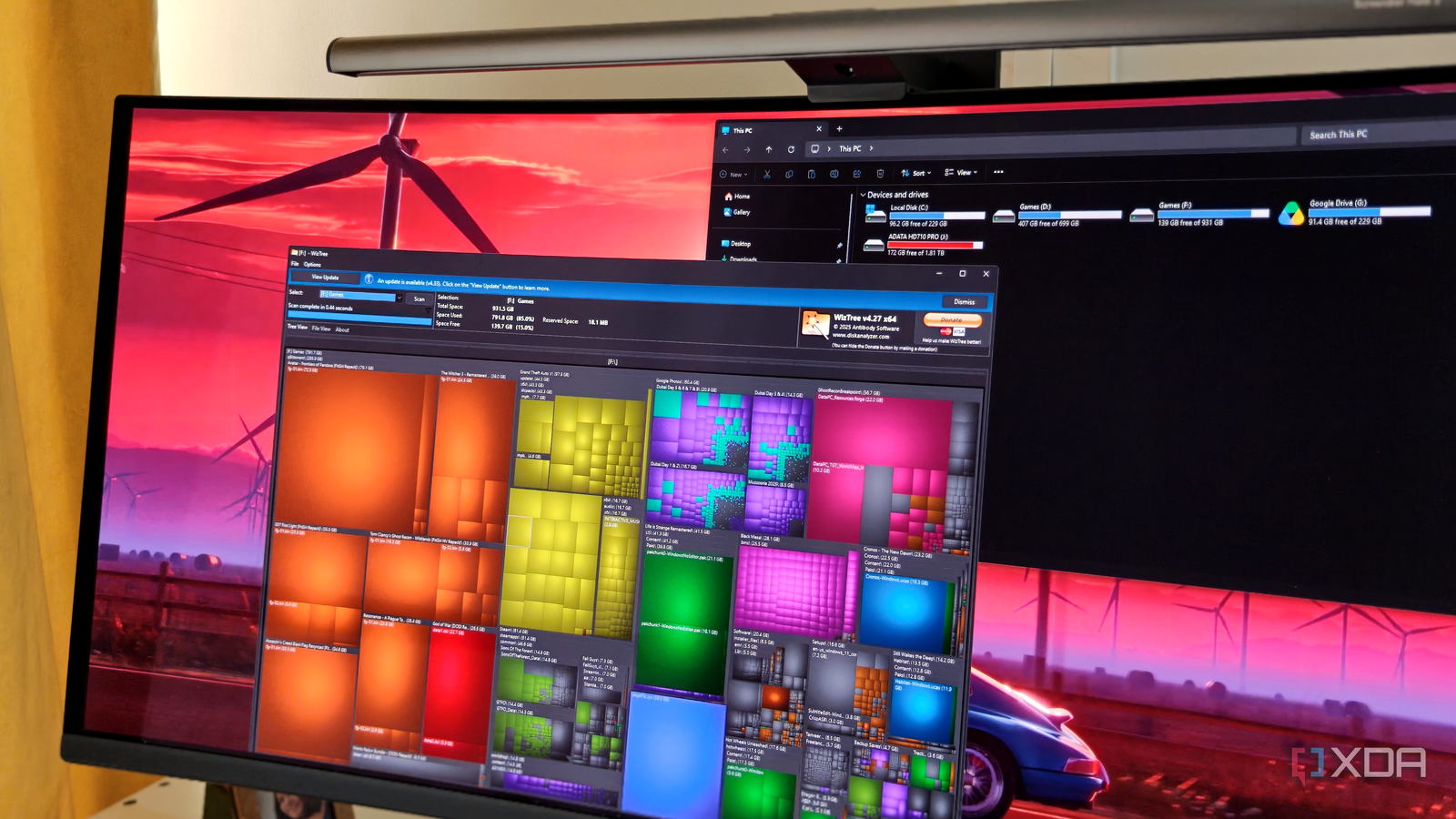
Published Oct 2, 2026, 2:01 PM EDT After a 7-year corporate stint, Tanveer found his love for writing and tech too much to resist. An MBA in Marketing and the owner of a PC building business, he writes on PC hardware, technology, and Windows. When not scouring the web for ideas, he can be found building PCs, watching anime, or playing Smash Karts on his RTX 3080 (sigh). If you've ever tried to figure out what's hogging storage space on your drive, you know it's not exactly a quick process. Windows' default method of scanning your drive is painstakingly slow, often taking a few minutes to map a drive with hundreds of thousands of individual files. Tools like WinDirStat employ this slow method of scanning your storage drives. In contrast, utilities like WizTree can finish the same job in a matter of 1–3 seconds, thanks to an alternative method of scanning your drive. Even fully-filled 2TB SSDs with millions of files can usually be mapped in under 10 seconds. If you have a relatively empty 1TB SSD like mine, the process finishes almost instantaneously. Once you use WizTree or comparable tools, you'll never go back to the way Windows does it. Windows takes too long to scan your drive It reads one file at a time The reason behind Windows' slow drive scanning is the method it employs. When you use a tool like WinDirStat, it uses the Windows file system API, which means asking the OS to scan one directory at a time. Now, this isn't a big deal when you're casually browsing a single folder, but it becomes a massive operation when you need to map an entire drive. Even if you have a fast SSD, the read speed won't make a difference, since the bottleneck is the sheer number of individual files. The time to scan a drive scales directly with the number of files and folders on it, and the default API method can take several minutes. Waiting this long just to see what's occupying the most space on your SSD can be frustrating. WizTree uses a specific trick that bypasses the regular method The number of files stops being the bottleneck WizTree completely bypasses slow drive scans by using a database that every NTFS-formatted drive already maintains. Almost all primary as well as secondary storage drives on Windows are formatted in NTFS, which means they have a Master File Table (MFT). This is an internal log of every single file on the volume, tracking its name, size, physical location, and timestamp. The MFT is updated as you make changes to the files and folders on your drive. When you select a particular drive volume in WizTree, all it needs to do is read this internal table and spit out the results in a visual format. This process takes a mere second or two in most cases. You may need to run WizTree with admin privileges, but it helps you skip the arduously slow scanning that Windows employs otherwise. By referring to the MFT on the drive, WizTree's scan time stops depending on the size of the volume and the number of files on it. It only depends on how fast it can read the table directly off the drive. Even with millions of files on your SSD, WizTree typically takes just 2–3 seconds to complete the scan. WizTree Windows' legacy scanning has many alternatives Any tool that reads the MFT off your drive can deliver results similar to that of WizTree. The latter is simply the most well-known option nowadays, but you can use TreeSize as well. It's also a free disk analysis utility that displays drive breakup in a familiar format, including a pie-chart view. I don't personally like its UI, but it may work for you. Another alternative is SquirrelDisk, which uses a multithreaded Rust engine instead of direct MFT parsing. This means it does not need administrator access, but you lose some of the performance. To be fair, it only took around 7 seconds to scan my C: drive, which is still reasonably fast. WizTree completed the same scan in 0.9 seconds, but the 6-second difference isn't a huge deal. Besides, SquirrelDisk uses a flashy, customizable UI that many users might prefer. WizTree is the space-sniffing tool you should have been using all along After years of wasting time with laborious drive scans, WizTree felt like magic. Its near-instantaneous scan speed is incomparable to anything else. Since it doesn't track every single file and uses the MFT instead, it beats nearly every other tool for the job. It's one of the most helpful tools to find useless files on your drive and recover storage space.
WizTree scans my entire 1TB drive in less than a second, because it skips the way Windows normally reads files
Full Article
Original Source
Read the full article at Xda-developers →KhanList aggregates and links to publicly available news content. We do not host full articles from third-party sources. Always verify important information with original sources.