
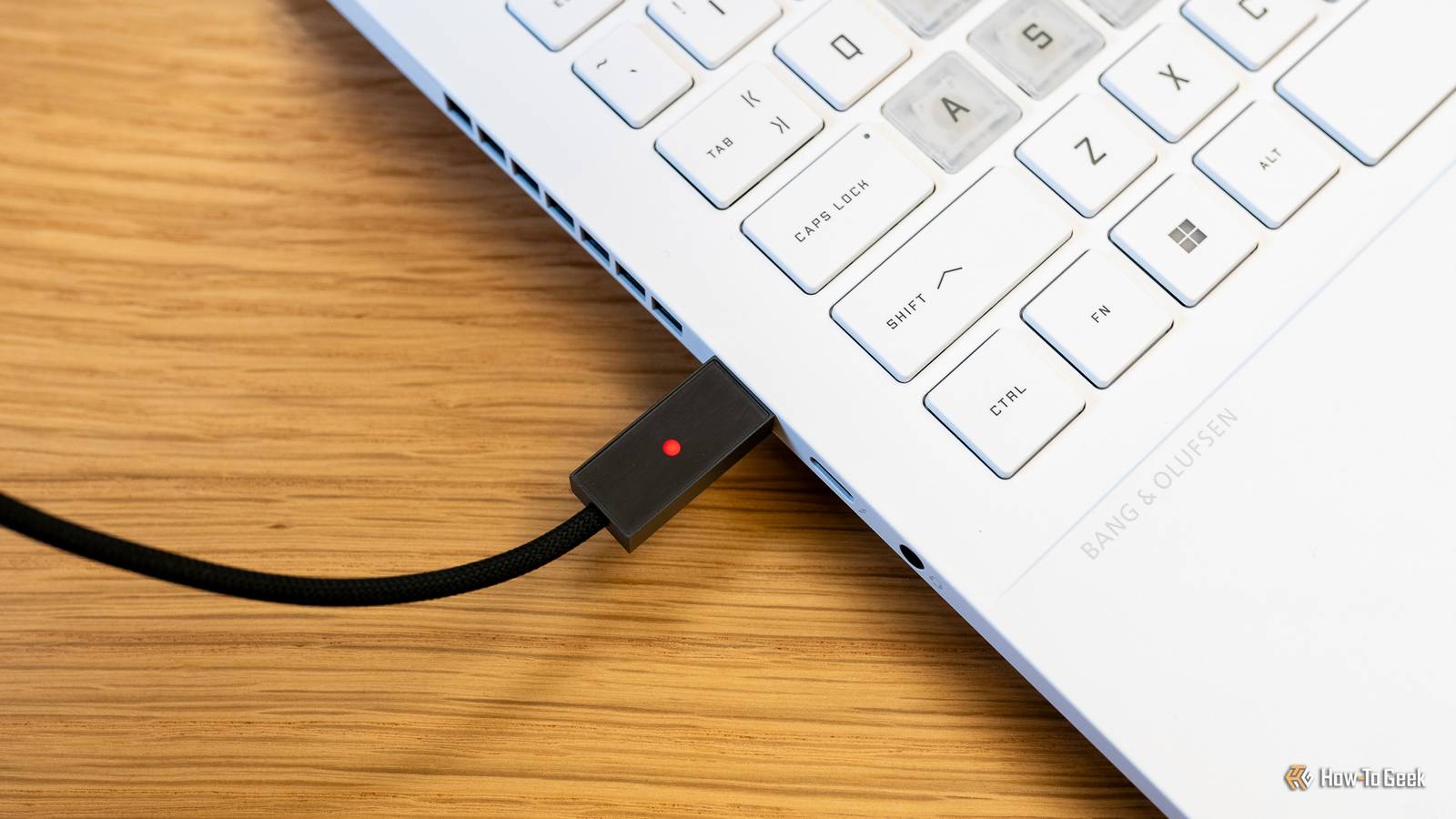
Published Oct 10, 2026, 11:30 AM EDT Andrew Heinzman is a seasoned tech writer with over half a decade of experience. He specializes in delivering insightful tech news and detailed product reviews, particularly focusing on audio and video technology, as well as computers and smartphones. His journey in tech writing includes a two-year stint as the News Editor at Review Geek, the former sister site of How-To Geek. Throughout his career, Andrew has consistently provided readers with valuable insights and up-to-date information on the latest developments in the tech world, earning recognition for his clarity, depth, and relevance. In his free time, Andrew likes to explore music and read books, just as he did when earning his bachelor's degree in English literature. The dream of "one cable to rule them all" is finally a reality, and dozens of devices are better off because of it. USB-C gave us permission to own fewer single-use cables than we used to, and it opened the door to interesting functionality that would otherwise be impossible, like running data, power, and video between a single port on a laptop and a monitor. Still, USB-C as a standard is plagued by a lack of strictness, and it's created some brand new headaches as a result. One shape, a million uses Can you name every USB-C spec off the top of your head? I can't! If you're shopping for a USB-C cable and you see one that's advertised as "USB4," it's not unreasonable to assume that the cable offers really fast charging, high-speed data transfer, video capabilities, and cutting-edge stuff like eGPU connectivity. After all, USB4 is the latest specification. A big new number should equal big specs. Unfortunately, the "USB4" label can mean a dozen different things; it's a super-loose definition of a cable's capabilities. Some USB4 cables don't support PCIe tunneling, USB4 cables aren't required to support video over DisplayPort Alt Mode even though USB4 ports are, and you might be looking at transfer rates anywhere between 20 Gbps and 80 Gbps. Things get even worse when you shop outside of the USB4 milieu. A USB-C cable might deliver super-fast charging speeds but lack any form of data transfer support, for example. Manufacturers barely even seem to know what they're selling half the time; they just vomit a bunch of numbers that may or may not be correct in their Amazon listings and call it a day. And some brands purposefully violate USB-IF standardizations, because why not? Chinese smartphone brands like OnePlus and Oppo hit non-standardized charging speeds by adding an extra pin to their USB-A to USB-C cables. The original Nintendo Switch went a bit willy-nilly with its charging, which is why its power adapter won't work with a lot of phones and laptops (this non-standard charging scheme may have bricked some consoles in 2018, too, but I don't believe that this has been verified in any real way). Nothing is labeled You bought a nice USB-C cable. Can you actually remember its specs? Credit: Andrew Heinzman / How-To Geek I have no clue what most of my USB-C cables are capable of. Maybe I knew when I bought them (assuming that the manufacturers were honest), but that knowledge is gone because the cables aren't labeled, and there's no practical way for me to check a cable's specs without buying a dedicated tester. Some brands, like Plugable, do print detailed specs on their cables, but I shouldn't have to buy from one of the more expensive brands just to enjoy this courtesy. This problem also extends to USB-C ports. Do you know your phone's maximum charging speed and data transfer rate off the top of your head? How about your laptop? I know that I've overpaid for USB-C cables and power adapters because I assumed (or didn't bother looking up) that my MacBook Air couldn't take advantage of a 100-watt output, or because I thought that my monitor needed a ThunderBolt cable when it really just needed a DisplayPort Alt Mode-capable cable, for example. Though I should note that most laptops and desktops now use Thunderbolt or DisplayPort labels to highlight which ports you should use for high-speed data connections, external monitors, and things like that. Plus, a PC is something that you familiarize yourself with over time, while cables may spend a few years parked in a drawer before they're pulled out for a new job. The lack of labeling on cables is a far bigger problem. We all own too many USB-C cables And 99% of them are genuinely just trash Do you ever find yourself leafing through a twisted rat's nest of USB-C cables, just hoping to find one that actually works well with your phone? Chances are, you've got a wad of USB-C junk stuffed in a tiny drawer that can barely close because it's so full. And most of those cables are garbage. Years ago, every new USB-C cable that entered my home was like a free prize. I had two or three of them, and then my collection accumulated, and accumulated, and kept growing until I had too many. And yet I still find myself buying new USB-C cables every now and then because most of the ones I own are useless, or the good ones in my possession are impossible to find because they're buried under a mound of spindly little white USB-C cables that I never asked for in the first place. Stop giving me free USB-C cables, I don't want them! To be clear, I'm not advocating for phone brands that shortchange customers on USB-C cables or power adapters. Expensive devices that are capable of PD charging, high-speed data transfer, DisplayPort Alt Mode, and other fancy features should come with the equipment to utilize those features. But little doodads like flashlights or walkie talkies that happen to charge at 3 watts over USB-C don't need to be accompanied by a crappy 2-inch-long cable. It's a waste of money and resources that burdens customers with the guilt of either throwing a cable in the garbage or tossing it in a drawer along with a bunch of other junk that will never be used for anything. Quiz 8 Questions · Test Your KnowledgeUSB standards & connectorsTrivia ChallengeFrom clunky Type-A plugs to lightning-fast USB4 — test your knowledge of the universal serial bus revolution.HistoryConnectorsSpeedsStandardsHardwareBegin In what year was the original USB 1.0 specification officially released?A1993B1998C1996D2000Correct! USB 1.0 was released in January 1996 by a consortium led by Intel, Compaq, Microsoft, and others. It aimed to replace the chaotic mix of serial ports, parallel ports, and PS/2 connectors that plagued early PCs.Not quite — USB 1.0 launched in January 1996. It was developed by a consortium including Intel and Microsoft to simplify the frustrating tangle of legacy ports on personal computers at the time.Continue What is the maximum data transfer rate of USB 2.0, also known as 'Hi-Speed' USB?A12 MbpsB480 MbpsC960 MbpsD5 GbpsCorrect! USB 2.0 tops out at 480 Mbps, which is why it earned the 'Hi-Speed' label when it launched in 2000. That was a massive leap over USB 1.1's 12 Mbps Full Speed ceiling, making it practical for external hard drives and cameras.Not quite — the correct answer is 480 Mbps. USB 2.0 is branded 'Hi-Speed' and launched in 2000, offering a 40x improvement over USB 1.1's Full Speed 12 Mbps mode, which made external storage far more viable.Continue Which USB connector type was specifically designed for use with mobile phones and cameras, featuring a distinctive 5-pin trapezoidal shape?AUSB Type-BBUSB Micro-BCUSB Mini-BDUSB Type-CCorrect! USB Mini-B was the go-to connector for early digital cameras and mobile phones before being largely replaced. It features a recognizable five-pin trapezoidal design and was formally specified in USB 2.0, though it has since been superseded by Micro-B and USB-C.The correct answer is USB Mini-B. It was the standard connector for early digital cameras and many mobile phones, featuring a 5-pin trapezoidal shape. It was eventually displaced by the slimmer Micro-B connector, which allowed for thinner device designs.Continue USB 3.0 was later rebranded by the USB Implementers Forum. What is its current official name?AUSB 3.1 Gen 2BUSB 3.2 Gen 2x2CUSB 3.2 Gen 1DUSB 3.1 Gen 1Correct! The USB-IF rebranded USB 3.0 as USB 3.2 Gen 1 to fit into a unified naming scheme. It still delivers the same 5 Gbps 'SuperSpeed' transfer rate — the confusing renaming was meant to streamline the standard's versioning but arguably made it more complicated.Not quite — USB 3.0 is now officially called USB 3.2 Gen 1. The USB Implementers Forum rebranded the entire USB 3.x family to create a unified naming structure, though the 5 Gbps SuperSpeed performance of the original USB 3.0 remains unchanged.Continue What key physical feature makes USB Type-C different from all previous USB connector types?AIt uses gold-plated contacts for better conductivityBIt is fully reversible and can be inserted either way upCIt is the smallest USB connector ever madeDIt supports only digital audio signalsCorrect! USB Type-C's most celebrated feature is its symmetrical, reversible design — you can plug it in either way without fumbling. Introduced in 2014, it also supports far higher power delivery and data speeds than older connectors, making it a true universal solution.The standout feature is its fully reversible design — you can insert a USB-C plug either way up, ending the frustration of guessing the correct orientation. Introduced in 2014, USB-C also supports higher power delivery and data speeds than its predecessors.Continue Which organization is responsible for developing and publishing the USB specification?AIEEE (Institute of Electrical and Electronics Engineers)BISO (International Organization for Standardization)CUSB-IF (USB Implementers Forum)DANSI (American National Standards Institute)Correct! The USB Implementers Forum (USB-IF) is the non-profit organization formed by the original USB developers to maintain and promote the USB specification. Founded in 1995, it certifies compliant products and grants the right to use the official USB logo.The correct answer is the USB-IF, or USB Implementers Forum. This non-profit was founded in 1995 by the companies that originally developed USB, including Intel and Microsoft. It maintains the specification, runs compliance programs, and certifies products to carry the USB logo.Continue What maximum power output did USB Power Delivery 3.1 introduce, enabling charging of high-performance laptops?A60 wattsB100 wattsC140 wattsD240 wattsCorrect! USB Power Delivery 3.1, released in 2021, dramatically raised the ceiling to 240 watts using Extended Power Range (EPR) mode. This is enough to charge even power-hungry gaming laptops and workstations over a single USB-C cable, replacing bulky proprietary chargers.The answer is 240 watts. USB Power Delivery 3.1, introduced in 2021, added an Extended Power Range (EPR) mode that maxes out at 240W over a USB-C cable. Earlier PD versions were capped at 100W, which was insufficient for many high-performance laptops.Continue USB4, released in 2019, is based on which company's proprietary technology that was donated to the USB-IF?AApple's Lightning protocolBIntel's Thunderbolt 3 protocolCGoogle's USB-C Audio standardDAMD's SuperSpeed architectureCorrect! Intel donated the Thunderbolt 3 specification to the USB-IF, which became the foundation for USB4. This means USB4 at its fastest tier (40 Gbps) is technically compatible with Thunderbolt 3 devices, blurring the line between the two standards significantly.The correct answer is Intel's Thunderbolt 3. Intel donated its Thunderbolt 3 spec to the USB Implementers Forum, and it became the basis for USB4. The top USB4 speed tier of 40 Gbps mirrors Thunderbolt 3, and the two standards share a high degree of compatibility.See My Score Challenge CompleteYour Score/ 8Thanks for playing!Try Again We love USB-C. It just disappoints us sometimes In all the ways that really matter, USB-C is a resounding success. It's a universal standard that can replace all kinds of cables, from HDMI to the humble DC barrel jack. But it'd be nice to hop into a time machine and lay down some laws, like a labeling requirement for cables and ports, or a strict classification system that customers can understand at a glance.
USB-C is a success, even if it's still battling these 3 major flaws
Full Article
Original Source
Read the full article at Howtogeek →KhanList aggregates and links to publicly available news content. We do not host full articles from third-party sources. Always verify important information with original sources.