
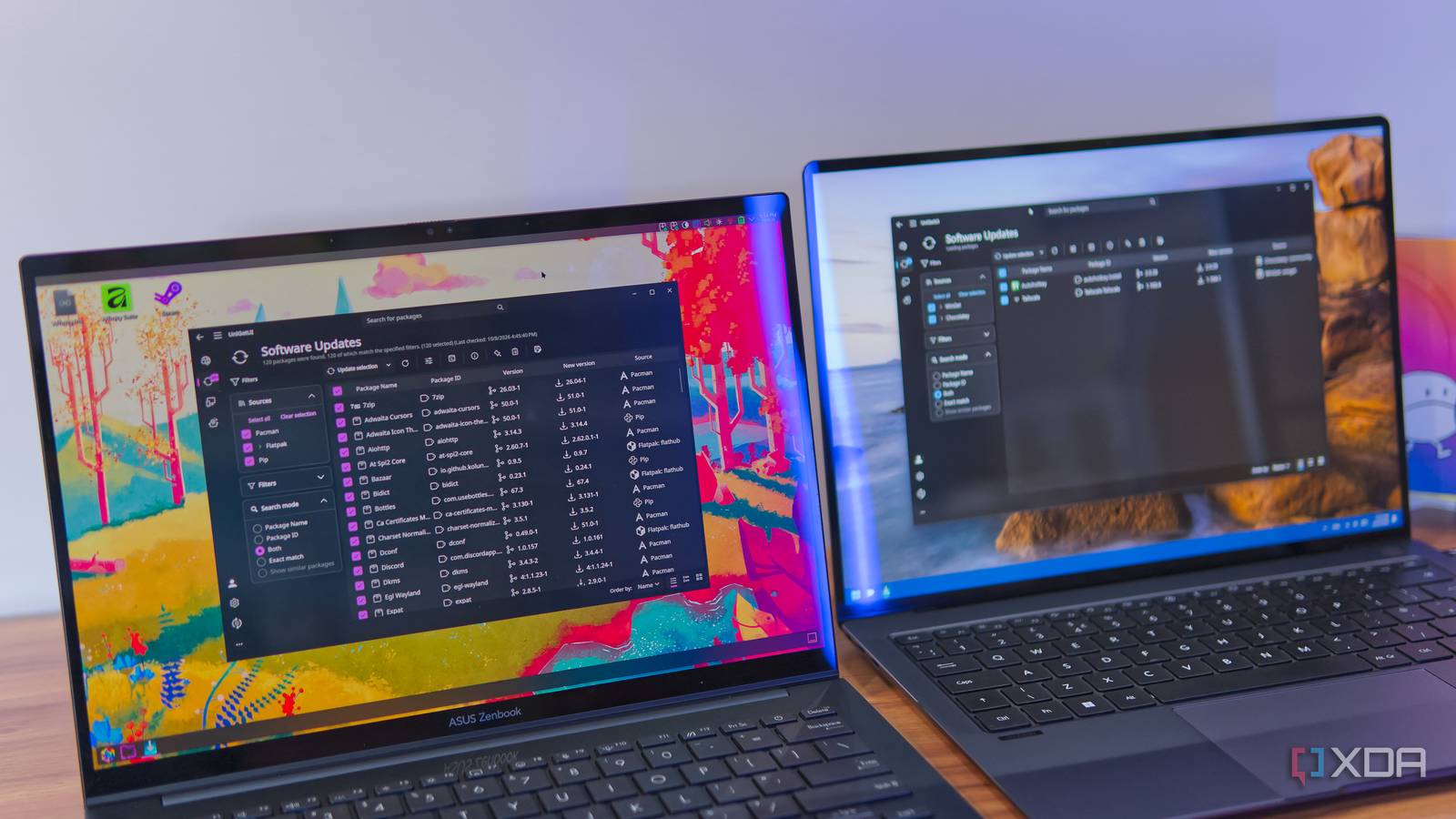
Published Oct 9, 2026, 6:00 AM EDT João has been covering the tech world for over 7 years, with a heavy focus on laptops and the Windows ecosystem. I also love all things tech and videogames, especially Nintendo, which he's always happy to talk about. Prior to joining XDA in 2021, he worked at Neowin: https://www.neowin.net/news/poster/jo%C3%A3o-carrasqueira/ Most people tend to install apps on their computer using the obvious methods: you may find apps on an app store, or download an installation file directly in the browser. But if you read XDA, you probably already know about package managers and how much more convenient they can be. The problem is package managers aren't always the most intuitive. They often require you to use the terminal, which requires different commands depending on your platform. And in some cases, like Linux, you may even need multiple package managers. That's where UniGetUI comes in, and it's a game-changer. It started on Windows A package manager to rule them all I've written about UniGetUI a couple of times before, but when I did, I was coming at it from the perspective of a Windows user, because that's where the project started, and arguably where it's still the most useful. UniGetUI for Windows brings together all kinds of package managers, starting with Microsoft's own Winget, along with Chocolatey and Scoop. This is a pretty big deal because there are valid reasons for all these package managers to exist and be used. Chocolatey and Scoop both predate Winget, and it's not hard to understand why some might still prefer to use them over a solution that's controlled by Microsoft. By bringing all these options together, not only can you choose your preferred method for installing apps and do so without using terminal commands that can be confusing, but you can also combine these to cover any apps that aren't in a specific package manager. Winget may have a lot, but there are some more obscure packages that are still only available on Chocolatey and Scoop. On top of that, of course, UniGetUI also integrates package managers for more specific tools. It support Npm, Pip, Bun, PowerShell Gallery, and more, which all serve very specific purposes for power users and developers. Just about any package manager you use on your system can be managed through UniGetUI, including a search engine that searches across all package managers at once (with filtering options) and a centralized update interface. For Windows users, I've recommended UniGetUI for a few years now. There are benefits on Linux, too And yes, it's distro-aware The spirit of UniGetUI is still alive and well if you decide to use it on a Linux PC, and it works exactly how you'd expect if you transposed its Windows functionality to Linux. The more dedicated package managers, like Npm, Cargo, and PowerShell Gallery (for the cross-platform PowerShell) are still here, and it's the more general package managers that differ. UniGetUI on Linux supports both Flatpak and Snap, the two primary "universal" package managers that work on just about every Linux distro. You can search for apps and get updates automatically from these two systems, along with Homebrew, if you've set it up. But what about native package managers? Well, UniGetUI is also distro-aware, meaning it will support the package manager your distro uses, but there seems to be a big caveat to that. I tested this on both Ubuntu-based distros (AnduinOS, specifically) and Arch, but while UniGetUI can search and install new packages from these managers, it's not able to search for updates in them. Oddly, if you search for updates in the terminal, you can then see the available updates in UniGetUI and install them that way, but if you're opening the terminal anyway, the point of UniGetUI is kind of lost. I'm not sure if this is a design limitation or a bug in the current release, but it does reduce the usefulness of the app. Still, I love it for the ability to search and update the other kinds of packages available. Macs get the least goodies But it's useful all the same Finally, macOS also has its own version of UniGetUI, and as you might expect, it's technically where the app has the fewest capabilities. Though, despite that, it's still pretty useful. This is because macOS doesn't really have a package manager that's very widely used for all kinds of apps. The only two ways to install apps on a Mac are using the App Store or downloading an installer file from the web; there isn't a centralized update system otherwise. That means there's no way a package manager can handle all your apps. Still, I've found UniGetUI very useful on my Mac Mini because it supports Homebrew. While it's not meant for full-blown apps, Homebrew is a great package manager for all kinds of tools I (and many others) rely on, such as ffmpeg for transcoding video or yt-dlp for downloading videos from YouTube. Most of the time, these tools go months without getting updates on my PC because I never bother to open the terminal and check, so UniGetUI brings those updates to my attention and makes them much easier to install. Plus, other package managers like Pip and Npm are also still supported on macOS, so there are still plenty of use cases to consider here. It gives me control and flexibility Manage updates, create bundles, and more Aside from the package management aspect in itself, UniGetUI also has a few features that are universal across the three platforms it's available on. In addition to finding apps and checking for updates, UniGetUI provides additional controls for them. When you install a package, you can set it to ignore all future updates. Or, later on, you can pause updates for a given package, if you're aware of a known issue, for example. Another cool feature of UniGetUI that I love is being able to create bundles of packages, which you can then install in one fell swoop. Because you have multiple package managers in one, you can create bundles of packages across all of them. What's more, for package managers like Pip or Npm, which are supported on multiple platforms, you can even create bundles on Linux and use them on a Mac, for example. It's a unifying solution in more than one way. UniGetUI deserves more appreciation I've long loved what UniGetUI does for Windows PCs, but after discovering that it's now a multi-platform tool, I admire it even more. I do wish the Linux implementation was more complete, but otherwise, this is an excellent way to bring package updates under one roof so I can make sure my system is always up-to-date. UniGetUI
This single package manager replaced WinGet, Homebrew, and APT on all my computers
Full Article
Original Source
Read the full article at Xda-developers →KhanList aggregates and links to publicly available news content. We do not host full articles from third-party sources. Always verify important information with original sources.