
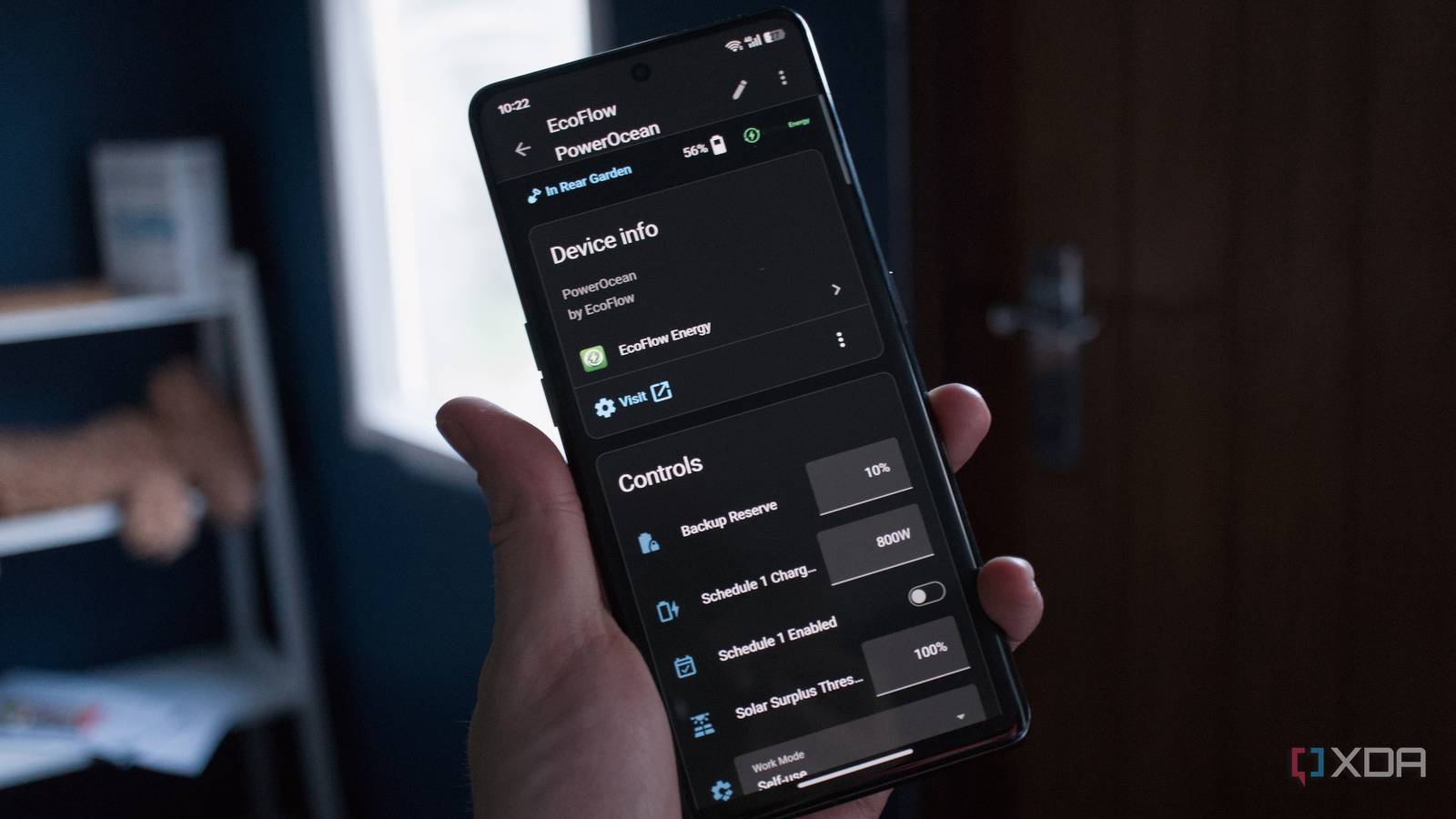
Published Sep 30, 2026, 1:00 PM EDT Richard is the PC Hardware Lead at XDA and has been covering the technology industry for almost two decades. He's been building PCs since young, and when not creating content, you can often find him inside a chassis somewhere. Home Assistant is the backbone of our household. It's what allows us to enjoy smart technology that makes a difference. We're using it for our home alarm system, effectively replacing Ring, as well as controlling smart plugs and monitoring energy consumption. That's all well and good, but we even took it a step further with full power management automation, overseeing our home battery setup and controlling it to make the most of our solar production and save hundreds each year. What we used to pay for electricity It's not cheap running a home lab! Our home is all electric. That's a blessing when it comes to renewables, but it can also be fairly alarming and means we pull a lot from the grid. An average day sees about 30 kWh pulled by the house. If we're also charging an EV overnight, this jumps to almost 50 kWh. That's a lot of power. Our electricity bill for the month of November 2025 alone was just shy of $700, thanks to a month-long cold spell, work being done around the house, and a few serious draughts. Having just moved in, this was eye-watering, leading my spouse to immediately begin searching for solar energy to help offset the monthly utility bill. We managed to get a setup configured and commissioned in record time, allowing for savings to be enjoyed almost immediately, but I found the app lacking. It's not the worst around, but I find these software solutions with PV systems to be anything but feature-rich. AI is also making the rounds. It's not terrible and does learn habits, use data for forecasting (I believe it does anyway), and adjust battery charge and discharge on the fly, but I found a better way to manage everything, and that was through Home Assistant. This way, I could see what inputs the system was taking to adjust things, and I could tailor it to our exact requirements. EcoFlow Energy for Home Assistant This is the best integration I've downloaded to date One of the best parts about Home Assistant is how versatile it is. Want it to simply allow you to toggle on and off a few light bulbs and some smart plugs? It's perfectly viable on anything, including a Raspberry Pi. But if you want to take things to a whole new level, Home Assistant allows for some creative ways to make your home truly smart and work better for you. That's my only goal with the open platform: to make my life (and those within the home) easier. Enter EcoFlow Energy, developed by shuette42 and available via Home Assistant Community Store (HACS). This handy integration does exactly what it says in the name. It's an EcoFlow Energy plugin for Home Assistant, allowing one to tap into their branded solar and/or battery storage system, either local or remote, via an account. This one integration can expose up to 235 sensors from a single device, reporting on temperatures, battery packs, and even diagnostics. It's energy dashboard-friendly, which is a must-have for me—I love watching the live dash on how power is being consumed. It offers the means to control PowerOcean inverters and alter backup reserves, solar surplus thresholds, and work modes (which I replaced with custom Home Assistant scripts). It's also incredibly easy to configure. Simply log into your EcoFlow account or connect to the device locally, and the integration handles the rest. The energy dashboard can start populating with data. How I configured it to save me money Some scripts and lots of coffee later Having access to all of this information is one thing, but it doesn't quite enable me to make the most of our potential savings. That's where Home Assistant can take over. By creating a few carefully curated scripts, I was able to take all of this input and work out precisely how much the battery packs should be charged overnight, taking into account the forecast for tomorrow in terms of solar generation and hours of unobstructed sunlight. The lower this combined value, the more the system would ramp up during overnight off-peak periods. If we're expecting a clear day with 20 or so kWh of generation, the batteries would only charge up to around 60% to better absorb all that extra juice and pull less from the grid. But if the export pricing is looking good for peak hours, the batteries would be told to add an additional 10 or 20 percent to ensure we have ample surplus to feed back to the grid. Likewise, if generation is to be low due to lack of sunlight, we'll charge up more overnight so we're not lacking available power. The issue with having a home lab and an old stone cottage is that one requires multiple switches and access points. Altogether, I'm looking at north of 100W for just networking alone. Throw in the home lab, IP cameras, NAS, and appliances, and we have a combined baseline power draw of around 500 watts from the grid. After our batteries have charged up between 00:30 and 05:30, we've spent around $1.50, depending on the amount pulled in. That's pretty much all we'd pay out for the entire day, even with very little sun to top the system up. Even on the worst days so far this year, we're still seeing a good amount of solar. Compare this against the systems offered by the manufacturer, and it's easy to see considerable gains in earnings and savings. Home Assistant helps us save big We've gone from an average of $380 per month across the entire year to just $100, with change to spare. Having the capability to monitor and control the inverter from within the smart home platform opens up new possibilities. We can connect it all together so the batteries can run in tandem with other smart home devices stuff, such as appliances, robot vacuums, and smart plugs, allowing us to control the wider home depending on how our stored power is looking. And all it took was a single HACS integration to achieve this.
This one community Home Assistant integration saves me hundreds each year
Full Article
Original Source
Read the full article at Xda-developers →KhanList aggregates and links to publicly available news content. We do not host full articles from third-party sources. Always verify important information with original sources.