
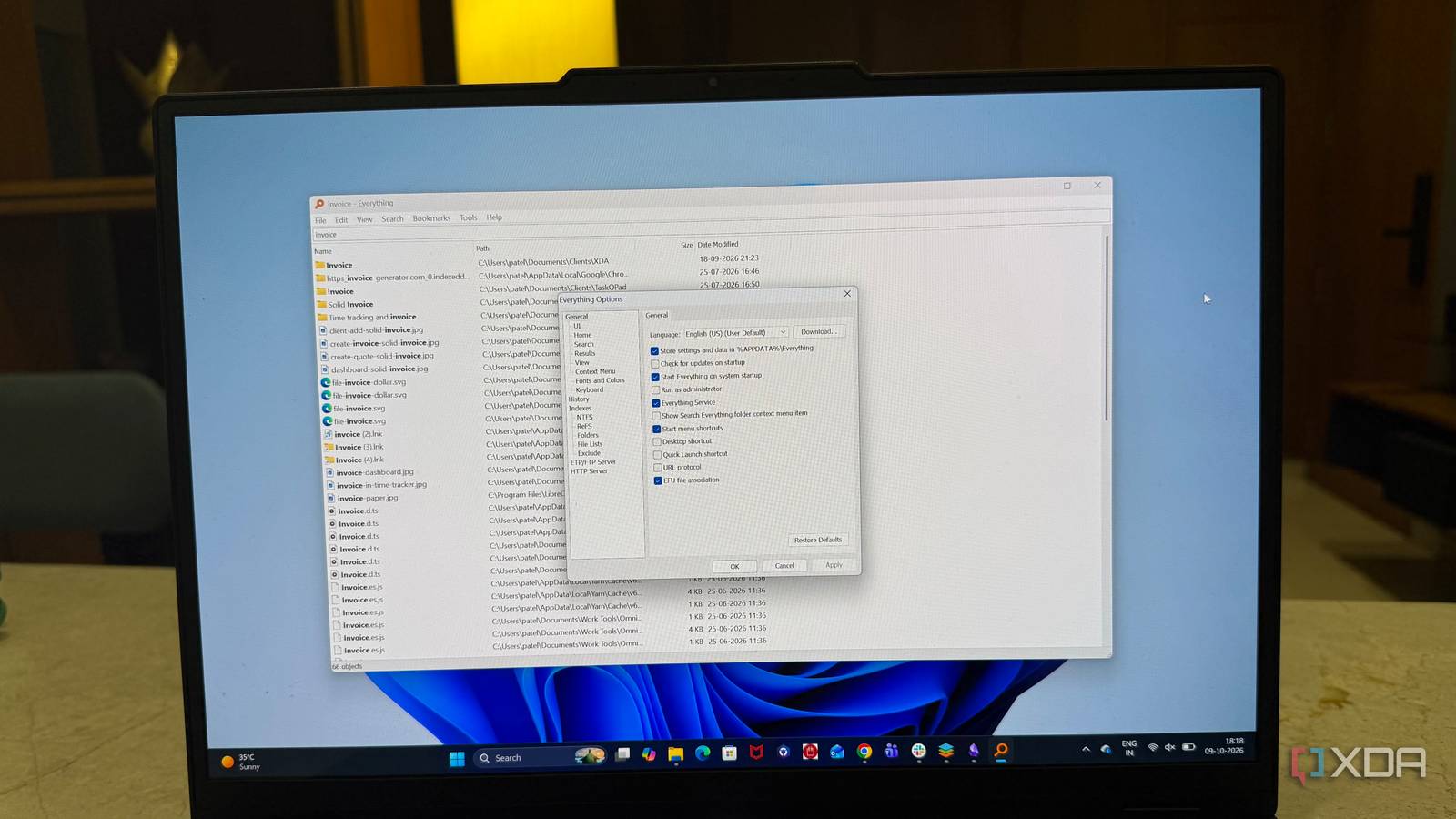
Published Oct 11, 2026, 10:30 AM EDT Beginning his professional journey in the tech industry in 2018, Yash spent over three years as a Software Engineer. After that, he shifted his focus to empowering readers through informative and engaging content on his tech blog – DiGiTAL BiRYANi. He has also published tech articles for MakeTechEasier. He loves to explore new tech gadgets and platforms. When he is not writing, you’ll find him exploring food. He is known as Digital Chef Yash among his readers because of his love for Technology and Food. Windows Search has never been my favorite way to find files. I type something I know is somewhere on my PC, and then I wait for Windows to catch up. Sometimes the results take too long to appear, and other times I have to dig through things I wasn't even looking for. After getting tired of that, I came across Everything. It takes a completely different approach to finding files, and the difference was obvious from the first time I used it. What surprised me even more is that this simple tool has been around for nearly 20 years and is still free. After using it for a while, I started wondering why Windows doesn't already work this way. It finds files before I can even finish typing Effortless file searching The biggest difference I noticed with Everything is how quickly it reacts to what I type. I start typing a filename, and results appear almost immediately. I don't have to finish the name or wait around for the search to catch up. That becomes especially useful when I only remember part of a filename. If I type a few letters from a PDF, folder, or installer I used months ago, Everything quickly narrows the list down. I can keep typing to narrow the results, but I often see what I need after the first few characters. I also like that the results keep updating as I type. There is no separate search button or extra step between entering a query and seeing what is available. When I know roughly what I'm looking for, this feels much closer to searching my own storage than searching a database. The difference becomes more noticeable as my collection grows. I have files scattered across different folders and drives, and remembering the exact location isn't always easy. Instead of retracing my steps through File Explorer, I just type what I remember. It sounds like a small improvement, but once I got used to this speed, going back to slower file searches started feeling unnecessarily frustrating. The boring interface is the best research No clutter, just what I need One thing I like about Everything is how simple it looks. When I open it, there isn't a lot going on. I get a search box, a list of files, and the basic information I need. That's pretty much it. I don't have to spend time learning the app before using it. Everything is where I expect it to be, and the layout hasn't changed much over the years. After a while, I can open it and start working without thinking about the interface. I also like that the app doesn't get in my way. No big buttons, extra panels, or features fight for my attention. The file list stays at the center, which is exactly where it should be. At first, the simple design made Everything feels a little old-fashioned to me. But after using it regularly, I started to appreciate it. I don't need a file search tool to look modern. I just need it to stay out of my way and let me get things done. That is exactly what Everything does. The tiny features are what keep me using it It saves me small steps daily What keeps Everything installed on my PC isn't just the main search. I keep finding small features that make it more useful in my daily workflow. For example, I can right-click a result and quickly open its folder, copy its path, or perform other normal file actions. I don't have to find the file first and then search for it elsewhere in File Explorer. I also use filters to narrow things down. If I'm looking for a particular file type, I can focus on that instead of going through a long list of results. The same is useful when I remember roughly when I created or modified a file but can't remember its exact name. Another feature I like is the ability to search using different patterns. I don't use the advanced options every day, but they are handy when a normal search isn't enough. I didn't notice these features all at once. I picked them up gradually while using Everything, and they made the tool more useful over time. None of them feels complicated, but together they save me a lot of small steps. 20 years later, it still works like a charm This old tool still delivers The thing that surprises me most about Everything is how well it has aged. It's been around for nearly 20 years, but it doesn't feel like an old tool I have no reason to use anymore. I still open it regularly, and it does the job just as I expect. A lot has changed since Everything first appeared. Windows has changed, my files have grown, and I use my PC differently, too. Yet Everything has stayed focused on what it does best. I actually like that. I have used many tools that started simple and became more complicated over time. Everything went in the other direction. It has kept the same basic idea, and that makes it easy to keep using. The fact that it is still free makes it even better. I don't have to pay for a subscription or deal with ads just to keep using it. After all these years, Everything has become one of those tools I don't think much about. I just open it when I need it, use it, and move on. For a utility like this, I think that's a good thing. At this point, Microsoft should buy Everything After using Everything for so long, I keep coming back to the same thought: why isn't something this simple already part of Windows? Microsoft has built plenty of powerful features into Windows, but finding my own files shouldn't feel like such a chore. Everything shows how much difference a focused tool can make. For me, it's no longer just another utility I installed to try. It's one of those small Windows apps I would genuinely miss if it disappeared. Everything Individual pricing Free Platforms Windows Everything indexes all the files on your computer within seconds, and you can find any file or folder you are looking for quickly.
This free open-source tool makes Windows' own search feel broken, and it's been free for nearly 20 years
Full Article
Original Source
Read the full article at Xda-developers →KhanList aggregates and links to publicly available news content. We do not host full articles from third-party sources. Always verify important information with original sources.