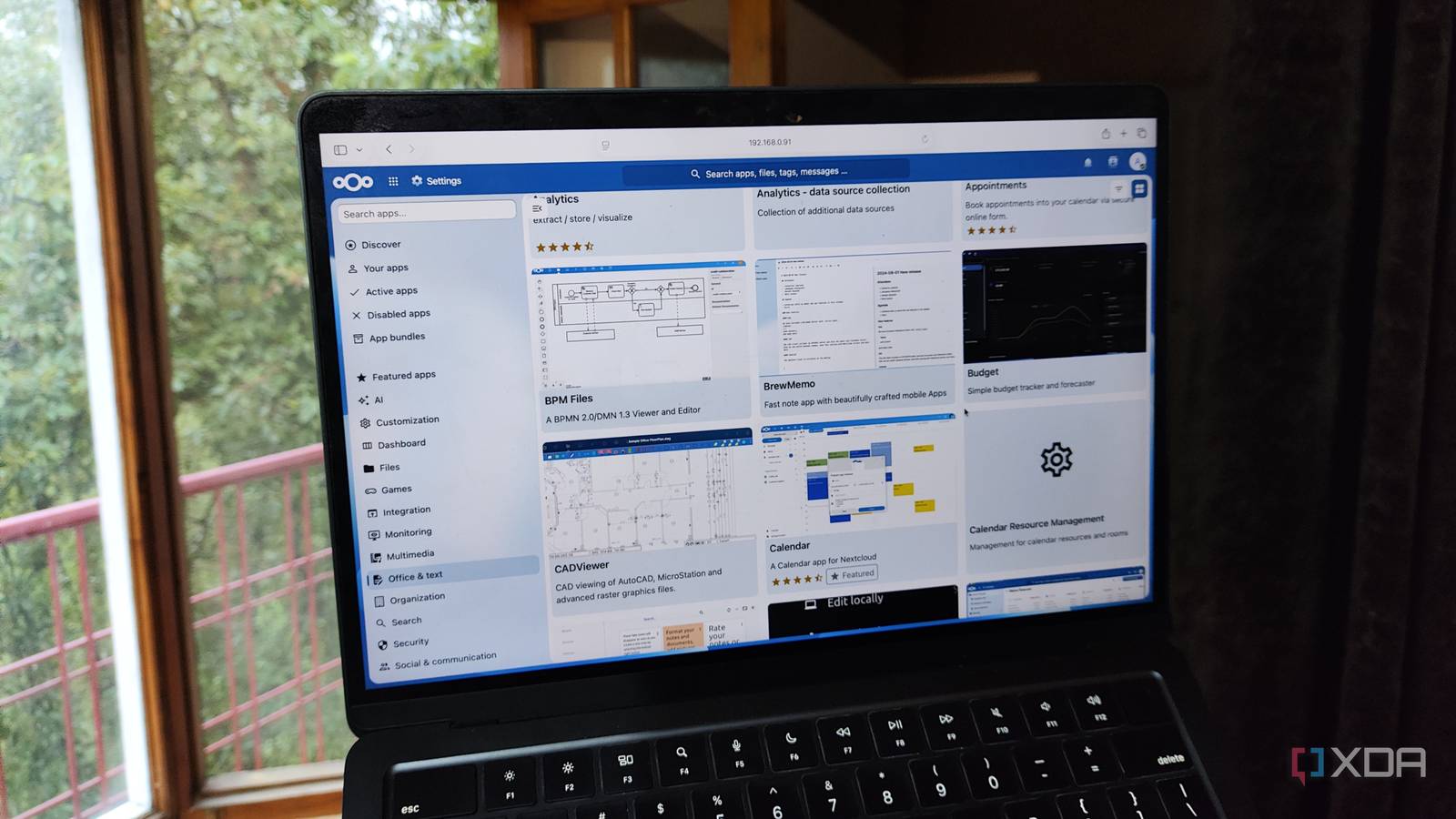
Published Aug 14, 2026, 5:30 PM EDT Ayush Pande is a PC hardware and gaming writer. When he's not working on a new article, you can find him with his head stuck inside a PC or tinkering with a server operating system. Besides computing, his interests include spending hours in long RPGs, yelling at his friends in co-op games, and practicing guitar. On the surface, cloud-based productivity applications have some neat perks, especially if you’re a student about to embark on your new school year. Rather than worrying about the hardware specs on the underlying machine, you can just fire up a web browser and access them from anywhere, all without worrying about maintaining backups. That said, most cloud apps tend to paywall essential features behind paid subscriptions, meaning you’ll have to spend dozens of dollars every month just to access your application stack. Privacy is another major issue with cloud utilities, even more so for projects where you wouldn’t want companies to get their grubby hands all over your personal data. Fortunately, self-hosting your own productivity apps is easier than ever, and you can deploy quite a few tools to improve your student life even on budget-friendly systems. ConvertX A no-nonsense file converter that runs locally If you’ve ever tried converting a JPEG to PNG or an Office file to an obscure document format, you’ve probably dealt with the annoying watermarks, lack of batch-processing, ad-riddled pages, and other aggravating aspects of online file converters. Fortunately, ConvertX is a lightweight utility that can solve all your document conversion woes, Whether it’s lecture notes, academic documents, or project files, ConvertX supports hundreds of formats, including specialized file extensions. Heck, it even works with 3D models, LaTeX docs, and video formats, and thanks to its completely local nature, you can use ConvertX to inter-change document extensions on TBs worth of files without spending a dime on paid subscriptions. ConvertX BentoPDF It can replace the Adobe Acrobat killer for most PDF-editing tasks Even with ConvertX handling your file conversion tasks, BentoPDF is a terrific option for editing the contents of your PDF documents. Its PDF Multitool alone supports document merging, splitting, page deletion, content extraction, and duplication operations, and that’s just one of the many utilities on BentoPDF. Likewise, this neat app lets you sign documents, remove annotations, verify digital signatures, and encrypt PDFs – tasks that would otherwise require paid subscriptions on Adobe Acrobat. Combine that with the fact that you can deploy this light tool on practically any old hardware (including a smartphone with Podroid), and BentoPDF becomes a must-have utility for any student. BentoPDF Paperless-ngx Perfect for storing all your academic records, bills, receipts, and everything in between Paperless-ngx is one of the first QoL applications I chanced upon in my uni days, and this neat tool single-handedly changed how I stored documents. Unlike cloud storage platforms, where you’d store your files inside folders, Paperless-ngx runs OCR operations on newly-uploaded documents and makes every word searchable, thereby making it easy to track essential records when you need them. Each file in Paperless-ngx has several fields, ranging from correspondent and OCR content to Archival Serial Number (ASN) and tags, so you can better organize your document collection. The best part? You can even connect your email address to Paperless-ngx, and have this archival tool pull documents from your emails and auto-assign them to the right categories. Paperless-ngx llama.cpp But LM Studio is a decent option for complete beginners, too Thanks to their ability to generate precise answers after analyzing long documents, large language models can be a productivity hack for your new school term. Unfortunately, most cloud-based AI platforms impose restrictions on their free plans, and you’d have to shell out regular subscription fees if you want to leverage powerful AI models in your coding, note-taking, or research tasks. However, you can deploy an LLM locally and use its reasoning capabilities to your heart’s content. The tiny Gemma 4 E4B (and E2B) can run at decent speeds even on weak machines, and they’re pretty good at driving simple productivity apps, including two useful companion services for Paperless-ngx: Paperless AI and Paperless-GPT. On systems with a dedicated graphics card, you can go up to 9B models with relative ease, with Qwen 3.5 9B being a solid option when you want better accuracy for simple coding tasks. And if your PC has a decent amount of RAM alongside your GPU, you can even look into mixture-of-experts models, which can use their massive knowledge bases for your inference tasks while running at respectable speeds. I use llama.cpp for my AI-aided coding, troubleshooting, and productivity tasks, as it has minimal performance overhead and provides granular control over my LLMs. But if its CLI-only design seems intimidating, you can use LM Studio as a beginner and slowly work your way up to llama.cpp. llama.cpp Nextcloud An all-in-one, self-hosted productivity platform At first glance, Nextcloud may seem like a simple file-sharing and collaboration tool, and to be fair, it’s still pretty useful for team projects even in its barebones state. However, its real utility comes to light when you venture into its App Store and start installing a couple of services. Pair it with Collabora Office, and you can create and modify text documents, spreadsheets, and presentation slides just like you could on Dropbox, Google Drive, Microsoft 365, and other cloud platforms. Except, all the files remain under your control, and you don’t need to spend extra money once your document collection grows larger than a few GBs. And that’s just one application you can install on Nextcloud. The Calendar, Tasks, and Deck apps are perfect for keeping track of your assignments, while the Notes tool is pretty handy for jotting down quick ideas. Heck, it even synergizes well with Google Drive and other cloud storage services, so you can keep essential documents on the latter while using Nextcloud for heavier files. Nextcloud OS Windows, macOS, Linux Key highlights Self-hosted, open source iOS compatible Yes Android compatible Yes Desktop compatible Yes Start your new semester by self-hosting QoL-enhancing apps Besides the services I’ve highlighted so far, there are plenty of other tools that deserve a shout-out. If you’re responsible for managing your own finances, Firefly III is an amazing bookkeeping tool that lets you analyze your budget without the privacy implications of storing personal income and expenditure records on the cloud, while Actual Budget serves as its zero-sum budgeting counterpart. Although Nextcloud has a decent password manager in its App Store, Vaultwarden is pretty useful for keeping track of your complex passkeys, API tokens, and even identity documents. If your subjects are more programming oriented, ByteStash is a neat tool for saving important coding snippets, while a Semaphore instance can let you practice Terraform and Ansible automation chains from a neat web UI.
These 5 self-hosted apps can save hundreds of dollars in your new school term
Full Article
Original Source
Read the full article at Xda-developers →KhanList aggregates and links to publicly available news content. We do not host full articles from third-party sources. Always verify important information with original sources.