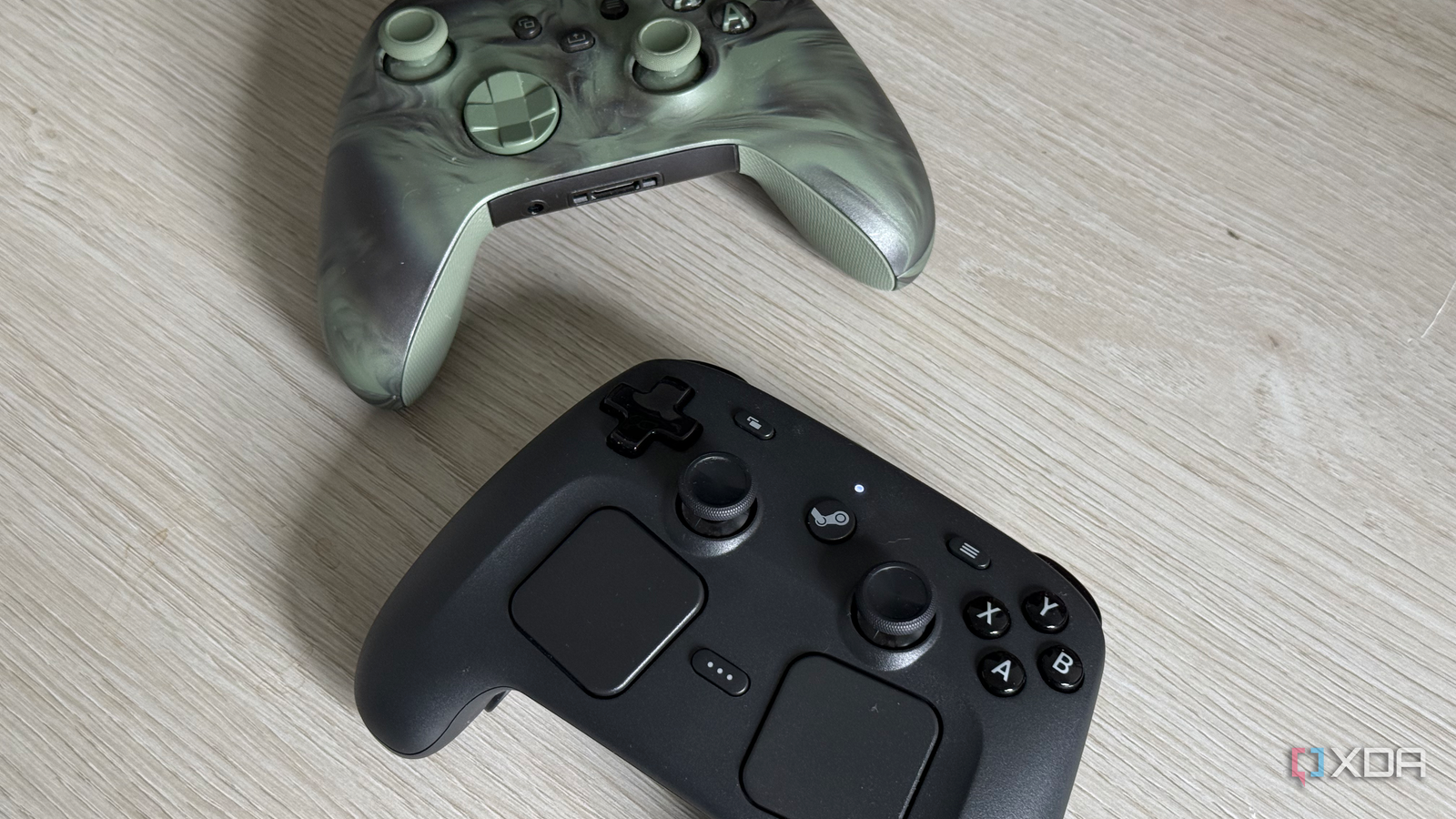
Published Aug 4, 2026, 8:00 PM EDT His love of PCs and their components was born out of trying to squeeze every ounce of performance out of the family computer. Tinkering with his own build at age 10 turned into building PCs for friends and family, fostering a passion that would ultimately take shape as a career path. Besides being the first call for tech support for those close to him, Ty is a computer science student, with his focus being cloud computing and networking. He also competed in semi-pro Counter-Strike for 8 years, making him intimately familiar with everything to do with peripherals. I bought the new Steam Controller with the expectation that it'd be the last gamepad I'd ever need, and the hardware makes a great case for that. While there are controllers out there that combine a couple of the elements of what Valve has done, none of them have full parity with the Steam Controller. The trackpads are great, the gyro is really solid, and the traditional gamepad elements like the buttons and joysticks are as good as it gets. A couple of weeks after receiving mine, I decided to try and boot up a non-Steam title, and to my surprise, the Steam Controller's input was not being passed to the game in question. More than a third of my library exists off of the Steam platform, and while I absolutely love everything about the Steam Controller, its lack of out-of-the-box support for games outside the Steam ecosystem has caused me to reach for my Xbox controller on enough occasions that it has stopped being the default. Outside of Steam, it's not a gamepad at all It's a battle to get it recognized as such I wouldn't necessarily have been surprised if one or two of the more exotic features of the Steam Controller didn't work with games outside the Steam platform. Things like the grip buttons and sensors, gyro, or the trackpads being non-functional I would understand, but these games didn't detect the controller at all. It's as if nothing was there. Valve built the device specifically for Steam, and it works on Windows and macOS, but Steam has to be running on those operating systems, otherwise all they see is a mouse and keyboard. You can still navigate the desktop with it, but the moment a game starts, you're completely in the dark in terms of input. Platforms like Xbox Game Pass are where this bites the hardest, because the usual fix doesn't work. Adding the executable for most non-Steam titles remedies this issue just fine, but Microsoft Store titles do not work with this approach. I tested this directly with my Game Pass copy of Forza Horizon 6, and I ended up having to swap to my Xbox controller. How the Steam Controller actually presents itself to the host It's not a conventional gamepad When the controller connects over USB or Bluetooth, the interfaces it advertises are keyboard and mouse. Valve calls this "lizard mode," and it's the default mode the controller connects with if Steam isn't running in some capacity. Everything that actually makes a controller a controller is disabled here. Those conventional controller inputs rely on Steam to handle them because they're not sent in a language that your PC can understand. Your PC receives that data, but it simply has no idea what any of it means, because the layout is Valve's own rather than one of the standard descriptions in the HID specification that operating systems already know how to read. On the Steam Deck's controller interface, lizard mode runs on a heartbeat that reasserts itself if reports stop arriving, which is why the Steam client streams configuration reports every few milliseconds to hold it off. Something has to be actively speaking Valve's protocol the entire time, and even Linux, the most open of the operating systems, doesn't play nice with it out of the box on all distros. The Linux kernel ships with a driver called hid-steam that allows that translation of controller input to happen without Steam running at all, but this only applies to the original Steam Controller and the Steam Deck's built-in controls, not the 2026 device. The workarounds are simple Which is why the issues are frustrating The first way I initially got around this problem was by streaming the non-Steam game in question through the Moonlight client launched through Steam. Moonlight passes through the input perfectly fine, but in terms of running the games on bare metal, SteamlessController does the same job Steam does, just parsing the HID events and handing Windows a virtual Xbox 360 controller. Neither SteamlessController nor Moonlight are bad pieces of software—actually, they're quite the opposite. My problem is that they're unofficial fixes to a problem that exists on purpose (I'll come back to this), and the DualSense controller is the perfect example of this. It has a bunch of similar Sony-specific bells and whistles that only work on the PS5, but connecting it to a PC grants you a usable gamepad almost everywhere. This is what caused me to reach for the simplest workaround of all: swapping the Steam Controller out for my Xbox one. It reaches XInput through Microsoft's own driver, which means every launcher, emulator, storefront, and non-Steam game sees a gamepad with no configuration and nothing to maintain. I really like the Steam Controller, and giving up its premium feel really bites sometimes, but when I'd rather just jump in and play a game from my couch, I hesitate to reach for it. Valve made this choice on purpose It's not a mystery why the Steam Controller is like this When asked by Tom's Hardware about this exact problem, Valve programmer Pierre-Loup Griffais said the company would rather make adding a game to Steam as easy as possible than ship a kernel driver that might cause system instability later, and that the team is glad not to carry that responsibility. However, the situation has overall improved since launch with an SDL (Simple DirectMedia Layer) update which added support for the 2026 Steam Controller, letting SDL-based software recognize it directly on Windows and Linux without the Steam client running, with the button mapping merged in May 2026. This does mean that SDL has to be adopted by the games themselves for input in order for the Steam Controller to work with them, so you're relying on adoption instead of a fix from Valve, the latter of which is unlikely to come. It's still my favorite couch input device While I'm definitely not returning it, I'm also not going to recommend the Steam Controller blindly to everyone. If your library is 99% Steam games, and you barely dabble with emulation or non-Steam launchers, it's a slot-in replacement for whatever controller you're using currently, and a very good one at that. If your library falls anywhere else on the spectrum, just be prepared to have to use some workarounds to get it into working order. Steam Controller Brand Valve Platform Windows, macOS, Linux
The Steam Controller has one kryptonite, and it caused me to swap controllers
Full Article
Original Source
Read the full article at Xda-developers →KhanList aggregates and links to publicly available news content. We do not host full articles from third-party sources. Always verify important information with original sources.