
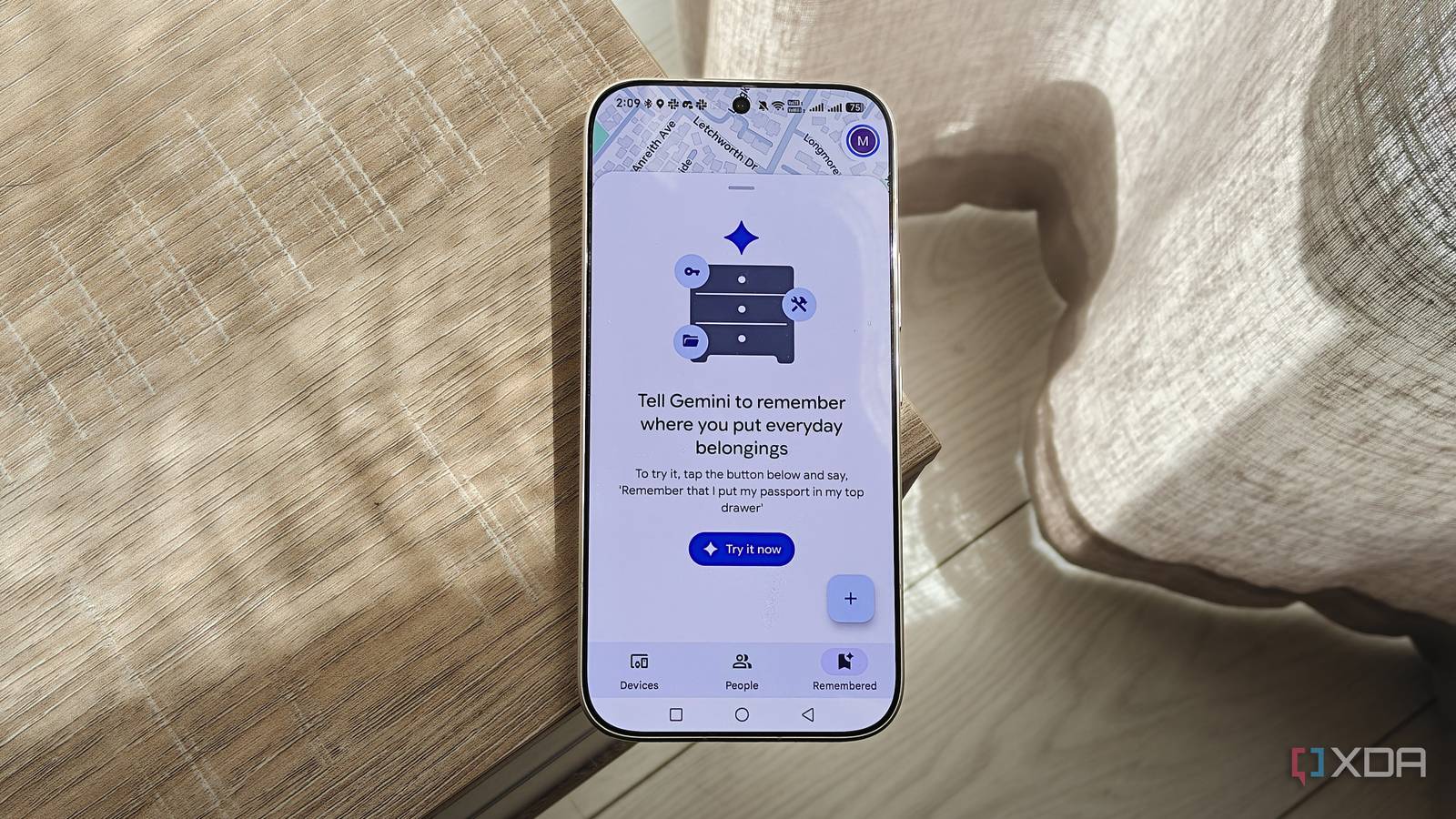
Published Oct 22, 2026, 2:30 PM EDT Megan is a Software Writer at XDA Developers who has been writing about consumer technology since 2016. With a postgraduate degree in New Media journalism, she has always been passionate about diving deep into topics and writing about them in a way that makes them easier to understand for everyday consumers. She runs her own blog called Tech Valkyrie and has contributed to Tom's Guide and Android Authority. She also worked at MakeUseOf as a Lead Editor. In her spare time she plays video games and geeks out about the latest tech. Keeping track of the items around my home is a constant struggle. Even when I think I have a system in place, I ultimately end up throwing a spanner in the works and collapsing the whole thing. Recently, I've been trying to declutter my house, but I kept running into the same problem: remembering where I put everything. Eventually, I realized that the solution was already hiding on my Android phone: the Find Hub app. And no, I wouldn't need any Bluetooth trackers. Find Hub does more than tracking devices There's location sharing and the Remembered tab Find Hub is often associated with the Find Your Phone feature, which helps you track your device when you've misplaced it. But it does a lot more than you expect. You can also use it with compatible devices, like Bluetooth tags, to track other things. It also works with devices like headphones, Bluetooth earbuds, and tablets, though compatibility depends on the brand. Beyond tracking, you can also use it to share your live location with contacts. This can be temporary location sharing, or something that's done on a more indefinite basis. For example, my mom is currently sharing her location with me while on a road trip. She set the sharing option to continue until she switches it off, so that I can check her location at any time. This is helpful because the last time my parents were on a road trip, they got stranded in a remote location. Now I can check that they're safely at their campsite or traveling at the expected pace just by checking Find Hub. But its a newer feature that turned Find Hub into an app I use more often — namely, the Remembered tab. The Remembered feature lets me keep track of anything No Bluetooth trackers required Google rolled out the new Remembered tab in a September 2026 update, but even though I use Find Hub for other features, I completely missed it. In the meantime, I was decluttering my home and kept hesitating because I knew I would likely forget where I'd packed certain things. Blame my ADHD or general forgetfulness, but when I place something out of sight, I often forget it exists unless I use it regularly. I set up a self-hosted home inventory service in the past. However, I found it difficult to keep it updated when dealing with a large amount of clutter. I stumbled across the Remembered feature by chance while using the Find Hub app and realized it would let me track items without needing a Bluetooth tag or any kind of tech. I could simply make a note of where I placed it in the app. You can add these items manually, or with Gemini. When creating an entry, you can name the item and choose its storage spot. Once you create the item, you can edit it further to add a photo, address, and any additional notes that may be important. I created several storage spots, including cupboards, my toolbox, my desk, my chest of drawers, my dresser, and a few others. I made the names specific enough that I knew which cupboard or drawer I meant. I also created three locations: Home, Bedroom, and Study. Technically, all of these locations share the same address, but creating three separate ones helped me organize them better. The main limitation is that you can't add locations with duplicate addresses. In my case, I used the automatically detected address for my Home location, and my complex's name for my Study location. Since my complex spans multiple street addresses, I was also able to add another street address (since the auto-detected address was different) when I added the Bedroom location. But if you have a separate office or multiple properties where you store things, you can also create locations using those addresses. The benefit of the Remembered tab is that I can simply add the item and its location. This is great when I'm just quickly packing things away. Since I'm using it on my phone, it's also more convenient than sitting at my desk and cataloging items. Gemini voice commands make keeping track of items easy There are a few quirks, though Besides manually adding items to Remembered, you can use voice commands with Gemini to add items to Find Hub. At first, this feature didn't work for me, but enabling Memory in Gemini's Personal Intelligence settings fixed it. The day after enabling this feature, Find Hub appeared in my connected apps even though it hadn't previously. To save an item in Find Hub, use commands like "Remember in Find Hub that my sunglasses are in the hallway drawer." You can also tell Gemini to add an item in Find Hub. To quickly check where an item is stored, you can also use Gemini. For example, when I ask, "Where are my Bose headphones?", Gemini responds with the location in Find Hub. However, there are some drawbacks to note. Gemini occasionally doesn't hear the command correctly, which can be more common if your accent differs from its standard voice models. I've had to repeat a command when it didn't pick up the term "Find Hub" correctly. Second, Gemini doesn't save your items to existing locations. For example, while I have Desk saved as a storage spot in Find Hub, when I use voice commands to save items, the location differs. Gemini saves the location as "in my desk" or "in my desk drawer". This doesn't affect usability much, especially when you're using voice commands to find items. But it does detract from the list's organization. Find Hub is my new favorite way to keep track of everything While it has its flaws, Find Hub is the most convenient way for me to quickly save items when I'm packing them away. While services like HomeBox are more customizable and organized, Find Hub's low-fuss setup is really user-friendly. I hope Google further refines the feature to make it more flexible. Currently, the search feature can be hit-or-miss, but its integration with Gemini really works in the service's favor. Find Hub Find Hub is an app by Google that helps you keep track of your Android devices, share your location with contacts, and list items that you want to remember the location of.
The perfect Android app for keeping track of my items was hiding in plain sight
Full Article
Original Source
Read the full article at Xda-developers →KhanList aggregates and links to publicly available news content. We do not host full articles from third-party sources. Always verify important information with original sources.