
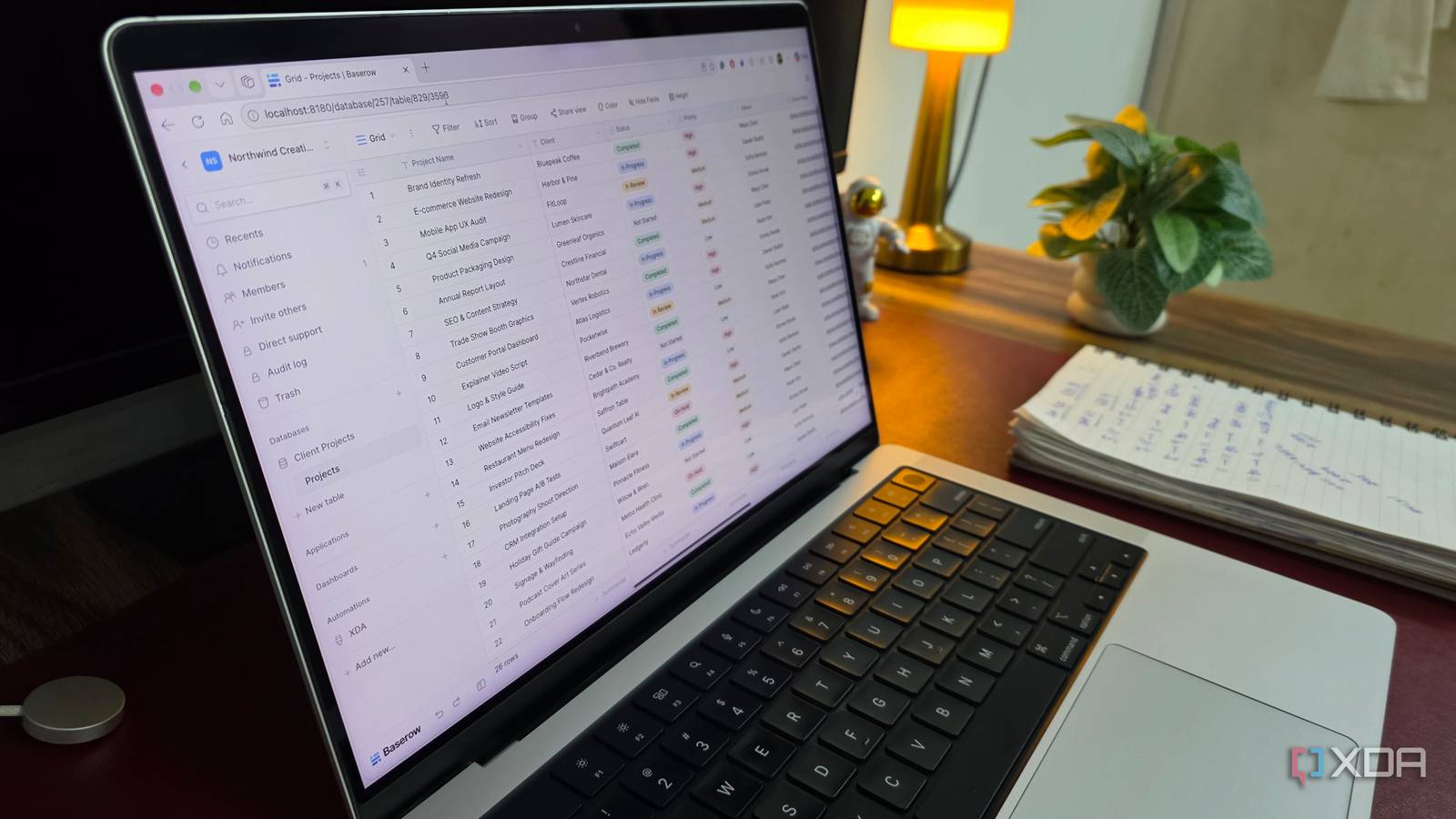
Published Oct 22, 2026, 7:01 PM EDT Parth, a seasoned tech writer, wields the keyboard (or pen) with finesse to unravel the intricacies of both Windows and Mac operating systems. He has covered evergreen content on mobile devices and computers for multiple publications over the last six years. You can find his work on AndroidPolice, GuidingTech and TechWiser. Whether it’s demystifying system updates, deciphering error codes, or exploring hidden features, Parth’s prose guides readers through the binary maze. When not immersed in tech jargon, you’ll find him sipping chai, pondering the next software review, and occasionally indulging in a friendly debate about mechanical keyboards. I have lost count of how many productivity tools I have experimented with over the years. Notion was my go-to for organizing information. Obsidian Bases also looked promising, and Trello kept my projects moving with its intuitive Kanban boards and automations. Each tool had its strengths, but I wanted something that brought the best of all three under one roof, without another subscription or compromising control over my data. That’s when I came across a powerful open-source Docker container that changed my approach: Baserow. Getting started with Baserow is straightforward Took me just 10 minutes One of the reasons I love Docker is how easy it makes deploying powerful self-hosted applications, and Baserow is no exception. I headed to Baserow’s official website, followed its Docker installation guide, and pulled the required image. The official setup uses a single Docker container with persistent storage, so I didn’t need to configure PostgreSQL or Redis separately. After setting the required environment variables and port mappings, I started the container and accessed Baserow in my browser. The entire process took around 10 minutes. From there, I created my account, set up a workspace, and started experimenting with databases. I could create tables from scratch, use ready-made templates, or import existing information from CSV and Excel files. A simple and easy-to-use UI You won’t have a hard time getting started One thing I immediately appreciated about Baserow was its clean and intuitive user interface. Despite being a powerful database platform, it doesn’t bombard me with unnecessary menus, complicated settings, or technical terms. Everything is neatly organized, and if you have ever worked with Notion databases, Airtable, or even a traditional spreadsheet, you will feel right at home. The main interface has a familiar spreadsheet-like layout, with records arranged in rows and fields in columns. I can create new tables, add custom fields, rearrange columns, and organize information without digging through endless menus. For instance, when I created a database to manage my editorial calendar, I simply added columns for article titles, publication dates, categories, priorities, and publishing status. I also like how Baserow keeps everything accessible from a sidebar. Switching between databases and tables feels effortless, and I don’t have to constantly navigate through multiple pages to find what I need. I recreated my Notion databases effortlessly And they are way better than Obsidian One of the first things I did after setting up Baserow was recreate my existing Notion databases, and the experience was smooth. I started with my editorial calendar, where I track article ideas, deadlines, and overall progress. Baserow gave me plenty of customization options to build a database that worked exactly how I wanted. Another useful feature is the ability to create different views of the same database. I could stick with the familiar spreadsheet-style Grid view or switch to Gallery view for a more visual presentation. Baserow also supports conditional row coloring with its Premium plan, which adds another layer of visual organization. While Obsidian Bases is excellent for managing structured Markdown notes, I found Baserow better suited to my database-heavy workflows, especially when dealing with linked tables and customized fields. And unlike my Notion and Trello setups, Baserow runs directly on my own hardware through Docker. My databases don’t need to reside on someone else’s cloud server. Of course, securing and maintaining the server is my responsibility, but that’s a trade-off I am happy to make. Automation takes productivity another level higher Ideal for power users This is where Baserow started to impress me. Organizing information is one thing, but automating repetitive tasks takes the experience to an entirely different level. Baserow comes with a built-in Automation builder that lets me create custom workflows without writing a single line of code. The concept is simple. I can define a trigger, specify conditions, and choose what happens next. For instance, I can configure a workflow around my editorial calendar so that whenever an article’s status changes to Ready to Editing, Baserow automatically sends a notification to the relevant person. I also appreciate the visual workflow builder. Instead of dealing with complicated scripts, I can connect triggers and actions, add conditional logic, and test everything before publishing the automation. It supports scheduled triggers, database changes, HTTP requests, and integrations with external services. This is exactly what my fragmented productivity setup was missing. Rather than constantly switching between apps and manually updating information, I can let Baserow handle repetitive tasks while I focus on writing and other meaningful work. One self-hosted tool does it all I didn’t expect a single Docker container to replace three of my favorite productivity tools, but Baserow came quite close. Of course, it isn’t a perfect replacement for every Notion or Obsidian feature, and some advanced capabilities require a paid plan. However, if your workflow revolves around structured information and project tracking, it’s a compelling alternative. If you are tired of juggling productivity apps, this is one Docker container that deserves a closer look. Baserow Baserow is an open-source alternative to Airtable and Trello.
I replaced Notion, Obsidian Bases, and Trello with one powerful Docker container
Full Article
Original Source
Read the full article at Xda-developers →KhanList aggregates and links to publicly available news content. We do not host full articles from third-party sources. Always verify important information with original sources.