
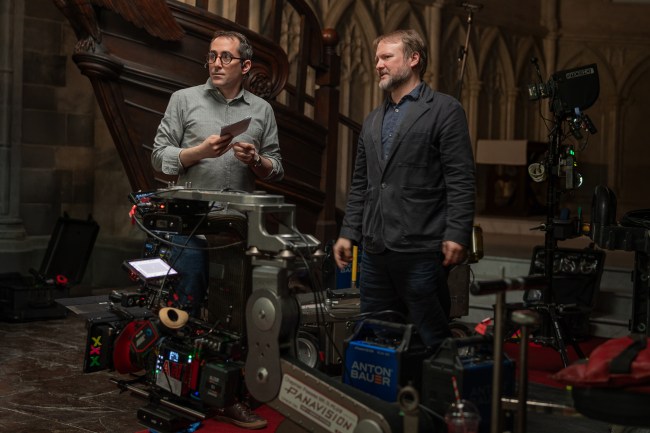
You shouldn’t ever take a photo of your midterm election ballot — it’s illegal in some states — but, thanks to Rian Johnson and his longtime DP Steve Yedlin, there is now a very cinematic way to take iPhone photos of everything else. Yedlin has spent more than 20 years as a cinematographer, collaborating closely with Johnson on everything from “Brick” and “The Brothers Bloom” to “The Last Jedi” and the “Knives Out” films. But Yedlin has also spent 20 years delving into the science of color and how filmmakers can better craft imagery through the technical tools available. And now he and his friends are in the business of making new ones. Yedlin, Johnson, and color science coder Eric Cameron have been in the process of creating new software for light controls to replace traditional dimmer boards, pixel mapping, and on-screen playback (ie., when actors are looking at phone or computer screens on camera) with something that embraces the world of color-tunable lights and LEDs. But as a side project, they’ve also just launched Chromagraph, an iPhone app that uses Yedlin’s deep, mathematical understanding of color to bypass the iPhone’s default photo processing settings for a more filmic look. The app project started because Johnson wanted something on his phone that could capture photos the way that Yedlin captures film — using RAW images (ie., everything the sensor captures, not just what’s rendered on a screen) and bypassing the standard iPhone image processing protocols. Surprisingly, it only took ten weeks to build, test, and refine the app Johnson wanted to a place the team was happy with it — although Yedlin admittedly told IndieWire the process to create Chromagraph was still pretty intense. The cinematographer had done the math to build an image processing look that works for cinema cameras like the Arri ALEXA, but even the newer, pro-level iPhone cameras have sensors so small they’re smol, and they also spread image information out in a different way from how film cameras work. Behind the scenes of ‘Wake Up Dead Man: A Knives Out Mystery’ John Wilson/Netflix “ The code values themselves, like the actual numbers in the pixels, alone don’t tell you how bright something’s supposed to be. It’s the code values in the pixels plus this [metadata] evaluation,” Yedlin said of iPhone cameras, before worrying he was being way too technical for a 900-word article. “It’s not like we’re putting different parameters into existing processing math. It’s totally different math for the most part.” To make a complicated story shorter, then, Yedlin and Cameron couldn’t reprogram the iPhone camera, but they could get it to behave differently in order to bring RAW images (everything the camera sensor captures) into Chromagraph and then do a bunch of different and complicated math to achieve the image processing for the cinematic look that Rian Johnson wanted to be able to pull up at the swipe of a screen. The main thing that was important to the team to get right and reflect real color science, as opposed to “bullshit cinema color science,” according to Yedlin, was to work from the truth that images that look aesthetically pleasing are not clinical or technical reproductions. They are not photometrically or colorimetrically “correct.” “What makes a good image is something that looks enough like what it’s representing to be recognizable and then to be beautiful,” Yedlin said. “Even when you have a very clinical-looking, like a broadcast look as opposed to a cinema look, it’s also not photometrically or colorimetrically correct. They’re just not correct in a different way, you know? It’s always a matter of taste.” A lot of the very complicated math that went into how Chromagraph does image processing is based on Yedlin and Johnson’s taste for how to make an image look artful, but then the app has contrast and saturation tools for individual photographers to take the look of their work even further. The tools inside of Chromagraph are, in fact, meant to be exactly like the math of white balance in ISO on a film camera. “It sort of gets repeated as giving photos the ‘Knives Out’ look, and that’s fine if people want to say that, but I don’t think of it that way. I think of it as generally artful rendering. Every single movie made with traditional film stocks was made with one of like three negatives and one of two print stocks, and they all have completely different looks based on the craftsmanship and the photography and what’s being photographed and lighting and everything,” Yedlin said. “This is just the image processing, so it’s one look for that part, but the image processing part isn’t the only thing that makes a photo.” Where Chromagraph can really help photographers make their own photos, though, is in capturing color in a way that the iPhone default method can’t quite reach. “Vibrant colors is a place where I think Chromagraph really shows off. A lot of times, with garish colors, you can have that saturation clamped look where one of the three channels is slammed so the entire area kinda looks like it’s been just colored in like a coloring book,” Yedlin said. “So some people are posting photos [from the app] where the colors really stand out, but then somebody else is posting photos with the most subtle, nuanced colors. It’s only one look, but it’s for that last little bit of finesse for whatever kind of photo you take.” For that reason, Yedlin, Johnson, and Cameron don’t necessarily want to support multiple looks inside of Chromagraph. They’re also not planning on building an Android version anytime soon, and while they’d like to support video, that’s still a long way from being worked out. But for photographers with an iPhone in their pocket, the app is a fun, easy shortcut past importing photos into professional post tools. “It’s satisfying that every snapshot looks the way that we like it,” Yedlin said. Chromagraph is now available in the Apple App Store.
The Mad (Color) Science Behind Rian Johnson’s New Camera App
Full Article
Original Source
Read the full article at Indiewire →KhanList aggregates and links to publicly available news content. We do not host full articles from third-party sources. Always verify important information with original sources.