
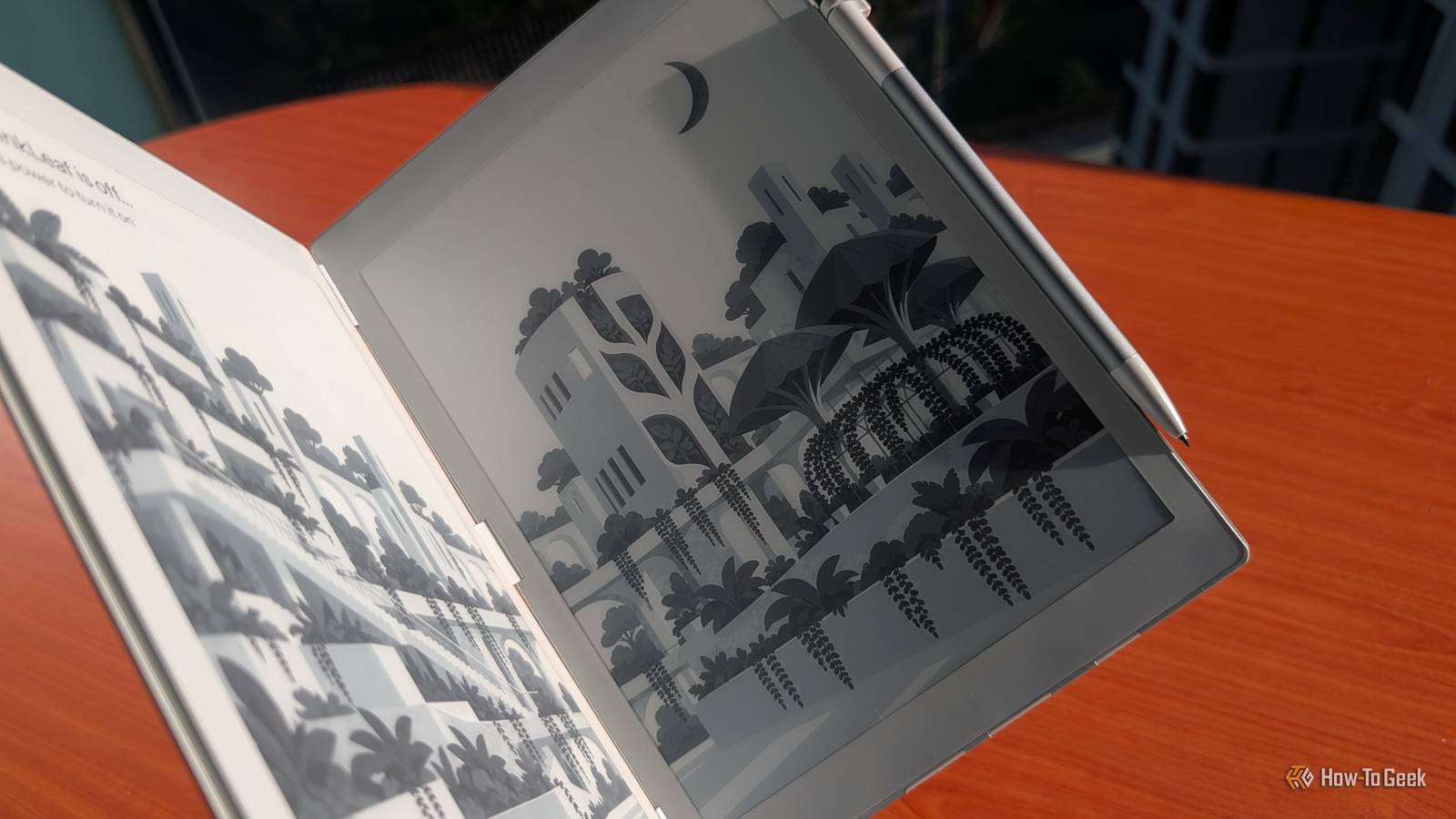
Published Nov 7, 2026, 12:00 PM EST Namerah Saud Fatmi has been writing about smartphones, accessories, e-readers, and apps for nearly a decade. She occasionally branches out into sects like gaming, software, hardware, smart home, and wearables. Before How-To Geek, she was a senior editor at Android Central, and has had bylines at other respectable publications such as Windows Central, iMore, XDA Developers, Neowin, and Good e-Reader. When she isn't writing or testing yet another weird and wonderful new gadget, she spends her free time snuggling with her grumpy feline life partner. Her hobbies include casual gaming, traveling, attempting to pet anything classified as an animal, unnecessarily complicated craft projects, and hunting for the next great bowl of noodles. Over the years, we've seen vast improvements in eReaders and E Ink tablets. In a world where Kindle and Kobo eReaders used to reign supreme, the market is now delightfully diverse. The E Ink Corporation takes a lot of credit for this progress. Without the display maker's modern E Ink display tech, Android tablets with ePaper screens would not exist. Fantastic brands like Onyx Boox, reMarkable, and Bigme have made full use of the advanced E Ink display tech, pairing it with fast processors, modern hardware, and excellent software. They've elevated paper-like devices as a whole, enticing more players to enter the fray. This growing movement has inspired many across the consumer tech industry to get more innovative with their E Ink creations. Lenovo gave us a dual-screen concoction at CES 2023, incorporating a secondary E Ink panel on the back of the OLED-bearing ThinkBook Plus Gen 4. Bigme announced the HiBreak Dual E Ink smartphone in May 2026. Even smaller brands like Xteink are partaking in the fun, coming up with magnetic pocket eReaders at accessible price points. Enter InkLeaf, a newborn company trying to make room for itself in the E Ink tablet niche. The company's first product is a "foldable" E Ink tablet, but not like an Android foldable. Instead of one wide foldable display, InkLeaf stitched two screens together using hinges, like a Microsoft Surface Duo. Two 10.3-inch displays attached to sturdy hinges Like a hardcover book, digitized The InkLeaf dual display tablet features two 10.3-inch E Ink Carta screens held together in a book-like fashion. You would think that sandwiching what are essentially two full-fledged tablets together would make the device bulky. On the contrary, the combined thickness is about the same as an average Android phone or tablet. InkLeaf measures 8.4mm thick when folded, and 4.2mm unfolded. In comparison, the Google Pixel 11 is 8.6mm, and the Onyx Boox Note Air 6 C is 5.8mm thick. Boox is lighter, weighing 440g, but InkLeaf isn't too far off at 480g. The dual-screen tablet's cast-aluminum body is lightweight but sturdy. The machined barrel hinges feel incredibly durable and hold up at all angles until the two screens sit flat at 180 degrees. It has a leather back, so there's no need for a protective case. InkLeaf comes with a battery-free Wacom stylus that can detect 4,096 levels of pressure sensitivity. It produces a marvelous, scratchy feel on the E Ink Carta screens, imitating pen-on-paper. Hardware is an impressive affair all around. The USB-C port supports USB OTG, and you get Wi-Fi and Bluetooth connectivity. It also has a speaker, two mics, a 4G SIM card slot, a 4,300mAh battery, a quad-core Cortex-A35 processor, 4GB of RAM, and 64GB of internal storage. A USB-C to USB-A cable is included in the box. A solid tablet designed to last Luxury reading and writing Powered by Android 8, the InkLeaf tablet supports PDF, EPUB, MOBI, TXT, and HTML file formats. The tablet has its own custom OS that lets you send things from one display to the other. You can send files to the tablet from other devices in several ways. Much like Boox's reading app, the InkLeaf reading app has extensive customizability options to adjust the text, add bookmarks, or enable auto-scrolling. You can read books on both screens simultaneously, like a traditional book, but only using the native reading app. You can even use one display to read while using the other to take notes or run another app at the same time. The native note-taking app supports AI-based OCR, so you can type and search for handwritten words in your notes. The status bar on top displays important icons such as the battery level, control center button, time, and screen swap button. All system updates are automatic. Software is a work in progress Still under construction The company promises support for various Android apps, but this is something that needs to be done manually. The version of the InkLeaf tablet that I tested has the final hardware, but not the final software, and that was painfully evident. The status bar is supposed to stay at the top of both screens at all times, but it randomly disappears. The back of the Wacom stylus is supposed to be an erasing tool, but this hasn't been enabled yet. Since the display doesn't support touch input, you have to rely on the stylus entirely. This makes it hard to navigate the OS properly. There are neither gestures nor navigational buttons at the bottom of the screen. Speaking of buttons, a few physical ones sit flush in the tablet's chassis. They don't work that well. The power button is alright, but the other two page-turning buttons seem to have a mind of their own. There are no physical volume buttons, and because the status bar at the top doesn't show up half the time, you're essentially left with no sound control. The fourth physical button forces a screen refresh to clear ghosting. This glitched out on me a couple of times in the note-taking app, and I had to restart the InkLeaf tablet to get rid of the thick ghost lines. I faced a similar issue with the reading app. After enabling the speed reading mode, there was no way to switch back to the regular mode. The menu refused to open. But the worst part of all is the lack of Google Play Services. The InkLeaf tablet doesn't come with the Google Play Store because it's not certified. You can sideload APKs and install compatible Android apps, but without Play Services, most of them don't work at all. I couldn't install Google Chrome, Gmail, YouTube Music, or almost every other app I wanted to use. There's no dedicated internet browser out of the box at the moment, so you need to install an app store by manually transferring the APK files to the InkLeaf tab. The test unit I received didn't detect my external SSD, so I had to connect it to my laptop to transfer the APKs. I tried installing a bunch of different apps, including open-source ones that don't rely on Play Services. A few apps installed successfully but crashed midway through launch. The status bar was MIA, and there were no navigation buttons, so I had to force-restart the tablet for the millionth time. Anyone in search of an ePaper Android tablet can grab cheaper, more functional options today As intriguing and productive the InkLeaf tablet can be, it's not ready for launch just yet. The hardware and the software felt miles apart. While the solid build and sturdy construction feel reliable, the software is hot garbage. It is clearly an incomplete product, but that's not surprising at this stage. InkLeaf is currently offering an early-bird price of $689 per unit, but you need to pay $9.99 to lock it in. The Kickstarter campaign is scheduled to launch on November 10, 2026. Early bird units will start shipping in December 2026, whereas the wider commercial launch is due in early 2027. Those will cost about $1,406 per unit. The InkLeaf dual-display E Ink tablet is built really well, and it has so much potential. Unfortunately, it might already be pricing itself out of contention. You can purchase a fully functional ePaper tablet from Onyx Boox or Bigme with the Google Play Store and Google Play Services right now, at less than half the cost. I really hope InkLeaf works some magic with the final retail price and sorts the software issues out. Otherwise, this will be heading to the consumer tech graveyard with the rest of the highly ambitious products of the past that failed to deliver.
The first “foldable” E Ink tablet is not what you think it is
Full Article
Original Source
Read the full article at Howtogeek →KhanList aggregates and links to publicly available news content. We do not host full articles from third-party sources. Always verify important information with original sources.