
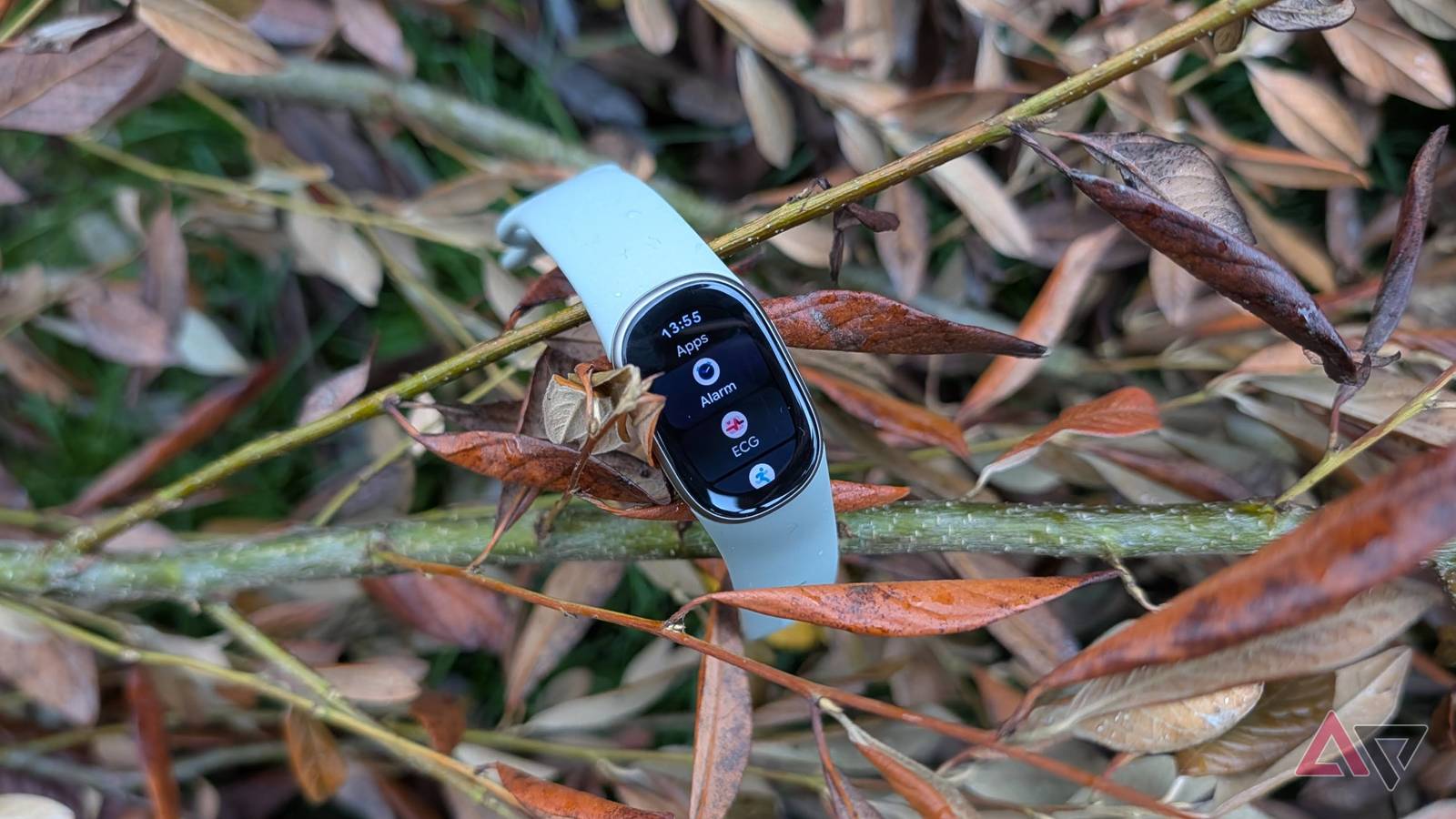
With screenless trackers pushing their way into the wearable market, is there really room for a more traditional fitness tracker? Google certainly thinks so, and it's betting on the Fitbit Edge. Unlike smart rings and the Fitbit Air, the Edge is a much more traditional wearable. Clearly descended from the Fitbit Charge 6, the Fitbit Edge is a small but capable device with a lot of fitness and health tracking capabilities. But is a small device with a screen even worthwhile in the age of the screenless tracker? I strapped the Fitbit Edge to my arm for a week to find out. Google Fitbit Edge 9/10 Display 1.34-inches Battery Life 7 days IP rating IP68/5 ATM GPS Yes The Fitbit Edge is the fitness tracker you want if you don't want a smartwatch, but still want a display. Packed with Fitbit's excellent tracking tools and Google's latest AI insights, it's a solid tracker at a good price. Connectivity Bluetooth Materials and finishes 100% recycled aluminum Pros & Cons Light and comfy to wear Week-long battery life Beautiful AMOLED display AI Coach remains helpful Solid fitness and health tracking Too dependent on the app Google Health still needs improvements Annoying charger Fitbit Edge price, specs, and availability Credit: Mark Jansen / Android Police The Fitbit Edge is currently available to buy from the Google Store, Best Buy, Amazon, and other retailers. The Edge starts from $180, while the Stephen Curry Edition costs $220. The Edge comes in Obsidian, Fog, Olive, and Canyon, with a silicone Active Band. The Stephen Curry Edition comes with a recycled polyster Performance Loop band. Getting the Performance Loop for your Fitbit Edge will set you back $50, while the Active Band retails for $40. The Magnetic Band and Leather Band start at $60. But if you want the most expensive option, that's the $150 Metal Links Band. It's free to use Google Health, but if you want Google's AI Coach, you'll need to subscribe to Google Health Premium for $10 a month or $100 a year. You can also get access to Google Health Premium through the Google AI Pro plan. The Edge's most obvious competition is its fellow Fitbit, the Fitbit Air. But, if you're looking at the Edge, then you'll also be interested in the Samsung Galaxy Fit 3, the Oura Ring 5, and the Google Pixel Watch 5 as other potential options. Specifications Display 1.34-inches Battery Life 7 days IP rating IP68/5 ATM GPS Yes Connectivity Bluetooth Materials and finishes 100% recycled aluminum Fitbit Edge design and display Smaller and lighter than expected It would have been easy for Google to drop the classic Fitbit Charge look when it changed to the Edge. However, it's clear the Edge still shares a lot of its DNA with the Charge line. That's not a bad thing. The classic fitness tracker look is a classic for a reason, and Google has updated the style, making the Edge sleek and smooth. It's clear this device shares a familial resemblance with the Fitbit Air and Pixel Watch 5, while still harking back to its lineage, and it looks great as a result. I've been using the Fitbit Air for months now, and expected the Edge to feel large and heavy. It isn't. While the Edge is obviously heavier than the Air, at 32 grams with the strap, it's far lighter than most other devices. The 1.34-inch AMOLED display is gorgeous. You won't be using it to show off videos or images, so you can't really push it to its limits, but it still looks great, and I haven't had any problems with brightness. On the right-hand side of the Edge is a button that extends almost the full way along the frame, and there's a metal panel on the other side that exists for the ECG functionality. You can swap the button onto the left-hand side by rotating the device and changing a software option. The strap is extremely comfortable. Most of the time you'll forget you're wearing it. However, I'm not a fan of the strap's fastening. It's held by a small nub that pokes through the strap holes, and it pops out when threading it closed. It makes fastening it awkward and annoying. The Edge has a proprietary strap system, which limits its strap options. It's simple to remove though; just push a catch to release the strap and give it a tug to remove it. The Stephen Curry Edition's strap is similar to the Velcro strap on the Fitbit Air. It's much easier to pick an exact fit, and the fabric should breathe better during exercise. Fitbit Edge battery Everything Google claims and more Credit: Mark Jansen / Android Police Google claims the Fitbit Edge will get seven days' use on a single charge, and so far, it's exceeded that benchmark. On the seventh day of use, I got a warning that my battery was due to run out in less than 24 hours. Close to eight days on a single charge — not bad at all. However, it's worth pointing out this is without using the Always-on display, or doing any long workouts. However, it has automatically detected a number of walks during that period, and those haven't adversely impacted the battery life. So far, I'm very impressed with the Edge's battery life. Enabling the Always-on display reduces that to just two or three days on a single charge. The charger is the proprietary one we saw on the Fitbit Air, and I don't like it. It's a bulky and awkward flattened bulb that snaps onto the Edge's underside. It tends to slip off if you're not careful, and means the device doesn't sit flat properly when placed down. At least you won't need to use it very often. It takes around 90 minutes to charge the Edge to full, and Google brags that five minutes of charge is enough to keep it going for a day. Fitbit Edge performance and software Fast and responsive, but you still need the app Credit: Mark Jansen / Android Police It's common for fitness trackers to be a little sluggish, but the Edge is anything but. The Edge is fast and responsive to use. The interface will be familiar to anyone who's used a fitness tracker before. Swipe left and right to swap between tiles showing your metrics, swipe down to access the settings, swipe up to see phone notifications, and press the button to see a list of installed apps. It's simple, doesn't take long to get to grips with, and customizable. Coming from the Fitbit Air, it's nice to have a screen to see your stats. But don't expect to see any real depth. Taking sleep stats as an example, you can see how long you slept, and the rating achieved, but nothing else. You'll still need the app to get anything other than surface level stats. It has the ability to mirror your phone's notifications, and you can also use Quick Replies for messages. Notifications come through fast, and you can set which apps set notifications off, or just mirror your phone's settings. Credit: Mark Jansen / Android Police The Edge has access to apps, but it isn't a WearOS-like experience. Apps are heavily limited, and while there's an App screen to access in Google Health, there's not much to see here. You have apps for SpO2 measurement, media controls, and the ECG function, as well as Find My Phone, and, surprisingly, Google Maps. The Google Maps app works with your phone's Maps app, and provides turn-by-turn directions from your wrist. It's handy, and I like it a lot. You can change the Edge's watch face too, but it's also quite limited. There are some preset Google options, but, they're a bit boring. I like the customization options on the modular faces, but otherwise, there's nothing to get excited about. That sentence sums up the Edge's software experience quite well. It's impressively fast, but there's not much going on that isn't superficial. Still, that gives Google a solid base to add to, and I'm excited to see what Google builds onto it. Fitbit Edge health features and exercise tracking Feature-packed and accurate The Fitbit Edge has plenty of health and fitness tracking features. It can automatically track 100 different exercises, and can manually track even more. Coming from the Air, it's nice to have a device that doesn't rely entirely on automatic detection. I walk a lot, and the Edge reliably picks up whenever I pop out for a dog walk. It's also nice to be able to manually start a workout without having to get my phone out, especially for shorter workouts. In my experience, if a workout is shorter than ten minutes, automatic detection tends to miss it. Fitness trackers are also health trackers now, and there's even more here to help keep an eye on your general health. The Edge will keep an eye on your step count, distance traveled, floors climbed, and your sleep, as well as your heart rate. The heart rate tracking has options to watch out for high and low heart rate, as well as any irregularities. You have to turn those on in the Google Health app, though. Credit: Mark Jansen / Android Police More welcome is the recent addition of insulin and blood pressure tracking. These two features run in the background without you having to manually trigger them, and they're available on the Fitbit Edge. I was a little worried they'd arrive later, as on the Air, but no, they're both on there. I've not always been the biggest fan of sleep tracking, but I have to admit the Edge tracks sleep well. While it often misses short waking periods and activity, that's true for most sleep tracking devices, and forgivable. The Edge's sleep tracking feels accurate to my experience. Is the Edge a hardcore workout watch? Absolutely not, but it's not meant to be. The Edge, like the Air, is for a more casual crowd. It has a full suite of health and fitness tracking features, and that's more than good enough. Fitbit Edge and Google Health AI Coach is still doing the heavy lifting Credit: Mark Jansen / Android Police Like the Fitbit Air, the Edge uses Google Health to provide a full experience. The Edge will give you the most basic stats, and you'll need to use the app if you want more details. Looking at my sleeping stats again, the Edge will show how long I've slept and how well it rated that sleep. But looking at the same sleep in the Google Health app, we can see a chart of our resting heart rate during sleep, how often I woke up, how much deep and shallow sleep I had, my 30-day average, usual benchmarks, and so on. There's an enormous gulf between what's on the app versus the device, and it's far larger than any device I've used before. All this data feeds into the AI Coach, which is still as important here as it is on the Fitbit Air. The Coach, if you're unaware, takes all of your stats and ties it together with other contextual information. For instance, if you told the Coach you wanted to train up for a 10K run, then it'll tailor make a fitness plan for that end. But it doesn't stop there. Slept badly? Coach knows, and will advise you to keep it simple today. Maybe it's raining? Coach will recommend an indoor workout instead. You can ask to make changes, and it will. You can even use it as a chatbot interface to track calories, or explain exercises in pictures. It's very flexible, and genuinely helpful. You need to be subscribed to the $10 a month Google Health Premium to get it. It's worth using the trial to find out if it's for you. It's one of the better ways to engage with an app, and easily the best AI feature I've seen in an app. It's not required, but it adds a lot to the experience. Like most AI tools, you're paying for convenience. Should you buy the Fitbit Edge? For those who can't bear to be without a screen Credit: Mark Jansen / Android Police Before I got the Edge, I wasn't sure if it would be able to justify its existence or not. The Fitbit Air is a better "set it and forget it" tracker, and the Pixel Watch 5 is a better overall smartwatch and fitness tracker. And after spending some time with the Edge, I get the appeal. I still prefer the Fitbit Air. When it comes down to it, the Edge doesn't offer enough for me to go back to having a screen on my fitness tracker. The stats aren't deep enough to make me swap from the Air. However, if you want a relatively cheap fitness tracker in line with the old Fitbit Charge models, you should consider the Fitbit Edge. The Edge is an excellent device, and I like it a lot. If you'd been put off the Fitbit Air by the lack of a screen, then the Edge is the perfect purchase. But, if you want something that's more of a smartwatch, offers deeper analysis, and doesn't really need the companion app, then I advise you to look at the Pixel Watch 5 instead. Google Fitbit Edge 9/10 Display 1.34-inches Battery Life 7 days IP rating IP68/5 ATM GPS Yes Connectivity Bluetooth Materials and finishes 100% recycled aluminum
I reviewed the Fitbit Edge. Did it do enough to bring me back to traditional fitness trackers?
Full Article
Original Source
Read the full article at Androidpolice →KhanList aggregates and links to publicly available news content. We do not host full articles from third-party sources. Always verify important information with original sources.