
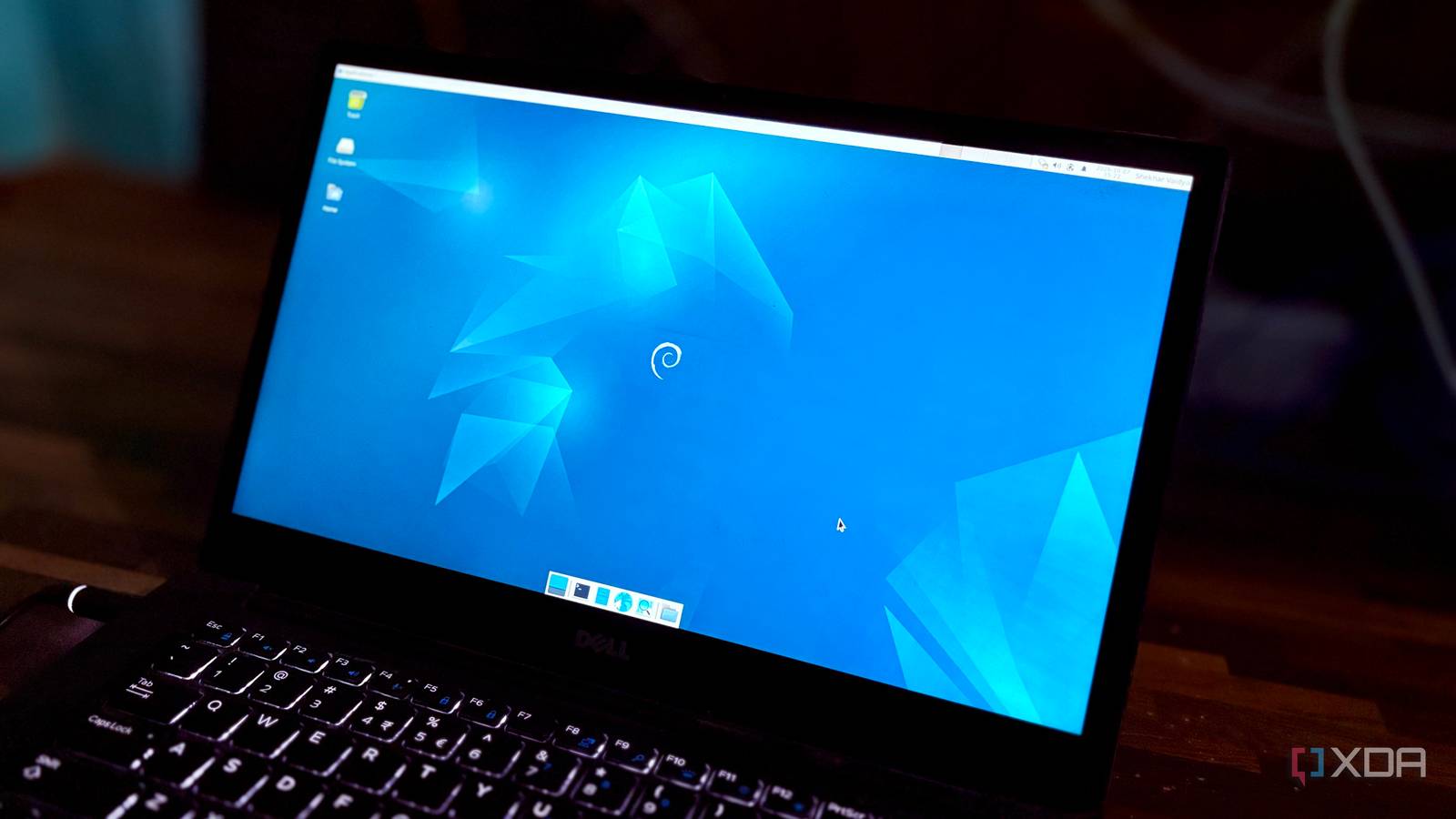
Published Oct 8, 2026, 6:00 AM EDT Shekhar Vaidya is a veteran technology journalist and computer science engineer. He is the founder of TechLatest, where he has spent years providing technical analysis on hardware and Windows ecosystems. Now a Computing Writer at XDA, Shekhar leverages his deep background in NAS, storage solutions, and PC internals to help readers master their tech. Debian’s old software is often discussed as its biggest weakness when compared to other distros. But when I picked Debian for my own home server, I specifically chose it because of those years-old versions. I am running bare-metal Debian on an old business laptop with more than 20 stacks, and Debian is the least concerning element in the homelab, and that sounds the opposite for software this old. What "old" actually means in Debian Stable The version number says one thing. The patch log says another. I am running Debian 12.15 Bookworm on an 8-year-old business laptop, which I repurposed as my home server. As of Oct 7, 2026, the latest 6.1 kernel upstream is 6.1.189, but mine is at 6.1.187-1. And the upstream stable is at 7.2.9 against my 6.1. It is neither an accident nor negligence; this is how Debian Stable works in practice. If you are on Debian, you already know about the Debian freeze model. The concept is simple: when Debian releases, it locks the package version at that time, and for future fixes it usually doesn't bump the version; instead, it backports the fixes into that version. So, the version now labels the base, not the patched number. I first saw it working with OpenSSH and a few more packages. If you own a server, one of the first things you install is OpenSSH. It's a good test case because it is the front door to a server. Even though my server wasn’t headless, I still installed it because most of the time, the laptop is kept in a corner, away from my workstation. Debian Bookworm was released in early 2023, and OpenSSH was at 9.2p1 when it came out. I installed Debian last year in 2025, and the package is still on 9.2p1 for me, even though the upstream is now at 10.6. But this doesn’t mean it's unpatched; the same base was revised with tens of updates on top, in my case from deb12u1 to deb12u10. Those backports fixed various security concerns like the regreSSHion (CVE-2024-6387), Terrapin (CVE-2023-48795), plus three other CVEs. It isn't only OpenSSH; the same behavior can be tracked with other packages on the host too. Like Git (Debian: 2.39.5, upstream: 2.56.0). But the model has a boundary, and it depends on Debian. Some software is either too old or changes too much to backport and is difficult to maintain within the old stable base. I found a few packages on the host myself after running Debian's own tool ‘check-support-status’; it flagged several packages, like webkit2gtk, that aren’t being maintained and backported to Bookworm. While writing this article, I checked my pending updates, and there were hundreds. But it doesn’t mean Debian isn’t doing its part; it was me who was behind the updates. A simple full-upgrade command did the magic. What Stable actually bought my homelab Every layer above Debian has broken on me. Debian hasn't. I run more than 20 stacks on the Debian machine. Most of them are deployed via Portainer; a few are deployed directly on the host, but that is not the point here. I always say self-hosting comes in two parts: deploying the container and maintaining it. Over the last year of homelabbing, most of them have broken at some point, and I fixed them, but those were always above the operating-system layer, not Debian. I am not claiming that Debian is unbreakable, but for me, nearly every time, the troubleshooting was done on the container layer. There were around 228 pending updates when I checked today; the oldest dates back a few months, but did they give me any issues? No. The last few issues I can remember are Watchtower auto-update breakage, Portainer update orphaning a volume, NetBird rewriting the resolv.conf file, and AdGuard Home detaching itself from its bridge. And all those issues were diagnosed and fixed without technically touching Debian itself. For example, Watchtower, while its routine task updated my Immich and Nextcloud containers, was in no way related to Debian. The same is true for other incidents. The point here is that the software running above the operating system keeps moving, and each still survives every change because the foundation underneath it remains unchanged. The NetBird incident may be connected to the host because, when it modified the files, the apt and git operations temporarily broke, but NetBird is a third-party package from its own repository and is responsible for the resolver change, not Debian. All the 20+ stacks sitting on top of Debian came back online even after a 228-package upgrade, a new kernel, and a reboot, and that is the whole point. Where old software starts to hurt The old software was fine. My habits weren't. Honestly, I didn’t pay a major cost for the software being old itself. My machine didn’t break because of some ancient package. One minor cost was on me: I allowed 228 upgrades to pile up. Two reasons: first, I didn’t look for those upgrades. Second, I never installed unattended-upgrades. The system kept running normally and didn’t ask for any attention; that’s why I stopped checking on it. Unsupported packages put the system at risk. If Debian can no longer maintain the software, the responsibility falls on me to remove, replace, or accept the risk. For instance, the same tool also flagged a few packages as end-of-support, like libmfx1 (2024-11-21) and libmbedcrypto7 (2026-06-12). This doesn’t mean that, since Debian ended support for them, the libraries have become inherently vulnerable. The tool only flagged those two ended ones. The rest, like checking the actual changelogs and deciding what to do, are on me. The freeze model is an excellent pro for Debian, but it doesn’t make an indefinite maintenance promise. For me specifically, the server isn’t a minimal headless installation. Since it is a laptop with a working screen, I installed the full XFCE desktop above it. And the packages installed manually, such as task-desktop, task-xfce-desktop, task-laptop, and task-ssh-server, are my choice, not Debian's. The best habit is to move the external packages as fast as possible. And let Debian Stable do what it is best at. The boring part is a choice Even though Debian 13 Trixie is already available, I don’t have any immediate plans to upgrade, because I know bookworm is already on Long Term Support (LTS) until mid-2028. Debian’s software age is acceptable because it lets me decide which part of my homelab I want to keep moving and which part can stay put. The slow-moving changes make my life easier, and I can actually focus on the container layer of the homelab. I want the 20+ stacks to be the interesting part, not the operating system underneath.
The best thing about Debian is how old all of its software is
Full Article
Original Source
Read the full article at Xda-developers →KhanList aggregates and links to publicly available news content. We do not host full articles from third-party sources. Always verify important information with original sources.