
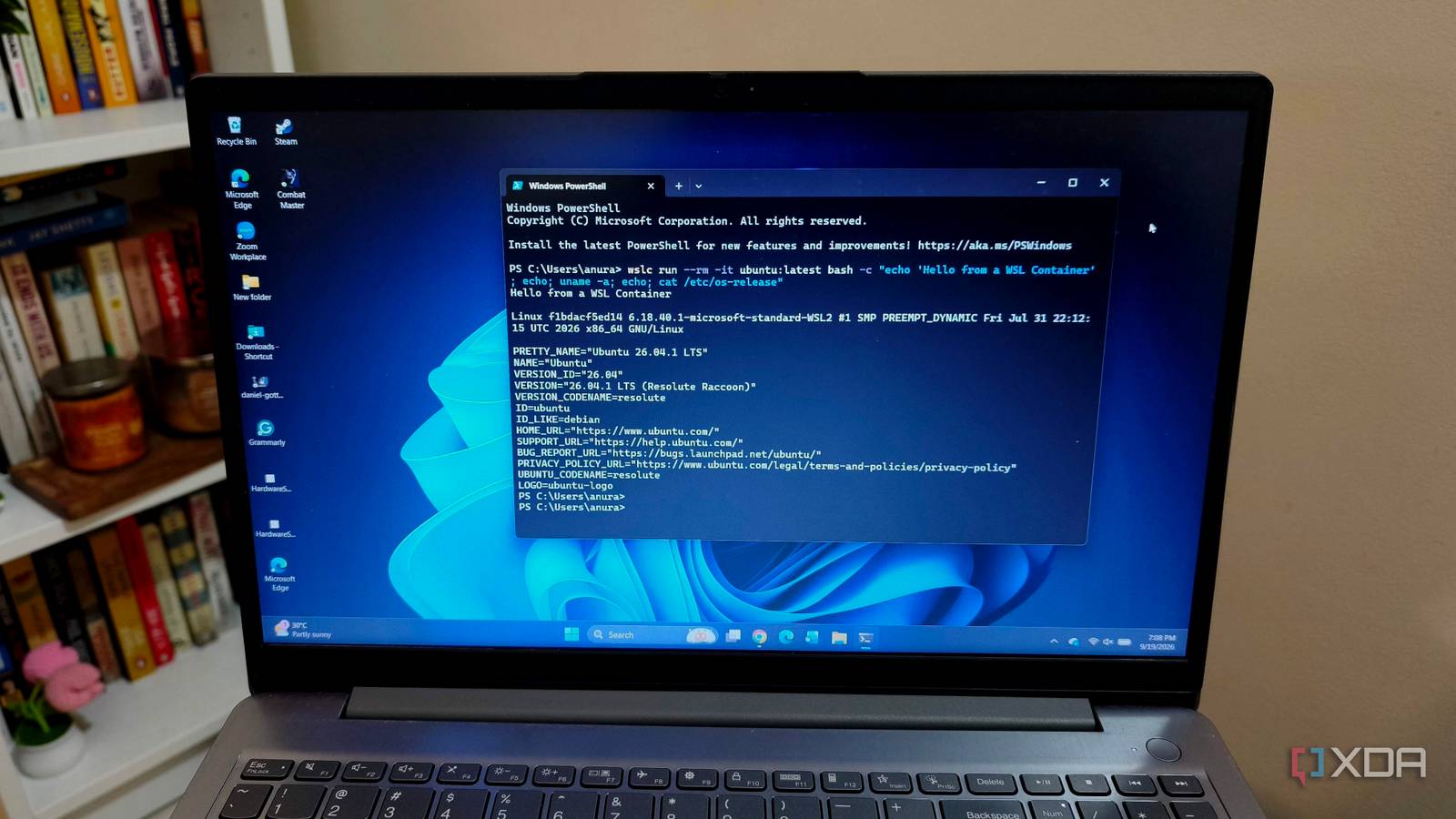
Published Oct 10, 2026, 7:00 PM EDT Anurag is an experienced journalist and author who’s been covering tech for the past 5 years, with a focus on Windows, Android, and Apple. He’s written for sites like Android Police, Neowin, Dexerto, and MakeTechEasier. Anurag’s always pumped about tech and loves getting his hands on the latest gadgets. When he's not procrastinating, you’ll probably find him catching the newest movies in theaters or scrolling through Twitter from his bed. Docker Desktop is an obvious starting point when you want to run Linux containers on Windows. I’ve also tried running Docker Engine directly inside Ubuntu on WSL, including services such as Jellyfin and Vaultwarden. That works, but I still have to install and manage the container software separately, even though Windows already provides the Linux environment underneath it. Microsoft now offers its own container tooling through WSL. WSL containers reached general availability on September 29, and its built-in wslc command lets you build and run Linux containers without installing Docker Desktop or another container engine. You need to install or update WSL to get it, but you no longer need a separate desktop application just to start a container. Windows finally supplies the container runtime And it's not too bad WSL containers gives you a command you can run directly from PowerShell to build images, start containers, and manage them. The command is wslc, and its syntax is deliberately familiar if you already use Docker. You get operations such as run, build, and exec, along with commands for checking logs and listing containers. For example, wslc run -d -p 8080:80 --name web nginx starts an nginx container in the background and makes its web server available at localhost:8080. If you know the equivalent Docker command, there’s very little to decipher here. You can check the container’s logs, run another command inside it, or stop it from the same terminal. That covers a useful amount of what I want from local containers when I’m trying software or working on a small project. It also gives you a concrete way to use the feature without learning a completely different set of commands. There is still a Linux virtual machine underneath this. Microsoft manages container workloads through isolated sessions, with their own storage for images, containers, networks, and volumes. Windows folders can be mounted into containers, and the networking handles published ports through the Windows networking stack. So you retain the Linux environment these applications need without having to set up a general-purpose Linux VM yourself. You can use the images you already know WSL containers works with OCI-compatible Linux images WSL containers works with OCI-compatible Linux images, including the familiar images available from Docker Hub. You don’t need to find a special WSL edition of an application just because you’re changing the runtime. That makes the alternative considerably more useful than a new command that only works with Microsoft’s examples. For example, if you’re developing an application that needs PostgreSQL, you can run the database in a container and keep your application running directly on Windows. You get a separate environment for that dependency without installing the database on your main system. For a project like this, I have a hard time justifying a whole desktop application when WSL already supplies the container tooling. You also have options beyond managing everything from PowerShell. The Dev Containers CLI has added WSLc support, and Microsoft’s Container Tools tooling has a WSL-native container client. There’s even a community application called WSL Container Desktop for graphical management. These integrations are useful if you prefer working through an editor or dashboard, although the community desktop application is a separate download. The bigger obstacle is an existing Docker Compose project. Microsoft still lists native Compose support as forthcoming. This goes beyond replacing a desktop app Microsoft also gives apps an API for working with Linux containers Microsoft also gives Windows applications an API for working with Linux containers. You can use it to pull an image, start a container, pass files into it, and read its output from your application. That expands the feature beyond people entering commands in PowerShell. For example, a developer building a Windows media utility could use a container to run a Linux processing tool and display the results in the app’s usual interface. You would interact with the Windows app, and the container would supply the processing environment underneath it. The API also supports file mounts, networking, and GPU access, giving developers ways to connect that Linux workload to the resources it needs. I want more of this from Windows. If Linux software is already part of the applications and development tools I use, Windows should provide a straightforward way to run it. Microsoft supplying the container tooling gives devs a common starting point without making Docker Desktop another prerequisite for their users. It also gives competing tools something to build around. There are other Docker alternatives you can explore Docker is brilliant software, but if you are looking for alternatives and WSL containers are something you don’t want to explore yet, there are other tools. For example, Podman is a very good option. But if Windows isn't your thing and you want Docker with a better experience on macOS, you can go for OrbStack, which uses Docker Engine under the hood and is optimized for speed and efficiency.
WSL containers are about to make Docker on Windows obsolete
Full Article
Original Source
Read the full article at Xda-developers →KhanList aggregates and links to publicly available news content. We do not host full articles from third-party sources. Always verify important information with original sources.