
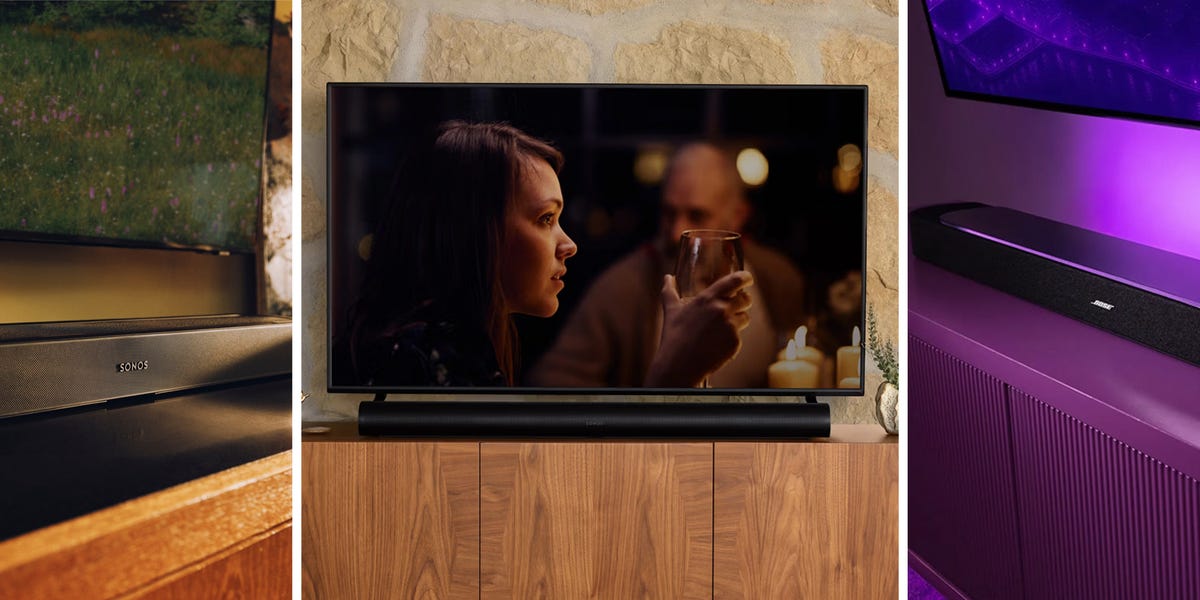
ProsGreat visual design and on-unit controlsSome of the best sound you can get for a single unitA starting place with room to growConsOn the pricier side; can afford other multi-unit system for the same price It may be part of our best home theater set of the year, per Esquire’s 2026 gadget awards, but that doesn’t mean this Bose bar won’t pack a punch on its own. As a standalone sound system, this bar is equipped with best-in-class spatial audio technology so, despite it being one unit, you get a pretty convincing illusion of side and rear speaker sound.It has all the smart home and quality-of-life features you would want from something I’m calling the best. You can use a voice assistant or a phone app for control, but most of the time you’re going to be using your TV remote because, if you connect via HDMI e-arc, it should all just work as one. These are the conveniences you are going to get with any of these soundbars, but between us, the Bose will sound the best.Connections HDMI, Bass Port, Bluetooth, Wi-Fi, Air Play, Spotify Connect, Google CastDimensions2.648" x 43.283" x 4.922" ProsStellar sound in a small packageEasy to pair with Sonos home speakers for surround or multi-room audioClean lookConsNot a huge fan of the on-bar touch controlsAnother gadget award winner from this year, the latest Sonos soundbar is a perfect fit for apartment dwellers. It’s compact, at just under 30 inches long, but the sound it emits is anything but small.If you want to use this soundbar as a home speaker for music, Sonos is the king of that. The Beam Ultra can connect quickly and easily to any device with the Sonos app installed, and once you’ve connected once, switching between Sonos devices is easy as well. Whether you’re doing a multi-room speaker setup or pairing it with the new Sonos Ace Ultra headphones, if you live by yourself, I can’t imagine a better simple sound setup than this. The headphones sound great, have stellar noise control, and with a push of a button you can send sound back and forth between them and the soundbar. Now, that’s what I call living in the future.ConnectionsHDMI, USB-C, Wi-Fi, Bluetooth, AirPlay Dimensions2.56" x 29.53" x 4.13"Advertisement - Continue Reading BelowProsEasy setup and pairing with the wireless subwooferCinematic, immersive sound for movie watching or gamingStands the test of timeConsThe app volume control can be glitchyThis is the soundbar and wireless subwoofer I’ve been using for the past year in my own apartment. Even when city noise is constantly trying to disrupt our viewing, I rarely have to turn it up past 50 percent. Setup is easy—just plug the bar into power and into the TV via HDMI, then plug in the subwoofer and connect it wirelessly with the Bravia Connect app.Once you’ve adjusted the subwoofer volume to your liking, it’s time to put the phone down, sit down on the couch, enjoy the audio, and forget it’s even there. Remember, never thinking about the sound is the best audio experience you can ask for. That’s exactly what I get from this two-part sound system every time I turn on the TV.ConnectionsHDMI, Optical, USB (update only), Bluetooth, Wi-FI Soundbar Dimensions 2.56" x 37.44" x 4.56" ProsA more compact soundbarGreat value with the subwooferConsRemote responsiveness is spottyFor 250 bucks, an apartment-friendly soundbar and subwoofer combo is one hell of a deal. The soundbar itself is compact, and while the sub is standard sized, it still nets out as the best choice for an apartment. If you aren’t committed to staying in one place long and building a set around a soundbar over time, this is an affordable, one-and-done solution to your TV’s shitty sound.In terms of pure quality, only dedicated audiophiles will notice the difference between this and, say, the Sony above. The only real complaint is the dedicated remote control it ships with, which is both occasionally unresponsive and makes dialing in precise volume difficult. As long as you have it set up with HDMI, this won’t be an issue and you can just use your TV remote for basic volume control.ConnectionsHDMI, Optical, Aux, Bluetooth Soundbar Dimensions3.22" x 35.43" x 2.15" Advertisement - Continue Reading BelowProsEarth-rattling subwooferDetachable surround speakersFrequently on saleConsTakes up serious spaceIf you need bass in your life, look to JBL. The Bar 1300x specifically has a subwoofer that will shake the floor and make your downstairs neighbors mighty pissed.If you don’t have neighbors, the sub is great, but it’s not what makes this soundbar special. Not only is it delivering the top of the line in terms of sound, it’s also a transformer. The furthest edges of the bar are actually two detachable rear speakers that you can place anywhere in your home for a real surround sound experience (not just a solid imitation). Or just throw one in your day bag on the way to the beach for a small speaker on the go. You can also keep them attached to the soundbar and not worry about the clutter.ConnectionsBluetooth, WiFi, HDMI, USB-A, OpticalSoundbar Dimensions5.5" x 39.4" x 2.4"ProsBoosts dialogue clarityAffordableConsNo smart featuresNo HDMI or eARC supportNot much bass We’ve all had the experience of visiting older family and watching TV. The sound gets cranked to the max, and Granny still can’t hear a thing. For your aging parents, or anyone hard of hearing, this ZVOX soundbar will be a life-changer.The Dialogue Clarifying Sound Bar is a self-explanatory device. It makes dialogue louder and clearer. The ZVOX bar boasts 12 different dialogue-boosting options for all types of hearing-loss-related issues. It also does its best to adjust volume automatically if you want. Should you turn on that feature, just know that this $200 soundbar’s tech doesn’t match that of even the Polk Signal.ConnectionsOpticalDimensions3.38" x 17" x 2.88"Advertisement - Continue Reading BelowHow to Choose the Right SoundbarFinding the perfect soundbar for your TV shouldn’t be that hard, but if you’ve never done it, the process can be overwhelming. Here are a couple key questions to ask yourself before finding the right soundbar for your home.Size and Space: How much room do you have for a soundbar? This is the first question to ask. Do you have the space in your home for a subwoofer and external speakers, or do you need to stick to just a bar speaker? The answer will immediately narrow down your options.Subwoofer: Subwoofers are where the bass comes from. Want to throw raging EDM parties or blow out your speakers watching Fury Road? Then a subwoofer is important to get that house-shaking rumble. Subwoofer speakers range from six to 16 inches. For most midsize rooms, eight inches is optimal.Surround Speakers: Some soundbars come with two extra small speakers. You usually place these behind your couch or sitting area to the left and right in order to get get a surround-sound experience.Dolby Atmos and DTS:X: These are basically just branded buzzwords for a new immersive 3D audio technology. Surround sound without the need for extra speakers. Soundbars and subwoofers designed with Dolby Atmos or DTS:X in mind are going to give you the optimal immersive audio experience.Smart Features: Most modern soundbars are compatible with Alexa and other smart home devices. Some soundbars have smart features like voice assistants and Chromecast streaming integrated into the device itself. Depending on how decked out your smart home is, it might be worth checking out the smart feature set of the soundbars you are considering buying.Frequently Asked Questions (with Answers!)Why do I need a soundbar?Most TV speakers aren’t bad, but once you hear the difference of what a soundbar can do you’ll realize that, yes, you do need a soundbar. If you’ve invested hundreds or thousands in a TV, it’s the extra step to take to make sure your games, shows, and music sound like they’re meant to.Can soundbars do surround sound?Traditional surround sound uses a subwoofer and surround speakers placed around the room to create an immersive audio experience. Some Dolby Atmos and 3D audio soundbars use new technology to replicate the surround-sound experience, but the two differ slightly.How easy is it to set up a soundbar?Typically, a soundbar can be connected via HDMI or optical cable. You have to also plug it into a power source, but those two connections are usually all you have to worry about. Some can connect wirelessly, but it’s not recommended unless you want your potential for audio lag to shoot up exponentially.Are subwoofers worth it?It depends on what you want. As noted, some soundbars have subwoofer speakers in them, and for many casual viewers that will be enough to get the depth and fullness of sound they want. An external subwoofer is definitely a luxury and not a necessity, but cinephiles and hip-hop heads alike worldwide can’t live without theirs.
The 6 Best Soundbars of 2026
Full Article
Original Source
Read the full article at Esquire →KhanList aggregates and links to publicly available news content. We do not host full articles from third-party sources. Always verify important information with original sources.