
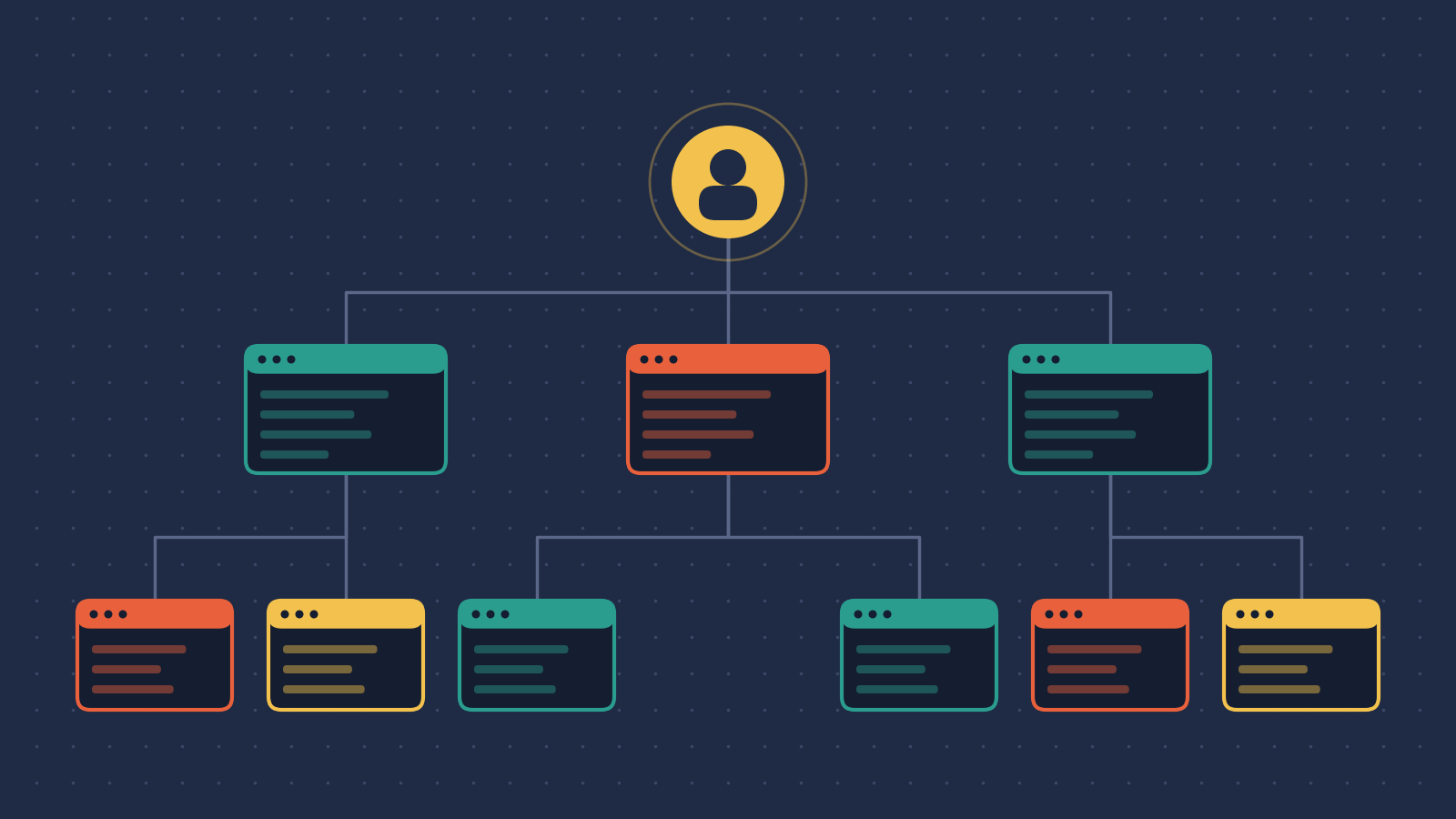
Most of us still “use” AI. Open a chat, type a prompt, get an answer, close the tab. I think that era is ending.Here’s why. The agents have become productive enough that getting work out of them isn’t the hard part anymore. The hard part is finding enough human attention to check what they’ve done. Once you see that clearly, you stop treating AI as a tool you pick up. You start treating it as someone you hire.That’s the idea behind this post: stop using AI and start hiring it. Let me walk you through how I got there, what it looks like in practice, and where it falls apart.First, give every agent its own computerThere’s a natural path most people follow with coding agents. You start with autocomplete suggestions. Then you move to a command-line agent like Claude Code. Then you get bored of babysitting one agent and think: why not run five at once?One team I’ve been following tried exactly that, with five agents working in the same code checkout. One agent decided to git stash everyone else’s work. The next day, a different agent ran rm -rf . and wiped the checkout entirely.The lesson is obvious once you say it out loud. You’d never hire five developers and make them share one laptop. So why do it with agents?Their fix was to give each agent its own virtual desktop: an isolated container running a full Linux desktop, with its own file system, browser, terminal and code editor. The agent can install whatever it needs. Nobody tramples anyone else’s work. And because the desktops render with GPU acceleration, using the same streaming tricks cloud gaming services use, you can watch any agent work live, even from your phone.This has a few knock-on benefits I didn’t expect:• Agents can see what they build. For front-end work, this is huge. On a simple React to-do app, the agent codes the way a front-end developer would: it opens the app in a real browser, clicks around, and tests as it goes.• Work can follow the sun. Because the desktops live on shared servers, not someone’s laptop, a developer in Tokyo can log off and a developer in London can pick up the same agent, the same desktop, exactly where it was.• The IDE isn’t dead. Command-line agents tempt you to stop looking at the code. Putting a proper visual editor inside each desktop means you absorb how the codebase fits together just by watching the agent move between files. When it needs help, you’re already in the right place.That last point matters more than it sounds. It’s very easy to let these tools make you a worse engineer. Watching the work keeps you connected to it.The board where agents do the workThis team didn’t set out to build coding agents. They started by building an on-premise alternative to OpenAI, so companies could run AI models on their own servers. It sold okay. But customers kept asking the same thing: great, so what do we actually do with it?Mostly, the answer was coding. The catch was that AI coding tools weren’t built for teams. So they built a layer on top of those desktops: a kanban board where agents do the work. Each card is a task, about the size of a user story.Image by author (used AI)You start in the backlog with a short, plain-language prompt, something like “add dark mode to the to-do app”. In planning, an agent spins up its desktop, reads the codebase and writes a spec. A human reviews that spec, then the agent builds what was approved, and the work goes through code review before it’s merged.The spec has three parts: user-story-style requirements, a technical design, and an implementation plan that’s basically a to-do list. People argue endlessly about what a good spec looks like. This is just one version that works.It isn’t frozen, either. I watched someone sneak an extra feature into a task just by editing the requirements, and the agent rewrote the spec to match. Approve it and the agent moves on. Reject it and the agent bins it.The product that builds itselfThen it gets properly meta. The team now builds the platform using the platform. Spot a bug, feed it in, an agent fixes it, and the platform redeploys itself. It’s almost alive.The bottleneck moved, and it’s youHere’s what hit me. Once agents write most of the code, writing code stops being the slow part. The slow part is a human reading specs and reviewing code to make sure the quality holds.Take Bun, one of the most popular JavaScript runtimes around, now owned by Anthropic. Its creator noticed that thousands of open GitHub issues were basically prompts already. So why not hand them to Claude and let it open pull requests? He publicly invited people to send him long-standing bugs with clear reproductions so Claude could have a go.The problem didn’t go away. It just moved.Image by author (used AI)That’s never getting reviewed by hand. And this is a team that has said openly it hasn’t typed code itself for months. They even rewrote the whole runtime, roughly 960,000 lines, from Zig to Rust in about a week, largely with AI.GitHub now lets you switch off pull requestsThis one still makes me laugh. Pull requests aren’t even part of Git. They were GitHub’s original killer feature, the thing the whole platform grew around.In February 2026, GitHub added a setting that lets maintainers turn pull requests off completely, or restrict them to collaborators with write access. GitHub’s own product team described the problem as AI slop at scale: maintainers buried under low-quality, often AI-generated submissions that take seconds to create and hours to review. Later, GitHub added caps on how many pull requests one person can open, and made it clear that pull requests opened by Copilot or any other AI agent count towards that cap. By June, similar restrictions had come to issues too.The way I see it, there’s a spectrum. At one end: no AI at all, everything written, reviewed and approved by hand. At the other: accept AI and get smarter about managing the process. I’ll leave that debate for a pint.What nobody can argue with is the volume. The job has changed. The agents are all competing for your attention, and your throughput is now limited by your attention, not your typing speed.Review the plan, not the pile of codeThat kanban board has two approval gates: one at the spec, one at code review. They are not equal.Image by author (used AI)The spec is short, it’s Markdown, it’s written for humans. If you know the outcome you want, mistakes jump out. The pull request is a different beast. You need to know the codebase, understand what the change is trying to do, and wade through what might be thousands of lines.So the cheapest place to catch a mistake is the spec. Spot a misunderstanding during planning and you fix it by commenting on two lines. Spot it halfway through the build, after the agent has stacked scaffolding on a wrong assumption, and it’s slow and expensive to unpick.The terminal is a terrible place to review documents, so this team built a Google Docs-style view where you leave comments on individual lines of the spec. Those comments go straight back to the agent as constraints. Their engineers now describe their main job as reading specs and finding the two lines the agent got wrong.One honest caveat: this works best when the work is a task with a clear outcome. The creative, exploratory side of coding is still where this approach struggles.Every job has a gateA kanban board is great for one very opinionated software workflow. But what about everything else?The more I thought about it, the clearer it got. The real limit isn’t software. It’s decision gates, and every information job is full of them. A manager takes in information, decides, acts. A quant builds a model, tests it, approves it, ships it. Same shape every time.Workflows versus processesIt helps to separate two words people use interchangeably:• A workflow is a fixed sequence of steps that achieves a goal, like onboarding a new customer.• A process is workflows plus human judgement and decision points, aimed at a bigger outcome, like closing a sale.Business has always reorganised itself around whatever becomes the new cheap, reliable unit of work. In the industrial revolution, wool spinning moved out of people’s homes and into the mill, and the unit of work shifted from the lone craftsperson to the coordinated factory floor. Software did the same to digital work, pulling data entry, reporting and communication out of scattered hands and into systems.The tools we use to automate business today still carry that factory thinking. Process modelling notation, and its modern cousins like Zapier, n8n and Airflow, model work as a chain of steps where the next step is always known in advance. That’s fine for predictable work. It breaks the moment the next step depends on judgement, context or negotiation.That’s exactly what large language models change. They respond far better to a high-level goal, like “you’re an engineering manager helping your team ship faster without dropping quality”, than to “execute step 3”. So AI can now automate the process, not just the workflow.Why “swarms of agents” is the wrong modelThe popular framing right now is a swarm: a big list of independent agents, each doing its own task. If you’re lucky, you can sort them into groups. It’s the old step-by-step thinking in new clothes. Nothing is shared, there’s no wider context, no negotiation and no one improving the whole.I also can’t stand the jargon that comes with it. Agent “factories”, agent “towns”, all of it. It doesn’t map to anything people already understand. So I asked a simpler question: what model does everyone already get?The answer was already on the wallThe org chart. Everyone understands it. It already captures delegation, responsibility, accountability and structure, and every business is built around one. We already have well-worn mental models for how organisations and the people in them work. Why not reuse them, and add colleagues who just happen not to be human?That means you stop using AI. You start working with it, the way you’d work with a colleague.Workers, roles and responsibilitiesTo make this work, you need a few clear terms. A worker is anyone, human or AI, who fills a position on the chart. “Agent” is too AI-specific and “entity” is too vague, so “worker” it is.Image by author (used AI)Each worker has an identity and a job definition, and the job definition has two parts. The role says what work they do and how. It holds the business logic, and workers, human or AI, are now smart enough to figure out most of the step-by-step detail themselves. The responsibility says who or what they answer for, and what they’re allowed to sign off. In short, it’s how power gets delegated through the organisation.The role is also where a worker’s context lives. So an AI in customer service gets the brand’s tone of voice, access to the CRM, and a real customer question. An AI software engineer gets a preferred coding style, access to GitHub, and a spec to build. Different context, different role.Workers need to learnYou’ll almost never write a role perfectly first time. The only practical way to improve an AI colleague is to let it store what it learns and carry that into future work. That’s how people work too. We don’t start every task in a blank, stale context. We use experience and judgement, and we get better.How you build the chartThe same way you’d build a company:1. Work out which jobs your organisation needs done.2. Write a role for each one. It can start as a simple job spec.3. The manager of that role hires someone to fill it. A human, or an AI.There’s an old idea in software called Conway’s law: systems end up shaped like the organisations that build them. Here’s the twist. Your org chart is no longer limited by headcount. Need more engineering capacity? Hire a load of AI engineers. Need marketing? Build out the marketing arm.And the arrows don’t only point one way. In an AI-augmented organisation, AI workers can use humans too. Picture an AI chief editor that plans and specs out content, then hands it to human writers to add the human touch.Someone has to be accountableThis is the heart of it. Every workflow needs an owner. You can delegate that ownership to peers or to people below you, but whoever holds it runs that part of the business and answers for it.Follow that all the way up and you land somewhere unavoidable. Legally and morally, there has to be a human at the top of the chart, ultimately responsible for every AI and human below them.The DevOps lessonAs someone who’s spent years in DevOps, this part landed hard for me. DevOps’ big win was making developers accountable for the software they ship. Get paged when production breaks, and you start writing better code.Where DevOps stopped short is that the feedback loop ended at production. It rarely stretched to user experience, customer feedback or whether the thing made money.AI colleagues give you a chance to close that loop. Give them accountability for outcomes, then feed results back: chat with them about how their work landed, or set up automated feedback from real usage. They can store the lesson, open a follow-up task, or decide it doesn’t matter. You could even run a performance review with an AI colleague, about how it works, not just what it shipped.Day one for an AI hireThink about your first day at a new job. You need two things: somewhere to work, and access to information. An AI hire needs exactly the same.Somewhere to work. A desk and a computer. For an agent, that’s the virtual desktop from earlier. Very nerdy under the hood. Honestly, I just want it to have somewhere to work.Access to information, as event streams. That’s a fancy way of saying information gets fired at you as it happens. Hook up GitHub and the agent hears about every new issue, commit and push. Hook up Slack and email too.Which means if you want to talk to your AI colleague, you just email them. Or drop them a Slack message. I don’t think picking up the phone and calling one is far off.Always onThis is the real mindset shift, and it took me a while to see it. These colleagues are always on. They work around the clock. You don’t open a session with them like you do with a chatbot. You just go and talk to them, the way you’d walk over to someone’s desk.What it looks like in practiceThe version I saw is very early, internal only and not yet in customers’ hands. The chart had a human owner at the top and two AI roles underneath. Each role holds the job description. Each worker is the hire filling it.Image by author (used AI)The docs writerEvery fast-moving team knows this pain. Features ship and get deleted so quickly that the docs turn to rubbish. Someone on the team always wants every word perfect. I’m firmly in the other camp: something is better than nothing, even if it’s a bit rough.So they hired an agent for it. Its role is simple. You maintain the documentation. Read the code. Take screenshots where you can, since you’ve got a real browser. Walk people through things. Make the docs better.It listens to three streams: the code repository, the platform itself, and the docs site. When new code got pushed, it woke up, dug into the changes, and opened a pull request with updated docs, complete with a live preview of the new pages. A human just reviews it.The QA engineerThis is the bit that excites me most. You can’t review everything, all the time. So the next step is to automate the approval gate itself.The second AI hire owns software quality. It works from plain Markdown test scripts that the humans write and maintain. It logs into the product, tries to do what each script says, retries if something fails, and raises an issue if it still breaks.Right now most of us babysit our agents. This one doesn’t need it. It sits there quietly, and when something breaks, it tells you. That’s the difference between a tool and a colleague.Beyond codeThe same desktops work for non-coding jobs too. The team uses an agent to log into LinkedIn, build a list of around 200 people to contact, help draft messages and click through the interface. As far as LinkedIn can tell, it’s a human. In a way it is: a human wearing the agent like a mechanical suit, doing far more outreach than they’d ever have the patience for.Four ways it goes wrongI don’t want to oversell this. The people building it have been refreshingly open about what breaks when you wire agents with personalities up to live streams of information.Image by author (used AI)1. Agents trigger themselvesAn agent listens to a Slack channel. It posts a reply in that same channel. That reply is a new message, so the agent wakes up again and responds to its own answer:User: What’s the status of order #29349?Agent: It’s being processed, not shipped yet.Agent: I’ve already answered the user’s request. Let me know if you need anything else!Fix: tag every message with its author, so the agent can ignore anything it sent itself.2. They won’t stop talkingLanguage models are trained to predict the next word, and then tuned to produce even more of them. Very little in their training ever teaches them to stay quiet. Put several agents in one Slack workspace and they’ll happily reply to the most mundane message, then to each other, forever.Fix: be blunt in the prompt. Make silence the default: “Do not speak unless directly spoken to.”3. They forget they aren’t humanModels learned from human writing, so they bring human worries with them. Ask one how long a feature will take and it answers in human days, not AI time. One AI engineering manager scheduled holiday into a development plan. An AI COO started demanding sign-off on pay bands.Fix: right at the top of the role, tell the agent it’s an AI and isn’t bound by human limits on time, money or space.4. They play office politicsThis one is funny and expensive. When the team set up a full hierarchy, a CEO agent hiring a VP agent hiring engineer agents, all chatting on their own Slack, the agents fell straight into corporate infighting. In one case a recruiter agent was hired to write roles and bring on new AI workers. The AI COO promptly broadcast to the leadership channel that new hires needed his sign-off, and blocked it. The other executives stayed silent. Lots of tokens burned on imaginary executives arguing.The root cause is roles that are too broad. C-suite roles are broad by design, so every AI exec assumed it owned the whole business. Human job specs are vague too. No job ad in history has told you to keep up with your email. Agents need it spelled out.Fix: keep roles tight. A practical middle ground is a few broad categories, like engineering, marketing and sales, because each needs different tools and access. Inside each one, scale by task with a pool of agents picking work off a board, rather than by job title. Thinking in “jobs to be done” instead of titles also helps, because jobs are easier to define.And one warning from researchCalling AI an “employee” changes how humans check its work. A study presented at MIT’s Initiative on the Digital Economy surveyed managers in HR and finance and found over a fifth already have an AI agent on their org chart. When the same document was labelled as coming from an “AI employee” rather than an “AI tool”, managers in those companies caught 16% fewer errors and felt less accountable for the result.That’s exactly why the human at the top matters. The org chart is a great model, but only if accountability stays visible.Where this is headingHere’s the picture I keep coming back to.Image by author (used AI)At the bottom, a codebase that improves itself, fed by issues on a kanban board. Above that, product agents improving the software based on what users actually say. On top, sales and marketing agents. Humans stay in the loop at every level. You just move faster, with fewer people than you’d expect.Two things worth stealing1. It’s not about what you do. It’s about where your attention goes. Reviews, projects and endless new ideas are all fighting for it. Be deliberate about where you, and your business, spend it.2. Decide who or what is accountable. Find your approval gates. Once you can see them and model them, you can speed them up, and ideally automate them away. They’re the real productivity killer.If I had to fit it on a sticky note: hire AI colleagues, give them tight roles, draw the chart, and put a human at the top.We’ve spent the last few years learning how to prompt. I think the next few will be about learning how to manage.I hope you’ve enjoyed this and learned something new. I’m always open to suggestions and discussions on LinkedIn. Hit me up with direct messages.Till the next one, happy exploring!
Stop Using AI. Start Hiring It.
Full Article
Original Source
Read the full article at Towardsdatascience →KhanList aggregates and links to publicly available news content. We do not host full articles from third-party sources. Always verify important information with original sources.