
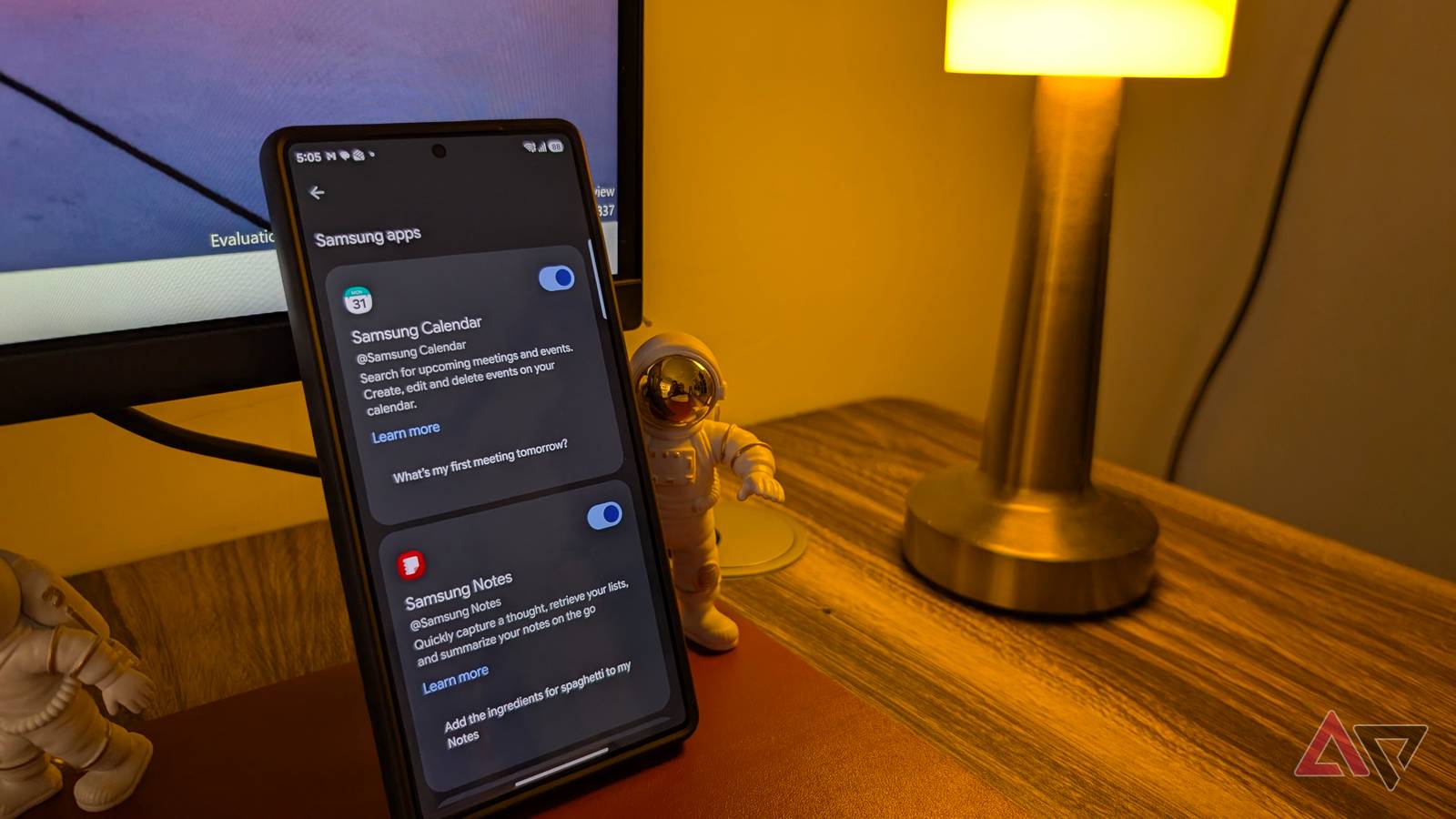
Published Sep 29, 2026, 8:15 AM EDT Parth is a technology analyst and writer specializing in the comprehensive review and feature exploration of the Android ecosystem. His work focus on productivity apps and flagship devices, particularly Google Pixel and Samsung mobile hardware and software. He provides expert guidance on productivity software, system optimization, and the advanced functionalities that allow users to maximize their device's potential. His analyses are crucial resources for readers seeking to master complex operating system features and streamline their digital workflows. When he is not busy with technical analysis and software evaluation, Parth dedicates his time to watching K-dramas, studying mobile technology trends and the role of artificial intelligence. Samsung's One UI software always felt like it had one foot in Microsoft's ecosystem. Lately, though, I have noticed Samsung leaning more heavily toward Google, and I am all for it. Google’s apps and services already sit at the heart of Android, so the tighter integration feels more natural on a Samsung Galaxy phone. Microsoft used to be everywhere on Galaxy phones It was confusing for many There was a time when Microsoft's influence on Galaxy phones was hard to miss. Every time I set up a new Samsung device, I found Microsoft apps and services appearing in the One UI app drawer. Office apps often came preinstalled, Samsung Notes could sync with OneNote, Samsung Reminders worked with Microsoft To Do, and Samsung Gallery leaned on OneDrive for cloud backup. None of these integrations was necessarily bad on its own. They made a lot of sense if I spent most of my day on a Windows PC. The problem was that it sometimes made my Galaxy phone feel like it was dealing with three ecosystems at once. I had Samsung apps, Google Android services, and Microsoft integrations layered on top of both. I could save a note in Samsung Notes, sync it to OneNote, back up photos through OneDrive, and still rely on Google for Gmail, Maps, Photos, and the Play Store. It worked, but it never felt particularly clean. Google Photos is taking OneDrive's place A welcome move Credit: Lucas Gouveia / Android Police The biggest sign of Samsung's changing priorities for me is what's happening with Gallery. OneDrive has been the obvious cloud partner inside Samsung Gallery. I could connect my Microsoft account, sync photos and videos, and access them through OneDrive on my PC. It worked, but it always felt slightly strange that an Android phone was leaning on Microsoft for something as fundamental as photo backup. That is why I am more interested in Samsung moving closer to Google Photos. I already use Google Photos across my phones, and it fits naturally into the Android ecosystem. I don't need to maintain a separate Microsoft cloud workflow because I use Samsung Gallery. My photos can stay inside Samsung's excellent Gallery interface while Google handles the broader cloud experience in the background. For me, that is exactly how this partnership should work. Samsung doesn't need to replace Gallery with Google Photos. It needs to make the two work together properly. I still get Samsung's editing tools, organization, and local-first experience, while Google Photos handles backup, search, and access across devices. Gemini is becoming part of Samsung's apps A major productivity booster I like how Gemini is becoming part of Samsung's apps instead of sitting on the phone as a separate AI assistant. I can use Gemini with Samsung Gallery, Calendar, Reminders, and Samsung Notes, which makes those apps more capable in my day-to-day workflow. That integration matters more to me. I can ask Gemini to find information in my Gallery, work with events in Calendar, create or manage reminders, and pull useful information into Samsung Notes. Suddenly, apps I used every day have an AI layer connecting them. This is also where I think Samsung made the right choice by leaning into Gemini rather than Copilot. On Android, Gemini feels more deeply integrated with the operating system and the apps around it. For me, that is a better direction than replacing Samsung apps or trying to bolt Copilot onto a Galaxy phone where it would feel disconnected from the rest of Android. This approach makes more sense on an Android phone There are fewer duplicate ecosystems to manage I still want Samsung to keep building its own excellent apps, and this approach lets it do exactly that. Samsung Notes can remain Samsung Notes, Gallery can keep its excellent editing and organization tools, and Reminders can retain the features I like. Gemini makes all of them smarter. It also means I have fewer ecosystems to manage. In the past, I could have had Samsung Gallery, Google Photos, and OneDrive all using the same photo library. Samsung Reminders could sit alongside Google Tasks and Microsoft To Do. Samsung Notes could sync with OneNote while I was also using Google services elsewhere. None of that was unusable, but it added unnecessary layers. I prefer the newer direction because it simplifies things without forcing me to give up Samsung's apps. A smarter direction for Galaxy software This shift makes me more optimistic about where One UI is heading. Samsung spent years building some of the best first-party apps and features on Android, but its close ties with Microsoft often made the ecosystem feel a little awkward. Its growing partnership with Google feels more natural. I still want Samsung to keep developing its own apps and ideas, but I am happy to see Google becoming a stronger partner behind them.
Samsung is finally moving away from Microsoft to Google; I love it
Full Article
Original Source
Read the full article at Androidpolice →KhanList aggregates and links to publicly available news content. We do not host full articles from third-party sources. Always verify important information with original sources.