
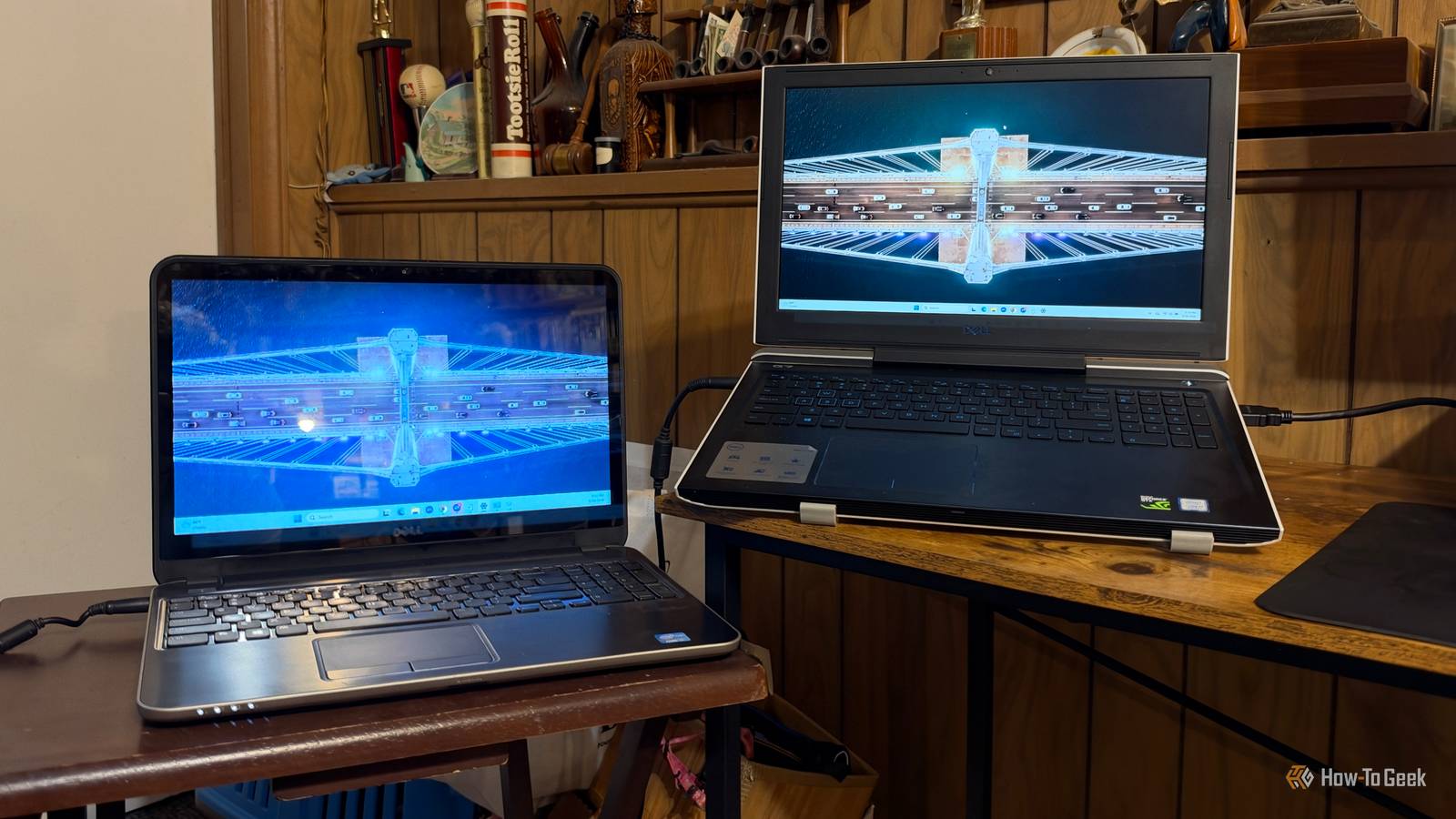
Published Sep 29, 2026, 3:30 PM EDT Nathaniel Pangaro is a tech enthusiast who dives deep into Apple’s world, from Macs and iPads to iPhones, Apple Watches, and every gadget in between. He loves turning tricky tech features into guides and reviews that are actually fun to read—and easy to use. At AppleInsider, he broke down the latest Apple releases with hands-on testing, clear explanations, and visuals that make readers feel like they’re right there with him. He also keeps SEO in mind so people can actually find his work online. He’s also written for The Student Loan Help Group, turning tech and finance topics into simple, helpful, and engaging content. Nathaniel also takes photos and creates rendered visuals to showcase devices and highlight features. When he’s not writing, Pangaro enjoys listening to music, working out, baking, and spending time with his pets. These hobbies help him recharge and bring a fresh, creative perspective to his work, keeping his writing energetic and relatable. Pangaro's goal is simple: help readers get the most from their Apple devices and actually enjoy doing it. If you’re like me, you have an old laptop lying around somewhere collecting dust. It’s not that it doesn’t work anymore; it’s just that you got a different laptop that better fits your current needs, or you just wanted an update. That was my situation — I upgraded from a laptop meant for assignments and work to one that could handle intense gaming too. Yet my older one still worked, so I turned it into a second monitor instead of recycling it or letting it collect more dust. Taking my old laptop out of retirement Using the old for new tasks As previously mentioned, my old laptop still worked. It could surf the web, open files, and check my emails — the basic needs. However, it was getting old. Even though it still worked, it was from 2013 — over 13 years old — and was starting to show its age. This meant it needed time to boot up to reach a pace I could use, and it had to stay plugged in to stay on. If I dared to unplug it, the screen went dark and the machine shut off. Due to all of this, which I noticed years ago, I upgraded to a gaming laptop to meet both my work and gaming needs. Yet, I still kept the old laptop sitting around because of old files that may not have transferred over and — like I mentioned — it still worked. Credit: Bertel King / How-To Geek I actually took it out of retirement and used it solely as my school laptop in 2020, when I switched to online learning because of the COVID-19 pandemic. It surprisingly did really well with Zoom calls and online tests for a nearly 8-year-old computer. But once I finished school, I put it back into retirement since I didn’t need a second laptop anymore. That was until recently. I love using my laptop to work virtually anywhere because of its portability, but nothing beats setting it on a desk and connecting it to an external display. I already had one, but I knew I would be more efficient with a second one. With technology prices rising in recent years, I knew getting another wouldn’t be cheap. That’s when I turned to my old laptop and booted it up for the first time in years. Spacedesk changed my old laptop The software converted my laptop into a monitor The situation with HDMI ports on laptops is that they are video-output ports, not the other way around. This means that no video can come in and be displayed on the screens through the ports. This also meant I couldn’t simply plug an HDMI cable into both laptops and have my current laptop be the main driver while my old one served as the monitor. It wasn’t possible. So I installed software called Spacedesk on both laptops to turn my old one into the monitor I need. Windows does have a similar feature called Wireless Display, but it has some issues. This includes heavy lag because it's used solely wirelessly, with no wired option. Also, because it relies on a real-time, heavy compression algorithm, if your home Wi-Fi is busy, the second display will drop in quality, with pixelation and network stuttering. Due to all of that, I went with Spacedesk, which is free to download. The most essential part of the download process, however, is making sure you download the right version to the right computer. For instance, Spacedesk has two versions with very different purposes. The server version acts as the main device — so it’s the one I put on my main laptop — and the client version displays the content from the main laptop. Overall, the download took less than 10 minutes on both devices, and getting them up and running was pretty quick, too, without any difficult hoops to jump through. I’ll be honest: I downloaded the server version to my old laptop at first, but downloading the client version once I noticed the mistake fixed any issues I had. One thing I was glad to see was the version compatibility Spacedesk offered. I worried that since my old laptop ran Windows 10 — and didn’t meet the requirements for Windows 11 — while my main laptop ran the latest Windows OS, they wouldn’t work together. However, I was happily proven wrong, and both worked well regardless of the operating system. As long as the program is running, it all works together. Once both programs were up and running on both computers, my old laptop automatically recognized my main laptop because they were on the same network. After I selected it, my main laptop flashed and connected to my old laptop. A great free addition Being more productive without spending a cent Using my old laptop as a second monitor has kept my productivity high by letting me spread out more content, rather than being limited to just two screens. As mentioned, it works wirelessly over Wi-Fi, but if my Wi-Fi gets too busy or goes down, I can use an Ethernet cable to connect the two. Furthermore, since I already had a second monitor, I was able to make my two-screen setup into a three-screen setup. I also appreciate that I can change the order of my displays in the main display settings and don’t have to learn any third-party settings. I overall love having Microsoft Word open on my main device to write, the publishing site on my external monitor, and a folder with all the photos I took for the article on my old laptop. Then, when I need a photo, I can drag it across the displays without opening or closing any windows. Spacedesk has helped me make my work area more productive with another screen, and all without paying a penny. As a result, I don’t see my old laptop going back into retirement anytime soon.
This free app turned my old laptop into a super-capable second monitor
Full Article
Original Source
Read the full article at Howtogeek →KhanList aggregates and links to publicly available news content. We do not host full articles from third-party sources. Always verify important information with original sources.