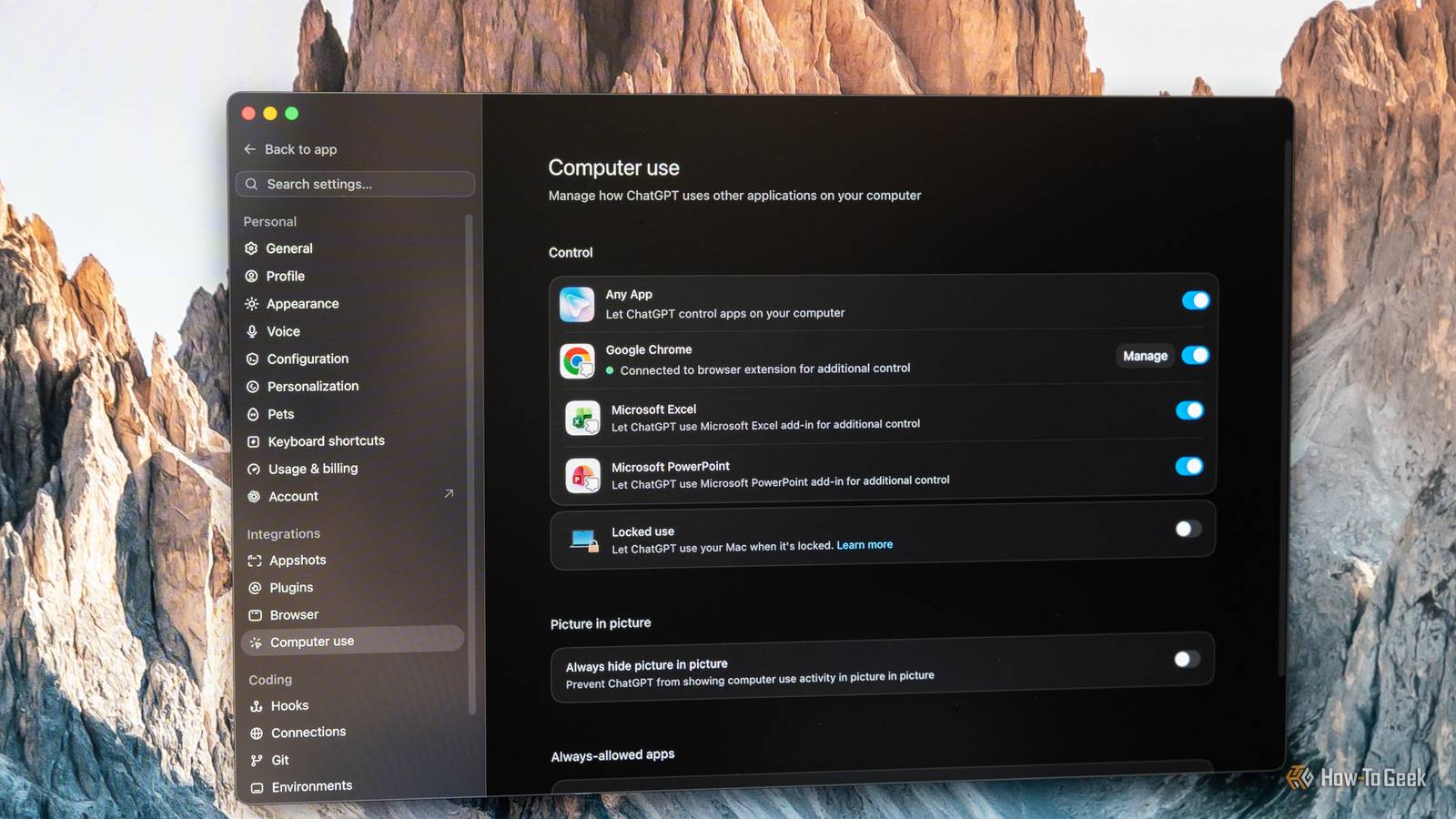
Published Jul 25, 2026, 9:30 AM EDT Patrick Campanale has been in the tech space for well over a decade, specializing in PC/gaming news and reviews, as well as maker-focused products to build small businesses. With a start in technology back in 2010 surrounding the Palm/webOS ecosystem, Patrick spent his formative years developing mobile applications as well as blogging for various publications, eventually leading to starting his own website in 2014. After running a technology blog for a few years, he stepped out of that role and into the world of high-end custom PC manufacturing and building, with a focus on YouTube video production and overclocking. Then, six years ago, Patrick joined the 9to5Toys team as an editor/writer/reviewer with over 14,000 articles being published there there, ranging from deals and roundups to in-depth reviews on the latest technology, video games, 3D printers, and more. In his free time, Patrick loves to create projects from wood using various robots and methods, including leveraging the technologies of CNCs and lasers. If Patrick isn't working on a computer or playing video games, he's likely in his 2-car garage workshop creating something unique. In addition to all this, Patrick is also a youth pastor at his local church where he feels God has called him to serve, and he loves every minute of it. Back in April, OpenAI released Computer Use as a feature of Codex. I've used it quite a few times over the past handful of months, and it's actually so much more useful than I ever thought it would be. AI is great at coding, but Computer Use lets it actually test what it made Sure, I can test every iteration, but why not let AI do it and just tell me when it's done? I've been using AI to build apps and websites for basically all of 2026, and I did it a bit toward the end of 2025. At first, I was testing every iteration of UI or UX that AI developed. I firmly believe that anything AI builds should be checked before shipping. There's no question about that. However, I no longer think each step needs to be hand-tested. For instance, I'm working on building a travel app with Codex. There are multiple layers to the design, but it starts with Codex using Google Stitch via an MCP (model context protocol) link. Then, once it's done, Codex fires up the iOS simulator on my computer and actually uses the app itself. From there, Codex refines the UI/UX per my instructions until it's ready for me to check out. This helps skip a bunch of "This text overflows the bounding box" or "Why is this navigation button not in the right spot" messages, and lets me just wait until the final (or almost final design) is ready for my review. I have saved a lot of time since letting Codex run Computer Use to diagnose, and tweak UI/UX. Being able to jump to the final/almost final stage immediately is fantastic, and it wouldn't be possible if Computer Use wasn't available. Complicated online forms are simple to navigate with Computer Use Some developer forms and websites are cumbersome to navigate for newcomers Speaking of my travel app, one of the functions of the app required me to navigate some sections of the Apple Developer website I hadn't been to before. I'm new to mobile application development on iOS, after all. So, instead of watching YouTube tutorials or reading hours of documentation to try and figure it out, Codex was able to use Computer Use to just do it for me. I sat there and watched it use my computer to navigate the Apple Developer website, and intervened when it needed me to. Depending on what you're doing, Computer Use isn't exactly 100% hands-off, but it's like a good remote desktop support tech using your computer while you sit there. It was pretty amazing, honestly. Knowing that I can tag in my virtual assistant, Codex, whenever I get stuck with a developer-side problem is really nice and comforting. I know Codex isn't a real person, but it's cheaper than hiring a real virtual assistant, doesn't complain, and actually gets the things done I ask it to. Codex was able to debug a self-hosted app successfully with Computer Use Documentation only goes so far A while ago, I was working on getting the self-hosted social media scheduler platform Postiz running in my homelab. Getting Postiz running wasn't all that difficult, but actually getting it to work proved to be a chore. So, I had Codex use Computer Use to check out my Postiz configuration to make sure it was set up properly. It wasn't revolutionary, but it was pretty great. Since Postiz doesn't have a clean API or MCP for the configuration issues I was running into, Computer Use allowed Codex to actually see the same UI dashboard I saw and navigate it to help troubleshoot. Again, it was more like a remote support technician using remote desktop, but that's exactly what I needed in that moment. I also had Codex use Computer Use to help with Notion exporting when I left Notion for Obsidian, and it worked flawlessly. Really, any area where you need someone else to use your computer, Codex can very likely accomplish the same task without having to call someone, install remote desktop software, and deal with tech support. Computer Use isn't a perfect solution but it's a great solution Computer Use still isn't where I'd like it to be, as often it has to have actual control of your computer to work. This means that, while Codex was navigating the Apple Developer website, I couldn't be using my computer to do anything else. It was solely dedicated to that task. Really, that's the only downside with Computer Use I've found so far. Certain tasks, like Computer Use using certain platforms, apps, or websites allow it to use an API to control it, so it all happens in the background. However, primarily, Computer Use takes over your computer and moves the mouse for you and types for you.
OpenAI’s Computer Use feature sounded like a gimmick until it started fixing my code for me
Full Article
Original Source
Read the full article at Howtogeek →KhanList aggregates and links to publicly available news content. We do not host full articles from third-party sources. Always verify important information with original sources.