
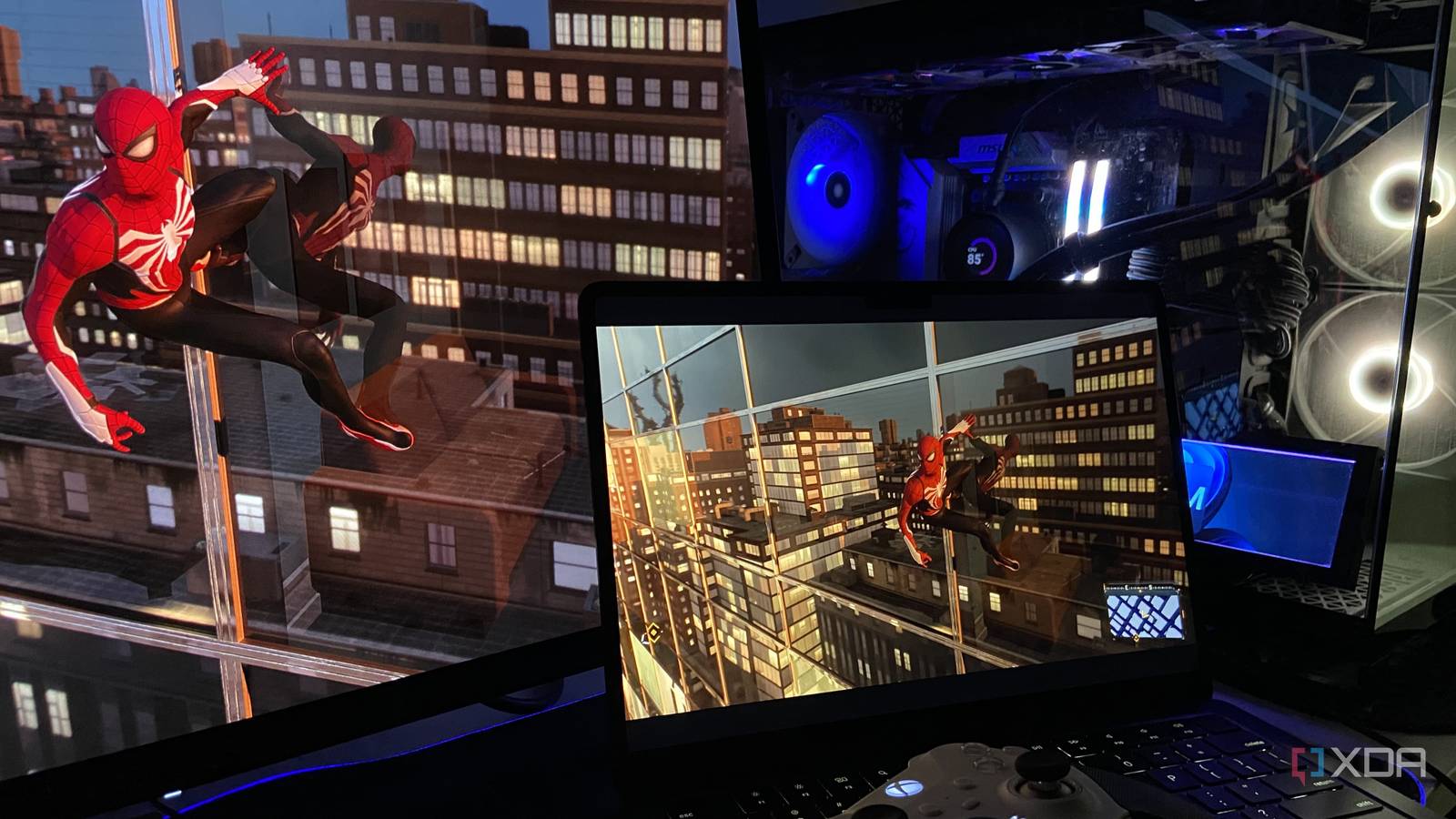
Published Sep 12, 2026, 11:30 AM EDT Abhinav pivoted from a career in banking to pursue his first love in writing. Even while working full-time, he continued contributing as an editor-at-large, a role he has held for more than 7 years. A lifelong tech enthusiast who has built three gaming and productivity powerhouse PCs since 2018, his passion for technology keeps him closely following the semiconductor industry, from NVIDIA and AMD to ARM. His MSc dissertation explored how artificial intelligence will reshape the future of work, reflecting his curiosity about the wider social impact of emerging technologies. As someone who grew up with a laptop, I'm painfully familiar with the compromises one has to expect when they try to "game" on this form-factor. Thin and light machines usually don't have enough GPU horsepower to run modern AAA games, and after a certain point, no amount of dropping settings can change the hardware ceiling. Even the machines that can brute-force their way through demanding titles eventually run into the other problem, which is heat. Then, of course, there's the software side of problems. If you're on macOS like me, hardware limitations are only the beginning of the issue. A huge chunk of the PC gaming library simply isn't available. For many years, I just accepted all of this as a cost of portability. But then one evening, I pointed Moonlight at my desktop, and every single one of those problems became my desktop's job. The trick was to move the graphical heavy-lifting elsewhere My M2 Air only needs to decode a video, not render a game The problem with gaming on a laptop is primarily the fact that it has to have the right chip combination, and a thermal design that's enough to support it. A CPU to feed it, a GPU to render it, and cooling that can keep both from cooking themselves, or your lap, if that's how you use your device. On top of that, it needs a battery that's big enough to survive the ordeal. My fanless M2 MacBook Air has none of that, but even then, I can game on it just as well as I can on my desktop. With Sunshine running on my desktop, the RTX 4070 Ti Super with 16GB of GDDR6X does all the graphical grunt work. It handles the game, handles ray-tracing, applies whatever obnoxiously high setting I throw at it, and hands the finished frames to its NVENC encoder, while the MacBook never renders a polygon. It receives a video stream and displays it, and that's literally all it needs to do here. Sunshine and Moonlight are the only two apps I need A quick install later, I don't have to be "on my desk" to play Sunshine and Moonlight are the only two apps I need, and both are completely free and open-source. Sunshine goes on the host, which is my desktop, and Moonlight goes on Mac, which is also available on App Store. It's easy to get confused between the two, so I think of it this way: the Sun casts light upon the moon and the moon reflects the sunlight, so Sunshine goes on the host, while Moonlight goes on the client. It's silly, but it helps me to remember. The most beautiful aspect of this setup is that my Mac's gaming performance is completely irrelevant. Whether my GPU is rendering a game using DLSS 4.5, ray tracing, or deploying smooth motion, the M2 sees none of the overhead and does the same job of decoding the incoming video stream and putting those frames on its display. Because I have a decent GPU, it virtually guarantees that most of my games hit the 60Hz refresh rate ceiling on my laptop before throughput ever becomes a problem. Obviously, the workload is easier than rendering a modern game on the device, going through compatibility requirements (or working around them), downloading it on my laptop, and running it at whatever graphical preset the device allows. The M2 has dedicated media hardware for decoding formats like HEVC, so Moonlight isn't relying on the CPU to painstakingly chew through every frame. Any modern gaming PC can be the host You don't need a cutting-edge GeForce RTX to pull this off While I use a 40-series GPU in my streaming setup, it's possible to basically use any Nvidia or AMD GPU which has a hardware video encoder. That covers NVENC on anything from GTX 900 series onwards, AMD's VCN encoder on Radeon cards, and even Intel's QuickSync if you're using an Arc GPU. If your desktop can run the game, you can almost certainly stream it too, and it doesn't eat into performance at all because encoding happens on a dedicated block. For the decoding, literally every modern device works, from an iPhone (which I tested it on) to a gaming handheld like the Steam Deck or the Lenovo Legion Go. That's because Moonlight's floor is hardware H.264 decode, which every phone, tablet, laptop, and streaming box from the last decade has. The parts of this setup that I expected to struggle with are the ones that surprised me the most. I paired my Xbox One Elite 2 controller to the Mac, and Sunshine simply presented it to my desktop as a virtual gamepad. There was no need for additional driver installation or lengthy configuration that would take up my time. Audio was just as effortless, because Sunshine captures my PC's output and sends it alongside the video. The latency was perhaps the most impressive aspect of it all, mostly because I would regularly forget that the game wasn't even running locally. Sunshine Sunshine is a free, open-source app that lets any gaming PC broadcast itself that any Moonlight client can connect to. Sunshine and Moonlight changed how and where I game, and I couldn't be more grateful I've probably said it before, but I will say it every single time I mention the Sunshine/Moonlight combo. I strongly believe that anyone with a gaming PC who doesn't know about it yet, is categorically missing out on a great gaming experience. I don't throw around the word "revolutionary" often, but right now, I can't think of a better way to describe what the duo does to gaming. As someone with a gaming PC, I obviously love gaming, but I don't want to be sat at my desk right next to my roaring rig and be exposed to the heat it generates in the middle of a summer afternoon when I'm just trying to casually grind levels through Digimon Story: Time Stranger. The open source software ecosystem has given me an option to leave the desk behind, jump on my bed, lie down at whichever awkward angle I want, and continue playing on a fanless M2 Macbook Air.
My old laptop plays my desktop's games now, and the whole setup took one evening
Full Article
Original Source
Read the full article at Xda-developers →KhanList aggregates and links to publicly available news content. We do not host full articles from third-party sources. Always verify important information with original sources.