
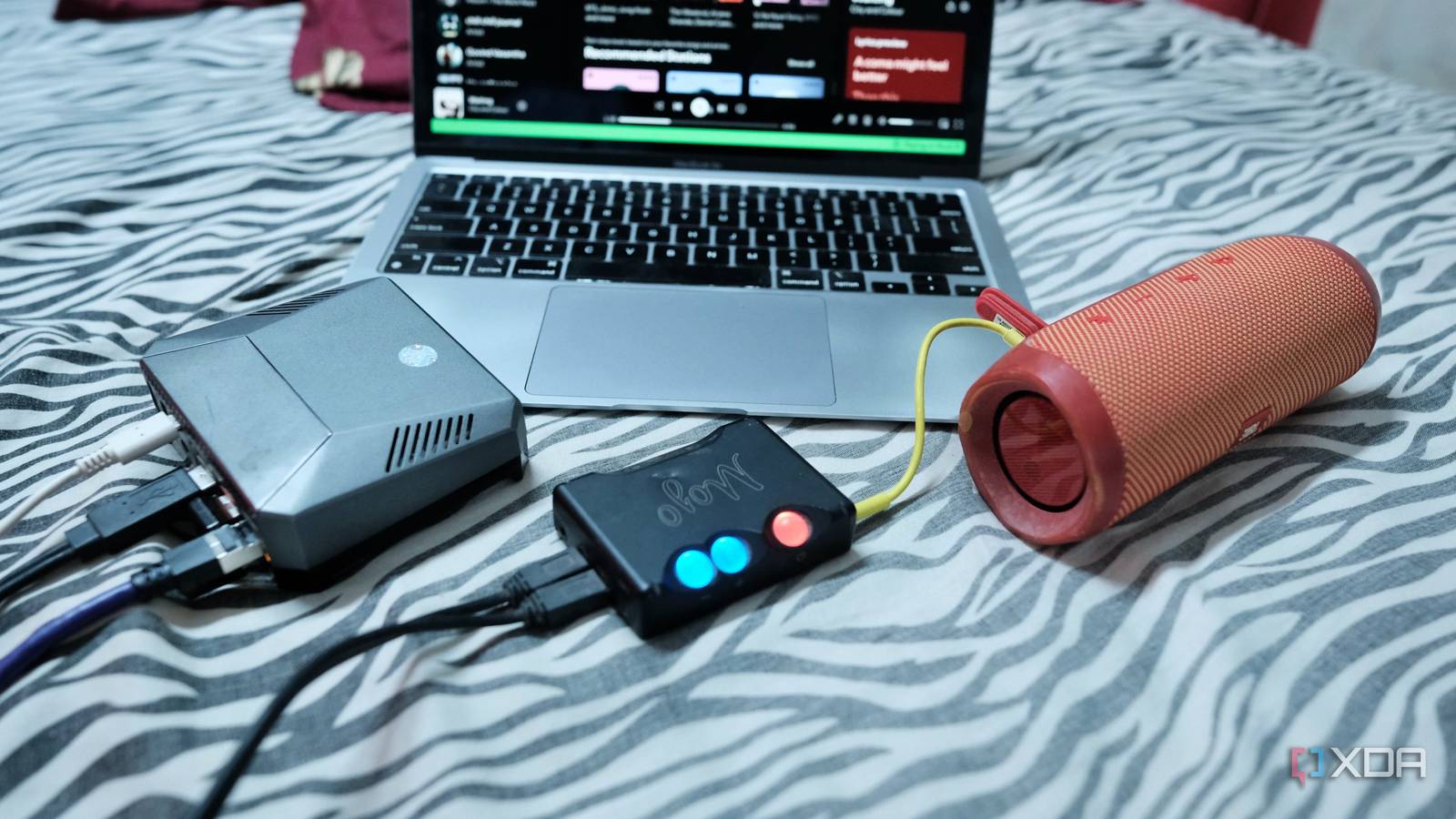
Published Oct 10, 2026, 11:00 AM EDT Samir Makwana is a technology journalist and editor from India since past 18 years and his work appears on MakeUseOf, HowToGeek, GSMArena, BGR, GuidingTech, The Inquisitr, TechInAsia, TechWiser, and others. He has written news, features, and gadget reviews for national technology media publications. His passion is to help people with their technology problems and gadget purchases. For that, he has worked for some of the biggest international technology publications, covering news, explainers, how-to guides, listicles, and product-buying guides. He has worked as an editor and managed teams since 2015. His expertise broadly covers computers, smartphones, game consoles, headphones, smart home products, browsers, and apps. My headless Raspberry Pi 4 is parked near my old jBL Flip 5 speaker, and its job was to play Spotify for the longest time. I’d pair my phone to it over Bluetooth, stream from there, and hope nothing got in the way. But something always did, like a phone call, a notification, or walking too far from the Pi. That caused the music to stutter or cut out entirely. It mostly worked, but rarely felt like a proper music player. The fix was using the Pi as a Spotify Connect device. With that, the Pi pulls the stream straight from Spotify, and the phone becomes a remote to control playback. Since Pi isn’t officially supported, I use a package with an installation script to make that happen. Setup involves an installation script and a config file, and the script creates a systemd service. No Docker or desktop needed. The only requirements are a Spotify Premium subscription and audio output on the Pi. Bluetooth was never a real Spotify player Streaming through a phone kept breaking the playback Bluetooth was my workaround to get Spotify to work on my Pi 4, and it never held up. The problem is that the phone does all the work, so calls, notifications, battery-saver modes, and range limits can interrupt the stream. Spotify Connect flips all that. Once I get the music playing on the Pi, I can lock the phone, walk out of range, and even let the phone’s battery run down. The music still keeps playing, just like I’d expect from a dedicated music player. After using this, I can no longer go back to using Bluetooth for Spotify. Raspotify turns the Pi into a native Connect target It runs a single systemd service without any containerization Raspotify is a packaged build of librespot, which is an open-source Spotify Connect client. The build is made specifically for headless boards, and installing it was easy on my Pi 4, which runs Raspberry Pi OS Lite (64-bit). I used SSH from my laptop to access the Pi and ran the installation script. sudo apt-get -y install curl && curl -sL https://dtcooper.github.io/raspotify/install.sh | sh This script adds the repo, installs the package, and starts Raspotify as a systemd service. A couple of minutes later, the Pi showed up in the Connect devices list in the Spotify app on my computer. Newer Raspotify releases dropped ARMv6 support, which means the original Pi 1 and Pi Zero won’t work. The Pi 4 and higher models aren’t affected. If you’re on a tight budget, the Pi Zero 2 W ($15) is supported. Two config lines finish the setup Defining the output device and the device name in the same file Typically, the Pi 4 offers a 3.5mm audio jack and two micro HDMI ports, so you can get the sound out without buying anything extra. For this project, I plugged my old Chord Mojo ($599, overkill, I know) directly into the Pi 4’s USB port and connected it to a JBL Flip 5 speaker using an AUX cable. On the Pi, I ran the aplay -l command to find out Mojo’s card name. That command showed up Mojo like this: card 3: Mojo [Mojo], device 0: USB Audio [USB Audio] Next, I opened Raspotify’s configuration file (/etc/raspotify/conf/) with the LIBRESPOT prefix in front of each variable. Here’s the audio device line: LIBRESPOT_DEVICE = “hw:CARD=[CARD NAME],DEV=0” Note that Mojo’s USB interface hardware doesn’t expose a 16-bit channel to Raspberry Pi OS Lite, and that’s why I use the plughw value instead of hw — both are part of ALSA, a subsystem that handles audio devices for Linux. To make the Pi easy to spot in Spotify’s device picker, I gave it a name: LIBRESPOT_NAM=”Music Pi” After saving the configuration file, I restarted the service, so both changes took effect. Setting up more than one Pi works the same way, except each needs its own name so it shows up as a separate device. Picking a room is a single tap, but Raspotify doesn’t sync playback across multiple Pis. Spotify’s own apps now offer lossless quality for Premium subscribers, but librespot-based players like Raspotify still receive lossy Ogg Vorbis at up to 320 kbps. So my Mojo cleans up the output stage, but it doesn’t change what Spotify sends. Keeping my Spotify password off Pi with Zeroconf login The Spotify app hands over credentials across the local network I expected to type my Spotify username and password into a config file. But I never had to do that. Raspotify advertises itself over mDNS, so I just select the Pi from the device list in the Spotify app. Then the app passes my Spotify credentials to the Pi over my network. The Pi caches those details so it keeps working after a reboot without asking again. When I set it up the first time, the Spotify app on my laptop couldn’t see the Pi in the device list. I reinstalled everything from scratch and went down the troubleshooting hole before I found the cause: my laptop was on the primary VLAN and the Pi was on a separate one. So I put both the devices on the same VLAN. That was much easier, although I could enable mDNS forwarding between two VLANs. Spotify Connect on Pi is worth spending ten minutes Turning my Pi into a Spotify Connect device was easier than I expected. I’ve been through a far more complicated setup to make HomePod a Spotify Connect device. That said, Raspotify’s single install script and minimal configuration were a relief, and it doesn't store a password on the Pi. My Pi now works as a Spotify Connect player instead of a Bluetooth receiver. If you have a Pi sitting around in a drawer, it takes about ten minutes to try. Raspotify
My headless Raspberry Pi can finally be a real Spotify Connect player without a workaround
Full Article
Original Source
Read the full article at Xda-developers →KhanList aggregates and links to publicly available news content. We do not host full articles from third-party sources. Always verify important information with original sources.