
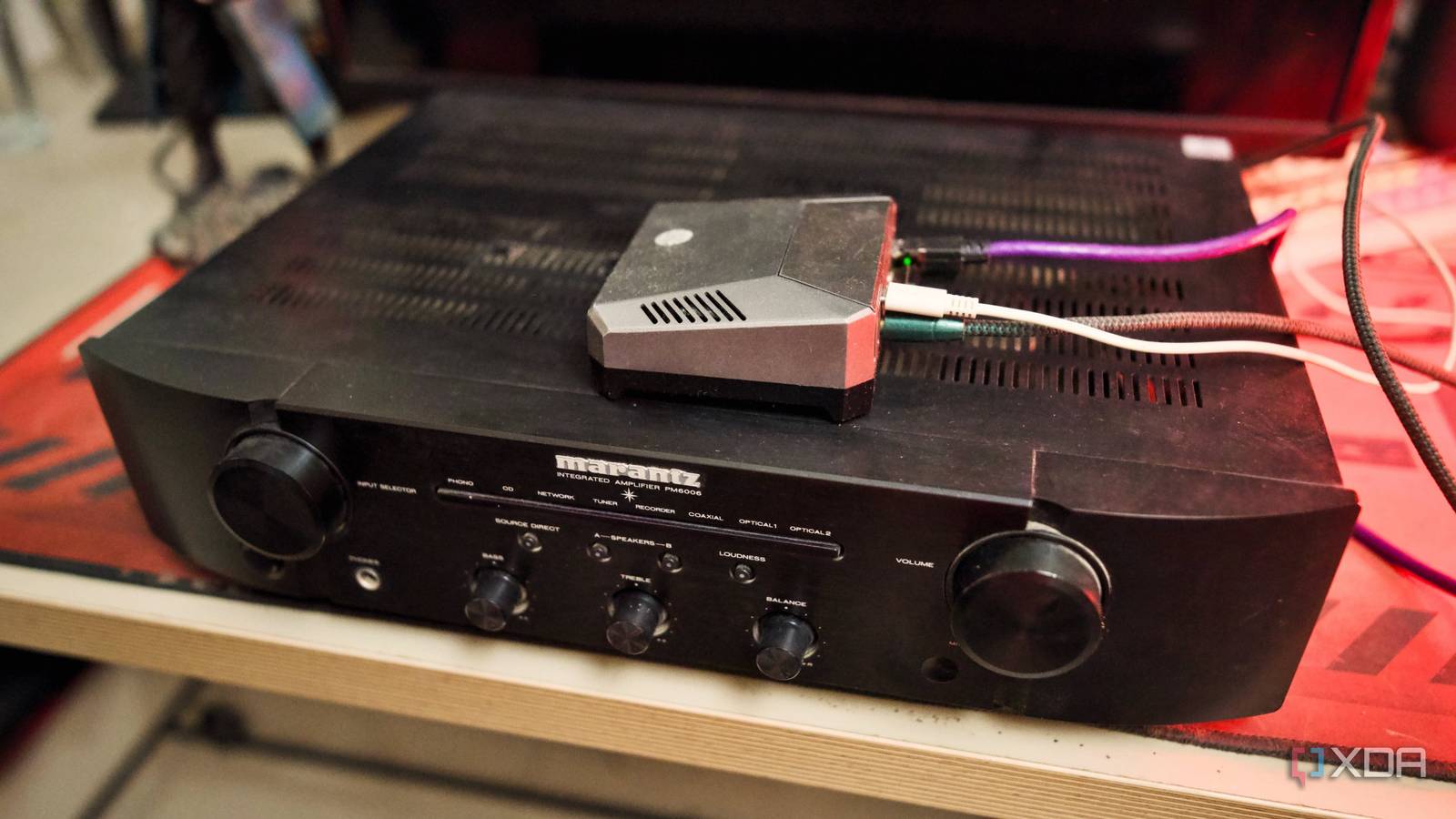
Published Oct 10, 2026, 3:00 PM EDT Samir Makwana is a technology journalist and editor from India since past 18 years and his work appears on MakeUseOf, HowToGeek, GSMArena, BGR, GuidingTech, The Inquisitr, TechInAsia, TechWiser, and others. He has written news, features, and gadget reviews for national technology media publications. His passion is to help people with their technology problems and gadget purchases. For that, he has worked for some of the biggest international technology publications, covering news, explainers, how-to guides, listicles, and product-buying guides. He has worked as an editor and managed teams since 2015. His expertise broadly covers computers, smartphones, game consoles, headphones, smart home products, browsers, and apps. Getting a smart speaker has made it convenient to play music in the house. Since I got one, I retired my old stereo, which had been sitting in the closet for years. It was collecting dust for so long that I'd forgotten how good it used to sound. While the smart speaker offered the convenience of quick, easy music, it lacked the sound quality I missed. I'd already turned a spare Pi into a basic Spotify Connect player, so I knew the setup. This time, I reconfigured the Pi, hooked it up to my old stereo, and put it to work. While I expected a modest setup, I got a different listening experience. The difference was bigger than I expected, and it sounded much better than my smart speaker, which sounded like it was coming out of a soup can. Smart speakers are a terrible compromise on sound Fuller sound demands bigger drivers and more power A smart speaker packs all kinds of circuits to support a variety of wireless protocols, and that's where the speakers take a hit. To keep that profile small, the driver stays small too, and the onboard amp is tuned down so it won't distort once you push the volume up. That's why those smart speakers sound strained beyond a point. If you push the volume to the highest level, you can hear the speakers struggle to keep up. I realized that my old speakers and stereo receiver never experienced that kind of pressure. The speaker cabinets are large enough to move air, and the stereo receiver doesn't hold back. So the same song at the same volume sounds completely different through them. It's not about the volume level, but about sound quality. The Pi's headphone jack isn't good enough Use a cheap DAC to fix the Pi's noisy output I used Raspotify to turn my Pi into a Spotify Connect device. The setup was straightforward, thanks to the installation script and minimal configuration. Next, my first instinct was to plug a cable from the Pi's audio jack into my stereo. That works, but there's a faint hiss sitting underneath the music that I can't ignore. I noticed it only after hearing the same song play cleanly through my phone. Adjusting the output volume levels in the software didn't help much; the hiss never fully went away. Instead of tweaking the software, I found a simple fix: a small USB DAC dongle between the Pi and the stereo converts the Pi's digital audio into a clean analog signal before it reaches the speakers. You don't need an expensive USB DAC; a budget one works just as well since it's a one-time purchase. No special setup is required; you plug it into the Pi and run a cable from there to your stereo's input. After that, the background hiss disappeared completely. And you just need a decent cable that doesn't fray easily. Raspotify Raspotify is a Debian package build that is wrapped around librespot to turn Raspberry Pi as a Spotify Connect client. One cable to wire the Pi into the receiver Picking the right input and keeping both volumes in check Honestly, this sounded more intimidating than it was. I ran a cable from the DAC's output into an open input on the back of the stereo receiver. Look for the one labeled "IN" if you're not sure which input to use. Most older stereos label it as AUX instead, so check a few inputs before assuming your stereo doesn't support it. Switch your receiver to that input, and you're done with the hardware side. Before you blast a song, balance the volume between the stereo and the Spotify app. I typically set the Spotify app to around 70 percent, then slowly turn up the receiver's volume knob instead of cranking it to max. Once the balance feels right, I leave the volume levels alone. I even marked the settings because the stereo's multiple inputs were often confusing. The comparison makes the difference obvious Smart speaker can't match the bass and stereo imaging Alternating between the same playlist on the smart speaker and the Pi-hooked stereo made the difference clear. Even to an average ear, it wasn't subtle. A smart speaker crams everything into a smaller box, and the compromise hits the vocals and instruments hardest. With a real left and right speaker, the instrument separation was clear and full, nothing like the single, squeezed-together output a smart speaker pumps out. Of course, there's no comparison between a smart speaker's tiny driver and a pair of actual bookshelf speakers, even an old pair. Once you've heard it, you can't ignore it later. That difference finally made me stop treating music as background noise and start listening to it. A spare Pi and an old stereo are much better for music Repurposing a Raspberry Pi to pair with a stereo didn't cost me anything since I already had the Pi and the stereo was sitting around unused. And that's exactly the point: to build a simple, enjoyable music setup that isn't necessarily audiophile-grade. My stereo is back on music duty, simplified thanks to the Pi. If you have an old stereo receiver and a decent pair of speakers lying unused, you can put them to work with a spare Pi. Even if you don't have the audio gear, check your local thrift store for old receivers and speakers. Then you'll need a small USB DAC and a cable to build a setup that beats any smart speaker. Raspberry Pi 4 Storage MicroSD card slot CPU Arm Cortex-a72 (quad-core, 1.8GHz) Memory 1GB, 2GB, 4GB, or 8GB of LPDDR4 Operating System Raspberry Pi (Official)
I turned a spare Raspberry Pi into a Spotify Connect streamer for my old stereo, and it sounds better than any smart speaker
Full Article
Original Source
Read the full article at Xda-developers →KhanList aggregates and links to publicly available news content. We do not host full articles from third-party sources. Always verify important information with original sources.