
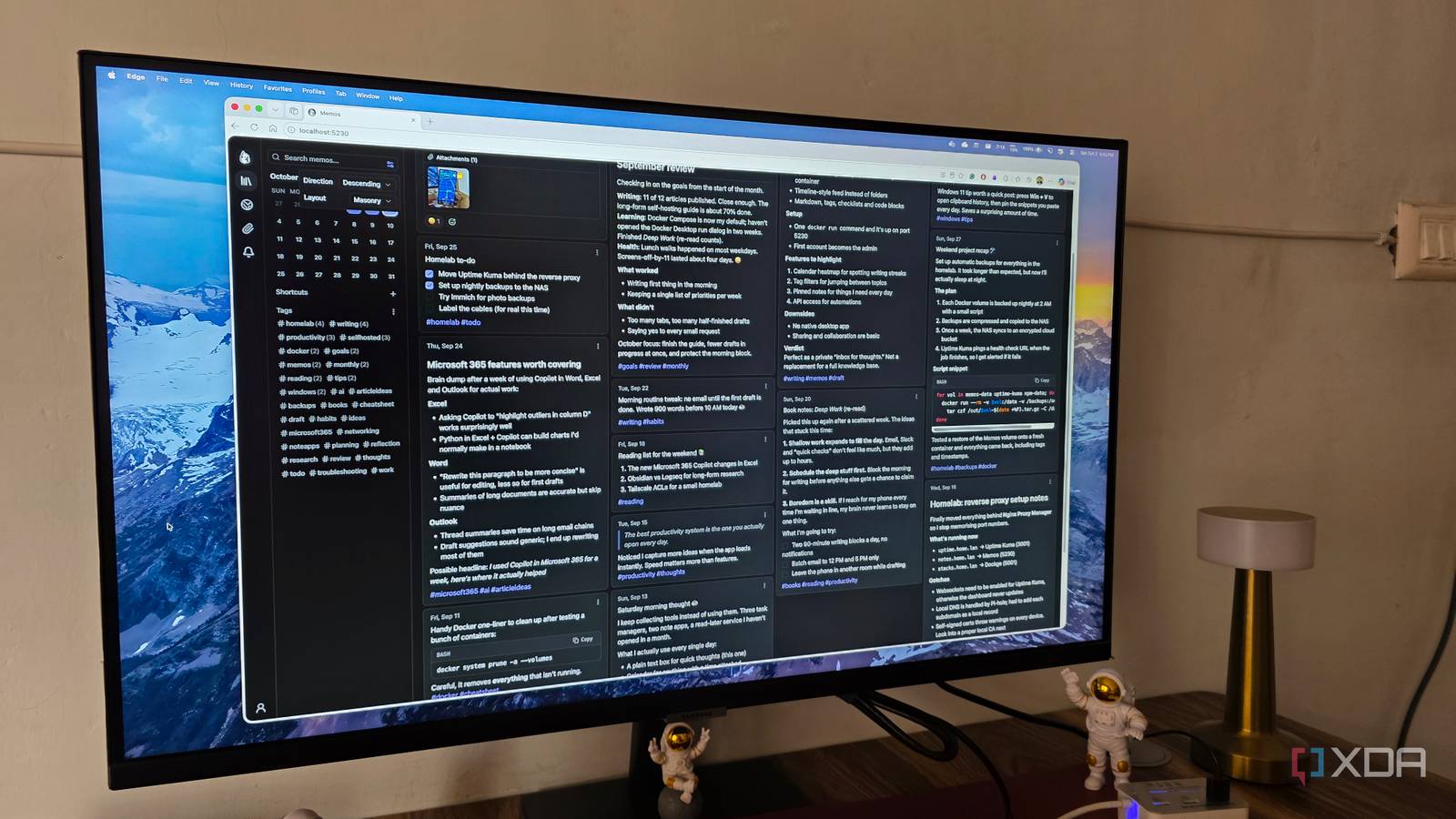
Published Oct 3, 2026, 9:15 AM EDT Parth, a seasoned tech writer, wields the keyboard (or pen) with finesse to unravel the intricacies of both Windows and Mac operating systems. He has covered evergreen content on mobile devices and computers for multiple publications over the last six years. You can find his work on AndroidPolice, GuidingTech and TechWiser. Whether it’s demystifying system updates, deciphering error codes, or exploring hidden features, Parth’s prose guides readers through the binary maze. When not immersed in tech jargon, you’ll find him sipping chai, pondering the next software review, and occasionally indulging in a friendly debate about mechanical keyboards. I like Notion, but I have never loved how much of my workflow depends on someone else’s cloud. Obsidian fixes that problem, but once plugins, themes, and custom setups enter the picture, it can quickly turn into a project of its own. OneNote sits somewhere in the middle, yet it still feels more like a traditional notebook than a flexible workspace I want. I was looking for something lightweight, private, and powerful enough to handle my everyday notes, and then I stumbled upon Memos, and it quietly became one of my favorite alternatives to Notion. Notion was powerful, but I wanted more control Obsidian and OneNote didn’t help me either Notion gave me plenty of flexibility, but I slowly realized I was shaping my workflow around the app rather than the other way around. I wanted something I could host myself, keep lightweight, and access without relying so heavily on the cloud. Thanks to local Markdown files, Obsidian looked like the obvious answer, but getting the setup exactly how I wanted meant dealing with CSS, plugins, and constant tweaking. OneNote was easier, but I frequently ran into syncing issues between my Mac and Android phone. I needed something that gave me control without turning productivity into another project. Self-hosting changes the privacy equation Easy to get it up and running via Docker The biggest reason Memos won me over is self-hosting. Instead of storing years of notes and ideas on somebody else’s servers, I can keep everything on hardware I control. And getting it running isn’t nearly as intimidating as it sounds. Memos has an official Docker image, and I can spin up the entire service with a single Docker command. By default, it uses SQLite, stores its data in a persistent volume, and runs on a specific port. Once the container is running, I simply open Memos in my browser, create the first admin account, and I am ready to go. That simplicity matters to me. I get the privacy and ownership benefits of a self-hosted app without spending an afternoon configuring databases and dependencies. The timeline completely changes how I take notes The editor is simple without being basic Memos changed the way I think about capturing information because they remove the pressure to organize everything before I write it down. In Notion, I would often stop and think about which page, database, or section a note belonged to. With Memos, I type the thought and post it to my timeline. That works well for the kind of information I capture throughout the day. It could be an article idea, a headline variation, an app I want to test, a Docker command, or a quick observation while reviewing an AI coding tool. I can get it out of my head in seconds and worry about organization later. The editor is another reason Memos clicked with me. At first glance, it looks almost too simple, but it has most of the formatting tools I actually need. I used to create separate pages, folders, and databases in Notion simply to keep different areas of my work organized. With Memos, I can add tags such as #articleideas, #android, #docker, or #research directly inside a memo. I can even use nested tags when I need more structure, such as #work/Samsung or #work/AI. Memos feels like a workspace I own Themes go far beyond light and dark One thing I didn’t expect from Memos was how much I could personalize the interface. It doesn’t stop at the usual Light and Dark options. I can switch between themes such as Midnight, Paper, and Whitewall, which change the personality of the workspace. Memos also give me deeper customization options. I can change the instance name, logo, favicon, colors, and even inject my own CSS if I want to reshape the interface. It is right up there with Obsidian in terms of UI customization. There is also PWA support, so I can install Memos on my desktop or phone and launch it in its own window instead of keeping another browser tab open. It makes the self-hosted setup feel much closer to a regular native productivity app. Memos can even double as a lightweight publishing platform. My notes can remain private by default, but when I want to share something, I can publish an individual memo through a link or make selected memos public. I can even turn my instance into a personal microblog for quick updates, tutorials, or thoughts without moving the content into another service. And unlike a third-party plugin in Obsidian, I can have a monthly calendar view right on the home page in Memos. A smarter home for my work Let me be clear: Memos probably won’t replace Notion for everyone, especially if you rely heavily on advanced databases, complex team workflows, or deep integrations. But for my needs, that simplicity is exactly the point. I get a clean, fast workspace for capturing ideas without dealing with unnecessary complexity. If you have been looking for a more private productivity setup without sacrificing convenience, give Memos a try. Memos Memos is a self-hosted note-taking app that rivals OneNote and Evernote.
My favorite Notion alternative isn’t OneNote or Obsidian: it’s more powerful and private
Full Article
Original Source
Read the full article at Xda-developers →KhanList aggregates and links to publicly available news content. We do not host full articles from third-party sources. Always verify important information with original sources.