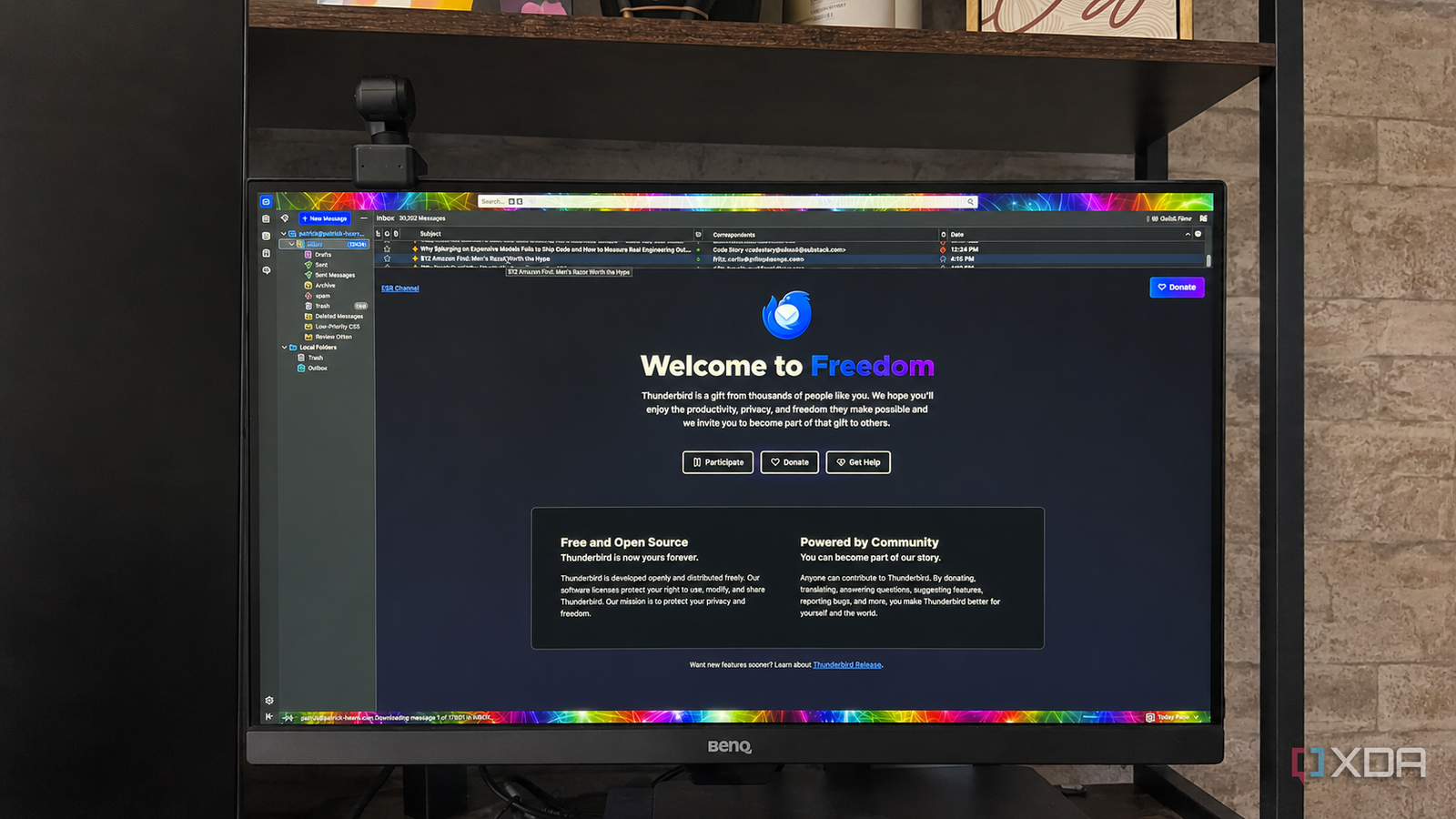
Published Jul 25, 2026, 3:30 PM EDT Patrick is a seasoned writer with more than a decade of experience, specializing in any and all things tech. His work has been featured on platforms like CNET, Yahoo, Xfinity, and many other outlets. When not typing away, he can be found with his nose in a book. It's 2026, so it goes without saying that the majority of my life is online. Nearly all of my correspondence, whether it be email or social media, my day-to-day work, my calendar — all of it is digital. But given my career, what constitutes my "digital life" goes beyond just the basics. I rely on a suite of free software to keep everything ticking away without a hitch. Here's what I use. Thunderbird is my go-to email client All of my addresses in one place I have multiple email addresses for different aspects of my work. I have my personal email address that the majority of my communications go through, but I also have a second email address that I use specifically for pitching articles. It helps keep things organized, and I can easily check whether I've received a response to a pitch. Then I have another email address that's included in my books, so readers can reach out with questions and comments. Trying to bounce through all those inboxes in something like Gmail would quickly become a headache — especially since several of them aren't Gmail accounts — but Thunderbird makes it easy. I can set up multiple addresses inside Thunderbird, and all of the emails come to the same inbox. I can see at a glance what has come in, but I can also easily set up filters to show only specific addresses. It's wildly customizable, allowing me to set up unique appearances, settings, and more for my email client, but there's another reason I lean on it for most of my communication. Thunderbird is funded by donations. That means it doesn't collect user data, and it isn't selling my personal information like other clients. That said, Thunderbird is an email client; Gmail accounts still scan user data, even if I access them through Thunderbird, but it's a step in the right direction. Thunderbird OS Windows, Linus, macOS, iOS, Android Individual pricing Free Thunderbird is an open-source, cross-platform email client. Obsidian is my workspace It's the heart of my digital life Another heavy-hitter in my lineup is Obsidian. This is where I track everything, from books I've read or movies I've watched to the many, many stories I produce each month. Having the entirety of my body of work in a single place makes it easy to find an old piece of content I'm looking for (for instance, if I need a clip for a pitch), but it also helps me see how one piece might be linked to another in ways I hadn't thought of before. For example, I was reviewing an old story I'd written about homeowners insurance, and it linked to another story on smart home tech (thanks to Obsidian's Virtual Linker plugin), and it gave me the idea for a pitch on smart home accessories that can reduce insurance rates. But more than acting as a storage space, I use Obsidian to write the vast majority of my work. I have enough plugins loaded into Obsidian that it functions better than most word processors, and it's much lighter than other free options like WPS Office. I run multiple Obsidian vaults. I have a primary one for the majority of my work, and individual vaults for each series of novels I'm currently working on. I find separating the work along those lines is neater and easier to manage. Obsidian OS Windows, macOS, Linux, iOS, iPadOS, Android Individual pricing Free normally; $4/month for Obsidian Sync Obsidian is a feature-rich note-taking app that's available on different platforms and offers a neat and clean interface. It's also free-to-use for individuals. I leave security up to a password manager Proton Pass remembers so I don't have to My day-to-day life is hectic enough without struggling to remember different passwords for each of my usernames. Sure, I could use the same few across the board — I used to, in fact — but that came back to bite me. Cybersecurity is an ever-increasing concern for a variety of reasons, and as tedious as it is, I make sure to use separate credentials on all of my accounts. But that said, my mind is only running at 75% capacity on a good day, courtesy of a teething baby, and I absolutely cannot remember them all. That's where Proton Pass comes in. I already use Proton Mail, so it was an easy step from one to the other. Proton Pass lets you import existing saved passwords as CSV files, and it can generate new, secure passwords up to 64 characters long. That means I only need to remember my master password, while the rest of my accounts remain protected. Proton Pass Individual pricing $4.99/month Key highlights hide-my-email aliases, open-source Proton is a password manager from the highly popular Proton Team, who else develops Proton Mail and Proton VPN. Free isn't always free When your needs expand, so does the need to open your wallet In many cases, "free" software means you're the product. It might gather user data to sell to advertisers, or there might be a limit to how much you're able to do with it. Take Obsidian, for instance; while it's completely free to use and allows access to as many vaults as you want, Obsidian Sync — the official syncing tool — requires a monthly subscription. While there are ways to do it for free, such as through Dropbox or iCloud, a vault of any size will quickly hit the free storage limits, and you'll be paying for additional space anyway. That doesn't mean free tools aren't worth it. I'm a huge proponent of open-source and self-hosted software, but there are times when you might be forced to spend a few bucks. I've certainly encountered them. That said, many options can expand with your needs, but it's a good idea to check how future-proof a piece of software is before you commit to it. You don't have to spend a fortune to manage your digital life There's a wealth of incredible tools that won't ask you to spend a dime, and that number is increasing by the day. Sure, some of the new additions are AI-generated bits of spaghetti code that would give even the most rudimentary programmer a migraine, but there are plenty of gems out there that are worth your consideration — the tools I've mentioned here included.
My entire digital life runs on a suite of free tools, and I don't have to spend a dime
Full Article
Original Source
Read the full article at Xda-developers →KhanList aggregates and links to publicly available news content. We do not host full articles from third-party sources. Always verify important information with original sources.