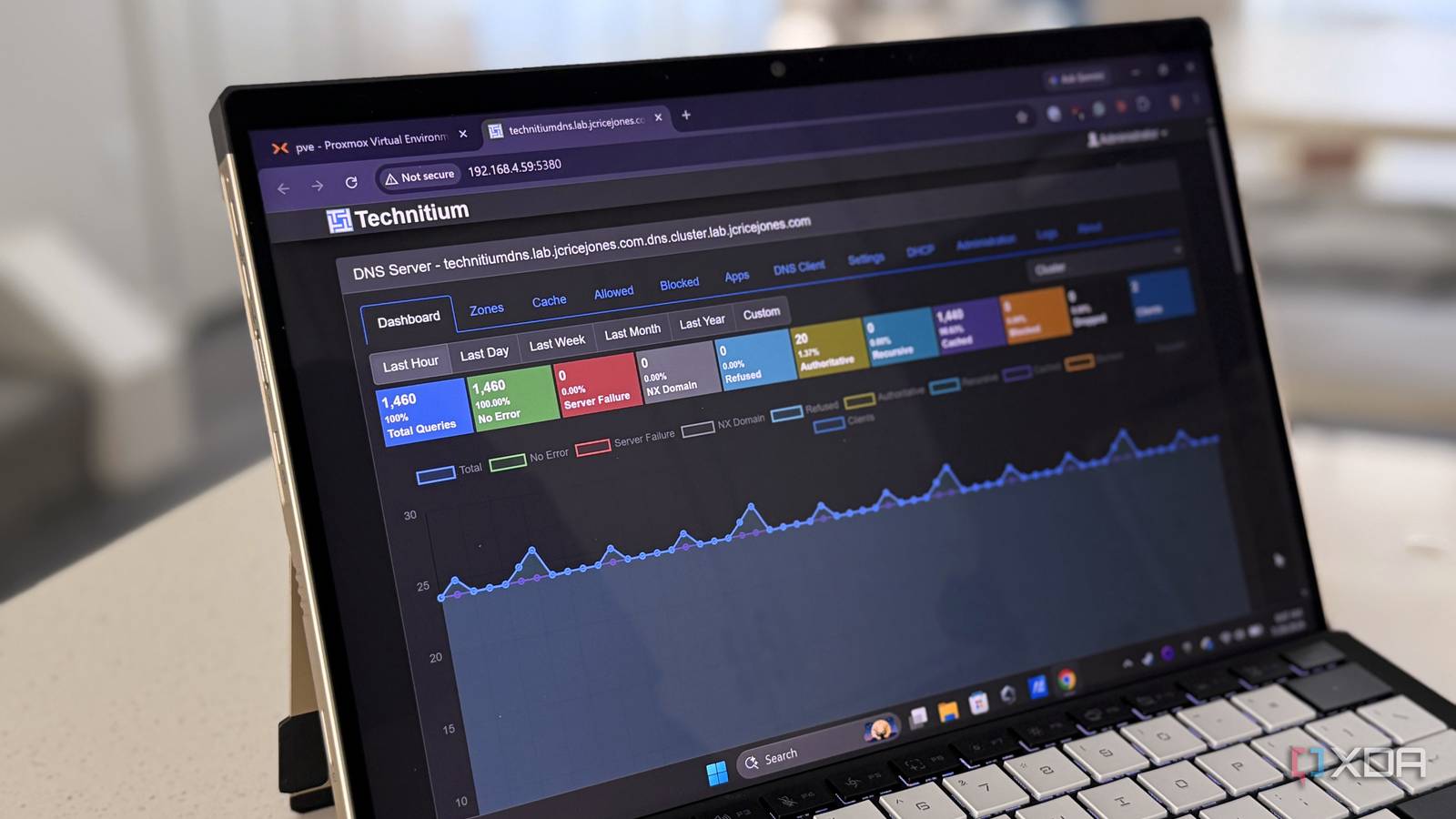
Published Jul 30, 2026, 10:00 AM EDT Maker, meme-r, and unabashed geek, Joe has been writing about technology since starting his career in 2018 at KnowTechie. He's covered everything from Apple to apps and crowdfunding and loves getting to the bottom of complicated topics. In that time, he's also written for SlashGear and numerous corporate clients before finding his home at XDA in the spring of 2023. He was the kid who took apart every toy to see how it worked, even if it didn't exactly go back together afterward. That's given him a solid background for explaining how complex systems work together, and he promises he's gotten better at the putting things back together stage since then. I’ve been running my own DNS server at home for about a year now, which lives in an LXC on Proxmox and quietly keeps my home and home lab’s network resolution needs met. I use Technitium, which is a fully fledged DNS server, but my setup had a problem. One problem: there was only one DNS server, and if that went down, so did my network. Most DNS servers handle this by running a cluster that is kept up to date with sync scripts, which work but require a ton of effort to set up and maintain. I'd been waiting for Technitium to add native clustering support; now that it's available, it's time to add the second server. I also wanted to take advantage of another new feature, single sign-on support, and run my own identity provider. This took far less time than I expected, and now my network’s name servers are protected. Technitium was already good but now it's even better Built-in high availability clustering and SSO changes the game I’ve used multiple DNS servers over the years, but none are as user-friendly and powerful as Technitium. It’s open-source and easy to self-host, has encrypted DNS support out of the box, and can use DNS blocklists to replace having to run another service alongside it. It’s also full of features that homelabbers and self-hosting hobbyists will love, like conditional DNS forwarding if local domains aren’t resolved, and split-horizon via local domains and zones to serve the correct connections for your own apps to wherever you are. I’m still finding new features even after a year, and recently added Claude control via MCP, which I use to teach me and check configurations once I’ve enabled them. Version 14 added native clustering, and v15 added OIDC, the two features I’m adding today. Clustering helps, but it doesn't sync everything The current clustering implementation replicates everything I used to struggle with sync scripts to get working. The list includes users, settings, tokens, allow/block lists, apps, and zones if you opt in via the cluster catalog. This will keep your network running if the primary server goes down, but there’s a gotcha. DHCP scopes and leases remain independent on each node. That could lead to IP conflicts, but you can use a split-scope pattern to divide your IP address range between the nodes and avoid them. The other thing is that any config changes require the primary node to be available, because the settings sync works one way: the secondary node(s) pull their state from the primary. Technitium Technitium is my favorite self-hostable DNS server, with a quick release cadence and advanced features being added all the time. Two containers and Keepalived mean seamless failover If both DNS servers are down, you have bigger issues The first step wasn’t to throw a second Technitium instance into the mix, because I found out I needed to fix the existing one. The IP address needed to be static, set to start on boot (before the other containers), and the RAM and disk resources doubled. Then it was time to bring up another LXC for Technitium, but it needed to be a fresh install, and that was the first problem I ran into that night. The community script that I’ve used countless times before gave me a container, but it seemed empty. The fix was to run the install script again, but from inside that container, which completed in seconds because the installation was already nearly complete. That done, I assigned a static IP to the container and tried to join it to the primary node as part of the cluster. This failed due to DANE anchoring, which is important when using DNSSEC between DNS servers in a corporate WAN but less so in an unsigned lab zone. It connected in seconds once I put the full FQDN before the cluster suffix. Makes for a long, ugly node name, but it works. The last part of the cluster was to add Keepalived, so I only needed to use a single IP address on my router. I added a unicast VRRP configuration with a 5-second health check to both LXCs. Everything is on subdomains of a domain I own that’s parked on Cloudflare, which lets me use DNS-01 challenges for a Let’s Encrypt certificate to have HTTPS on my network (another thing I’ve been meaning to set up). Pocket ID gives the admin page passkey sign-in Although OIDC takes a little adjusting to I’ve always wanted to add SSO for convenience, something I valued when I was using NetBird for remote access. I had Zitadel set up at that time, which was more complex than I needed, but I’ve also tried Authelia and Authentik while I was rotating OIDC options. I wanted something simpler this time, and Pocket ID looked like the winner. It’s quick, it uses passkeys instead of passwords, and it works well with the infrastructure I already have. I did run into one big issue. Caddy’s own propagation check failed when trying to get a Let’s Encrypt DNS-01 challenge read cached NXDOMAIN records from my Eero router. Adding a 30-second delay to let the cache go away got past that snag. The saga continued after I’d got into Pocket ID and created my first passkey. SSO only works via 53443, and I’d set up the cluster with the HTTP URLs, so that meant a quick swap out. And the groups access control needs exact string matching, and I’d typoed the name in the Pocket ID dashboard. Both easy fixes but could have been very stressful if I’d not noticed. That's also the reason I kept the local admin account, even after adding the SSO option. Always keep a break-glass option for management when dealing with your network infrastructure. Running multiple DNS servers used to take more work A couple of years ago, this setup with a cluster, VIP, and IdP would have taken me the best part of several weekends to accomplish. That I could do it in an evening, even with issues on every step, is amazing, and Technitium made it all easy. Now my network can survive one DNS node going down, and if that fails I can always add more secondary nodes on other devices.
My DNS server kept breaking until I added high availability and single sign-on
Full Article
Original Source
Read the full article at Xda-developers →KhanList aggregates and links to publicly available news content. We do not host full articles from third-party sources. Always verify important information with original sources.