
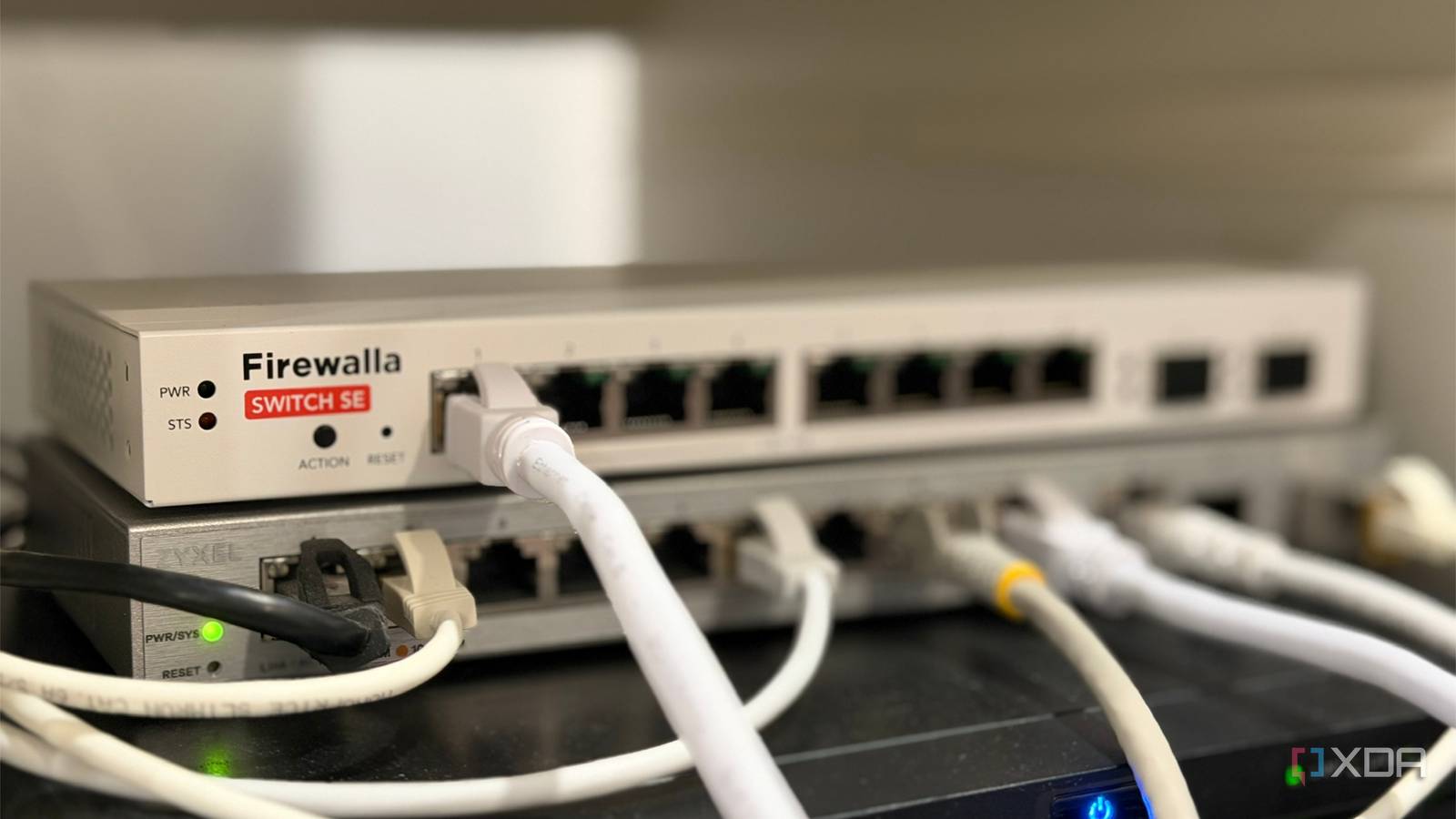
Published Sep 27, 2026, 8:00 AM EDT Maker, meme-r, and unabashed geek, Joe has been writing about technology since starting his career in 2018 at KnowTechie. He's covered everything from Apple to apps and crowdfunding and loves getting to the bottom of complicated topics. In that time, he's also written for SlashGear and numerous corporate clients before finding his home at XDA in the spring of 2023. He was the kid who took apart every toy to see how it worked, even if it didn't exactly go back together afterward. That's given him a solid background for explaining how complex systems work together, and he promises he's gotten better at the putting things back together stage since then. It's the most natural home lab move there is. You buy a managed switch, carve your network into VLANs, and then drop a cheap five-port unmanaged switch in the office or behind the TV because you ran out of ports. It works, so you forget about it. That's exactly the problem, and most rundowns of the things you need to know before setting up VLANs on your home network never mention it. A managed switch assumes one device per port, and it builds features like VLAN trunking, loop protection, and port security around that idea. An unmanaged switch quietly breaks that assumption, and the cheap managed switch that was supposed to be your real networking upgrade can't see it happening. The good news is that nearly every problem traces back to one port, and fixing it doesn't cost a thing. Your VLANs don't survive the trip through an unmanaged switch Tagged traffic might pass, but that's not the same as working The problem usually starts when the port feeding the unmanaged switch is configured as a trunk, carrying tagged traffic for multiple VLANs. An unmanaged switch has no idea what a VLAN is. To it, an 802.1Q tag is just another EtherType (0x8100), so most models forward tagged frames untouched. But "most" is carrying a lot of weight there, because some switches strip the tag or drop the frame entirely, and you won't know which kind you bought until something breaks. There's also a size gotcha. The tag adds four bytes, pushing a full-size frame to 1,522 bytes, and an older or bargain-bin switch might drop anything over 1,518. That creates the most maddening symptom in networking: pings and DNS lookups work fine, while file transfers and big web pages stall. If you've ever seen that and blamed your cables, the switch might be the real culprit. Every VLAN on the trunk becomes one big room-sized network Here's the part that surprised me most. Even when tags pass through perfectly, the unmanaged switch floods everything it receives out of every port. The native VLAN, your IoT VLAN, your camera VLAN, and whatever else you trunked to that port all arrive at every device in the room, and broadcasts from each of them are visible to anything plugged in. It gets worse with anything VLAN-aware. A Linux box, a Proxmox host, or an access point can tag its own traffic and walk straight into any VLAN on that trunk, no password required. All the isolation you carefully built on the managed switch ends at that one cable. So don't trunk to an unmanaged switch; set that port to carry only the single VLAN the room actually needs. Devices land on whichever VLAN is untagged Ordinary devices send untagged frames, so everything plugged into the unmanaged switch ends up on the port's native VLAN (the PVID, in most managed switch UIs). If that happens to be your main LAN or, worse, your management VLAN, your smart plugs and TV are now sitting next to your switch's admin page. And if you pruned untagged traffic off that trunk entirely, the devices wouldn't get a DHCP lease and would look completely dead. Set the PVID on purpose, and never make it the management VLAN. There's one more quirk worth knowing about, too. An unmanaged switch keeps a single MAC address table for every VLAN, so a device that uses the same MAC on two VLANs (some routers and virtual bridges do this) keeps getting relearned on different ports, which causes intermittent, nearly impossible-to-diagnose drops. Loops and port protections behave differently behind an unmanaged switch One stray patch cable can take down every VLAN at once Plug both ends of a patch cable into the same unmanaged switch, and you've created a bridging loop. Broadcast frames circle forever, multiply, and flood the trunk into every VLAN they carry. That's how a guest "tidying the cables" in one room can knock out your entire network, as plenty of threads in the Cisco Community attest. Whether your managed switch catches it depends on the unmanaged switch. If it passes Spanning Tree Protocol BPDUs through, the managed switch hears its own BPDU come back and blocks the port, which is the desired outcome. But some cheap switches and IP-phone passthrough ports filter BPDUs, leaving STP completely blind to the loop. Don't rely on STP alone here. Turn on storm control for that port, and enable loop detection if your switch has it (vendors call it Loop Protection, Loopback Detection, and a few other names). Port security, BPDU Guard, and 802.1X all fight the unmanaged switch The protections that make a managed switch worth buying often misfire behind an unmanaged one. BPDU Guard shuts the port down the moment it sees a BPDU, so plugging in a switch that passes them looks like the port just died. Port security with a MAC address limit trips as soon as the second or third device connects, with the same result. 802.1X is messier still. Depending on how your switch handles it, either the first device authenticates and everything behind it rides along for free, or nothing gets through at all. Neither outcome is what you configured it for. Decide which protections belong on a port that feeds another switch, and relax or disable the rest there, rather than wondering why the office went offline again. The quieter problems look like flaky Wi-Fi or bad cables Multicast floods the whole room without IGMP snooping Unmanaged switches don't do IGMP snooping, so they flood multicast traffic out of every port. Your managed switch can snoop all it likes, but it sees the entire room as one listener and can't narrow anything past the uplink. IPTV streams, Sonos and AirPlay discovery chatter, security cameras, and Dante audio all end up hitting every device on that switch. On a quiet network, you might never notice. On a busy one, it shows up as stuttering streams, speakers dropping out of groups, and cheap IoT gear struggling to keep up. Keep multicast-heavy devices on managed ports, or give that room its own VLAN so the flood stays contained. Energy Efficient Ethernet causes link flaps you can't switch off Plenty of cheap unmanaged switches ship with Energy Efficient Ethernet (802.3az) permanently enabled. It's a well-known cause of random link flapping, where a connection drops for a second and comes back, and there's no toggle on an unmanaged switch to turn it off. Disable EEE on the managed side of the link first. If the drops continue, the room switch needs replacing. You lose visibility and uplink headroom Every device behind the unmanaged switch collapses into a single port on the managed one. Your dashboard shows a pile of MAC addresses where one device should be, topology maps get confused, and per-device stats, QoS rules, and PoE control disappear. You also can't shut off one misbehaving device without cutting off the whole room. Everything in that room also shares a single uplink. That's fine for a TV and a game console, but a NAS and a desktop pushing big transfers will step on each other. If a device is important enough to monitor or moves a lot of data, plug it directly into the managed switch. The port feeding your unmanaged switch is the one that matters Nearly everything here gets fixed at the uplink, not in the room. Set the port feeding an unmanaged switch to access mode with one untagged VLAN, prune everything else, and make sure that VLAN isn't your management network. Then turn on loop detection and storm control, leave port security and BPDU Guard off for that port, and disable EEE if you're seeing drops. Unmanaged switches still have a place in a managed network, as long as each one lives on a single VLAN. The moment a room needs two VLANs, it's time to replace that unmanaged switch with a managed one.
Mixing managed and unmanaged switches broke my network in ways I never expected
Full Article
Original Source
Read the full article at Xda-developers →KhanList aggregates and links to publicly available news content. We do not host full articles from third-party sources. Always verify important information with original sources.