Remember Tamagotchis? Those little egg-shaped keychains from the 90s with a pixelated pet that got hungry, got sad, and, if you were a negligent eight-year-old like me, got dead during math class. I've been looking for an excuse to play with the Waveshare ESP32-S3 Touch AMOLED 1.8", a $30 board with a gorgeous 368×448 AMOLED touchscreen, an accelerometer, a microphone, and a speaker. And I found one: I'm building a Tamagotchi. But with a twist that makes it worth a four-article series The pet's body lives on the device. Its brain lives in AWS. The device renders an adorable pet and captures your taps and shakes. But its hunger, mood, and energy are rows in DynamoDB. It gets hungry overnight because EventBridge Scheduler says so. And, my favorite part (and because it's 2026, we can't not have genAI in a project 🤪), every morning it fetches the AWS news, has Amazon Bedrock rewrite them in its own squeaky personality, and reads them to me out loud through Amazon Polly. A Tamagotchi with a job. In this series, I will walk you through the whole build: This article : the architecture, and connecting the ESP32-S3 to AWS IoT Core (the pet's nervous system). Part 2 : giving it a face: animations and touch with LVGL on the AMOLED. Part 3 : the serverless brain: Lambda, DynamoDB, and a pet that gets hungry while you sleep. Part 4 : Bedrock + Polly: my Tamagotchi reads me the AWS news. ⚠️ Reality check before you get too excited (sorry 😅): this is a hobby project, not a product. You'll need the specific Waveshare board (or the patience to adapt the code to yours), an AWS account, and a USB-C cable. The AWS bill for the whole series is well under a dollar a month, but it is not zero, and neither is the time you'll spend staring at idf.py monitor. Worth it, though. All the code lives in this repository. Each article has its own branch. For this one, git checkout article-1. Why put a pet's brain in the cloud? Fair question. The original Tamagotchi ran on a chip with less power than my USB cable. Why does mine need a cloud? Three reasons, and they're the same reasons real IoT products are built this way: The pet needs to... Which means... AWS gives us... Get hungry while the device is off Time must pass server-side EventBridge Scheduler + Lambda Remember it was sad yesterday State must outlive reboots DynamoDB Say something new every day Logic must evolve without reflashing Bedrock, deployed behind Lambda That last row is going to save us a lot of time, trust me (been there flashing the device for every little change I did...). When the pet's brain is a Lambda function, giving it a new behavior is just a cdk deploy, not a firmware update. The device stays dumb and stable; the personality iterates daily. This is, not coincidentally, the exact architecture of every serious connected device you own. Your robot vacuum is a Tamagotchi with a motor. We're just building the fun version. The architecture Here's the full picture we're building toward across the series: Today we're building the arrow in the middle. No pet on screen yet. First, the nervous system, then, the face. (If you came here for cuteness, part 2 will deliver, I promise.) The pet's vocabulary: MQTT topics The device and cloud talk over MQTT, the lingua franca of IoT: a lightweight pub/sub protocol where everyone publishes to topics. Designing the topic space first is the IoT equivalent of designing your API routes: Topic Direction Meaning cloudagotchi/{thing}/hello device → cloud "I just woke up, what did I miss?" cloudagotchi/{thing}/interaction device → cloud "The human fed/petted/played with me" cloudagotchi/{thing}/state cloud → device "Here are your current stats, render them" cloudagotchi/{thing}/briefing cloud → device "Fresh AWS news, go fetch the audio" {thing} is the device's unique name (cloudagotchi-01). Baking it into the topic path matters for security, as you're about to see. Step 1 — The cloud side: an IoT policy with trust issues A device talking to AWS IoT Core authenticates with an X.509 certificate, a private key that lives on the device and never leaves it. No API keys in the firmware, no secrets in your repo. But authentication says who you are, not what you may do. That's the IoT policy, and here's the part that trips people up: a lazy policy (iot:* on *, every tutorial's dirty secret) means any compromised device can impersonate the whole fleet. Ours pins every permission to the device's own identity: // backend/lib/iot-stack.ts — the interesting part. new iot.CfnPolicy(this, 'CloudagotchiDevicePolicy', { policyName: 'CloudagotchiDevicePolicy', policyDocument: { Version: '2012-10-17', Statement: [ { // 1. You may connect ONLY under your own name... Effect: 'Allow', Action: 'iot:Connect', Resource: `arn:aws:iot:${region}:${account}:client/\${iot:Connection.Thing.ThingName}`, }, { // 2. ...publish ONLY on your own topics... Effect: 'Allow', Action: 'iot:Publish', Resource: `arn:aws:iot:${region}:${account}:topic/cloudagotchi/\${iot:Connection.Thing.ThingName}/*`, }, { // 3. ...and listen ONLY to your own topics. Effect: 'Allow', Action: ['iot:Subscribe'], Resource: `arn:aws:iot:${region}:${account}:topicfilter/cloudagotchi/\${iot:Connection.Thing.ThingName}/*`, }, // (+ iot:Receive, same resource shape — see the repo) ], }, }); Enter fullscreen mode Exit fullscreen mode The magic is ${iot:Connection.Thing.ThingName}, an IoT policy variable that resolves at connection time to the name of the thing attached to the certificate. One policy serves the whole fleet, yet cloudagotchi-01 physically cannot publish on cloudagotchi-02's topics. If your pet ever gets kidnapped at a conference (mine will, eventually), the blast radius is one sad pet. Deploy it: cd backend && npm install && npx cdk deploy CloudagotchiIotStack Enter fullscreen mode Exit fullscreen mode Step 2 — A birth certificate for the pet Certificates are secrets, so they don't belong in CloudFormation state, we create them per-device with a small script (scripts/provision-device.sh in the repo). The gist: # Create the thing (the device's identity in AWS). aws iot create-thing --thing-name cloudagotchi-01 # Create a certificate + private key, saved straight into the firmware tree. CERT_ARN=$(aws iot create-keys-and-certificate --set-as-active \ --certificate-pem-outfile firmware/main/certs/device-cert.pem \ --private-key-outfile firmware/main/certs/device-key.pem \ --query certificateArn --output text) # Tie it all together: this cert may act as this thing, under this policy. aws iot attach-policy --policy-name CloudagotchiDevicePolicy --target "$CERT_ARN" aws iot attach-thing-principal --thing-name cloudagotchi-01 --principal "$CERT_ARN" Enter fullscreen mode Exit fullscreen mode One command in the repo version: ./scripts/provision-device.sh cloudagotchi-01 Enter fullscreen mode Exit fullscreen mode 💡 The .pem files are gitignored, keep it that way. The private key is the pet's identity. Anyone who has it is your pet, as far as AWS is concerned. The repo ignores certs/*.pem except Amazon's public root CA, and you should never weaken that line. Step 3 — The firmware: Wi-Fi, then mutual TLS The firmware is plain ESP-IDF (Espressif's native framework) plus the official Waveshare board support package. Why not Arduino? ESP-IDF's built-in esp-mqtt client does mutual TLS natively, and the BSP hands us the display, touch, and audio drivers we'll need in parts 2 and 4, less glue code overall, which matters when every line has to fit in a blog post. The build embeds the three credential files into the binary, no filesystem juggling: # firmware/main/CMakeLists.txt idf_component_register( SRCS "main.c" "app_wifi.c" "app_mqtt.c" INCLUDE_DIRS "." EMBED_TXTFILES "certs/AmazonRootCA1.pem" "certs/device-cert.pem" "certs/device-key.pem" ) Enter fullscreen mode Exit fullscreen mode And the MQTT connection is disarmingly small. This is the entire handshake with AWS: // firmware/main/app_mqtt.c — the heart of it. const esp_mqtt_client_config_t cfg = { .broker = { // 1. AWS IoT speaks MQTT over TLS on port 8883. .address.uri = "mqtts://" CONFIG_CLOUDAGOTCHI_IOT_ENDPOINT ":8883", // 2. We verify we're talking to the real AWS... .verification.certificate = root_ca_pem, }, .credentials = { // 3. ...and AWS verifies it's talking to the real us. .authentication = { .certificate = device_cert_pem, .key = device_key_pem, }, // 4. Our policy requires client id == thing name. Not optional! .client_id = CONFIG_CLOUDAGOTCHI_THING_NAME, }, }; s_client = esp_mqtt_client_init(&cfg); esp_mqtt_client_start(s_client); Enter fullscreen mode Exit fullscreen mode That's mutual TLS: both sides prove who they are before a single byte of MQTT flows. Step 4 is the one people forget, if the client id doesn't match the thing name, our policy's iot:Connect statement rejects the connection, and you get the single most cryptic failure mode in IoT: an endless connect/disconnect loop with no error message. You've been warned. 😅 On connect, the pet introduces itself and subscribes to its own topics: case MQTT_EVENT_CONNECTED: // Listen to everything addressed to *this* pet... esp_mqtt_client_subscribe(s_client, "cloudagotchi/" THING "/#", 1); // ...and announce we're awake. In part 3, a Lambda answers // this with the pet's current state. Today, only silence. 🥲 app_mqtt_publish("hello", "{\"firmware\":\"article-1\"}"); break; Enter fullscreen mode Exit fullscreen mode The main loop just heartbeats every 30 seconds so we have a pulse to watch. Step 4 — Proof of life Configure and flash: cd firmware idf.py set-target esp32s3 idf.py menuconfig # → "Cloudagotchi Configuration": Wi-Fi + IoT endpoint + thing name idf.py flash monitor Enter fullscreen mode Exit fullscreen mode (Your IoT endpoint: aws iot describe-endpoint --endpoint-type iot:Data-ATS.) ⚠️ Region gotcha that will produce the most confusing failure of your build. The device's endpoint and your deployed stacks must be in the same region, the endpoint hostname looks almost identical across regions (xxxx-ats.iot.us-east-1... vs xxxx-ats.iot.us-west-2...), and if they don't match, TLS connects fine and then AWS silently drops you: an endless connect/EOF loop with no error message anywhere. Always take the endpoint from the same CLI region you deployed to (check with aws configure get region), and pass that same value everywhere it's needed. If the gods of embedded development smile upon you: I (2841) app_wifi: Wi-Fi connected I (4127) app_mqtt: Connected to AWS IoT Core Enter fullscreen mode Exit fullscreen mode Now the fun part. Open the AWS IoT console → MQTT test client, subscribe to cloudagotchi/#, and watch your pet's heartbeat arrive from your desk: cloudagotchi/cloudagotchi-01/heartbeat → {"alive": true} Enter fullscreen mode Exit fullscreen mode And talk back! Publish {"msg":"hello little one"} to cloudagotchi/cloudagotchi-01/greeting and watch it land in your serial monitor: I (91204) cloudagotchi: Cloud says [cloudagotchi/cloudagotchi-01/greeting]: {"msg":"hello little one"} Enter fullscreen mode Exit fullscreen mode A message typed in a browser, through AWS, to a $30 board on your desk, in about 100 ms. It never stops being cool. Why this matters Everything we built today (certificate identity, least-privilege topic isolation, a scoped policy shared by a fleet) is the same foundation you'd lay for a real product with a million devices. The difference between a toy IoT tutorial and production IoT isn't the hardware; it's whether ${iot:Connection.Thing.ThingName} shows up in the policy. Now it's in ours, and we never have to think about it again. Our pet has a nervous system. It can feel (receive) and speak (publish). What it doesn't have is a face, it's currently the philosophical-zombie phase of the project. Next article: we fix that. LVGL on the AMOLED, a pet with blinking eyes and moods, touch interactions, and the accelerometer, because a pet you can't tickle by shaking the board is just a dashboard. Try it yourself The Cloudagotchi repo : git checkout article-1 Waveshare ESP32-S3 Touch AMOLED 1.8 wiki : board docs and schematics AWS IoT Core policy variables : the ThingName trick, officially ESP-MQTT docs : the client we used 💡 Disclosure: I'm a Developer Advocate at AWS, that's the cloud my Tamagotchi thinks with. The device-side patterns (mutual TLS, scoped topics) apply to any MQTT broker.
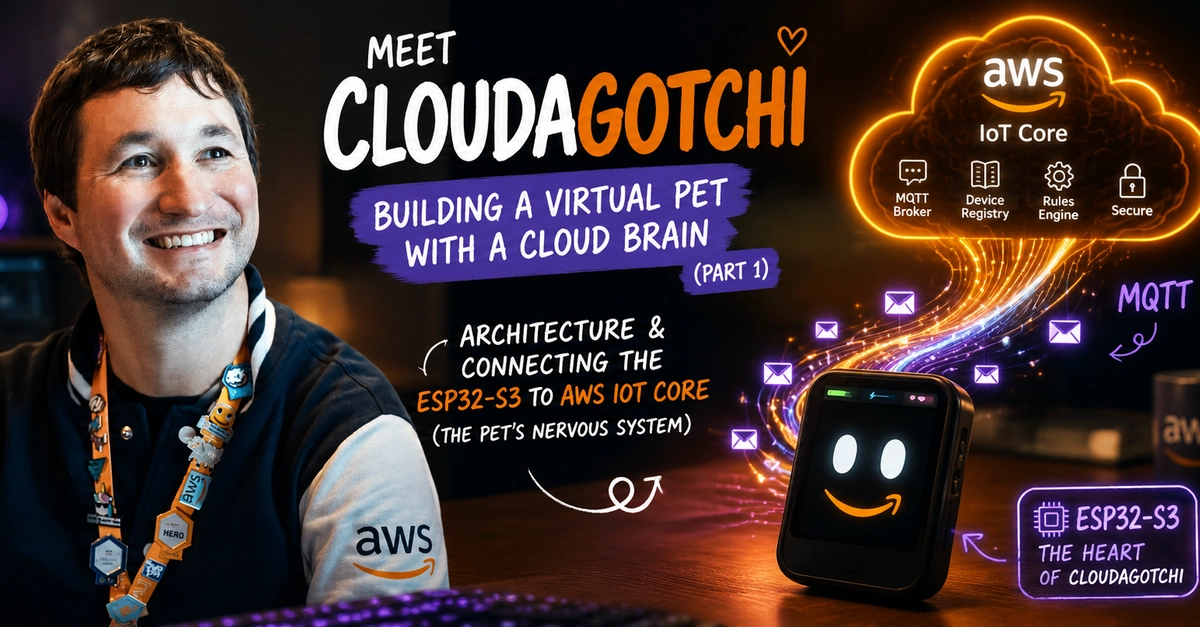
Meet Cloudagotchi : Building a virtual pet with a cloud brain (Part 1)
Full Article
Original Source
Read the full article at Dev →KhanList aggregates and links to publicly available news content. We do not host full articles from third-party sources. Always verify important information with original sources.