
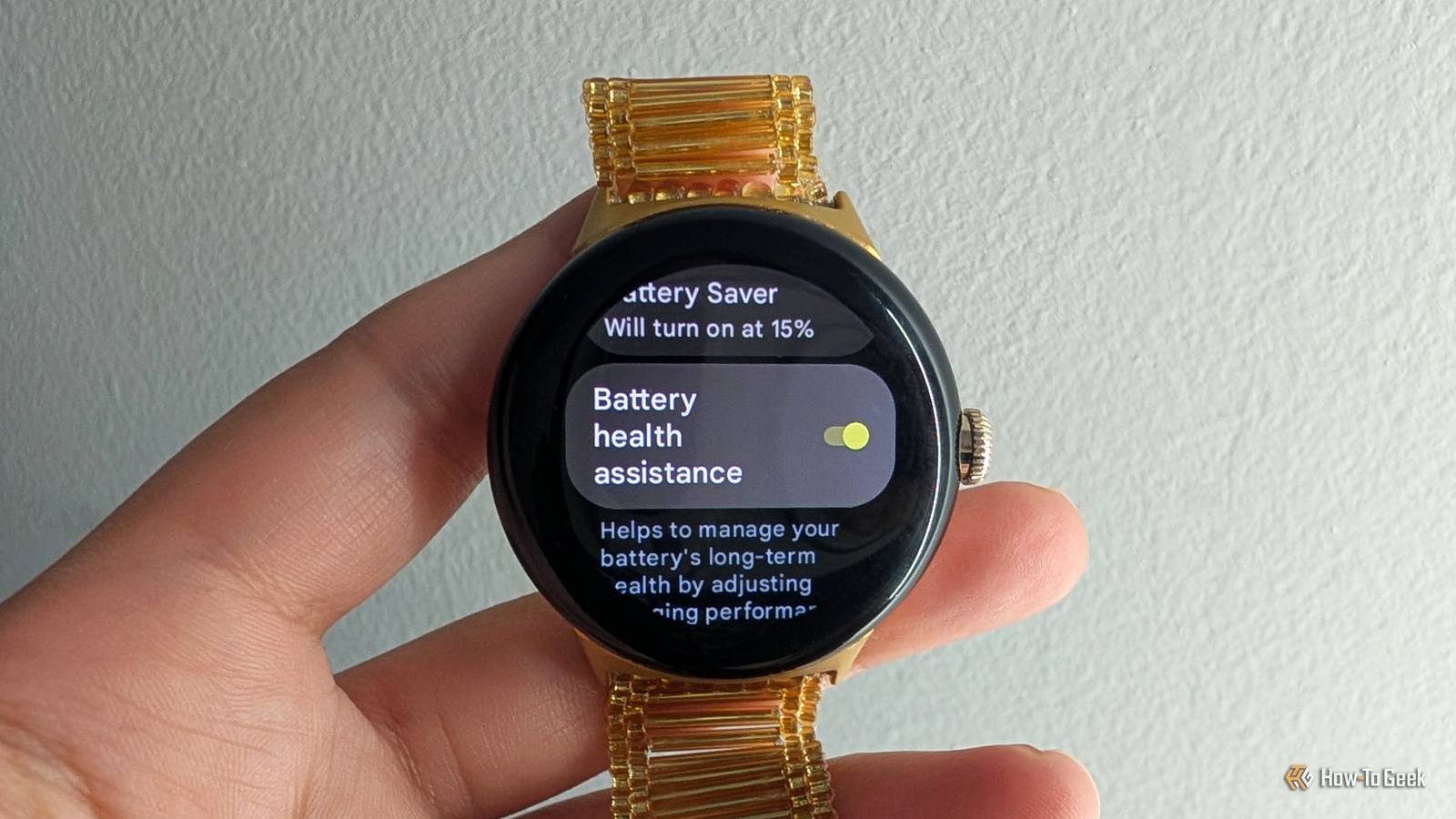
Published Nov 26, 2026, 7:00 PM EST Namerah Saud Fatmi has been writing about smartphones, accessories, e-readers, and apps for nearly a decade. She occasionally branches out into sects like gaming, software, hardware, smart home, and wearables. Before How-To Geek, she was a senior editor at Android Central, and has had bylines at other respectable publications such as Windows Central, iMore, XDA Developers, Neowin, and Good e-Reader. When she isn't writing or testing yet another weird and wonderful new gadget, she spends her free time snuggling with her grumpy feline life partner. Her hobbies include casual gaming, traveling, attempting to pet anything classified as an animal, unnecessarily complicated craft projects, and hunting for the next great bowl of noodles. Sign in to your How-To Geek account Charging your Pixel Watch overnight? Depending on your setup and Pixel Watch model, there are a few steps you can take to improve battery health and the overall charging experience. These changes include settings within your smartwatch, as well as other environmental factors to keep in mind. Pick the perfect spot and adapter based on your Pixel Watch model The generation of your watch and charger type matter We're on the fifth generation of the Google Pixel Watch right now. Since the original Pixel Watch, there have been three different chargers. The first iteration came with a 5W magnetic Qi wireless charger that was shaped like a concave puck. This charger is as slippery as an eel, so I advise against using a tilted charging stand. Opt for a flat charging surface that does not move. Keep in mind the infamous overheating issues of the first Pixel Watch iteration. Avoid fabric-covered surfaces or areas that retain heat. A cool, dry place is ideal, like a marble table or nightstand away from direct sunlight. Additionally, do not use an adapter over 30W, as this causes even more heat buildup. Google pushed an update to fix the overheating issues of the original Pixel Watch. If you didn't get it automatically, go to the system settings and forcefully check for the latest updates to install it. Google states that the optimal working temperatures for its wearables are between 0°C and 35°C. When a Pixel Watch gets too hot, it shuts down on its own to protect the device and its battery. It is imperative that you let it cool down completely before turning it back on and continuing to charge it. The Pixel Watch 2 and Watch 3 share the same puck-shaped charger with four magnetic pins in the back. The charging speed is considerably quicker, and the magnetic pins latch on firmly too. If you face issues with the charger sliding off, remember that it needs to be positioned perfectly, with the cable coming out of the crown side of the smartwatch. Stick with a 30W USB-C adapter for this version too. Lastly, the latest Pixel Watch 4 and Watch 5 use the same side-mounted charger with magnetic pins. This requires your wearable to be placed standing up, with the crown facing up. Google increased the charging speed with this variation, so you can use a 45W adapter. Configure important battery settings on your Pixel Watch Again, these settings are model specific Now that you have the optimal charging area and adapter figured out, dive into the battery settings to optimize them for overnight charging. Excessive charging degrades your battery health, and this is a risk with overnight charging. Head into the battery settings menu on your Google wearable and turn on the toggle for Battery health assistance. This helps to smartly manage battery health in the long run by adjusting charging performance and capacity. After that, be sure to configure your Battery Saver settings from the same menu. Make sure the option to turn off the battery saver when charged is enabled. This automatically disables the Battery Saver mode once your watch has regained 25% of its charge. Google did not introduce adaptive charging on Pixel Watches until the fourth model. If you have a Pixel Watch 4 or Watch 5, make the most of the Adaptive Charging option. This is enabled by default, but the smartest way to optimize this for overnight charging is by creating a Bedtime Routine on your phone and then syncing that with your Pixel Watch 4 or 5. This ensures that you get fast charging during the day, but adaptive charging that protects your watch battery only during the night. Google added a built-in feature to protect your Pixel Watch battery from overcharging Leaving your smartwatch charging all night long can be risky. Google thought about the possibility of users forgetting about their wearables. Even if you were to leave your Pixel Watch plugged into the charger all night, there is a safety feature built-in that prevents dangerous levels of heat from building up. This feature is called Battery Defender, and it's baked into all Pixel Watch models. If any Pixel Watch is left charging continuously for four days in a row or more, Battery Defender pauses charging to protect the watch's battery. How do you know if Battery Defender has kicked into action on your Pixel Watch? A notification pops up on the wearable when you wake the screen or lift the smartwatch. Disabling Battery Defender is really simple. All you have to do is remove your Pixel Watch from the charger and plop it back on. The smartwatch will automatically resume charging beyond 80% once you put it back on the charger.
Make these 5 changes before charging your Pixel Watch overnight
Full Article
Original Source
Read the full article at Howtogeek →KhanList aggregates and links to publicly available news content. We do not host full articles from third-party sources. Always verify important information with original sources.