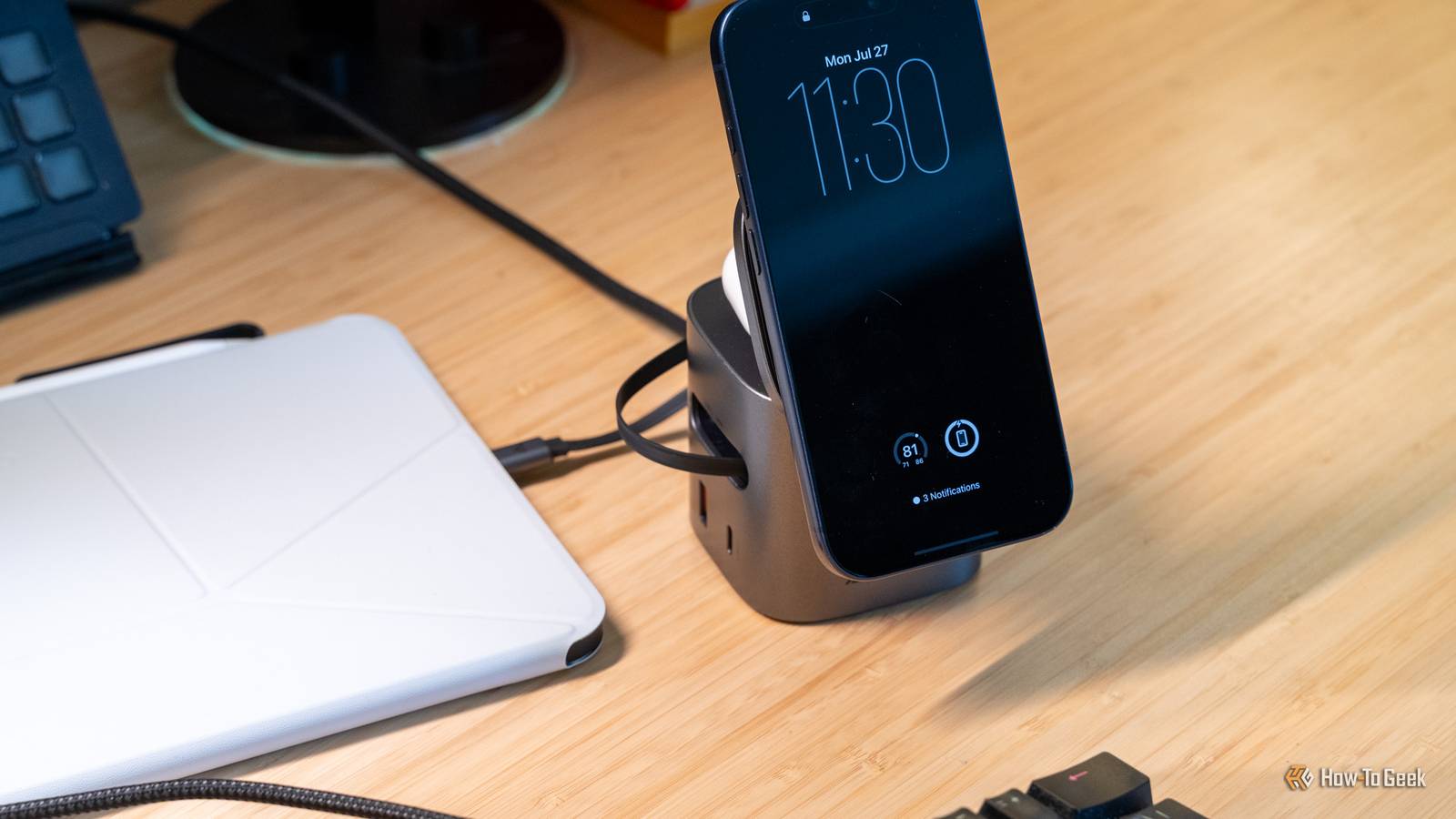
Published Jul 27, 2026, 2:45 PM EDT Patrick Campanale has been in the tech space for well over a decade, specializing in PC/gaming news and reviews, as well as maker-focused products to build small businesses. With a start in technology back in 2010 surrounding the Palm/webOS ecosystem, Patrick spent his formative years developing mobile applications as well as blogging for various publications, eventually leading to starting his own website in 2014. After running a technology blog for a few years, he stepped out of that role and into the world of high-end custom PC manufacturing and building, with a focus on YouTube video production and overclocking. Then, six years ago, Patrick joined the 9to5Toys team as an editor/writer/reviewer with over 14,000 articles being published there there, ranging from deals and roundups to in-depth reviews on the latest technology, video games, 3D printers, and more. In his free time, Patrick loves to create projects from wood using various robots and methods, including leveraging the technologies of CNCs and lasers. If Patrick isn't working on a computer or playing video games, he's likely in his 2-car garage workshop creating something unique. In addition to all this, Patrick is also a youth pastor at his local church where he feels God has called him to serve, and he loves every minute of it. Are you tired of untangling cables and chargers just to plug your phone or tablet in? I was, and I decided to finally do something about it. After adding retractable cables to my arsenal, I realized this was the upgrade I had been needing, and there's no going back for me. My old desk charger created a cable-management mess I thought a 4-port USB-C charger was the answer to my charging problems Credit: Jerome Thomas / How-To Geek A few years ago, I got a 4-port USB-C charger (with two USB-A ports) for my desk. I then went on to design a custom 3D-printed under-desk mount for it. Honestly, for a long time, the charger did everything I wanted it to. It provided up to 200W of power output across its ports, and anything I plugged into it worked great. The only problem with it was the cables. Since I kept one cable plugged in, I ended up keeping four plugged in. These cables were relatively hidden, as the charger was mounted under my desk and the cables draped over my monitor mount. However, they would frequently get tangled and were just annoying to use. I was happy to have all the power there and to be able to charge so many items at once, but it was really more annoying than anything. I kept a separate charger on my desk for charging my iPhone, AirPods, and Apple Watch, so the other cables only got used whenever something other than those three items needed power. Since this wasn't all that frequent, the cables just sat there as a cluster of tangled wires, silently adding to the growing clutter on my desk. Eventually, I got tired of the clutter and sought out a tidier solution, and it worked better than I imagined! I never thought a single cable could be so powerful But the cable that's always there is the one I use The first charger I got to help reduce clutter on my desk was the ACEFAST Z9 Pro. It checked all the boxes for a replacement desk charger, but not a replacement everything charger. You see, I planned on only using the Z9 Pro to replace my Belkin UltraCharge Pro I had at my desk. The Belkin charger only charged my iPhone, Apple Watch, and AirPods. The Z9 Pro added a retractable 60W USB-C cable to the side, as well as another USB-C and USB-A port for other items. I originally thought the built-in USB-C cable wouldn't be enough for my needs, but I was wrong. Shortly after getting the Z9 Pro, I found myself just grabbing the 60W built-in cable every time I needed a cord instead of one of the cables plugged into my Anker charger. Eventually, I unplugged the Anker charger entirely at my desk. I never realized how much visual and mental clutter the Anker charger was adding to my desk. The Z9 Pro allows me to have a 60W USB-C cable within arm's reach at all times, without having to constantly look at it. Whenever I'm not using the charger, it looks like a sleek system on my desk instead of a ton of visual clutter. I can easily plug two devices in if I need it, and that's all I ever need at my desk anyway. I now want a retractable cable everywhere I charge I rarely have to open my cable drawer anymore Since getting the Z9 Pro, I also picked up two more chargers with retractable cables for my charging setup across the room. The main one I use the most is the JOYROOM JR-TRD01, which is a 140W desktop charger that has two built-in 100W USB-C cables, a 140W USB-C port, and two USB-A ports. Now, the JOYROOM charger can't output full power to each plug at one time. However, it can do 70W + 70W output, or 100W and 30W output, depending on what's plugged in. My favorite part about this charger is that there are two retractable USB-C cables built-in. The other charger on my desk is the ACEFAST Z10, which should be coming out soon in the US. The Z10 offers a 100W USB-C cable built-in, with two more 100W-capable USB-C ports and a USB-A ports. At this point, the JOYROOM and ACEFAST Z10 run my charging station. My old Anker 4-port 200W charger is still around, but rarely used because it's annoying to have to go digging for cables when they're built-in now. Retractable cables are useful for more than just desk setups I've never had such a streamlined on-the-go charging setup Credit: Patrick Campanale / How-To Geek When I first got my retractable cable chargers, I thought they'd only revolutionize my home charging setups. I was very wrong. My wife and I recently took several overnight trips to various locations, and my ACEFAST Z9 Pro went with me on each one. I used to have a 3-in-1 MagSafe charger I brought on trips—and it's still in my bag—but it's no longer my go-to charger. Before, I had to grab my USB-C wall charger and a USB-C to USB-C cable to plug my 3-in-1 charger in. Sometimes I'd want to also charge my iPad or MacBook at my bedside while on a trip, so I eventually got a 2-port USB-C charger so I could plug one cable into my 3-in-1 charger and then have the other available for powering my iPad or MacBook. However, replacing that old setup with the Z9 Pro streamlined everything. Now, I just need one wall and one cable to do everything. The Z9 Pro simplified my on-the-go charging setup and I definitely won't look back. ACEFAST Z9 Pro Brand ACEFAST Output 60W Input 120V Cable included Built-in 60W USB-C cable Charging Ports 1x USB-C, 1x USB-A Watch Compatibility Apple Watch The ACEFAST Z9 Pro is an all-in-one desk charger that can handle powering a multitude of devices at one time. The built-in Qi2 charging pad on top can power any Qi-enabled device. There's a pop-out Apple Watch puck on the right, and a hidden AirPods pad under the Qi2 pad. Plus, there's even a built-in 60W USB-C charging cord on the side, alongside an additional USB-C and USB-A port. JOYROOM 5-in-1 USB-C Charging Station Brand JOYROOM Output 140W Input 120V Cable included Two 100W USB-C Cables built-in Charging Ports 1x 140W USB-C, 2x USB-A The JOYROOM 5-in-1 USB-C charging station is perfect for powering your desk or charging setup. It has two built-in 100W USB-C Power Delivery cables, as well as an additional 140W USB-C port on the front next to two more USB-A ports. Powered by a single wall plug, this charging station has a built-in screen to tell you how much power each port is using when plugged in, too. Retractable cables are now a requirement for all my chargers At this point, any charger I get needs to have a built-in retractable USB-C cable unless there is a very good and specific reason for it not to have one. Having cables built in is just more convenient in every way. I don't lose the cables, I don't have to hunt around for them, and they're always ready to go whenever I am.
I won't buy another USB charging cable without this feature
Full Article
Original Source
Read the full article at Howtogeek →KhanList aggregates and links to publicly available news content. We do not host full articles from third-party sources. Always verify important information with original sources.