
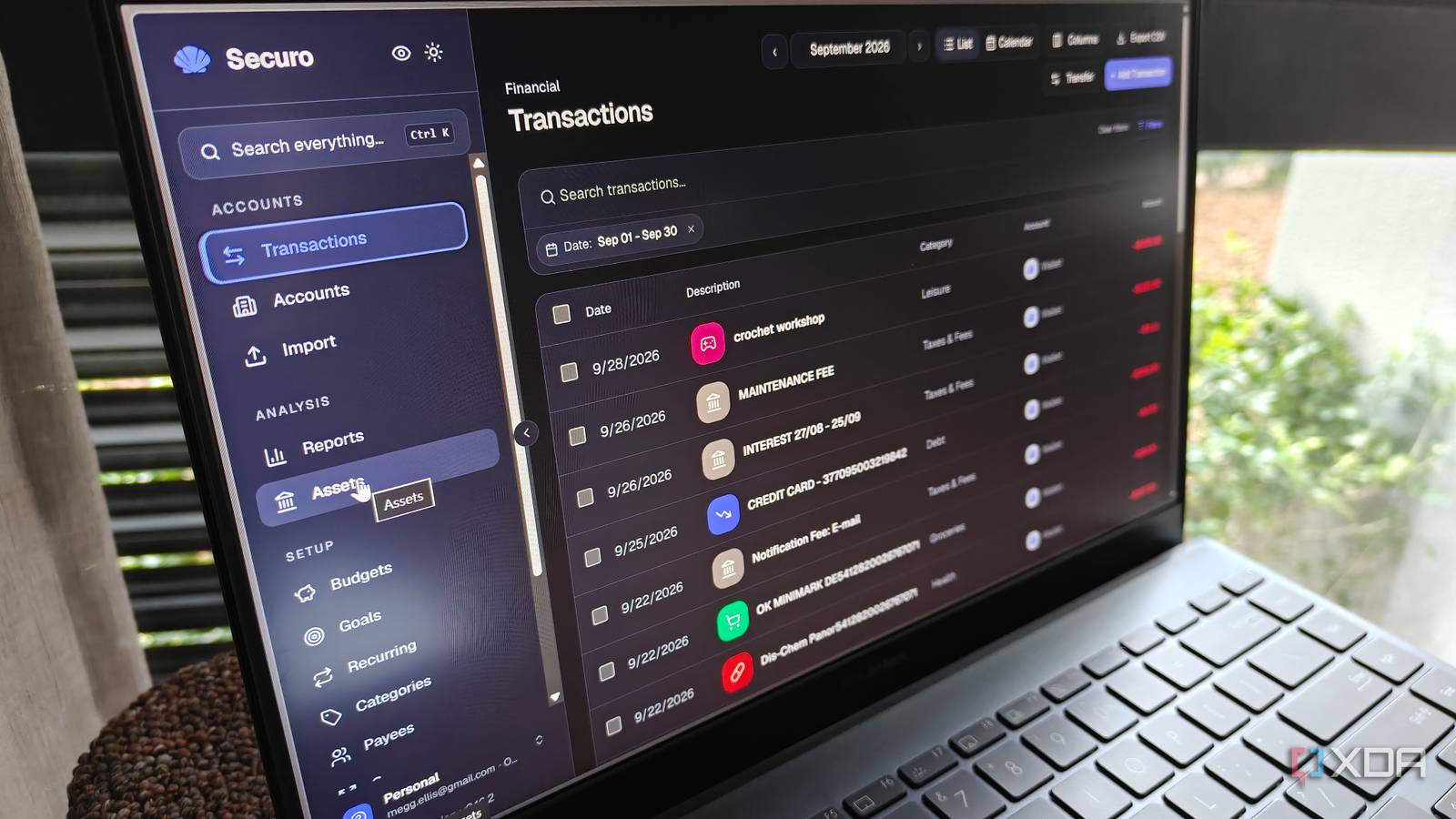
Published Sep 30, 2026, 11:00 AM EDT Megan is a Software Writer at XDA Developers who has been writing about consumer technology since 2016. With a postgraduate degree in New Media journalism, she has always been passionate about diving deep into topics and writing about them in a way that makes them easier to understand for everyday consumers. She runs her own blog called Tech Valkyrie and has contributed to Tom's Guide and Android Authority. She also worked at MakeUseOf as a Lead Editor. In her spare time she plays video games and geeks out about the latest tech. Trying to manage my budget for the past few months has been difficult. No matter how careful I am about my spending, I reach the end of the month with much less left over in my bank account than expected. When I try to wrap my head around my income and expenses, my banking app is no help either. Its money tracking feature is underpowered and requires manual categorization of all my transactions, turning it into a time sink. Meanwhile, third-party apps raise privacy concerns, leaving me stuck with my default banking app and its underpowered features. However, I recently came across Securo on GitHub, which allows you to analyze my transactions without sharing your data with a third party. So I decided to give the self-hosted service a try. What is Securo? A self-hosted financial management Securo is a self-hosted financial management app that lets you categorize your transactions, set up goals for yourself, and view reports on your spending. The app allows you to import your bank statements onto your server, but you can also link the app directly with your bank using different providers. However, this involves more setup and may depend on your bank's own API usage terms. Besides giving you an overview of your transactions, Securo lets you set up different rules to automatically categorize your income and expenses. It also allows you to set up savings goals, as well as a list of recurring transactions like subscriptions or bills. When setting up the service, you also have the ability to enable agents if you want an AI assistant to analyze your Securo data. However, I found that the tool already provided plenty of filters and graphs to help sort through your own data. Getting started with Securo Import and create rules for easy categorization I chose to import my bank statements to Securo rather than linking my bank account, mostly because I wanted to see how the app performed without fiddling around with APIs. I'd recommend using an import if you first want to try out the app to see if it suits your needs. The most difficult part is making sure that your uploaded document is compatible with Securo's import template. I spent a considerable amount of time fixing my bank's date formatting, which would not let me automatically convert it with my spreadsheet software because it was in a non-traditional format. Next, there's categorizing your transactions. Rather than doing this one-by-one on the import screen, I recommend importing your transactions and then using rules to assign categories. You will also likely need to add new categories to fit your own lifestyle, which is luckily easy to do. For example, I split my income streams into different sources, and added expense categories like my phone contract and pet-related expenses. Once you've set up your categories, you should set up some rules. Securo includes a few default rules you can use, but you can create your own. These can be applied to existing transactions so that you don't have to manually categorize all your data. For example, I used a rule to assign all transactions from my local grocery stores to the Groceries category. The rule creation window even allows you to preview a rule so that you can see how it will apply to the transactions you currently have on your account. The initial setup takes some time, but once you have your rules in place, it gets a lot easier to import your data and get an immediate dashboard. Different visuals help you understand your spending Securo gives you plenty of ways to sort through your data. In the Reports tab, you can see a variety of visual representations of your transactions including Net Worth, Income vs Expenses, Cash Flow, and Money Map. I found the Money Map and Income vs Expenses tools particularly helpful, as they visualized my data in a way that made more sense to me. It helped me see that part of the reason I've been struggling with my budget is that my income is immediately taken up by my health and housing costs, leaving me with very little room for groceries and other expenses. Applying filters to the Transactions tab also helped me get a better idea of what I was spending my money on. Ever the self-critic, I assumed I had simply been spending too much on food, takeout coffee, and my hobbies. But when I filtered for these over the past three months, the expenses were minimal and greatly reined in over the past few weeks. These tools helped me identify the real problem — even though I had cut my expenses, my income had also reduced. This was down to periods of illness that meant I couldn't get as much work done. Meanwhile, while I was able to reduce spending on groceries, things like medication costs remained the same. While the data doesn't sort my predicament, it did give me direction on where to steer my energy. I had been so focused on cutting costs and assuming that I had made many unnecessary transactions, when, in fact, it's a problem of income dips that make it more difficult to afford the essential costs. I can now stop beating myself up and focus instead on trying to increase my work so that my income rises too. It's not easy when you're chronically ill, but I now know what to focus on. There are still some things I would like to see Securo add Overall I had a really positive experience with Securo, to the point that I'm looking at whether I can set up a link to my bank account using an API. However, the app also has some room for improvement. Currently, the service doesn't support as many currencies as I would like, including the South African Rand. This means my dashboard is currently in US dollars instead of my actual local currency. I also think the app could benefit from custom reports, or looking at trends for specific categories over time. The reports dashboard does show some category trends, but you can't select which ones you would like to see. Despite this, I think Securo is a really promising tool, and one of the most powerful self-hosted apps I've tried in a while. Securo
I used this self-hosted tool to sort through my budget and it gave me more clarity than my banking app
Full Article
Original Source
Read the full article at Xda-developers →KhanList aggregates and links to publicly available news content. We do not host full articles from third-party sources. Always verify important information with original sources.