
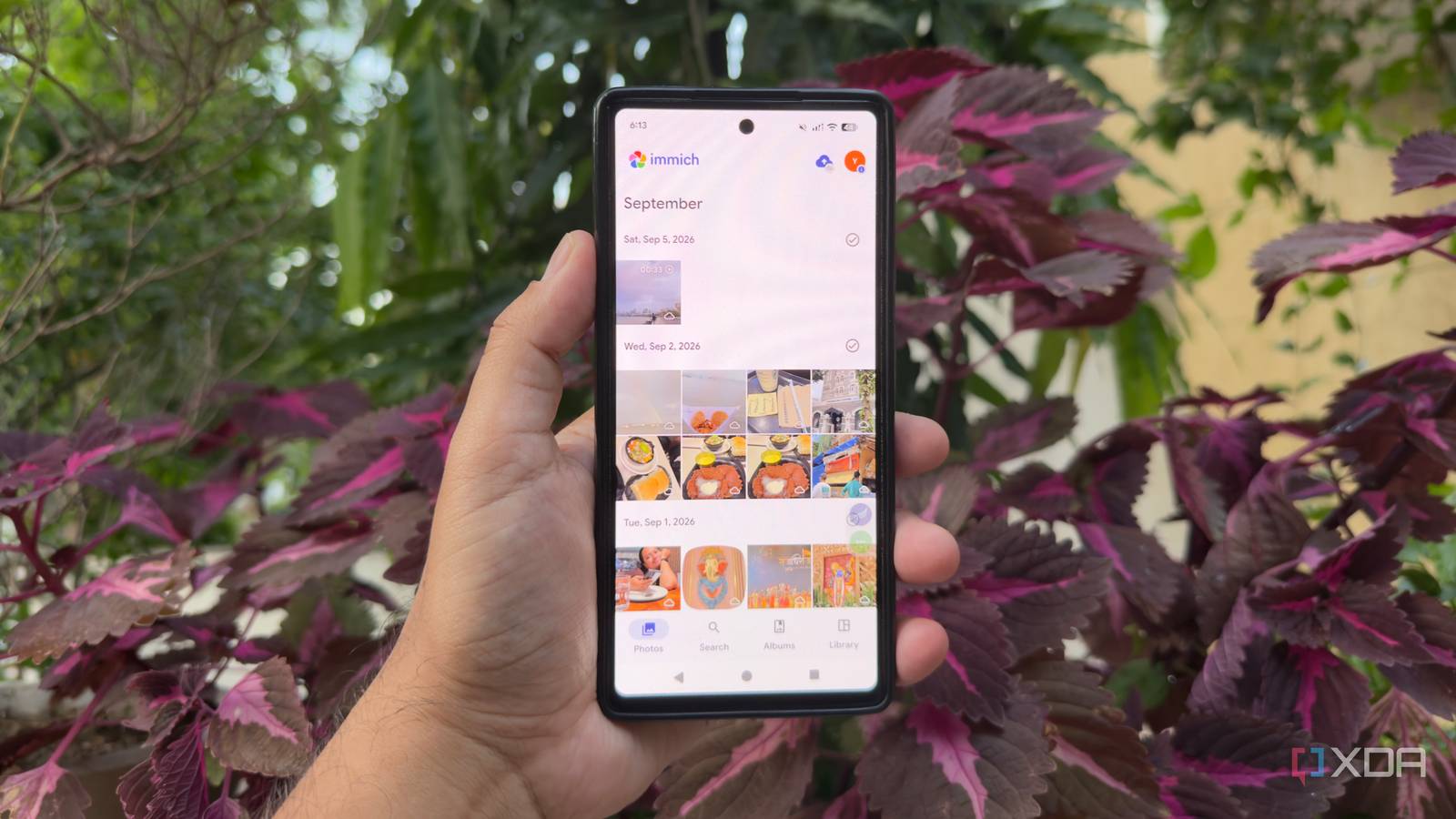
Published Oct 2, 2026, 5:30 PM EDT Beginning his professional journey in the tech industry in 2018, Yash spent over three years as a Software Engineer. After that, he shifted his focus to empowering readers through informative and engaging content on his tech blog – DiGiTAL BiRYANi. He has also published tech articles for MakeTechEasier. He loves to explore new tech gadgets and platforms. When he is not writing, you’ll find him exploring food. He is known as Digital Chef Yash among his readers because of his love for Technology and Food. I started self-hosting to take control of the services I use every day. Over time, though, I noticed that some of my setup worked better on a desktop than anywhere else. That became annoying whenever I was away from my computer and needed quick access to something running on my server. Instead of treating mobile access as an afterthought, I started looking at it when choosing services for my stack. That changed how I built my setup. I began favoring tools that offered a proper mobile experience alongside their self-hosted versions, without sacrificing the flexibility I wanted. Joplin My notes finally follow me Joplin became my go-to self-hosted note-taking app because it gives me most of the features I expect from a modern notes app without adding complexity. I can organize notes into notebooks, add tags, attach files, and write in Markdown. The search also makes it easy to find something as my collection grows. What made Joplin more useful for my setup, though, is its mobile app. I can access my notes on my phone, create new ones, edit existing notes, or quickly check something I saved earlier. It also supports offline access, so I don't have to depend on a constant connection just to read my notes. Having the same notes available on both my desktop and phone makes Joplin much more practical for everyday use. Immich A private photo library in pocket Having a proper photo library on my own server is much more useful than simply storing images in folders. I can organize photos into albums, search through my collection, and browse everything through a timeline. Features such as favorites, sharing, and metadata management also make it easier to keep the library organized without adding unnecessary complexity. The mobile app is what makes this setup especially practical for me. I can browse my entire photo library from my phone and back up new photos directly from the device. I don't have to manually move photos to my computer before they become part of my library. I can also check older photos whenever I need them, which makes accessing my self-hosted collection feel much more natural in everyday use. Plex Turning my phone into a TV Plex became another important part of my self-hosted setup because it gives me an easy way to access my media from my phone. The mobile app lets me browse my library, see recently added content, check details, and start playback without opening the server in a browser. I also like features like watchlists and continue-watching on my phone, so I can pick up something I started earlier without searching for it again. The interface feels familiar, and I don't need to spend time figuring out where everything is. I mostly use Plex when I'm away from my desktop, so having a dedicated mobile experience makes a noticeable difference. It turns my self-hosted media collection into something I can conveniently use wherever I am. Karakeep My saved links follow me I use Karakeep to save interesting things I come across online without letting them disappear into a pile of browser bookmarks. I can save webpages, add tags, create lists, and attach notes to saved items, which gives me more ways to organize everything later. I also like being able to search through my saved content when I need to find something specific. The mobile app fits nicely into this workflow because I can save something directly from my phone while browsing. I don't have to copy a link, send it to myself, or wait until I'm back at my computer. I can also open my saved items from the phone and organize them when I have time. That makes Karakeep useful whenever I discover something worth saving on the go. Home Assistant A smarter way to control home I wanted my self-hosted setup to handle more than files, notes, and media, so Home Assistant became an important part of it. I can bring different smart-home devices into one place and create automations instead of managing each device separately. The dashboard also gives me a quick view of what's happening around my home, from connected lights and switches to other devices and sensors. What makes it fit this setup particularly well is the mobile app. I can check my devices, control them, view notifications, and trigger actions directly from my phone. I can also receive alerts when something needs my attention, instead of opening a browser and checking the dashboard manually. Having that control in my pocket makes Home Assistant much more practical for everyday use. Vikunja A task manager I can carry For managing tasks on my own server, Vikunja gives me a straightforward way to keep projects and to-dos organized. I can create projects, break them into individual tasks, add due dates, labels, priorities, and descriptions, and keep track of what still needs to be done. I also like using lists and views to see my work in a way that makes sense for the task I'm handling. Using the mobile app, I can add a task as soon as I think of it, check upcoming deadlines, update tasks, or mark something complete directly from my phone. I don't have to wait until I'm back at my computer to keep my task list updated, which makes Vikunja fit naturally into my daily workflow. My self-hosted stack finally fits my life I didn't need more self-hosted services; I needed the ones I already use to be easier to reach. Adding mobile apps to my criteria changed how I chose and organized my stack. I can now move between my desktop and phone without feeling like one device is missing half the experience. For me, that's what made self-hosting feel less like a technical project and more like a practical part of everyday life.
6 self-hosted services that are just as useful on your phone as on your desktop
Full Article
Original Source
Read the full article at Xda-developers →KhanList aggregates and links to publicly available news content. We do not host full articles from third-party sources. Always verify important information with original sources.