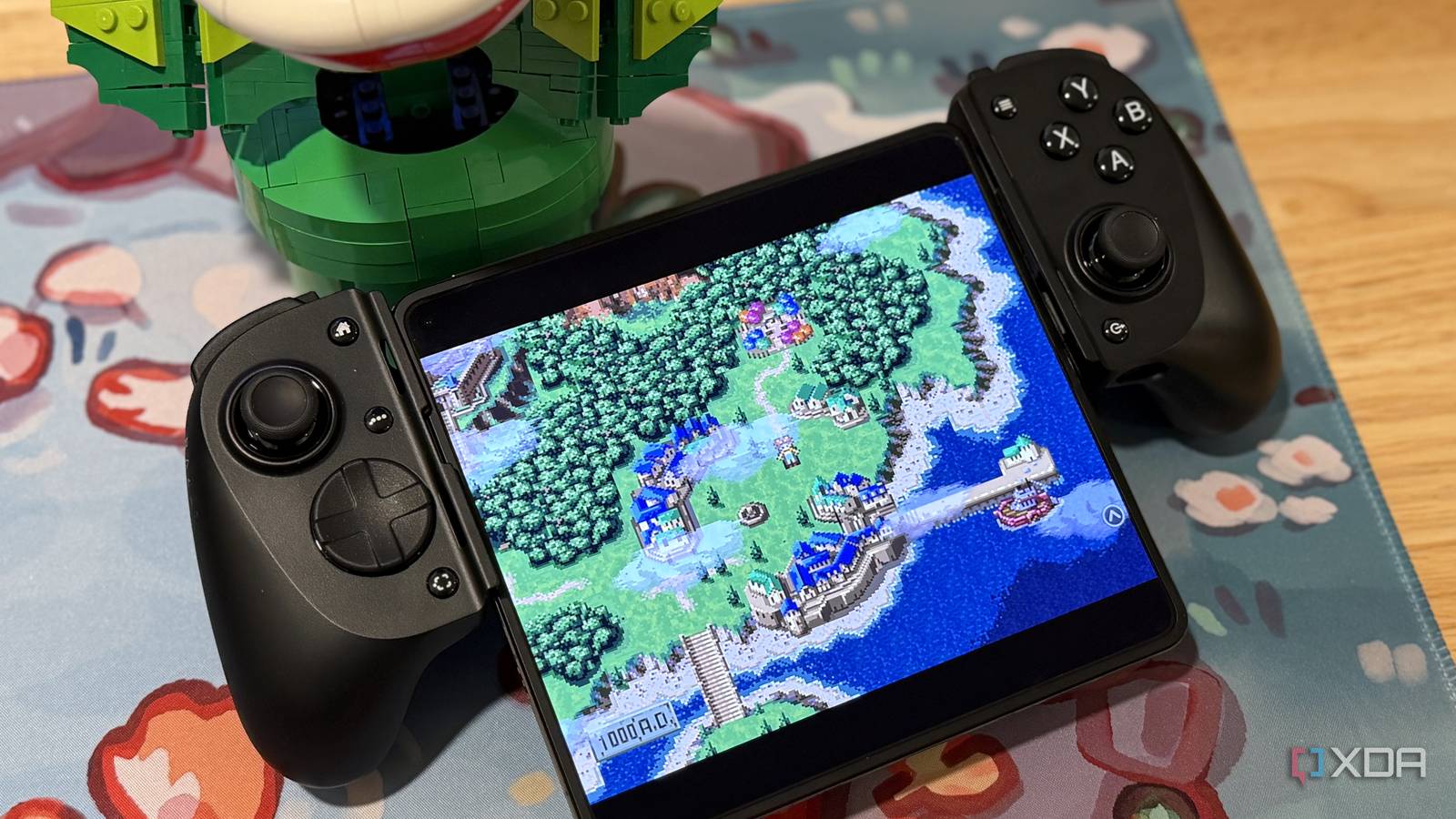
Published Jul 31, 2026, 4:30 PM EDT Maker, meme-r, and unabashed geek, Joe has been writing about technology since starting his career in 2018 at KnowTechie. He's covered everything from Apple to apps and crowdfunding and loves getting to the bottom of complicated topics. In that time, he's also written for SlashGear and numerous corporate clients before finding his home at XDA in the spring of 2023. He was the kid who took apart every toy to see how it worked, even if it didn't exactly go back together afterward. That's given him a solid background for explaining how complex systems work together, and he promises he's gotten better at the putting things back together stage since then. Like every gamer over a certain age, I’ve come to terms with the fact I’ll never clear off my gaming backlog. There just aren’t enough hours in the world, but that’s okay. But being able to clear some of them off by playing a little bit every night before bed is one of my greatest pleasures, even if I have to emulate them. I was using a ROG Ally X to do this, but I kept dipping into my Steam library instead. So I pulled out a OnePlus Open that'd been languishing in a drawer, and turned it into a dedicated retro gaming device. RetroArch turned my old phone into a retro gaming beast The inner screen of a foldable phone is almost perfect for retro game aspect ratios I wanted to use EmuDeck to begin with, but it didn’t work on the OnePlus Open. The devs do say that it’s built for Android gaming handhelds, not smartphones, and that turned out to be the case. I couldn’t get it to install the emulators it needed, so I looked around for a replacement and found RetroArch, with the ES-DE frontend. This turned out to be just what I needed, with a frontend that installed straight away on my device, and emulator cores for every game I could want. Like SCUMM for those LucasArts classic point-and-click adventures that kept me in stitches laughing as a kid. Running these games on a modern OLED display makes the color pop in a way I don’t remember, but it comes with another issue. Retro games were designed to work around scan lines and the restrictions of CRT TVs, and the crisp displays on modern devices make them look odd. RetroArch has CRT shaders to combat this, giving the games back the feel of old display tech while taking advantage of OLED enhancements. I’ll be the first to say the UI for RetroArch is a little clunky, but I fixed that by installing ES-DE, a themeable frontend that also pulls images, descriptions, ratings, and other relevant information on the games you’ve got in your library. It’s like Jellyfin but for your retro games, and organizes your games based on the platform they’re from. Making it feel more like a console I can't get to grips with touchscreen gaming, I need a controller While the OnePlus Open’s inner screen is fantastic for the 4:3 ratio that most retro games expect to run in, actually controlling those games is a problem. The usual solution for adapting older games to work with a touchscreen is to cover a large portion of the screen in an overlay for a virtual controller, and I’ve never liked that approach. I need physical controls, and the clamp-style Razer Kishi V3 Pro is my current choice. I was using a Backbone One, but the curved clamp doesn’t fit larger phones. The Razer controller has changed substantially since we reviewed the first Razer Kishi, changing the clamp to allow for larger phones and smaller tablets of up to 8 inches, and adding TMR joysticks to banish stick drift. The grips are slightly smaller than a standalone controller, which is comfortable to use; it’s powered via the USB-C port, and has pass-through charging via a port on the bottom right. It’s even got extra mappable buttons, in case I need them for a retro game. Oh, and it has rubber bumpers for Apple and Android devices, plus more clearance, so I don’t have to take my phone case off when using my iPhone. There is one thing that stops it from being a perfect solution. The USB-C port is on the right side, which doesn’t matter when you’re using a regular phone or tablet as the port is usually near the middle of that edge, but for a foldable, it means half of the device sticks down below the grips. I’d like to see the port moved to the left side for the next version to better accommodate foldables. Sometimes the width of the Kishi gets tiring to hold, and I’ll switch over to a Bluetooth-enabled Xbox Controller when that happens. It’s still my favorite gaming controller shape, although the asymmetrical joysticks aren’t the most comfortable for long periods. I’ve never liked the PlayStation D-pad, or how the trigger buttons are designed, and I’m too old to change my preference. I have enough trouble remembering that Nintendo’s A-B buttons are swapped to those on the Xbox. Changing to front-button glyphs is even worse, slowing me down every time I have to translate them to a finger position. Razer Kishi V3 Pro $130 $150 Save $20 The Razer Kishi V3 Pro turns larger phones or smaller tablets into handheld gaming consoles. Xbox Wireless Controller $54 $65 Save $11 The Xbox Wireless Controller is my go-to for turning phones and tablets into small, mountable consoles. Retro games are oddly calming to me The play-by-checklist of modern gaming doesn't agree with my brain Don’t get me wrong, I love playing the latest AAA blockbusters just as much as anyone. But they’re not what I want to play when it’s time to relax before bed. Mini-maps covered in icons to go collect, high-adrenaline big-action pieces, and being made to build things in-game are not my idea of relaxing. It makes my brain feel like I’m working, not gaming. Emulation lets me catch up on classics that developers either think they need to remake or revamp to reach a modern audience. That has its place, but the nostalgia of middle age has me wanting to play games in the state they existed when I was a kid. I love pixel art and chiptune music, and both of those were firmly planted in the 8-bit and 16-bit era of gaming. I missed most of the 32-bit era, coming to it late with a second-hand Nintendo 64. I made up for it by playing 1080°Snowboarding for hours on end, GoldenEye 007, and The Legend of Zelda: Ocarina of Time, although I never finished that back in the day. Now I can chill in bed and catch up on the classic games I missed growing up It might seem odd to have a dedicated phone and controller on the nightstand for retro gaming, but it fits how my brain wants to experience things. If I put games on the phone where my email and messaging apps are, I’ll get distracted and spend the time clearing out my inbox. This way, I reuse a device that was gathering dust in a drawer while playing the oldest games in my lengthy backlog. You don’t need to use a foldable; almost any phone can emulate earlier consoles, and you might find the classics were called that for a reason. RetroArch RetroArch is an emulator frontend that turns your old phone into retro-gaming heaven.
I turned my old phone into a bedside retro gaming console, and it's the best use I’ve found for it
Full Article
Original Source
Read the full article at Xda-developers →KhanList aggregates and links to publicly available news content. We do not host full articles from third-party sources. Always verify important information with original sources.